Deals for every list.It’s officially saving season.Shop now

Main Content
Skip to contentGo to Product Search

Deals for every list.It’s officially saving season.Shop now

Main Content

Reliable Laptops For Small Businesses

Reliable laptops for small businesses are essential tools for keeping productivity high and operations running smoothly. Whether you’re managing projects, handling finances, or collaborating with your team, choosing the right laptop can make a significant difference in your daily workflow. Explore a variety of dependable options designed to meet the unique needs of small business owners and professionals, all aimed at delivering consistent performance and value. Find the perfect fit to help your business stay connected and efficient every step of the way.

Read More
Results
Main Results
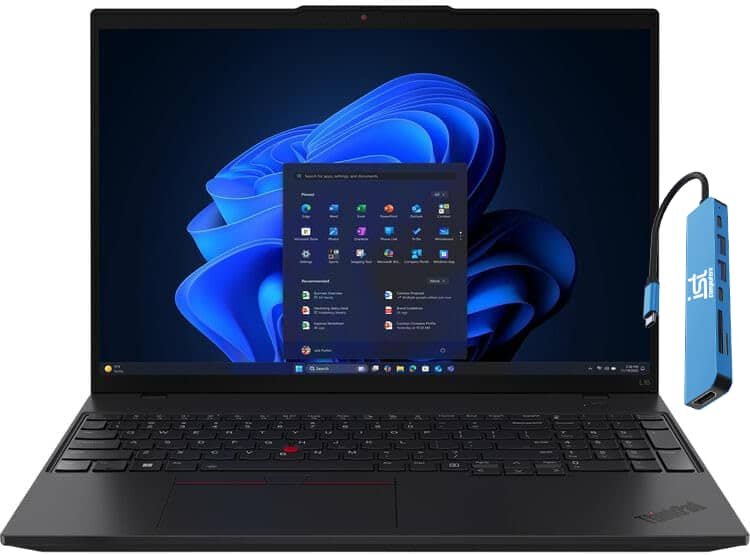
  1. Lenovo - Upgraded - ThinkPad L16 16" WUXGA AI Business Laptop - Intel Ultra 5 225U 2025 - 16GB RAM - 512GB SSD - Fingerprint - Win11Pro - Jet Black

    SKU: J3GWQRFSQL

    program/system and data analyzation that requires accuracy and compliance and this computer is the best...Great product and great customer service...Best Work Computer

    Product Description

    A black business laptop with Intel Core Ultra 5, 16GB RAM, 512GB SSD, and fingerprint security.
    See all Windows Laptops
    Your price for this item is $1,069.99
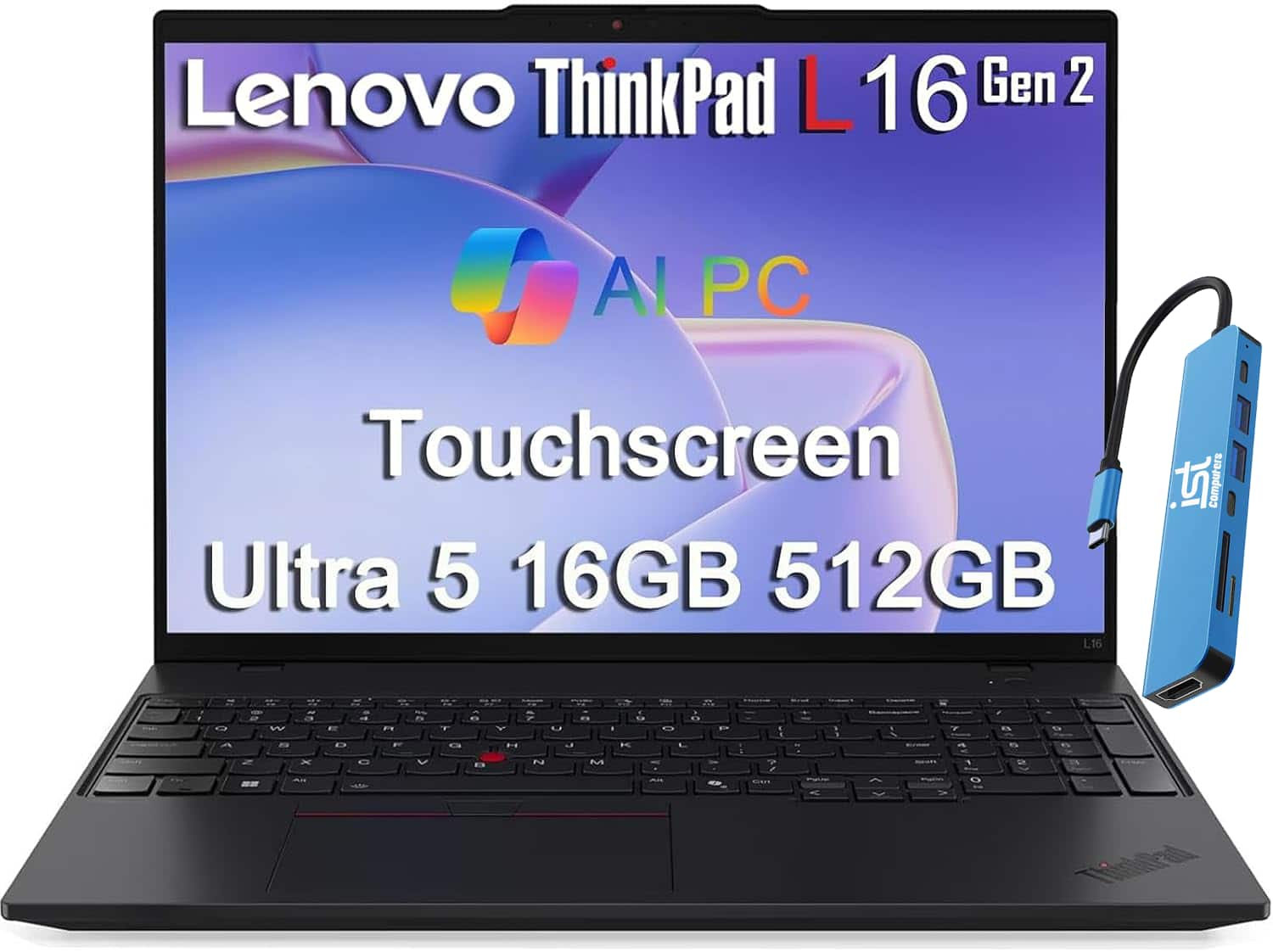
  2. Lenovo - Upgraded - ThinkPad L16 16" FHD+ Touchscreen AI Business Laptop - Intel Core Ultra 7 255U - Fingerprint - 32GB RAM-1TB SSD-Win11Pro - Jet Black

    SKU: J3GWQRFYT2

    Great Laptop

    Product Description

    A black business laptop with Core Ultra 7, 32GB RAM, 1TB SSD, touchscreen, and fingerprint security.
    See all Windows Laptops
    Your price for this item is $1,599.99
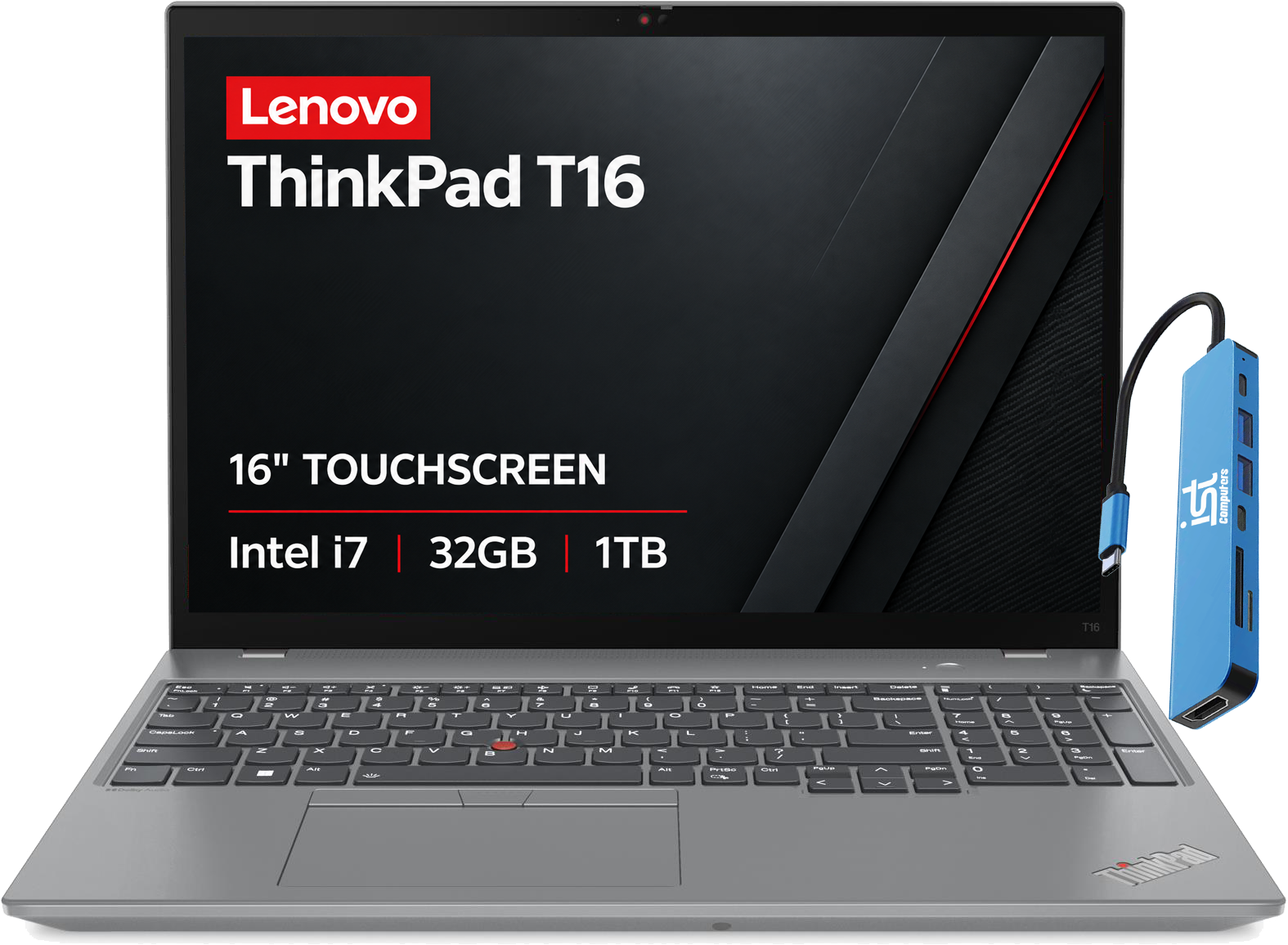
  3. Lenovo - Upgraded - ThinkPad T16 16" FHD+ Touch-Screen Business Laptop - Intel Core i7 with 32GB RAM - 1TB SSD - Fingerprint - Windows 11Pro - Storm Grey

    SKU: J3GWQRFGYH

    Overall, seems to be a great laptop...The best feature I have liked so far is the keyboard....particular about the layout and sensation of having firm, but comfortable keys and this laptop has a great...

    Product Description

    A grey business laptop with Intel Core i7, 32GB RAM, 1TB SSD, touchscreen, and fingerprint security.
    See all Windows Laptops
    Your price for this item is $1,699.99
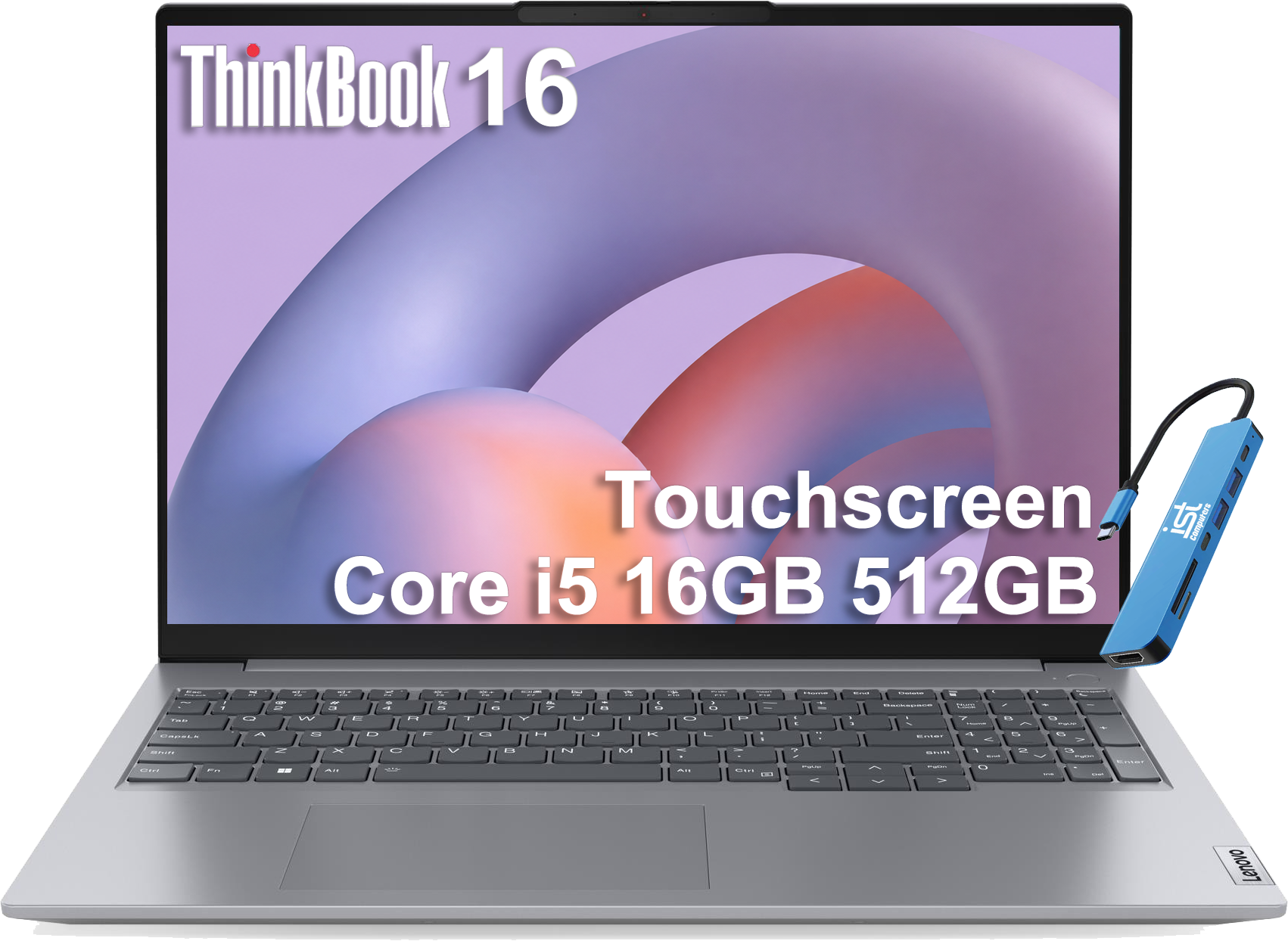
  4. Lenovo - Upgraded - ThinkPad L16 16" FHD+ Touchscreen Business Laptop - Intel Ultra 5 225U - 16GB RAM - 512GB SSD - Backlit - Win11Pro - Touchscreen - Black

    SKU: J3GWQRF6QQ

    It offers fantastic value from Best Buy and features a convenient touchscreen in a perfectly portable

    Product Description

    A black business laptop with touchscreen, Intel Core Ultra 5 processor, 16GB RAM, and 512GB SSD.
    See all Windows Laptops
    Your price for this item is $1,399.99
  5. HP - 17.3" HD+ Business Laptop,Intel i3-N305,16GB RAM,512GB SSD,Intel UHD Graphics,Numeric Keypad,Windows 11 Pro - Silver

    SKU: JJG2RWGWPH

    Product Description

    A silver business laptop with Intel i3, 16GB RAM, 512GB SSD, numeric keypad, and Windows 11 Pro.
    See all Windows Laptops
    Your price for this item is $759.79
  6. Your price for this item is $1,449.99
  7. Your price for this item is $1,099.99
  8. Your price for this item is $1,099.99
  9. Your price for this item is $1,099.99
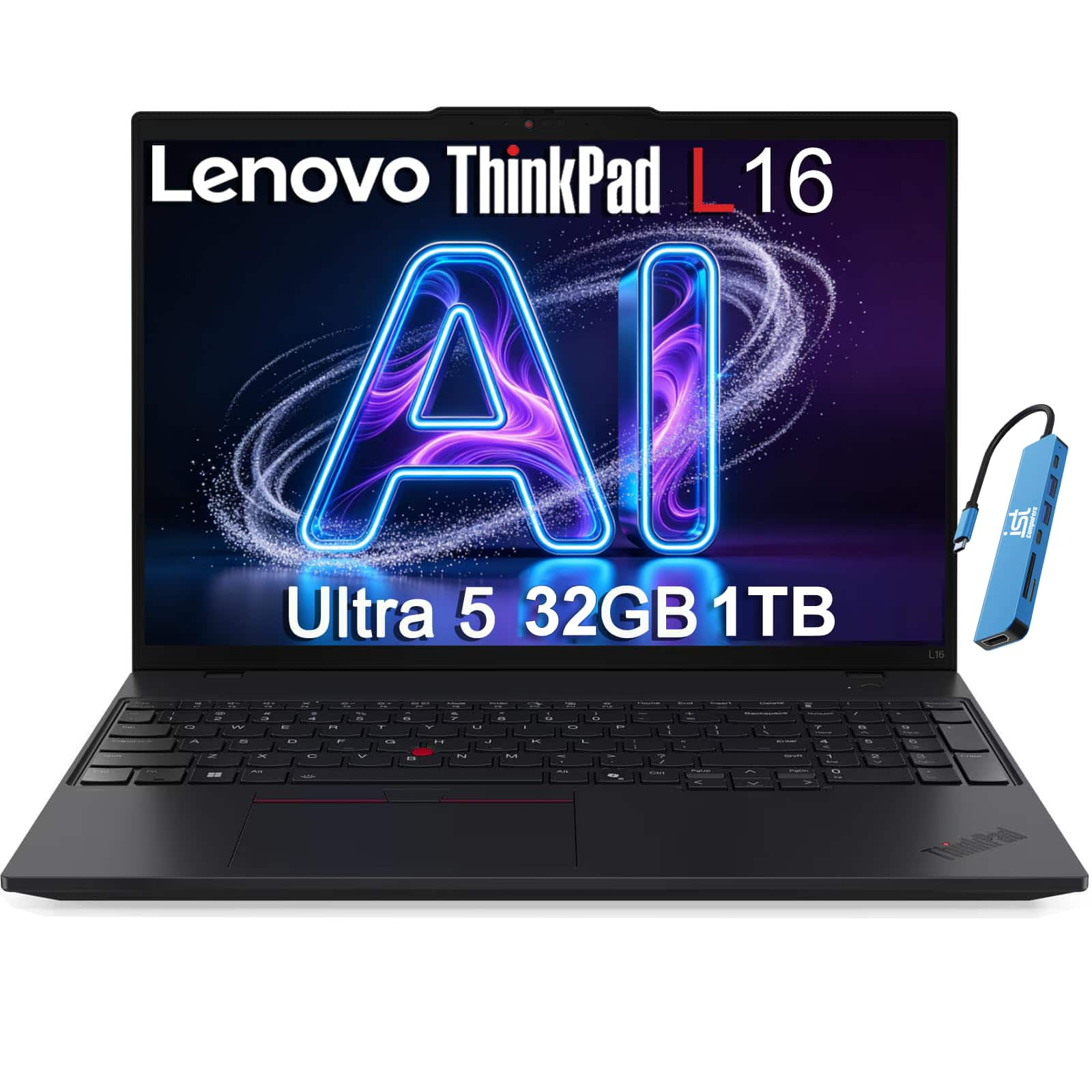
  10. Lenovo - Upgraded - ThinkPad L16 16" WUXGA AI Business Laptop - Intel Ultra 5 225U 2025 - 32GB RAM - 1TB SSD - Fingerprint - Win 11 Pro - Jet Black

    SKU: J3GWQRFQPP

    Product Description

    A black business laptop with Intel Ultra processing, 32GB RAM, 1TB SSD, fingerprint security, Windows 11.
    See all Windows Laptops
    Your price for this item is $1,399.99

Reliable laptops for small businesses need to do more than open email quickly. They have to keep everyday work moving: the bookkeeper reconciling accounts with several spreadsheets open, the shop owner updating inventory between customers, and the consultant sharing a presentation while taking notes on a video call. For many office-based businesses, a practical starting point is a recent processor designed for mainstream productivity, 16GB of memory, and a 512GB solid-state drive, with adjustments for the software and files each person uses. That combination can provide room for typical multitasking without paying for workstation-level hardware that routine administrative work may not require. Memory helps keep applications responsive when browser tabs, accounting tools, and conferencing software are running together; a solid-state drive supports quick startup and responsive file access. Teams working with large datasets, design applications, or demanding development tools may benefit from 32GB of memory or more, additional storage, and a higher-performance processor. Dedicated graphics can matter for certain creative and technical applications, but integrated graphics are often sufficient for documents, web-based systems, and everyday presentations. Software compatibility deserves attention before any purchase, particularly when a business depends on specialized billing software, older peripherals, or applications with specific processor and operating system requirements. Check the recommended requirements for essential programs, not just their minimum specifications. A laptop that launches an application may still feel cramped when that application shares resources with everything else a busy workday demands. For a broader view of everyday workplace computing options, Laptops For Business Work offers another relevant place to browse. The most useful comparison is not simply which computer has the biggest specification numbers, but which configuration suits the work, supports necessary tools, and leaves reasonable capacity for the business to grow.

The details people touch and see all day can be just as important as processing power. A comfortable keyboard, an accurate touchpad, and a clear display make a difference during a long afternoon of invoices or proposal revisions. A 14-inch laptop often strikes a useful balance between screen space and portability for employees who move between home, the office, and client locations. A 15- or 16-inch display can make side-by-side documents and wide spreadsheets easier to manage, though the larger footprint may be less convenient on a small café table or crowded service counter. Screen resolution, brightness, and finish deserve consideration alongside size: text should look crisp, and an anti-glare surface can help reduce distracting reflections under overhead lighting. For someone entering figures throughout the day, a built-in numeric keypad may be more valuable than an especially thin chassis. For frequent calls, look at webcam quality, microphone performance, speaker clarity, and whether there is a physical camera shutter. Noise-reduction features can help in shared spaces, although their effectiveness varies with the room and software. Battery life matters most when it reflects actual use, not just a best-case advertised estimate; video meetings, high brightness, and demanding applications can shorten time between charges. Consider the weight of the charger as well as the laptop when comparing travel-friendly options. Ports also affect how easily a machine fits into an existing workspace. Connections for an external monitor, wired accessories, storage devices, and a compatible dock can prevent a daily scramble for adapters. Check the capabilities of individual ports, since the same connector shape does not guarantee support for charging or video output. During the cooler months, when work may shift between a back-office desk and a kitchen table, a dependable wireless connection and an easy docking setup can make those transitions less disruptive. A sturdy hinge and well-supported keyboard deck are worth considering for frequent handling, while documented durability testing provides additional context. Testing against a military standard does not mean a laptop is waterproof, drop-proof, or covered against every accident; review the actual tests and warranty terms.

Reliability also includes protecting business information and having a workable plan when something goes wrong. Depending on the business’s needs, useful security features may include hardware-backed protection such as a TPM 2.0 security processor, fingerprint or facial authentication, and support for device encryption. These features serve different purposes: biometric sign-in can make access more convenient, while properly configured encryption helps protect stored information if a laptop is lost or stolen. Neither replaces strong account security, multifactor authentication, timely updates, or regular backups. An operating system edition with business management capabilities may be important for organizations that need centralized device administration or particular network features, but not every small team needs the same setup. A solo real estate professional, a growing accounting office, and a repair business with a shared front-desk computer may prioritize very different capabilities. Shared devices benefit from separate user accounts and clear access permissions, while employees handling sensitive client records may need controls shaped by contractual or regulatory requirements. Beyond security specifications, compare warranty length, service options, repair logistics, and the availability of replacement chargers or other essential accessories. Coverage varies, and accidental damage protection, expedited service, or on-site support may involve separate purchases or restrictions. For a business with only a few employees, even a short interruption can mean rescheduled appointments or delayed invoices, so support deserves a place in the budget alongside performance. Upgradeability can also influence long-term value: some laptops allow memory or storage changes, while others have components that cannot be upgraded after purchase. Confirm the exact configuration rather than assuming every version of a laptop has the same options. When buying several computers, consistent configurations can simplify setup, accessory sharing, and troubleshooting. Include any needed docks, monitors, software licenses, backup services, and protection plans when comparing total costs. A thoughtful laptop purchase gives each employee the tools their role actually calls for, whether that means a lightweight system for appointments or a larger-screen computer for detailed office work. The goal is dependable daily use, manageable upkeep, and fewer interruptions between opening the laptop and getting the job done.

FAQ

Small businesses should prioritize laptops with fast processors, ample RAM (at least 8GB), solid-state drives (SSD) for quick boot times, long battery life, and robust security features such as fingerprint readers or TPM chips. Durability and strong customer support are also important considerations.

A reliable laptop minimizes downtime due to technical issues, offers faster performance for multitasking, and supports essential business applications smoothly. This allows employees to work efficiently whether they're in the office or on the go, ultimately boosting overall productivity.

Yes, business laptops often come with enhanced security features, sturdier build quality, longer warranty options, and better support services compared to consumer laptops. They are designed to handle the demands of daily business use and often include features like docking capabilities and extended battery options.

The most common operating systems for small business laptops are Windows and macOS. Some businesses may also opt for Chrome OS if their workflow is primarily web-based. The choice depends on software compatibility and user preference.

Data security is crucial for small businesses to protect sensitive information from cyber threats. Choosing laptops with built-in security features such as encryption, biometric authentication, and regular software updates helps safeguard business data and maintain client trust.