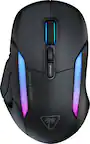
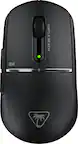
Turtle Beach - Kone XP Air Wireless Optical Gaming Mouse with Charging Dock and AIMO RGB Lighting - Wireless - White
Turtle Beach - Kone XP Air Wireless Optical Gaming Mouse with Charging Dock and AIMO RGB Lighting - Wireless - White
Color
White- 8BitDo - Wireless USB Adapter for Most Gaming Controllers - Brick Red$19.99

More Buying Options
Related Item

Specifications
- Lighting TypeRGBMaximum Sensitivity26000 dots per inchNumber of Buttons (Total)15Connection TypeWireless, Wireless
- Key Specs
- Lighting Type: RGB
- Maximum Sensitivity: 26000 dots per inch (Mouse sensitivity is measured in dots per inch (DPI). The higher the DPI, the more sensitive the mouse is and may be more useful for high-density pixel screens. Lower DPI typically means more precision and accuracy in mouse movement.)
- Number of Buttons (Total): 15
- Connection Type: Wireless, Wireless
- General
- Brand: Turtle Beach
- Model Number: TBM-1101-15
- Product Name: Kone XP Air Wireless Optical Gaming Mouse with Charging Dock and AIMO RGB Lighting
- Color: White
- System Requirements: Windows® 10 and above (software support), USB 2.0 (or higher), Internet connection (for driver software) (The software that a product must have for it to be able to integrate with another product.)
- Features
- Mouse Type: Gaming
- Lighting Type: RGB
- Customizable Lighting: true
- Performance
- Mouse Operation: Scroll wheel, Button(s), Tactile
- Mouse Grip Style: Palm grip (In comparison to many palm and claw grips, ergonomic grip mice are designed for a specific handedness and put the hand and wrist in a position to promote comfort. Customizable grips feature buttons/keys that can be configured to perform specific actions and may also have customizable calibration and sensitivity settings.)
- Handedness: Right-handed
- Tracking Method: Optical (There are several types of computer mice, optical and laser being among the most common. Optical mice detect less detail and provide more precise and accurate movement. Laser mice detect more detail and can be used on a wider variety of surfaces, but are more sensitive to small movements.)
- Maximum Sensitivity: 26000 dots per inch (Mouse sensitivity is measured in dots per inch (DPI). The higher the DPI, the more sensitive the mouse is and may be more useful for high-density pixel screens. Lower DPI typically means more precision and accuracy in mouse movement.)
- Minimum Sensitivity: 50 dots per inch (Mouse sensitivity is measured in dots per inch (DPI). The higher the DPI, the more sensitive the mouse is. Lower DPI typically means more precision and accuracy in mouse movement, but higher DPI may be useful for high-density pixel screens.)
- Number of Buttons (Total): 15
- Number of Thumb Buttons: 5
- Number of Programmable Buttons: 29
- Designed for Game Genre: FPS, MMO, MOBA, RPG, RTS
- Adjustable Weight: false
- Connectivity
- Connection Type: Wireless, Wireless
- Wireless Connectivity: Radio Frequency (RF - 2.4 Ghz/Low Latency), Bluetooth (The manner in which a device sends data to another device over a short distance without the use of wires or cables.)
- Operating System Compatibility: Windows
- Plug and Play Operation: true
- Power
- Mouse Power Source: Battery-powered
- On/Off Switch: true
- Rechargeable Battery (Mouse): true
- Wireless Charging: true
- Charging Interface(s): USB-A (The connection for transmitting power to charge the device.)
- Dimensions
- Product Height: 1.58 inches (The out of box height of the item. Height is measured as the vertical distance from the bottom of the item to the top as it would be primarily used or placed.)
- Product Length: 4.96 inches (The out of box length of the item. Length is measured as the longest dimension of the item.)
- Product Width: 2.83 inches (The out of box width of the item. Width is measured as the horizontal distance from one side of the item to the other as it would be primarily used or placed.)
- Product Weight: 99 grams (The out of box weight of the item.)
- Warranty
- Warranty - Parts: 1 year
- Warranty - Labor: 1 year
- Other
- UPC: 731855711017
Control Your XP. The Turtle Beach Kone XP Air Wireless Customizable Gaming Mouse with Charging Dock combines the beloved Kone shape with lag-free 2.4GHz Wireless + Bluetooth connectivity. Boasting 29 programmable inputs, the Kone XP Air delivers rich customization options in a stunning translucent shell filled with LEDs for immersive 3D lighting. An Owl-Eye 19K DPI optical sensor combines with TITAN Optical Switches to provide a responsive and ultra-fast experience for a competitive edge game after game. The stylish charging dock provides five hours of play time with just 10 minutes of charging and 4 RGB lighting zones.
- Ergonomic, Multi-Button Design: Perfected through years of refinement, the beloved Kone ergonomic shape ensures comfort over long gaming sessions. Ten buttons plus 4D wheel expand into 29 programmable inputs thanks to the Easy-Shift[+] duplicator button.
- Lag-Free Wireless: Switch between gaming grade 2.4GHz wireless and Bluetooth for versatile use. Game all night with up to 100 hours of battery on a full charge.
- Rapid Charge Dock: The stylish Rapid Charge Dock provides five hours of play time with just 10 minutes of charging. With 4 RGB lighting zones, the dock beautifully accents any desktop setup. Additionally, the 2.4GHz dongle can be plugged into the USB passthrough on the front.
- AIMO Illumination: The translucent shell and wheel set the stage for the Kone XP Air’s five RGB zones, creating a stunning lighting experience. AIMO lighting technology produces vibrant RGB lighting displays right out of the box and can sync with other compatible AIMO-enabled products for an immersive lighting display.
- Owl-Eye Optical Sensor: Experience smooth, precise tracking thanks to the Owl-Eye 19K DPI optical sensor.
- Titan Optical Switches: TITAN Optical Switches provide unprecedented speed, and incredible durability with a 100 million click life cycle offering a competitive edge game after game.
- Phantomflex Charging Cable: Flexible and light, the PhantomFlex USB-C charging cable virtually disappears during use to the point that you won't even know it's there.
- PTFE Glides: Heat-treated, pure PTFE glides deliver incredible glide and the smoothest mouse movements right out of the box.
- Nvidia Reflex Compatible: Unleash your Kone XP Air with NVIDIA Reflex. Powered by GeForce RTX GPUs and NVIDIA G-SYNC monitors, it delivers sub-25ms response times. The Kone XP Air is NVIDIA Reflex compatible to help you acquire targets faster and increase aim precision.
Whats Included
- Turtle Beach Kone XP Air
- Charging Dock
- Wireless dongle
- PhantomFlex Charging Cable
- Quick-start guide
Q: What type of wireless connectivity options does the mouse offer?
A: This mouse offers lag-free 2.4GHz wireless and Bluetooth® connectivity for the ultimate in versatility.
Q: How many programmable inputs does the mouse have?
A: This mouse offers 29 programmable inputs, thanks to the Easy-Shift[+] duplicator button.
Q: Is the mouse compatible with other AIMO products?
A: The AIMO lighting technology produces vibrant RGB lighting displays right out of the box or syncs with other compatible AIMO products.
Q: What is the weight of the mouse?
A: The product weight is 99 grams.
Q: Can the mouse's RGB lighting be customized?
A: Yes, the mouse's RGB lighting is customizable.
A: Hi and thanks for choosing ROCCAT. We can not give an answer regarding in store warranty, however, our manufacturer warranty has you covered. This unfortunately means that we can't offer an in-person exchange, however, if you reach out to our support team using the contact form on Turtle Beach's official website we will be able to assist you with any issue our product might be causing.
Q: New to gaming on Mac OS - would this mouse be compatible with Macs?
A: While our devices are only fully supported on Windows, they usually still work on other platforms. The Kone XP Air should work without any issues on Mac OS, however, advanced functions or customizability only become available through the software suite Swarm, which is exclusively available for Windows.
Q: Is this compatible with Xbox series x consoles ?
A: While the Kone XP Air can be used as a generic USB mouse on Xbox Series X|S, updates and customization are only available when used on the PC through the Swarm 2 application. Additionally, any game itself will need to support mouse input. Best Regards.
Compare similar products

Control Your XP. The Turtle Beach Kone XP Air Wireless Customizable Gaming Mouse with Charging Dock combines the beloved Kone shape with lag-free 2.4GHz Wireless + Bluetooth connectivity. Boasting 29 programmable inputs, the Kone XP Air delivers rich customization options in a stunning translucent shell filled with LEDs for immersive 3D lighting. An Owl-Eye 19K DPI optical sensor combines with TITAN Optical Switches to provide a responsive and ultra-fast experience for a competitive edge game after game. The stylish charging dock provides five hours of play time with just 10 minutes of charging and 4 RGB lighting zones.

Experience unparalleled gaming freedom with the Turtle Beach Kone II Air wireless ergonomic gaming mouse. Its exceptional battery life lets you play for weeks uninterrupted, lasting up to 350 hours via low-latency Bluetooth or up to 130 hours using high-performance 2.4GHz wireless. Designed with ergonomic precision, it fits comfortably in medium to larger hands, accommodating various grip styles such as claw, palm, or fingertip plus additional grip tape is included for enhanced control. Take command of your gameplay with Easy-Shift [+] duplicator technology, expanding its 7 buttons and 4D scroll wheel into 21 customizable functions. Glide seamlessly through content with the multi-function 4D scroll wheel, offering both free-spinning and tactile scrolling options, along with fully customizable tilt controls. Engineered for speed and durability, its TITAN Optical Switches ensure precise and reliable clicks over a 100 million click life cycle. Equipped with the advanced Owl-Eye 26K optical sensor, enjoy superb tracking performance from 50 DPI up to 26K DPI with 650 IPS (16.5m/s), complemented by pure, heat-treated PTFE glides for smooth mouse movements. Customize your gaming experience with dual-zone RGB illumination and charge effortlessly with the ultra-flexible PhantomFlex charging cable and USB-C-to-A adapter. NVIDIA Reflex compatibility further enhances your gaming prowess, delivering sub-25ms response times for lightning-fast reactions and enhanced aim precision.

The G705 Wireless Optical Gaming Mouse from The Aurora Collection is a compact wireless mouse designed to put the power of play in your hands with a contoured fit, soft RGB lighting, and gaming-grade tech. The sculpted design of the G705 makes the perfect companion for all-day, all-out play. This small wireless mouse is purpose-built for smaller hands and welcomes the palm, claw grip and fingertips of all kinds of players. Logitech Wireless Gaming Mouse lets you escape to anywhere, from everywhere, with a USB-C rechargeable, 40-hr battery life (while gaming with full lighting), LIGHTSPEED wireless, and Bluetooth connectivity.

Pure Wireless Performance. The Turtle Beach Pure Air Wireless Gaming Mouse leverages over a decade of ergonomic engineering into a 54g ultra lightweight design. Proprietary TITAN Optical switches are paired with a patented tensioning system delivering the most accurate and satisfying click ever while the 26K DPI Owl-Eye optical sensor provides precise tracking up to 650 IPS (16.5m/s) speed. Engage the dual wireless system allowing you to seamlessly switch between gaming grade 2.4GHz wireless or Bluetooth with up to 125 hours of battery life. The PhantomFlex cable provides rapid charging with 10 minutes of charge providing 5 hours of game time.
Specs
Reviews
Customer Images
The vast majority of our reviews come from verified purchases. Reviews from customers may include My Best Buy members, employees, and Tech Insider Network members (as tagged). Select reviewers may receive discounted products, promotional considerations or entries into drawings for honest, helpful reviews.
- Rated 5 out of 5 stars
Comfy and Light
For the size, this mouse is very light and very comfortable. Having the charging dock is a great addition. The buttons are not too loud but still have a nice click to it that is more on the smoother side. The app is easy to use and being able to change the buttons on the fly is a huge plus. My only personal downside is the battery life. I used it 1 day for work to see how long it would go and it lasted about 10 hours which for a gamer could be an issue. If you game 1-3 hours then this is perfect. If you game all day, you will have to charge it every day since there is not option to add a battery. This does feel good in my hand as its just under 5in in length, but I am a hybrid claw/palm holder. If your hands are on the bigger side then you might find this a bit small.
This review is from Turtle Beach - Kone XP Air Wireless Optical Gaming Mouse with Charging Dock and AIMO RGB Lighting - Wireless - Black
Johnny Posted
- Rated 4 out of 5 stars
Good mouse, bad software
Great feeling mouse, very responsive. Wish better software, it is a 10/10 mouse with a 3/10 software. Leds are bright with decent customization, but sometimes forgets to turn on. Stand is great but a little large. Got it on sale would recomend if on sale. If full price maybe avoid
This review is from Turtle Beach - Kone XP Air Wireless Optical Gaming Mouse with Charging Dock and AIMO RGB Lighting - Wireless - Black
CameronD Posted
- Rated 3 out of 5 stars
Good Mouse But Has Amnesia
TLDR: Pretty nice mouse with unique button options, but the price is impossible to justify with how bad the software is. Let's get the negative out of the way: Mouse profiles will randomly reset. This means your dpi changes are gone, your lighting changes are gone, your re-bound keys are gone. Usually either the lights or dpi, but my re-binds have disappeared twice now in less than 6 months. The mouse itself is pretty nice. Battery lasts plenty long enough and having the charging dock means I can just leave it on the dock when I'm not at the computer. Clicks on top and side buttons are a bit 50/50. I thought they felt and sounded cheap or hollow at first, but I actually like them now. I use 1 dpi setting/profile so I rebound those to a hotkey and also the thumb shift to a hotkey. This is a decently long mouse, so people like me with small hands will find the rearmost of the 2 side buttons, and rearmost of the buttons next to left click unusable.
This review is from Turtle Beach - Kone XP Air Wireless Optical Gaming Mouse with Charging Dock and AIMO RGB Lighting - Wireless - Black
Soulbreeze Posted