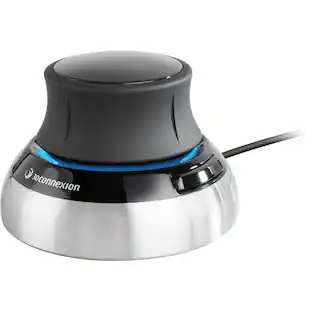
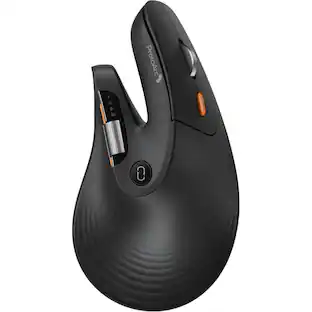
3Dconnexion - SpaceMouse Enterprise Kit 2 - Wireless Bluetooth/RF Mouse - 7 Button - Scroll Wheel - Compatible with PC, Mac - Wireless - Black
Reviews coming soon
About this product
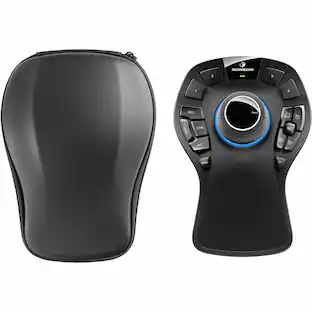
The SpaceMouse Enterprise Kit offers engineering professionals all tools for an ergonomic and efficient two-handed workflow. CadMouse Pro Wireless comes with a multilayer carrying case with a soft foam interior and an ultra-resistant hard shell exterior, for maximal protection and durability.
Features
SpaceMouse Enterprise Kit 2 - Wireless Bluetooth/RF Mouse
The SpaceMouse Enterprise Kit offers engineering professionals all tools for an ergonomic and efficient two-handed workflow. CadMouse Pro Wireless comes with a multilayer carrying case with a soft foam interior and an ultra-resistant hard shell exterior, for maximal protection and durability.
Specifications
- Connection TypeWireless
Reviews
This product doesn't have any reviews yet.

- SteelSeries - Rival 3 Gen 2 Wireless Optical Gaming Mouse with Ultra-fast clicks - Wireless - Black$49.99The price was $59.99


Compare similar products

The SpaceMouse Enterprise Kit offers engineering professionals all tools for an ergonomic and efficient two-handed workflow. CadMouse Pro Wireless comes with a multilayer carrying case with a soft foam interior and an ultra-resistant hard shell exterior, for maximal protection and durability.
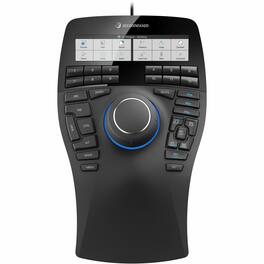
The SpaceMouse Enterprise 3D Mouse is engineered for top-tier engineering performance, offering precise 3D navigation and a customizable interface to enhance productivity in CAD applications.

SpaceMouse Wireless Kit 2 with Bluetooth - Wireless Bluetooth/RF Mouse - 7 Button - Scroll Wheel - Compatible with PC, Mac
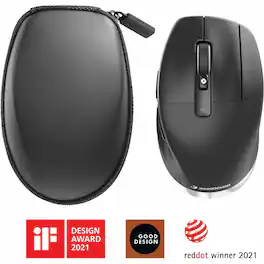
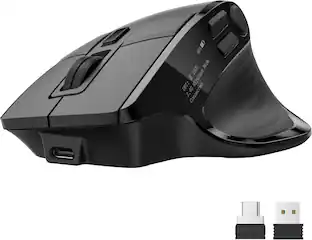
The CadMouse Pro Wireless is a full-size, ergonomic mouse designed specifically for CAD professionals. It offers multiple connectivity options, including 2.4 GHz RF, Bluetooth, and USB-C, ensuring versatile and reliable performance. The mouse features a high-resolution 7200 dpi optical sensor for precise cursor control and an ergonomic design with an angled shape and sculpted thumb rest to reduce strain during extended use. Its main buttons are rated for over 50 million clicks, ensuring long-term reliability. The Smart Mouse Wheel 2 provides adjustable scrolling speeds with inertia for efficient document navigation.
Specs
Be the first to ask a question.
We’ll try to get your question answered within 24 hours by a Best Buy customer or brand representative.
Customers often buy these together
Computer Keyboards

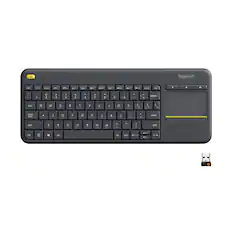
![The text on the image reads:
888 DD DI DD 4 DSC i F2 F3 4 FS T6 ET 1. 1N IN F.. 11 1.. 114 1n F1 F12 118 in9 - a ee 1 8F 2 3 $ 4 % 5 A 6 & 7 . 8 I 9 I 0 ee I + = delete fn home page up clear - / + tab Q W E R T Y U I 0 P { [ ] ] | I delete end page down 7 8 9 ee caps lock A S D F G H J K L : I - return 4 5 6 + shift Z X C V N M < F > ? / shift a 1 2 3 control option 2 command 3 command option control Y - 0 enter
After grouping and correcting the text, it reads:
888 DD DI DD 4 DSC i F2 F3 4 FS T6 ET 1. 1N IN F.. 11 1.. 114 1n F1 F12 118 in9 - a ee 1 8F 2 3 $ 4 % 5 A 6 & 7 . 8 I 9 I 0 ee I + = delete fn home page up clear - / + tab Q W E R T Y U I 0 P { [ ] ] | I delete end page down 7 8 9 ee caps lock A S D F G H J K L : I - return 4 5 6 + shift Z X C V N M < F > ? / shift a 1 2 3 control option 2 command 3 command option control Y - 0 enter](https://pisces.bbystatic.com/image2/BestBuy_US/images/products/f4059d3a-0c2a-46ef-bcfd-4e11b9b26d5d.jpg;maxHeight=232;maxWidth=233?format=webp)

Customers ultimately bought

Explore tech essentials Sponsored
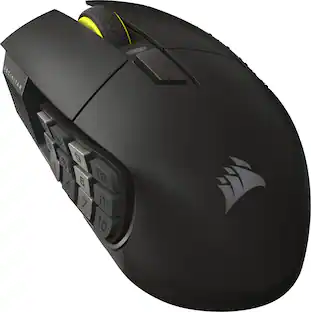
CORSAIR Scimitar Elite Wireless SE MOBA/MMO Optical Gaming Mouse with 16 Programmable Buttons
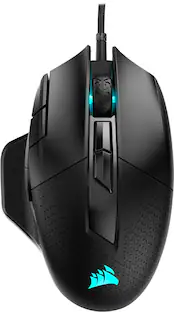
$124.99The price was $139.99CORSAIR Nightsword RGB Tunable Wired FPS/MOBA/MMO Optical Gaming Mouse with Adjustable Weights
$95.99The price was $99.99
Keep exploring
GravaStar Mercury M2 Wireless Gaming Mouse with 26000 DPI PAW3395 Sensor and 79g Lightweight Design
$75.95The price was $79.95Logitech MX Master 4 - Wireless Bluetooth Mouse, Ergo, Haptic Feedback, Custom Vibration
$119.99The price was $127.73