Acer - USB C Hub 4 Ports, USB 3.0 Hub, USBC Splitter with TypeC Power Port, Extender for Laptop, PC and More - Black
Related Item

About This Item
- Key Specs
- Maximum Number of Displays Supported: 1
- Number of DisplayPort Outputs (Total): 0
- Number of Thunderbolt Ports (Total): 0
- General
- Brand: Acer
- Model Number: ACER-UH501C-B63C-BBY
- Product Name: USB C Hub 4 Ports, USB 3.0 Hub, USBC Splitter with TypeC Power Port, Extender for Laptop, PC and More
- Color: Black
- Display
- Maximum Number of Displays Supported: 1
- Ports
- Display Connector(s): Display connection via USB port (The number and type of connectors used to connect to an external display.)
- Number of DisplayPort Outputs (Total): 0
- Number of HDMI Ports (Total): 0
- DisplayPort Over USB-C: None (The version of DisplayPort that leverages the Alternate Mode Functional Extension of the USB-C interface. This connector allows for higher resolution, broader color space, multichannel audio support, and greater backwards compatibility with display adapters. Also known as DisplayPort Alt Mode.)
- Number of Thunderbolt Ports (Total): 0
- Number of VGA Ports: 0 (VGA (Video Graphics Adapter or Video Graphics Array) is a display standard that transmits via analog signals. This type of interface is typically used to connect a computer to a display device such as a monitor, projector, or TV.)
- Number Of Ethernet Ports: 0
- Number of USB Ports (Total): 5
- USB Ports: 1 x USB-C, 4 x USB-A (The number and type of USB ports the product has.)
- Headphone Jack: false (The device features an interface that allows for the connection of headphones.)
- Microphone Input: false (The device features an input for connecting an external microphone.)
- Memory Card Slot: false
- Power
- Powered: true
- Compatibility
- Brand Compatibility: Universal
- Model Compatibility: MacBook Pro/Air, iPad Pro/Air, HP, Acer, Dell XPS, laptops, Surface, tablets, Switch, Steam
- Features
- Indicator Light(s): true
- Dimensions
- Product Height: 0.34 inches (The out of box height of the item. Height is measured as the vertical distance from the bottom of the item to the top as it would be primarily used or placed.)
- Product Length: 4.13 inches (The out of box length of the item. Length is measured as the longest dimension of the item.)
- Product Width: 1.18 inches (The out of box width of the item. Width is measured as the horizontal distance from one side of the item to the other as it would be primarily used or placed.)
- Product Weight: 2.89 ounces (The out of box weight of the item.)
- Warranty
- Warranty - Parts: 1 year
- Warranty - Labor: None
- Other
- UPC: 195133243056
Acer USB C Hub offers a versatile solution, expanding your device with four additional USB 3.0 ports. Perfect for connecting USB peripherals like flash drives, mice, keyboards, and printers.
- 4 Ports USB 3.0 Hub: Acer USB Hub extends your device with 4 additional USB 3.0 ports, ideal for connecting USB peripherals such as flash drive, mouse, keyboard, printer
- 5Gbps Data Transfer: The USB splitter is designed with 4 USB 3.0 data ports, you can transfer movies, photos, and files in seconds at speed up to 5Gbps. When connecting hard drives to transfer files, you need to power the hub through the 5V USB C port to ensure stable and fast data transmission
- Excellent Technical Design: Build-in advanced GL3510 chip with good thermal design, keeping your devices and data safe. Plug and play, no driver needed, supporting 4 ports to work simultaneously to improve your work efficiency
- Portable Design: USB C extension for PC is slim and lightweight with a 2ft cable, making it easy to put into bag or briefcase with your laptop while traveling and business trips. LED light can clearly tell you whether it works or not
- Wide Compatibility: Crafted with a high-quality housing for enhanced durability and heat dissipation, this USB-A expansion is compatible with Acer, XPS, PS4, Xbox, Laptops, and works on macOS, Windows, ChromeOS, Linux
Whats Included
- 1
Reviews
Rating 5 out of 5 stars with 5 reviews
- Portability (3)
Customer Images
The vast majority of our reviews come from verified purchases. Reviews from customers may include My Best Buy members, employees, and Tech Insider Network members (as tagged). Select reviewers may receive discounted products, promotional considerations or entries into drawings for honest, helpful reviews.
Compare similar products

Acer USB C Hub offers a versatile solution, expanding your device with four additional USB 3.0 ports. Perfect for connecting USB peripherals like flash drives, mice, keyboards, and printers.

Acer USB C Hub offers a versatile solution, expanding your device with four additional USB 3.0 ports. Perfect for connecting USB peripherals like flash drives, mice, keyboards, and printers.

The Best Buy essentials 4-Port USB 2.0 Hub uses a single USB port to connect up to four USB devices. Just plug the hub into your computer, and the blue LED indicating light lets you know it’s ready for your devices. A 5V, 500 mAh port output delivers consistent and quick power, while a data transfer speed of up to 480 Mbps performs at the speed you need.

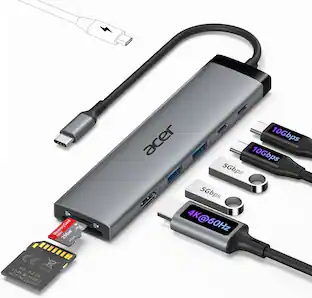
Acer 5 in 1 USB C Hub with 4K HDMI, 100W Power Delivery, 3 USB A Data Ports, USB C to HDMI Multiport Adapter for Laptop, PC, Tablet, MacBook Air, iPad Air, iMac, iPhone 15/16 Pro/Pro Max
| Pros for Acer - USB C Hub 4 Ports, USB 3.0 Hub, USBC Splitter with TypeC Power Port, Extender for Laptop, PC and More - Black | |||
|---|---|---|---|
| Portability | Portability | Overall Performance, USB Ports, Ease of use, Size, Price | Overall Performance, Connectivity |
| Cons for Acer - USB C Hub 4 Ports, USB 3.0 Hub, USBC Splitter with TypeC Power Port, Extender for Laptop, PC and More - Black | |||
| There were no cons for this product— | There were no cons for this product— | Cord Length | There were no cons for this product— |
Specs
Explore tech essentials Sponsored
 $29.99The price was $31.99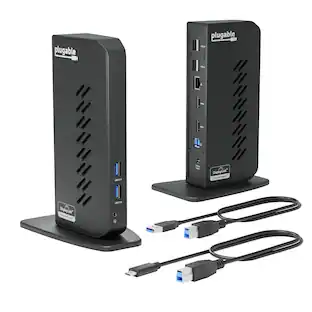
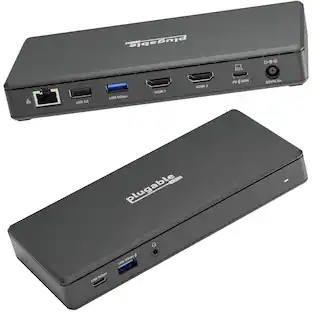
Plugable - USB 3.0 and USB-C Universal Laptop Docking Station for Windows, Mac, ChromeOS | Dual HDMI
$112.95The price was $135.35 $39.99The price was $79.99