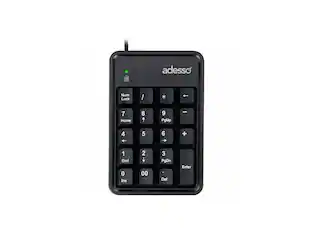
Adesso - USB 18-Key Numeric Keypad - Cable Connectivity - USB Interface - 18 Key(s) - Windows 10, Windows 8, Windows 7 - Black
Reviews coming soon
About this product
Adesso USB 18-Key Numeric Keypad - Cable Connectivity - USB Interface - 18 Key(s) - Windows 10, Windows 8, Windows 7 - English (US) - Computer - PC - Membrane Keyswitch - Black
Compact & Lightweight
The AKB-601UB only weighs a quarter of a pound and is less than three and a half inches wide which makes it extremely portable and space saving.
Spill Resistant
The keypad(tm)s spill resistant design helps to prevent fluids from staying inside, which would otherwise cause damage to the keypad.
Quiet Membrane Key Switches
Membrane key switches provide a quieter typing experience with lifecycle lasting up to five million keystrokes.
Plug & Play
The AKB-601UB requires no driver. Simply connect the device to your computer and begin enjoying your new peripheral companion. More from the Manufacturer
- Form FactorCompact (60%)Keyboard TechnologyMembraneConnection TypeWired
Reviews
This product doesn't have any reviews yet.





Compare similar products

Adesso USB 18-Key Numeric Keypad - Cable Connectivity - USB Interface - 18 Key(s) - Windows 10, Windows 8, Windows 7 - English (US) - Computer - PC - Membrane Keyswitch - Black
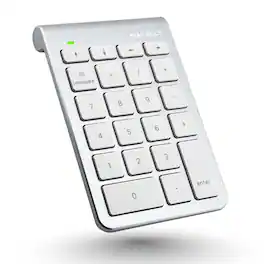
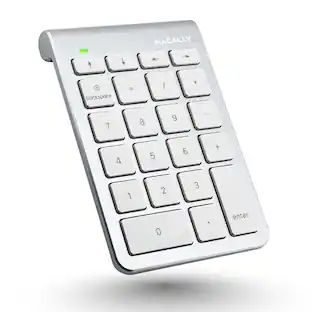
Enhance your productivity with the Macally BTNUMKEY22, a 22-key numeric keypad designed for professionals who require efficient number entry in spreadsheets, accounting software, calculators, and more. Whether you're working on a laptop, iPad, or Bluetooth notebook, this numpad keyboard offers seamless performance and compatibility. EASY TO USE: The Macally BTNUMKEY22 pairs effortlessly with your device—no software needed! Simply connect via Bluetooth, and you're ready to start entering numbers with precision and speed. ADDITIONAL KEYS FOR ENHANCED PRODUCTIVITY: Equipped with (4) Arrow Keys (up, down, left, and right) and (5) Function Keys (Add, Subtract, Multiply, Divide, Equals), along with (13) Standard Keys (Numbers 0-9, Decimal, Clear & Enter), this number keyboard is designed to meet all your number entry needs. Whether you need a 10 key USB keypad or a wireless 10 key for laptop, this device has you covered. LONG BATTERY LIFE: With a remarkable 400 hours of non-stop usage and no automatic sleep mode, you can rely on the Macally BTNUMKEY22 for long-lasting performance. UNIVERSAL COMPATIBILITY: The Macally BTNUMKEY22 is compatible with Mac OS X v10.6 or later and any Bluetooth-enabled Apple device, including iMac, Mac Pro, Mac Mini, MacBook laptops, iPad, and iPhone models. This makes it an ideal keypad for iPad and a versatile tool for all your Apple devices. COMPACT & ERGONOMIC DESIGN: Measuring just 132 (H) x 90 (W) x 17 (D) inches and weighing only 104 grams (0.2 pounds), this numpad is easy to carry and fits perfectly alongside your computer input devices. The slightly tilted and sloped design ensures a comfortable hand placement, reducing strain during long typing sessions.

Adesso Wireless Spill Resistant 18-Key Numeric Keypad - Wireless Connectivity - RF - 30 ft - 2.40 GHz - USB Interface - 18 Key(s) - Windows 10, Windows 8, Windows 7 - English (US) - Computer - PC - Membrane Keyswitch - AAA Battery Size Supported - Black

X9 Performance X9ERGOKEY – Split Ergonomic Keyboard for Maximum Comfort and Productivity Enhance your typing experience with the X9 Performance X9ERGOKEY, a split ergonomic keyboard designed to boost comfort and efficiency. Say goodbye to wrist strain and fatigue with its integrated cushioned palm rest, ensuring optimal support during long hours of work. Whether you’re a professional, student, or avid typist, this ergonomic keyboard wired is built for seamless functionality and ease of use. Key Features: ✔ Ergonomic Split Design – Encourages natural wrist, palm, and forearm positioning to minimize strain, making it an ideal carpal tunnel keyboard. ✔ Built-In Wrist Cushion – Provides enhanced support and comfort for an improved typing experience. ✔ Full-Sized Layout with 110 Keys – Includes a 17-key numeric keypad for effortless data entry and calculations. ✔ 17 Shortcut & Multimedia Keys – Quick access to frequently used commands and applications. ✔ LED Indicators – Stay informed with clear indicators for Caps Lock, Num Lock, and Functions Lock. ✔ Adjustable Kickstand – Customize your typing angle for maximum comfort or lay it flat on your desk. ✔ Plug & Play Connectivity – Simply connect the 5ft USB-A cable to any laptop or PC (Windows, Chromebook, iOS) for instant functionality. Technical Specifications: ✔ Compatible with: Windows, Chromebook, and iOS ✔ Connection Type: USB-A (Wired, 5ft cable) ✔ Dimensions: 1.5" (H) x 19" (W) x 9.85" (D) ✔ Weight: 2.25 lbs Why Choose the X9ERGOKEY? Designed for ultimate comfort and efficiency, this split keyboard ergonomic reduces stress on your hands and wrists, making it ideal for extended use. The full-sized keyboard and shortcut keys allow for seamless navigation, while the plug-and-play USB connectivity ensures effortless setup. This curved keyboard supports natural hand positioning and is a great keyboard for carpal tunnel support. Worry-Free Warranty & Support At X9 Performance, we stand behind our products. Every purchase comes with friendly customer support and hassle-free returns for your peace of mind. Upgrade your workspace today with the X9 Performance X9ERGOKEY – the perfect corded keyboard solution for comfortable and productive typing! Whether you need a teclado ergonomico or a keyboard ergonomic keyboards, this model has you covered.
Specs
Customers often buy these together

Logitech - MK270 Full-size Wireless Membrane Keyboard and Mouse Bundle for PC - Black
$26.99The price was $29.99





![Sure, here is the corrected and grouped text from the image:
**Top Row:**
- ESC
- F1
- F2
- F3
- F4
- F5
- F6
- F7
- F8
- F9
- F10
- F11
- F12
- PRTSC
- DEL
**Number Row:**
- 1
- 2
- 3
- 4
- 5
- 6
- 7
- 8
- 9
- 0
- -
- =
- \
**Letter Row:**
- TAB
- Q
- W
- E
- R
- T
- Y
- U
- I
- O
- P
- [
- ]
- \
**Letter Row:**
- CAPS
- A
- S
- D
- F
- G
- H
- J
- K
- L
- ;
- '
**Letter Row:**
- SHIFT
- Z
- X
- C
- V
- B
- N
- M
- ,
- .
- /
**Function Row:**
-](https://pisces.bbystatic.com/image2/BestBuy_US/images/products/9be10b95-8e90-4a5d-b85f-cbc6a7d8e8df.png;maxHeight=232;maxWidth=233?format=webp)

![esc F1 F2 F3 F4 F5 F6 F7 F8 F9 F10 F11 F12 1 2 3 4 5 6 7 8 9 0 - = backspace tab Q W E R T Y U I O P [ ] \ caps lock A S D F G H J K L ; ' shift Z X C V B N M , . / shift ctrl alt logi](https://pisces.bbystatic.com/image2/BestBuy_US/images/products/6411/6411501_sd.jpg;maxHeight=232;maxWidth=233?format=webp)

![Sure, here is the corrected and grouped text:
```
ESC F1 F2 F3 F4 F5 F6 F7 F8 F9 F10 F11 F12 1 2 3 logitech - - 1 2 # $ 4 % 5 6 & 7 8 9 0 - - back insert home page up num lock clear / . tab Q W E R T Y U I O P { [ } ] / delete end page down 7 home 8 A 9 P9 up + caps lock A S D F G H J K L : ; a enter 4 5 6 shift Z X C V B N M < > ? shift 1 end 2 3 pg dn enter ctrl fn start alt opt alt crnd x alt cmd x fn ctrl alt opt 0 ins del 1 logitech
```](https://pisces.bbystatic.com/image2/BestBuy_US/images/products/5761/5761911_sd.jpg;maxHeight=232;maxWidth=233?format=webp)

![Esc F1 F2 F3 F4 F5 F6 F7 F8 F9 F10 F11 F12 Print Screen Scroll Lock Pause Break 1 2 3 4 5 6 7 8 9 0 - + = Backspace Insert Home H Page Up A Num Look 1 I Tab Q W E R T Y U I o P { [ } ] I I Delete End IN Page Down 7 Home 8 9 Pg Up Caps A Lock A S D F G H J K L ; : DE g Enter 4 5 6 Shift Z X C V N M < > ? I Shift 1 End 2 3 Pp Dn Enter Ctrl Alt Alt Ctrl 0 Ins Del](https://pisces.bbystatic.com/image2/BestBuy_US/images/products/a588d446-5678-40ae-86b8-1f15e0026e66.jpg;maxHeight=232;maxWidth=233?format=webp)

Customers ultimately bought
 $127.99The price was $159.99
Explore tech essentials Sponsored
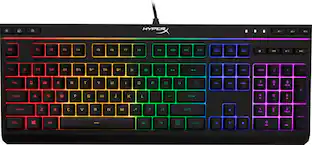 $38.99The price was $54.99
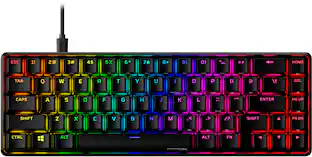 $79.99The price was $114.99
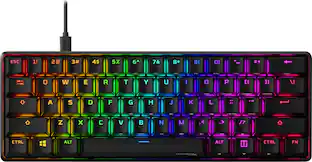 $79.99The price was $114.99




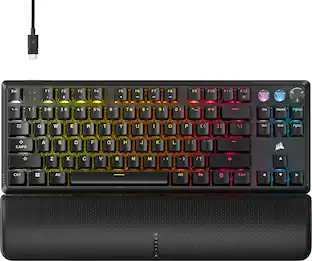
Keep exploring
 $37.99The price was $58.99