Alienware - AW2725QF 27" IPS LED 4K UHD 180Hz 0.5ms G-SYNC Compatible Dual-Resolution Gaming Monitor w/HDR (HDMI, DisplayPort, USB) - Black
More Buying Options from Marketplace sellers
Related Item

Highlights
- Key Specs
- Refresh Rate: 180Hz (The number of frames per second the device can produce natively without enhancement. Higher rates help produce smooth, seamless pictures.)
- Maximum Resolution: 3840 x 2160 (Maximum resolution refers to the highest number of pixels that a screen can process and display. Higher resolution signals produce more detailed images.)
- Response Time: 0.5 milliseconds (The speed at which pixels can change colors is called response time. It is measured in milliseconds (ms).)
- Panel Type: IPS (Technology that affects response time and image quality.)
- Synchronization Technology: G-SYNC Compatible (NVIDIA Adaptive Sync), VESA Adaptive-Sync (Generally, these technologies allow syncing between a computer/console game's frame rate and the device's refresh rate for a smoother display without tearing.)
- Screen Size: 27 inches (Size of the screen, measured diagonally from corner to corner.)
- Display Connector(s): 1 x DisplayPort 1.4, 2 x HDMI 2.1 (The number and type of connectors used to connect to an external display.)
- General
- Brand: Alienware
- Model Number: AW2725QF
- Product Name: AW2725QF 27" IPS LED 4K UHD 180Hz 0.5ms G-SYNC Compatible Dual-Resolution Gaming Monitor w/HDR (HDMI, DisplayPort, USB)
- Color: Black
- Operating System Compatibility: Windows, Apple iOS
- Display
- Refresh Rate: 180Hz (The number of frames per second the device can produce natively without enhancement. Higher rates help produce smooth, seamless pictures.)
- Maximum Resolution: 3840 x 2160 (Maximum resolution refers to the highest number of pixels that a screen can process and display. Higher resolution signals produce more detailed images.)
- Contrast Ratio: 1000:1 (Measured difference between a displayed image's brightest whites and darkest blacks. The larger the first number, the more detail and color that can be displayed.)
- Response Time: 0.5 milliseconds (The speed at which pixels can change colors is called response time. It is measured in milliseconds (ms).)
- Display Type: LED
- Panel Type: IPS (Technology that affects response time and image quality.)
- Synchronization Technology: G-SYNC Compatible (NVIDIA Adaptive Sync), VESA Adaptive-Sync (Generally, these technologies allow syncing between a computer/console game's frame rate and the device's refresh rate for a smoother display without tearing.)
- Aspect Ratio: 16:9 (The measurement of the width of a screen compared to the height of a screen, expressed as a ratio.)
- Curved Screen: false
- Pixel Density: 163 pixels per inch (The number of pixels present per inch on the device's display. Higher pixel density improves the clarity and sharpness of the displayed image.)
- Brightness: 400 candela per square meter (A measure of the total light output.)
- Screen Size: 27 inches (Size of the screen, measured diagonally from corner to corner.)
- High Dynamic Range (HDR): true (An HDR-compatible 4K TV or other HDR-compatible product displays HDR video content when it's available from sources like 4K Ultra HD Blu-ray Discs and 4K streaming services.)
- High Dynamic Range Format: VESA Certified DisplayHDR 600, Dolby Vision (There are a few HDR formats that tell the TV or other HDR-compatible product how to best utilize its capabilities to display HDR content. HDR technology can support one or multiple formats, each with various benefits to picture quality.)
- Horizontal Viewing Angle: 178 degrees (The maximum angle at which the display can be viewed with acceptable visual performance from either side.)
- Vertical Viewing Angle: 178 degrees (The maximum angle at which the display can be viewed with acceptable visual performance from above or below.)
- Touch Screen: false (Touch-screen devices make navigating more intuitive. Using a touch-screen display, you can do things such as tap to select, hold and drag to move items, swipe to scroll, and pinch to zoom.)
- On-Screen Display Languages: English, Spanish, French, German, Brazilian Portuguese, Russian, Simplified Chinese, or Japanese (The available language options for displayed text.)
- Display Surface: Anti-glare, 3H hardness
- Color Gamut (Standard RGB): 100 percent
- Connectivity
- Number of DisplayPort Inputs (Total): 1
- Number of HDMI Inputs (Total): 2
- Display Connector(s): 1 x DisplayPort 1.4, 2 x HDMI 2.1 (The number and type of connectors used to connect to an external display.)
- Number of USB Ports (Total): 5
- USB Ports: 1 x USB-B, 3 x USB-A 3.2, 1 x USB-C 3.2 (The number and type of USB ports the product has.)
- Number of USB-A Charging Ports: 1
- Number of USB-B Ports: 1
- Headphone Jack: false (The device features an interface that allows for the connection of headphones.)
- Compatibility
- Wall Mountable: true (The product is able to be secured to a wall. Some products are designed ready to mount, while others may require additional hardware/accessories for installation.)
- VESA Wall Mount Standard: 100mm x 100mm (VESA wall mount standards refer to the spacing of screw holes built into a TV in order to fit with standard TV wall mounts. These standards are implemented into most TVs and monitors.)
- Features
- Tiltable: true
- Adjustable Stand Height: true
- Anti-Glare: true (Product has features, such as a matte finish, that reduce the likelihood for screen glare.)
- Eye Relief Features: Anti-glare, Low blue light
- Built-In Webcam: false
- Integrated Speaker(s): false
- Dimensions
- Product Height With Stand: 20.42 inches
- Product Height Without Stand: 14.2 inches
- Product Width: 24.07 inches (The out of box width of the item. Width is measured as the horizontal distance from one side of the item to the other as it would be primarily used or placed.)
- Product Depth (With Stand): 9.6 inches
- Product Depth Without Stand: 2.65 inches
- Product Weight: 10.47 pounds (The out of box weight of the item.)
- Stand Included: true
- Stand Width: 9.2 inches (The horizontal measurement of the stand/base, or the distance from the outside of one leg to the outside of the opposite leg, as it is attached to the product.)
- Power
- Power Consumption: 26.1 watts
- Power Saving/Off Mode: 0.5 watts (This mode will turn the display and/or the device off, or into a standby mode, after a preset length of time with no activity to conserve power.)
- Certifications Listings & Approvals
- ENERGY STAR Certified: true (Devices carrying the ENERGY STAR service mark, such as computer products and peripherals, kitchen appliances, and other products, generally use 20% to 30% less energy than required by federal standards.)
- EPEAT Qualified: false (The Electronic Product Environmental Assessment Tool (EPEAT) was designed to provide an environmental assessment tool for purchasers. In order to qualify for EPEAT, a product must meet all 23 required criteria.)
- Warranty
- Warranty - Parts: 3 Years Limited Hardware and Advanced Exchanged Service
- Warranty - Labor: 3 Years Limited Hardware and Advanced Exchanged Service
- Other
- UPC: 884116469711
27" Dual-Resolution IPS gaming monitor with dynamic switching between 4K at 180Hz and FHD at 360Hz. Featuring NVIDIA G-SYNC compatibility and DCI-P3 95% color coverage.
- Dual Mode Difference: Experience the dual resolution display with the freedom to switch between two modes of play. 4K @ 180Hz mode prioritizes high detail in every shot by scanning each row of pixels at a low refresh rate. Meanwhile, FHD @ 360Hz mode prioritizes a super high refresh rate by scanning two rows of pixels at a time, halving the resolution but doubling the Hz for fast-paced gameplay.
- Ultimate versatility: For content creators and game developers who require precise color work, the Creator Mode feature was designed for you. Choose between the native (DCI-P3) and the sRGB color space, depending on your work needs, and the ability to adjust the gamma settings.
- Color Performance: Experience dynamic, vivid colors with 95% DCI-P3 color coverage.
- Tear-free, stutter-free gaming: NVIDIA G-SYNC Compatible and VESA AdaptiveSync certification allow for stutter-free, tear-free and crystal-clear graphics in both modes.
- Sharp and clear motion: Super-fast 0.5ms gray-to-gray response time reduces blurring and ghosting in both modes.
Whats Included
- AW2725QF Widescreen LED Monitor
- Alienware Sticker
- Quick Start Guide
- Safety, Environmental, and Regulatory Information
- Stand
Product Manuals
Q: Is the monitor ENERGY STAR certified?
A: This monitor is ENERGY STAR certified.
Q: What is the weight and dimensions of the monitor?
A: The monitor weighs 15.76 pounds and is 24.07 inches wide.
Q: What is the response time of the monitor?
A: The response time of the monitor is 0.5 milliseconds.
Q: What is the maximum resolution of the monitor?
A: The maximum resolution of the monitor is 3840 x 2160.
Q: How many HDMI inputs does the monitor have?
A: This monitor has two HDMI inputs.
Q: does this monitor have built in speakers?
A: No it does not.
Q: Does this monitor have a headphone jack?
A: No, it does not
Compare similar products

27" Dual-Resolution IPS gaming monitor with dynamic switching between 4K at 180Hz and FHD at 360Hz. Featuring NVIDIA G-SYNC compatibility and DCI-P3 95% color coverage.
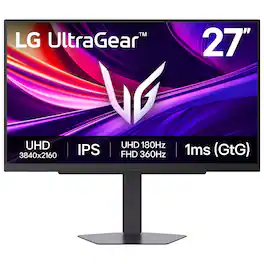
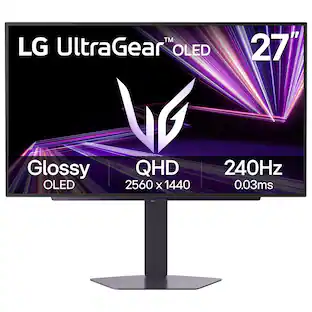
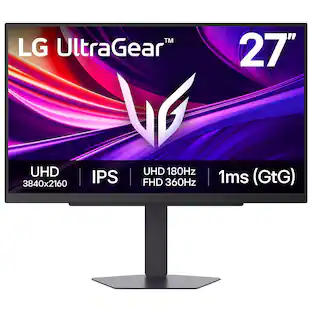
It's time to upgrade your setup with the 27 Inch 4K UHD IPS UltraGear gaming monitor, delivering crisp ultra high (3840 x 2160) resolution, vibrant color with up to 95% DCI-P3 coverage, and striking contrast through VESA DisplayHDR 400. Every detail is vivid, sharp, and designed to elevate your gaming and streaming experience. Stay ahead with a 144Hz refresh rate and lightning-fast 1ms (GtG) response time, ensuring smooth, responsive gameplay. Adaptive sync technologies—NVIDIA G-SYNC compatibility and AMD FreeSync Premium—keep every frame fluid and tear-free. Dual Mode lets you take control of your gaming experience. Enjoy graphically stunning story-driven adventures in 4K UHD at up to180Hz immersing yourself in epic visuals and rich detail. Or game in Full HD at an electrifying 360Hz for ultra-responsive gameplay¹. Stay battle-ready with dual HDMI, DisplayPort 1.4, USB upstream and two downstream ports, plus a 4-pole headphone jack. A slim bezel, fully adjustable stand bring both performance and style to your ultimate gaming setup.
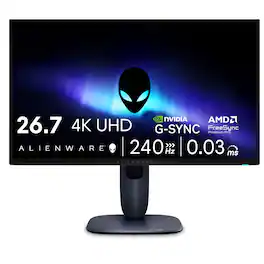
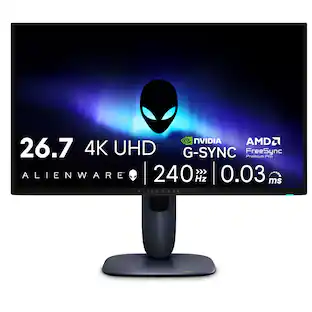
Meet our first 27" 4K QD-OLED Gaming Monitor. Experience ultimate visual fidelity and peak QD-OLED performance in a sleek 27" panel. Immerse yourself in new worlds with the world's highest pixel density in a QD-OLED monitor at 166 PPI* with 4K resolution, incredible color accuracy and Dolby Vision HDR.
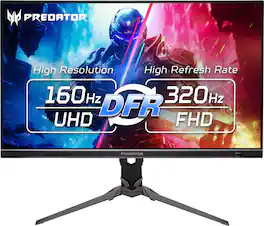
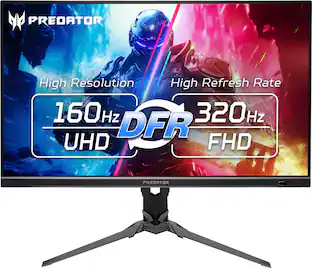
Fasten your seatbelt: The Predator XB273K UHD display with 3840 x 2160 resolution is all about no compromises on gaming performance, color or speed. This 27-inch (3840 x 2160) monitor combines jaw dropping specs including an IPS panel that supports up to blazing-fast 320Hz refresh rate. Through AMD FreeSync Premium technology, the game’s frame rate is determined by your graphics card, not the fixed refresh rate of the monitor, giving you a serious competitive edge. Smooth, tear-free gameplay!! And a whole lot more.
| Pros for Alienware - AW2725QF 27" IPS LED 4K UHD 180Hz 0.5ms G-SYNC Compatible Dual-Resolution Gaming Monitor w/HDR (HDMI, DisplayPort, USB) - Black | |||
|---|---|---|---|
| There were no pros for this product— | Color Quality, Refresh Rate, Resolution, Setup Ease, HDR Performance | Color Quality, Refresh Rate, Resolution, Connectivity, Design | There were no pros for this product— |
Specs

Reviews
Rating 4.6 out of 5 stars with 58 reviews
Customer Images
The vast majority of our reviews come from verified purchases. Reviews from customers may include My Best Buy members, employees, and Tech Insider Network members (as tagged). Select reviewers may receive discounted products, promotional considerations or entries into drawings for honest, helpful reviews.
Customers often buy these together
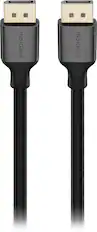
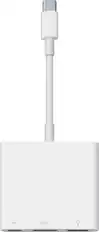
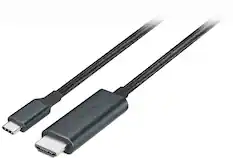
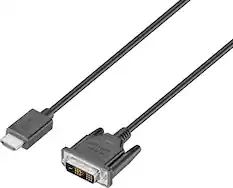
Monitor and Video Cables







More to consider
 $259.99The price was $319.99

Explore tech essentials Sponsored
 $999.99The price was $1,299.99
 $1,989.99The price was $2,069.99
- $259.99The price was $319.99
Discover related products
 $41.39The price was $43.69
 $1,379.00The price was $1,449.99
 $12.99The price was $15.99





Keep exploring
 $599.99The price was $659.99
 $1,129.99The price was $1,186.18
 $119.99The price was $125.84
 $194.99The price was $254.31