Appreciation EventEnds Sunday. Limited quantities. No rainchecks.Shop now

Skip to contentGo to Product Search
Main Content

Alienware - AW2725QF 27" IPS LED 4K UHD 180Hz 0.5ms G-SYNC Compatible Dual-Resolution Gaming Monitor w/HDR (HDMI, DisplayPort, USB) - Black

Model: AW2725QF
SKU: 12327464
Sold & shipped by
Mani International LTD

Customers are saying

Customers consistently note the rapid refresh rate, excellent image quality with accurate colors, and good HDR performance. They also highlight its exceptional overall performance and the quality of its stand. However, a common point of feedback is that its black levels do not deliver the deep darks found in OLED monitors.

Generated by AI based on customer reviews.

Highlights

Features
  • Dual Mode Difference

    Experience the dual resolution display with the freedom to switch between two modes of play. 4K @ 180Hz mode prioritizes high detail in every shot by scanning each row of pixels at a low refresh rate. Meanwhile, FHD @ 360Hz mode prioritizes a super high refresh rate by scanning two rows of pixels at a time, halving the resolution but doubling the Hz for fast-paced gameplay.

  • Ultimate versatility

    For content creators and game developers who require precise color work, the Creator Mode feature was designed for you. Choose between the native (DCI-P3) and the sRGB color space, depending on your work needs, and the ability to adjust the gamma settings.

  • Color Performance

    Experience dynamic, vivid colors with 95% DCI-P3 color coverage.

  • Tear-free, stutter-free gaming

    NVIDIA G-SYNC Compatible and VESA AdaptiveSync certification allow for stutter-free, tear-free and crystal-clear graphics in both modes.

  • Sharp and clear motion

    Super-fast 0.5ms gray-to-gray response time reduces blurring and ghosting in both modes.

See all features
Specifications
  • Refresh Rate
    180Hz
    Maximum Resolution
    3840 x 2160
    Response Time
    0.5 milliseconds
    Panel Type
    IPS
    Synchronization Technology
    G-SYNC Compatible (NVIDIA Adaptive Sync), VESA Adaptive-Sync
Sponsored

Reviews

Rating 4.6 out of 5 stars with 58 reviews

91% would recommend to a friend
Customers are sayingCustomers consistently note the rapid refresh rate, excellent image quality with accurate colors, and good HDR performance. They also highlight its exceptional overall performance and the quality of its stand. However, a common point of feedback is that its black levels do not deliver the deep darks found in OLED monitors.
This summary was generated by AI based on customer reviews.
  • Refresh Rate (30)
  • Image Quality (26)
  • HDR (15)
  • Performance (11)
  • Stand (4)
  • Black Levels (4)

Customer Images

The vast majority of our reviews come from verified purchases. Reviews from customers may include My Best Buy members, employees, and Tech Insider Network members (as tagged). Select reviewers may receive discounted products, promotional considerations or entries into drawings for honest, helpful reviews.

  • Rated 5 out of 5 stars

    Thumbs up

    My son loves this monitor. He has commented that there is no lag, bright colors, smooth edges. The monitor fits on his small desk and seems big for the size we bought. He loves it…

    This review is from Alienware - AW2725QF 27" IPS LED 4K UHD 180Hz 0.5ms G-SYNC Compatible Dual-Resolution Gaming Monitor w/HDR (HDMI, DisplayPort, USB) - Black

    Posted by coprj

  • Rated 5 out of 5 stars

    Great for Gamers and Work at Home Users

    Overall this monitor is the perfect answer for anyone looking for a gaming monitor that can also be used for work and playing media. I have three Dell 4k ultra sharp monitors that I use daily for work, they are great for doing office related apps but they are too slow to use as a gaming monitor. This Alienware 4k monitor is nearly as sharp as my Ultra Sharp displays but it has refresh rates that make this also a great gaming monitor. Pros: - The IPS display is bright with deep color saturation - Consistent white screen for office applications like Word - It’s got a wide viewing angle - Variable refresh rates for 4k @180hz and HD @ 360hz - OSD button is easy to access and use - Total control of display and gaming options via OSD - Lots of ports HDMI, Display Port and USBs, supports eARC HDMI - Versatile stand and VESA compatible for mounting Cons: - Doesn’t deliver the darks that an OLED monitor would - If you buy one you will want two or three more After cabling up the monitor I verified its quality by running the EIZO and UFO display test. No dead pixels and the color ranges were bright and consistent. The white was bright without any off shading which really is nice when using office apps. I familiarized myself with the OSD menus and set the monitor up for gaming, touched up the brightness a tad and then started playing my games. I like racing games so having the ability to run HD at the higher refresh rate really seemed to make the images more stable. The colors really stood out in F1 2023 and the detail was sharp when playing Dirt Rally. To really check out the 4k capabilities I played several 4k videos and the images were very smooth without stuttering or pixelizating. Bottom line is this is great monitor no matter what you are wanting to do. This monitor has great specs with a 4k resolution of 3840 x 2160 @ 180 hz as well as being able to support HD 1920 x 1080 with a super fast refresh rate of 360 hz. It is an IPS display panel with a reasonably quick 0.5ms response time. The bezel is narrow but slightly thicker on the bottom than my Dell monitors as seen in the photo. It has two HDMI ports with one supporting eARC to pass through audio. It supports both Dolby Vision and Dolby Atmos for people like me that use a soundbar for gaming. It also has a DisplayPort, one USB-B upstream port, three USB-A downstream ports and one USB-C downstream port. The stand is very flexible and allows you to move the monitor in all directions to offset any alignment issues. The monitor has a headphones clip built in on the left hand side which is good as long as this is your leftmost monitor.

    This review is from Alienware - AW2725QF 27" IPS LED 4K UHD 180Hz 0.5ms G-SYNC Compatible Dual-Resolution Gaming Monitor w/HDR (HDMI, DisplayPort, USB) - Black

    Posted by explore42

  • Rated 5 out of 5 stars

    Awesome Dual Resolution Gaming Monitor

    The Alienware AW2725QF 27’’ IPS LED 4K Dual-Resolution Gaming Monitor is a fantastic monitor that comes with an interesting but somewhat niche feature to function either as a UHD 4K monitor capable of running at 180 Hz or as a FHD 1080p monitor capable of running at 360 Hz. At first, I didn’t understand this feature because I have always been able to run my games at a lower resolution (such as 1080p) on any high resolution 4K monitor. Any graphics card can do this. Why is this even considered a feature on a monitor? However, when I investigated this feature a bit more, I began to understand the reasoning for implementing it. If you use the graphics card to run a game at 1080p resolution on a regular 4K monitor, you are limited by that monitor for the refresh rate at 4K. In the case of the new Alienware AW2725QF monitor, if you set the monitor to run as a FHD 1080p monitor, you are able to increase the refresh rate from 180 Hz to 360 Hz. The Alienware AW2725QF uses a true 4K display panel. When running as a FHD monitor, it essentially treats every group of 4 pixels as 1 big pixel and the hardware is able to refresh each big pixel at a faster refresh rate. This technique essentially gives us one affordable monitor that can excel at productivity work and media consumption when running in 4K mode while also excelling in competitive gaming when running in FHD mode where higher refresh rates offer a competitive advantage. Package Contents The Alienware AW2725QF monitor comes packaged with the following items: The monitor itself A monitor base and stand 1x USB-A to USB-B 3.2 Gen 1 (5 Gbps) Upstream Cable 1x HDMI 2.1 FRL cable 1x DisplayPort 1.4 cable 1x Power Cable Quick Start Guide and Alienware Sticker Main Specifications 3840 x 2160 (4K mode) up to 180 Hz and 1920 x 1080 (FHD mode) up to 360 Hz 1000:1 native contrast ratio 400 cd/m2 (typical) and 600 cd/m2 (HDR peak) brightness 0.5 to 1.0 millisecond response time 95% DCI-P3 (CIE 1976) color gamut Supports both Dolby Vision and VESA DisplayHDR 600 Supports both NVIDIA® G-SYNC® and VESA AdaptiveSync Supports Picture in Picture (PIP) 178 degrees horizontal and vertical viewing angle 1x DisplayPort 2x HDMI ports (2nd supports eARC) 1x USB-B 3.2 Gen1 upstream port (5 Gbps) 2x USB-A 3.2 Gen1 downstream port (5 Gbps) 1x USB-C 3.2 Gen1 downstream port (5 Gbps) 1x USB-A 3.2 Gen1 downstream port (5 Gbps) with BC1.2 power charging Setup Connecting the neck stand to the base was very simple. You just place the neck stand into the base and tighten the attached screw handle. No tools were needed. I also appreciated the design of the box to allow attaching the completed stand to the monitor while the monitor is still safely in the box. The stand clicks securely into the back of the monitor and once connected you can safely lift the monitor out of the box by the stand. Overall, this was probably the easiest physical setup of a monitor I have ever experienced. The included stand allows for tilt, swivel, and height adjustment along with the ability to rotate the display between landscape and portrait orientations to enable the creation of the perfect workspace environment. The Alienware AW2725QF also offers great connectivity by supporting 3 different source inputs and lots of USB ports. Support for Dolby Vision and HDMI eARC also means this will be a great monitor for gaming consoles. Performance and User Experience The Alienware AW2725QF performs extremely well in UHD 4K mode. Colors were rich, bright and vibrant and text was super sharp. In UHD 4K mode, this monitor excels in productivity and media consumption tasks such as programming, reading/writing emails, web browsing, and watching videos and playing games. While watching videos, I discovered one surprising feature that was missing from this monitor. The Alienware AW2725QF doesn’t have any built-in speakers or any audio/headphone jack. I have a somewhat unusual setup where I have multiple computers sharing a single monitor, keyboard and mouse through a HDMI KVM switch so for my situation, it is very useful to have speakers on the monitor. For audio support, there is an HDMI port that supports eARC so it’s possible to connect a small HDMI soundbar for sound. It should also be possible to use a USB audio adapter or USB digital speaker connected to one of the monitor’s USB ports for sound although I didn’t test this. Luckily, one of the computers I have connected to the KVM switch is a laptop so I was able to use the laptop’s built-in speakers for sound. You can switch operating modes (UHD 4K or FHD 1080p mode) by pressing the joystick menu button for about 2 seconds. When you do that, the connected computer thinks you physically attached a new monitor to it. You can also download the Dell Display Manager application to customize and control the settings of the monitor. I did not get a chance to try this out. I was very curious about how the Alienware AW2725QF would look like when running In FHD 1080p mode and how it compares to using the graphics card to produce a 1080p display when running in UHD 4K mode. Overall, the display running in FHD 1080p mode looks about the same as when using your graphics card to display a 1080p image on a UHD 4K monitor. I didn’t really see any difference when it comes to graphics. However, if you look more closely at text, you can notice the text to be slightly more blocky with slightly better contrast in FHD 1080p mode compared to UHD 4K mode. Using the graphics card to display a 1080p image in UHD 4K mode produces text that is smoother and softer. This is because the graphics card can produce text using anti-aliasing techniques since it has full access to every pixel in the 4K display. I played Black Myth Wukong at 1080p on the monitor and I was very impressed. Image quality was great and the game was very enjoyable on this monitor. At first I noticed some minor tearing but once I enabled nVidia G-Sync on my laptop’s RTX 4060 graphics card, I did not see any more tearing so this feature seems to work really well. I played the game using both FHD 1080p mode and UHD 4K mode (while setting the graphics resolution to 1080p) and didn’t notice any image quality or performance difference. I am not a competitive gamer, so I will probably be mostly using the monitor in UHD 4K mode as the type of games I typically enjoy (X-COM 2, Baldur’s Gate 3, Black Myth Wukong, Marvel Midnight Suns etc.) don’t really need super high refresh rates. Summary The Alienware AW2725QF produces a beautiful image with bright, vibrant, rich colors along with razor sharp text. It offers plenty of connections and the included stand is very flexible for creating the perfect workspace environment. Support for Dolby Vision and HDMI eARC also makes this monitor great for a gaming console. The Alienware AW2725QF has a unique ability to also function as a lower resolution monitor (FHD 1080p) that offers higher refresh rates (up to 360 Hz) for those who are into competitive gaming and need the highest rates possible. Overall, I can easily recommend the Alienware AW2725QF to anyone looking for a new UHD 4K gaming monitor that is also excellent for productivity and media consumption.

    This review is from Alienware - AW2725QF 27" IPS LED 4K UHD 180Hz 0.5ms G-SYNC Compatible Dual-Resolution Gaming Monitor w/HDR (HDMI, DisplayPort, USB) - Black

    Posted by DoctorHoo

  • Rated 5 out of 5 stars

    A versatile 27" 4K monitor!

    The Alienware 27 4K Dual-Resolution Gaming Monitor - AW2725QF is an extremely nice monitor that has several nice features and a few challenging limitations. The most intriguing feature is its Dual-resolution capabilities that allow it to run at one of 2 refresh rates. It can run at a resolution of 3840 x 2160 with a refresh rate of up to 180 Hz (4K mode) (overclock up to 180 Hz) or it can run at a 1920 x 1080 resolution with a refresh rate of up to 360 Hz (FHD mode) (overclock up to 360 Hz). The first mode prioritizes details in the games and the second prioritizes fast gameplay. Additionally, the monitor is NVIDIA® G-SYNC® Compatible and comes with VESA AdaptiveSync certification allowing for stutter-free, tear-free and crystal-clear graphics in both modes. Finally, its 0.5ms gray-to-gray response time reduces blurring and ghosting in both modes. In addition to it’s wonderful PC gaming capabilities, this monito also sports a dedicated console mode that “allows users to customize color, gamma, and HDR source tone mapping to give the ultimate 4K Dolby Vision gaming experience on consoles.” Console gaming is further enhanced via 3 features, first – “seeing the highest detail in 4K at a 120Hz refresh rate with compatible console games from high-bandwidth HDMI 2.1 FRL”; second – “ensuring fluid movement, plus extra responsiveness on a controller while console gaming, with variable refresh rate (VRR) and auto low latency mode (ALLM) support”, and third – “hearing every detail when you connect your Dolby Atmos speakers and sound bars thanks to eARC compatibility.” Due to the need to support the amazing levels of detail that this monitor can display while gaming, it also makes it very suitable for content creators who focus on precise color work via creator mode. This mode allows one to choose either the native DCI-P3 and the sRGB color spaces as well as the ability to adjust the gamma settings. Finally adding to this is the ability of the monitor to view multiple PC sources via Picture-in-picture (PiP) and Picture-by-picture (PbP) simultaneously as one’s needs dictate. This monitor also has the following additional features and specifications that add to its appeal / usefulness: • Lots of Ports including: o SuperSpeed USB 5 Gbps (USB 3.2 Gen 1) Type B upstream Port o 3x SuperSpeed USB 5 Gbps (USB 3.2 Gen 1) Type-A downstream ports o 1x SuperSpeed USB 5 Gbps (USB 3.2 Gen 1) Type-C port with power charging o Security Lock Slot o 2x HDMI ports o 1x DisplayPort (DP) • The monitor comes with the following cables (all are – 1.8M (5.9 feet)): o Power Cable o DisplayPort-DisplayPort 1.4 cable o HDMI 2.1 FRL Cable o USB 3.2 Gen 1 (5 Gbps) upstream cable (Type A to Type B) • A built in Headset Hanger • AlienFX lighting effects • A height adjustable stand • VESA mounting (100x100) compatible Overall Impressions This is an extremely nice 27” 4K monitor and has lots of useful features and abilities for gamers, creatives, and non-gamers alike. While is primary appeal is to gamers, especially those who game in the high framerate action style games; it does have uses for business users as well – especially designers and creatives doing color work. The native brightness mode is a bit dimmer than my other monitors in my set up, but I have yet to make fine adjustments to it. Two words of caution and a lesson learned from my experience so far. First - Make sure that the monitor has all the capabilities that are important to you by reading the actual manual. In my case this was that the monitor does support VESA mounting – which I prefer. Second, my tower that I use as one of my two main computers is a bit dated and apparently it graphics card does not like booting with this monitor set in the FHD @ 360Hz mode, but boots fine with the monitor in its 4K mode with the 3840X2160 resolution.

    This review is from Alienware - AW2725QF 27" IPS LED 4K UHD 180Hz 0.5ms G-SYNC Compatible Dual-Resolution Gaming Monitor w/HDR (HDMI, DisplayPort, USB) - Black

    Posted by dnottingham4

  • Rated 5 out of 5 stars

    Gorgeous and dynamic

    I've owned more monitors than any one person has a right to have owned in their lifetime, and I have to say this Alienware monitor ranks at the top of them all. Packaging: To start, it's extremely well packaged, the box is very heavy and comes with all of the essentials. It comes with both displayport and hdmi cables so there's no need to go hunting for your own, this is uncommon to have both (sometimes monitors dont even come with one) so it's nice to have the option. Setup: About as straightforward as you can imagine, the monitor just rocks onto the stand and clicks in place, it has multiple HDMI inputs and a DP input, and it natively supports both 4k and 1080p resolutions based on your need. In my opinion, at 27" the 4k option, while 'nice to have' is somewhat difficult to use and not terribly useful. In Windows you just end up jacking up the desktop scaling to be able to see things properly, and in games, while it's "nice" it's mostly just a brag at this size that it's 4k. The 1080p option appears to be far more useful both in desktop and in games, being able to drive it at 360hz may give you an edge that other players dont have, if your graphics card can support it. It's one of the higher refresh rates on the market. Final note is there's a very cool E7 LED lit graphic on the backside of the monitor. Gaming: As I stated, while 4k at 180hz is 'nice to have' the 1080p x 360hz option is really where it's at, it'll give you smooth crisp images and it's compatible with both gsync and freesync so no matter if you're team red or team green, you'll have solid refresh rates sync'd with your graphics card without issue. In high paced racing games I saw no tearing or sheering, same with FPSes like COD, Fortnite and others, it was a perfectly smooth and crisp experience. It's beyond a beautiful monitor, and again, if 4k is your bag, then by all means, it's capable. You can also easily switch between the two if you'd prefer it on in one instance and off in another. Overall: You really can't go wrong with this monitor unless 27" is just too small for your needs, with the dual resolution capability and the high refresh rate at both resolutions, it's going to be more monitor than most people's graphics cards can drive at high detail, it's a good option to futureproof yourself while also having the capabilities to be one of the best available today at any resolution. I easily recommend it.

    This review is from Alienware - AW2725QF 27" IPS LED 4K UHD 180Hz 0.5ms G-SYNC Compatible Dual-Resolution Gaming Monitor w/HDR (HDMI, DisplayPort, USB) - Black

    Posted by Beradon

Compare similar products

Alienware - AW2725QF 27" IPS LED 4K UHD 180Hz 0.5ms G-SYNC Compatible Dual-Resolution Gaming Monitor w/HDR (HDMI, DisplayPort, USB) - Black
4.6(58)

27" Dual-Resolution IPS gaming monitor with dynamic switching between 4K at 180Hz and FHD at 360Hz. Featuring NVIDIA G-SYNC compatibility and DCI-P3 95% color coverage.
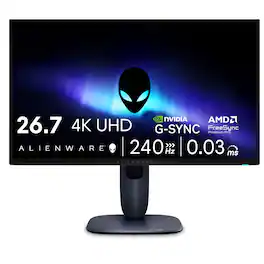
Alienware - AW2723DF Gaming Monitor

Alienware AW2723DF 27" 1440p 280Hz Gaming Monitor offers robust performance with a 27" 16:9 IPS screen, DisplayPort and HDMI connectivity, a 2560 x 1440 resolution at up to 280 Hz, FreeSync Premium Pro support, G-Sync compatibility, 1 ms (GtG) response time, 1000:1 contrast ratio, 600 nits brightness, and coverage of 100% sRGB and 95% DCI-P3 with 1.07 billion colors. A built-in USB hub with power delivery ensures convenient accessory integration. Designed for immersive gaming, the monitor delivers lifelike visuals and smooth motion, with HDMI supporting up to 144 Hz and DisplayPort supporting 240 Hz or up to 280 Hz when overclocked. The integrated on-screen display uses a centralized joystick for easy navigation, and AlienVision provides four real-time hardware-based overlay modes to enhance visual clarity and customization.

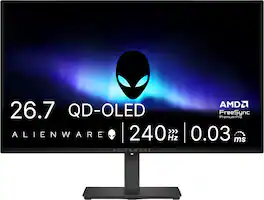
Alienware - AW2726DM 27" QD-OLED QHD 240Hz 0.03ms FreeSync Premium Pro Gaming Monitor with HDR (HDMI, DisplayPort) - Black

Alienware 27 240Hz QD-OLED Gaming Monitor. Take in superb QD-OLED visuals and fluid gameplay on the 27" flat panel monitor featuring a fast 240Hz refresh rate.
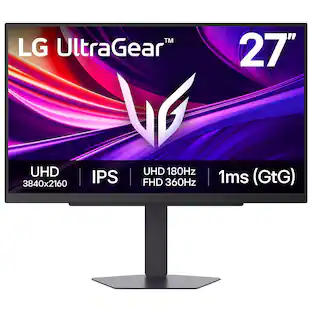
LG - UltraGear 27" IPS Dual Mode (4K UHD 180Hz, FHD 360Hz), 1ms, NVIDIA G-SYNC, AMD Freesync Gaming Monitor (HDMI, DP, USB-C) - Black

It's time to upgrade your setup with the 27 Inch 4K UHD IPS UltraGear gaming monitor, delivering crisp ultra high (3840 x 2160) resolution, vibrant color with up to 95% DCI-P3 coverage, and striking contrast through VESA DisplayHDR 400. Every detail is vivid, sharp, and designed to elevate your gaming and streaming experience. Stay ahead with a 144Hz refresh rate and lightning-fast 1ms (GtG) response time, ensuring smooth, responsive gameplay. Adaptive sync technologies—NVIDIA G-SYNC compatibility and AMD FreeSync Premium—keep every frame fluid and tear-free. Dual Mode lets you take control of your gaming experience. Enjoy graphically stunning story-driven adventures in 4K UHD at up to180Hz immersing yourself in epic visuals and rich detail. Or game in Full HD at an electrifying 360Hz for ultra-responsive gameplay¹. Stay battle-ready with dual HDMI, DisplayPort 1.4, USB upstream and two downstream ports, plus a 4-pole headphone jack. A slim bezel, fully adjustable stand bring both performance and style to your ultimate gaming setup.

Pros for Alienware - AW2725QF 27" IPS LED 4K UHD 180Hz 0.5ms G-SYNC Compatible Dual-Resolution Gaming Monitor w/HDR (HDMI, DisplayPort, USB) - Black
Refresh Rate, Image Quality, HDR, Performance, StandThere were no pros for this productRefresh Rate, OLED Quality, Overall Performance, Stand AdjustabilityRefresh Rate, Color Quality, Resolution, Setup Ease, HDR Performance
Cons for Alienware - AW2725QF 27" IPS LED 4K UHD 180Hz 0.5ms G-SYNC Compatible Dual-Resolution Gaming Monitor w/HDR (HDMI, DisplayPort, USB) - Black
Black LevelsThere were no cons for this productBrightness, Built-in Speakers, USB PortsThere were no cons for this product

Specs

Questions & Answers
  • Is this hdmi 2.1?

    Yes, this monitor does have 2X HDMI 2.1 ports.

    Answered by YourDellTeam
    YourDellTeam response
  • Does this monitor have a headphone jack?

    No, it does not

    Answered by YourDellTeam
    YourDellTeam response
  • Is the monitor ENERGY STAR certified?

    This monitor is ENERGY STAR certified.

    This question and answer was generated by AI based on customer and product data.
  • What is the weight and dimensions of the monitor?

    The monitor weighs 15.76 pounds and is 24.07 inches wide.

    This question and answer was generated by AI based on customer and product data.
  • What is the response time of the monitor?

    The response time of the monitor is 0.5 milliseconds.

    This question and answer was generated by AI based on customer and product data.
Ask a question
No content
Sponsored

Similar products from outside of Best Buy

sponsored
Ask BlueAI

Finance Options

My Best Buy® Credit Card
Choose a benefit:Or
Buy Now, Pay Later
Lease to own

Finance Options

My Best Buy® Credit Card
Choose a benefit:Or
Buy Now, Pay Later
Lease to own