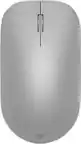
Alogic - Echelon USB-C Rechargeable Wireless Mouse and Keyboard for Windows - USB Type A Wireless Bluetooth/RF 5.0 2.40 - Unknown
Alogic - Echelon USB-C Rechargeable Wireless Mouse and Keyboard for Windows - USB Type A Wireless Bluetooth/RF 5.0 2.40 - Unknown
Color
Unknown
Specifications
- Form FactorFull-sizeConnection TypeWireless
- Key Specs
- Form Factor: Full-size (The size, arrangement, and physical configuration of the product.)
- Connection Type: Wireless
- General
- Brand: Alogic
- Product Name: Alogic Echelon USB-C Rechargeable Wireless Mouse and Keyboard for Windows - USB Type A Wireless Bluetooth/RF 5.0 2.40
- Color: Unknown
- Functions
- Form Factor: Full-size (The size, arrangement, and physical configuration of the product.)
- Connectivity
- Connection Type: Wireless
- Compatibility
- Operating System Compatibility: Not Applicable
- Dimensions
- Product Height: 3 inches (The out of box height of the item. Height is measured as the vertical distance from the bottom of the item to the top as it would be primarily used or placed.)
- Product Width: 17.28 inches (The out of box width of the item. Width is measured as the horizontal distance from one side of the item to the other as it would be primarily used or placed.)
- Product Depth: 9 inches (The out of box depth of the item. Depth is measured as the distance from the front of the item to the back as it would be primarily used or placed.)
- Product Weight: 2.09 ounces (The out of box weight of the item.)
- Warranty
- Warranty - Parts: 2 years
- Warranty - Labor: 2 years
- Other
- UPC: 9350784027504
Alogic Echelon USB-C Rechargeable Wireless Mouse and Keyboard for Windows - USB Type A Wireless Bluetooth/RF 5.0 2.40 GHz Keyboard - USB Type A Wireless Bluetooth/RF Mouse - Cut, Copy, Paste, Email, Calculator, Search, Brightness, Home, Next Track, Previous Track, Play/Pause, ... Hot Key(s) - Compatible with Notebook, Tablet, Smartphone, Chromebook for PC, Mac
- Designed for Professionals: Despite its slim, lightweight design, we haven't compromised on the Echelon Keyboard's typing experienced, with full-size, comfortably spaced keys that make composing long documents quick and accurate. Meanwhile, the compact Echelon Mouse's ergonomic chassis helps keep your hand cramp-free after a long day.
- Designed for Windows Productivity: The Echelon keyboard features a number of custom shortcuts, such as single-key Cut, Copy and Paste keys above the Numpad for use when number crunching and OS shortcuts like Emails, Calculator and Search.
- Designed for the Modern Office: Perfect for hybrid work, the home office and hot desking, the Echelon Mouse and Keyboard can quickly switch between three connected devices at the touch of the button, including laptops, phones and tablets.
- No Batteries Needed: Echelon features an integrated USB-C charging battery, which lasts weeks between charges, saving you the expense and hassle of swapping batteries in and out.
Whats Included
- Echelon USB-C Rechargeable Wireless Mouse and Keyboard for Windows 2.4GHz USB-A Reciever USB-C Charging Cable Quick Start Guide
Compare similar products
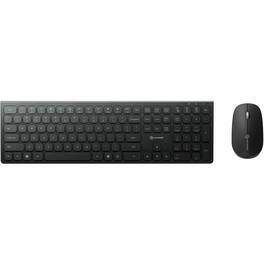
Alogic Echelon USB-C Rechargeable Wireless Mouse and Keyboard for Windows - USB Type A Wireless Bluetooth/RF 5.0 2.40 GHz Keyboard - USB Type A Wireless Bluetooth/RF Mouse - Cut, Copy, Paste, Email, Calculator, Search, Brightness, Home, Next Track, Previous Track, Play/Pause, ... Hot Key(s) - Compatible with Notebook, Tablet, Smartphone, Chromebook for PC, Mac

MK540 Advanced is an instantly familiar wireless keyboard and mouse combo built for precision, comfort and reliability. The full-size keyboard features a familiar key shape, size, and feeling – optimized for precision and noise reduction. The palmrest and adjustable tilt legs keep you comfortable for long stretches and the contoured mouse is designed to fit perfectly into either palm. Plug and play your keyboard and mouse with one tiny USB receiver with Logitech Unifying technology. You’ll get a reliable – and encrypted – wireless connection up to 32.8 ft away with virtually no delays or dropouts.
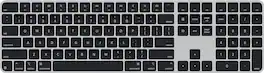
Magic Keyboard is available with Touch ID, providing fast, easy, and secure authentication for logins and purchases. Magic Keyboard with Touch ID and Numeric Keypad delivers a remarkably comfortable and precise typing experience. It features an extended layout, with document navigation controls for quick scrolling and full-size arrow keys, which are great for gaming. The numeric keypad is also ideal for spreadsheets and finance applications. It’s wireless and features a rechargeable battery that will power your keyboard for about a month or more between charges. It pairs automatically with your Mac, so you can get to work right away. It features a USB-C port and includes a woven USB-C Charge Cable that lets you pair and charge by connecting to a USB-C port on your Mac.
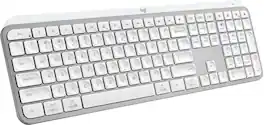
MX Keys S Logitech Wireless Keyboard — a low-profile full-size keyboard that offers a fluid, precise typing experience and customizable, time-saving Smart Actions that automate your most repetitive tasks with a single keystroke. The backlit keyboard features smart backlighting that lights up when your hands approach it and automatically adjusts to suit the time of day.
| Pros for Alogic - Echelon USB-C Rechargeable Wireless Mouse and Keyboard for Windows - USB Type A Wireless Bluetooth/RF 5.0 2.40 - Unknown | |||
|---|---|---|---|
| There were no pros for this product— | Overall Performance | Keyboard Quality, Touch ID, Battery Life, Design, Connectivity | There were no pros for this product— |
| Cons for Alogic - Echelon USB-C Rechargeable Wireless Mouse and Keyboard for Windows - USB Type A Wireless Bluetooth/RF 5.0 2.40 - Unknown | |||
| There were no cons for this product— | There were no cons for this product— | Adjustability | There were no cons for this product— |
Specs
Reviews
This product doesn't have any reviews yet.