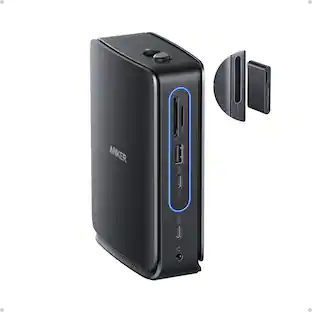
Anker - USB C Hub, 332 USB-C Hub (5-in-1, 4K HDMI) with 100W Power Delivery, 4K@30Hz HDMI Displa - Black
About this product
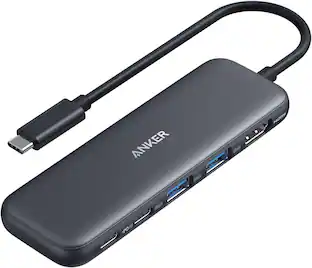
Anker USB C Hub, 332 USB-C Hub (5-in-1, 4K HDMI) with 100W Power Delivery, 4K@30Hz HDMI Display, 5Gbps USB-C&A Data Ports for MacBook, iPad, Lenovo, Dell, HP Laptops, and More (Black)
5-in-1 Expansion
With this lightweight and compact hub, you can turn one of your laptop's USB-C ports into a 4K HDMI port, a 5 Gbps USB-C port, 2 USB-A ports, and a 100W PD-IN port.
4K Display
Use the HDMI port to connect to an external monitor and mirror or extend your display at up to 4K@30Hz.
Multi-Port File Transfer
Connect to the USB-C and the 2 USB-A ports to transfer movies, music, and other files at up to 5 Gbps.
Powerful Pass-Through Charging
Supports up to 100W (minus 15W for operation) pass-through charging so you can power up your laptop while you use the hub. Note: Pass-through charging requires a charger (not included).
What You Get
Anker 322 USB-C Hub (5-in-1), welcome guide, our worry-free 18-month warranty, and friendly customer service.
- Number of USB Port(s)3
Reviews
Rating 5 out of 5 stars with 1 review
The vast majority of our reviews come from verified purchases. Reviews from customers may include My Best Buy members, employees, and Tech Insider Network members (as tagged). Select reviewers may receive discounted products, promotional considerations or entries into drawings for honest, helpful reviews.
Compare similar products
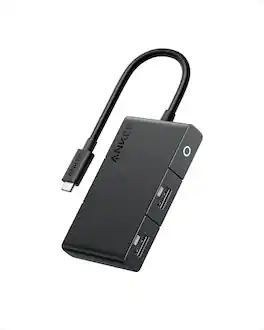
Anker USB C Hub, 332 USB-C Hub (5-in-1, 4K HDMI) with 100W Power Delivery, 4K@30Hz HDMI Display, 5Gbps USB-C&A Data Ports for MacBook, iPad, Lenovo, Dell, HP Laptops, and More (Black)
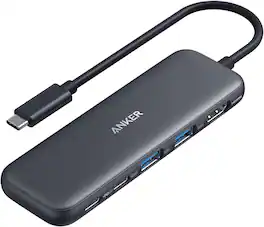
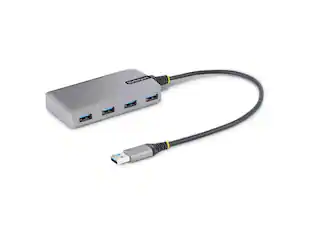
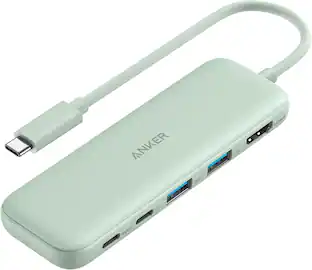
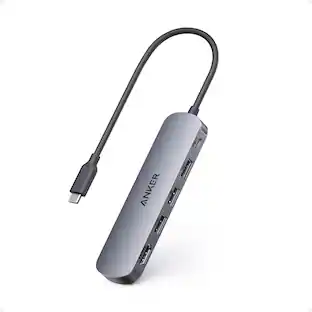
Anker USB C Hub, 5-in-1 USBC to HDMI Splitter with 4K Display, 1 x Powered USB-C 5Gbps & 2×Powered USB-A 3.0 5Gbps Data Ports for MacBook Pro, MacBook Air, Dell and More
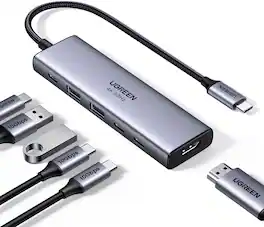
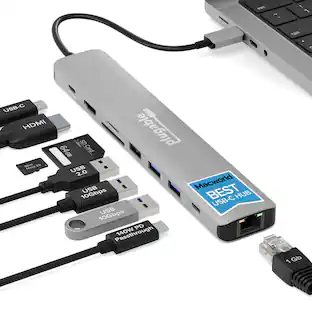
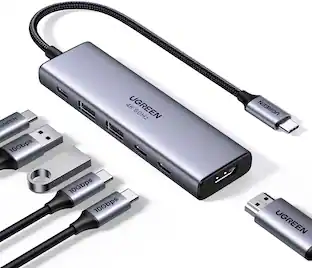
The UGREEN 6-in-1 USB-C 3.2 Hub features a versatile port selection including a 4K@60Hz HDMI output, two USB-C (10Gbps) and two USB-A (10Gbps) data ports, plus a dedicated USB-C Power Delivery input supporting up to 100W charging. This multi-port adapter transforms your laptop's single USB-C port into a complete workstation. Experience seamless file transfers at blazing speeds, crystal-clear 4K display output, and uninterrupted power delivery—all while maintaining a stable connection through its premium aluminum heat-dissipating design. Universally compatible with MacBook, iPad Pro, Dell XPS, Surface Pro, and other USB-C devices, it's the perfect blend of performance, reliability, and sleek engineering for professionals on the move.

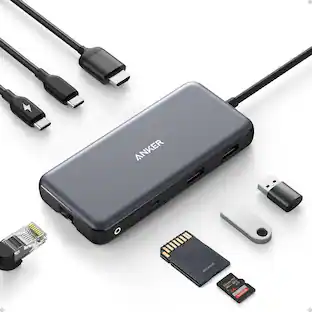
Anker USB C Hub, 7-in-1 Multi-Port USB Adapter for Laptops, 4K@60Hz USB C to HDMI Splitter, 85W Max Power Delivery, 3xUSBA & C 3.0 Data Ports, SD/TF Card, for Type C Devices (Charger Not Included)
| Pros for Anker - USB C Hub, 332 USB-C Hub (5-in-1, 4K HDMI) with 100W Power Delivery, 4K@30Hz HDMI Displa - Black | |||
|---|---|---|---|
| There were no pros for this product— | There were no pros for this product— | Connectivity, Overall Performance, Portability, Power Delivery | Overall Performance, Portability, Connectivity |
Specs
Will a Samsung Galaxy charge at fast charging or even Super Fast Charging? When this hub is connected to the phone and the correct charger is connected to the hub.
Answered by Anker TeamTo determine whether your Samsung Galaxy can achieve fast charging or Super Fast Charging when connected to the Anker 332 USB-C Hub (5-in-1, 4K HDMI) with a correct charger, here are some relevant details: Samsung's Super Fast Charging Requirements: To achieve "Super Fast Charging 2.0," you need: A USB-C to USB-C cable rated at 5A (100W). A Samsung phone that supports 45W fast charging. A charger that supports USB Power Delivery 3.0 PPS (Programmable Power Supply) with a 9V/5A rating. Chargers like Anker 736 Nano II or GaNPrime Chargers meet these requirements. Anker 332 USB-C Hub: While this hub features 100W Power Delivery, the hub itself does not facilitate Super Fast Charging on its own. It acts as a passthrough and won't support the latest PPS protocol by default. Key Limitation: Even when the correct charger is connected to the hub, the hub likely won't enable "Super Fast Charging 2.0," as it primarily focuses on power delivery to multiple devices and is not designed with PPS-specific protocol functionality. In conclusion, while the hub can provide up to 100W Power Delivery, whether your Samsung Galaxy will charge at fast or Super Fast Charging speeds depends on the charger you use and whether it supports PPS with the necessary power output. If the correct PPS-capable charger is used directly with the phone (bypassing the hub), you are more likely to achieve Super Fast Charging.

Customers often buy these together
Monitor and Video Cables






More to consider
 $9.99The price was $17.99


Explore tech essentials Sponsored



Keep exploring
 $9.99The price was $14.99
- $9.99The price was $17.99