Apple - Magic Trackpad - Multi-Touch Surface (USB-C) - Wireless - Black Multi-Touch Surface
Apple - Magic Trackpad - Multi-Touch Surface (USB-C) - Wireless - Black Multi-Touch Surface
Color
Black Multi-Touch Surface- Magic Keyboard with Touch ID and Numeric Keypad for Mac models with Apple silicon (USB-C) - Black Keys$199.99


More Buying Options
Related Item

Specifications
- Connection TypeWireless
- Key Specs
- Connection Type: Wireless
- General
- Brand: Apple
- Model Number: MXKA3AM/A
- Product Name: Magic Trackpad - Multi-Touch Surface (USB-C)
- Color: Black Multi-Touch Surface
- System Requirements: Bluetooth-enabled Mac with OS X 10.11 or later; iPad with iPadOS 13.4 or later; Apple Vision Pro with the latest version of visionOS (The software that a product must have for it to be able to integrate with another product.)
- Features
- Mouse Type: Standard
- Performance
- Tracking Method: Touchpad (There are several types of computer mice, optical and laser being among the most common. Optical mice detect less detail and provide more precise and accurate movement. Laser mice detect more detail and can be used on a wider variety of surfaces, but are more sensitive to small movements.)
- Connectivity
- Connection Type: Wireless
- Wireless Connectivity: Bluetooth (The manner in which a device sends data to another device over a short distance without the use of wires or cables.)
- Operating System Compatibility: Apple iPadOS, Mac, Apple visionOS
- Power
- Mouse Power Source: Battery-powered
- Rechargeable Battery (Mouse): true
- Charging Interface(s): USB-C (The connection for transmitting power to charge the device.)
- Battery Chemistry: Lithium-ion
- Dimensions
- Product Height: 0.43 inches (The out of box height of the item. Height is measured as the vertical distance from the bottom of the item to the top as it would be primarily used or placed.)
- Product Length: 4.52 inches (The out of box length of the item. Length is measured as the longest dimension of the item.)
- Product Width: 6.3 inches (The out of box width of the item. Width is measured as the horizontal distance from one side of the item to the other as it would be primarily used or placed.)
- Product Weight: 230 grams (The out of box weight of the item.)
- Warranty
- Warranty - Parts: Apple One (1) Year Limited Warranty
- Warranty - Labor: Apple One (1) Year Limited Warranty
- Other
- UPC: 195949654411
Magic Trackpad is wireless and rechargeable, and it includes the full range of Multi-Touch gestures and Force Touch technology. Sensors underneath the trackpad surface detect subtle differences in the amount of pressure you apply, bringing more functionality to your fingertips and enabling a deeper connection to your content. It features a large edge-to-edge glass surface area, making scrolling and swiping through your favorite content more productive and comfortable than ever. Magic Trackpad pairs automatically with your Mac, so you can get to work right away. The rechargeable battery will power it for about a month or more between charges. It includes a woven USB‑C Charge Cable that lets you pair and charge by connecting to a USB‑C port on your Mac. Magic Trackpad works seamlessly with Apple Vision Pro for activities like arranging apps in 3D space or navigating complex spreadsheets.
- Compatibility: Mac Models: MacBook Air (2020 and later), MacBook Pro 14-inch (2021 and later), MacBook Pro 16-inch (2019 and later), MacBook Pro 13-inch (2020 and later), iMac 24-inch (2021 and later), iMac 21.5-inch (Retina 4K, 2019), iMac 27-inch (5K Retina, 2019-2020), iMac Pro (2017), Mac Studio (2022 and later), Mac mini (2018 and later), Mac Pro (2019 and later)
Whats Included
- Magic Trackpad
- USB‑C Charge Cable
Disclaimers
- *Testing conducted by Apple in August and September 2024 using preproduction Magic Trackpad (USB-C) units, firmware, and software paired with preproduction 24-inch iMac systems with Apple M4. Testing consisted of full battery discharge while engaging the device on a paired iMac using automated equipment. Battery life depends on device settings, usage, and other factors.
- *Weight varies by configuration and manufacturing process.
Q: Is the Magic Trackpad compatible with Apple Vision Pro?
A: The Magic Trackpad is compatible with Apple Vision Pro.
Q: Which operating systems are compatible with the Magic Trackpad?
A: The Magic Trackpad is compatible with Bluetooth-enabled Macs running OS X 10.11 or later, iPads running iPadOS 13.4 or later, and Apple Vision Pro devices running the latest version of visionOS.
Q: What are the dimensions of the Magic Trackpad?
A: The Magic Trackpad has a product width of 6.3 inches, a product height of 0.43 inches, and a product length of 4.52 inches.
Q: How long does the battery last on a single charge?
A: The rechargeable battery will power the Magic Trackpad for about a month or more between charges.
Q: Is the Apple Trackpad compatible with Google Chromebook?
A: The Apple Magic Trackpad is not officially compatible with Google Chromebooks. While basic Bluetooth pairing may work, many features like multi-touch gestures and full functionality are limited or may not work properly. It is best used with macOS devices.
Q: Does the trackpad work with the Apple Pencil Pro?
A: No, I really wish it did :(
Q: How do you left click? Especially after you select?
A: On the Apple Magic Trackpad, you can left click by pressing down anywhere on the trackpad or by tapping once if “Tap to click” is enabled in system settings. After selecting, simply click or tap again to confirm the action.
Compare similar products

Magic Trackpad is wireless and rechargeable, and it includes the full range of Multi-Touch gestures and Force Touch technology. Sensors underneath the trackpad surface detect subtle differences in the amount of pressure you apply, bringing more functionality to your fingertips and enabling a deeper connection to your content. It features a large edge-to-edge glass surface area, making scrolling and swiping through your favorite content more productive and comfortable than ever. Magic Trackpad pairs automatically with your Mac, so you can get to work right away. The rechargeable battery will power it for about a month or more between charges. It includes a woven USB‑C Charge Cable that lets you pair and charge by connecting to a USB‑C port on your Mac. Magic Trackpad works seamlessly with Apple Vision Pro for activities like arranging apps in 3D space or navigating complex spreadsheets.
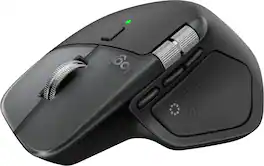

Magic Mouse is wireless and rechargeable, with an optimized foot design that lets it glide smoothly across your desk. The Multi-Touch surface allows you to perform simple gestures such as swiping between web pages and scrolling through documents. The rechargeable battery will power your Magic Mouse for about a month or more between charges.* It’s ready to go right out of the box and pairs automatically with your Mac. It features a USB-C port and includes a woven USB-C Charge Cable that lets you pair and charge by connecting to a USB-C port on your Mac, so you can charge all of your favorite devices with just a single cable.

| Pros for Apple - Magic Trackpad - Multi-Touch Surface (USB-C) - Wireless - Black Multi-Touch Surface | |||
|---|---|---|---|
| Overall Performance, Ease of Use, Battery Life, Ergonomics, Connectivity | Ergonomics, Button Functionality, Haptic Feedback, Connectivity, Build Quality | Overall Performance, Ease of Use, Battery Life, Connectivity, Design | Ergonomics, Button Functionality, Haptic Feedback, Overall Performance, Battery Life |
| Cons for Apple - Magic Trackpad - Multi-Touch Surface (USB-C) - Wireless - Black Multi-Touch Surface | |||
| There were no cons for this product— | There were no cons for this product— | Size, Port Placement, Scrolling | Size, Weight |
Specs
Reviews
Customers are saying
Customers find value in the Magic Trackpad's overall performance, ease of use, and long battery life, considering it an excellent add-on that is easy to use. The trackpad's attractive design and large size are also appreciated, along with its quick connectivity and USB-C port. There were no cons mentioned about the product.
Customer Images
The vast majority of our reviews come from verified purchases. Reviews from customers may include My Best Buy members, employees, and Tech Insider Network members (as tagged). Select reviewers may receive discounted products, promotional considerations or entries into drawings for honest, helpful reviews.
- Rated 5 out of 5 stars
Should buy
Overall, it’s a great product and connects to my computer very easily and it’s super easy to charge. Tell when the battery is going to go dead.
Blaze Posted
- Rated 5 out of 5 stars
Excellent Trackpad!
NOTE: SCROLLING AND GESTURES ONLY WORKS ON MAC 15.X SEQUOIA. With that said, it is incredible. I firmly believe the best way to use MacOS is by utilizing gestures and Spaces/Mission Control/ App Expose. That can only happen with the trackpad. I feel very confident in my clicks, scrolls, and gestures and I have only just begun using the trackpad. It feels very natural! The Haptic feedback is a little higher pitched than the MacBook Pro trackpad, but feels just as robust and clicky.
This review is from Apple - Magic Trackpad - Multi-Touch Surface (USB-C) - Wireless - White Multi-Touch Surface
michael Posted
- Rated 5 out of 5 stars
Love my dark track pad!
It works like my other trackpad. My employer sent the Apple Mouse and this is much better for multi-finger (2,3,4 finger) Apple motions like expand and contract. And it matches the decor with the dark MacBook and dark keyboard!
GlenDA Posted