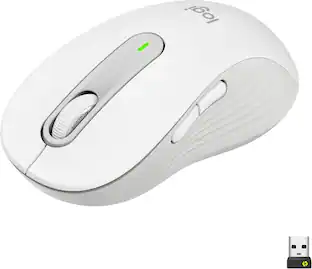
ASUS - ProArt MD301 Optical Ergonomic Mouse with Hot-Swappable Switches and SmartShift Scroll Wheel - Wireless - Black
About this product
The ProArt Mouse MD301 features an ergonomic design with six programmable buttons, 8000 DPI for precise tracking, and tri-mode connectivity to connect up to five devices. The MD301 stays powered up to 180 days on a full charge and the integrated SmartShift Wheel enables free-spin scrolling or line-by-line control.
Built to Endure, Designed for Comfort
Swappable left/right buttons with micro or optical switches for personalized click feel
Designed for Comfort
Ergonomic wave-texture grip for lasting comfort
Long Lasting Battery Life
Up to 6 months battery life on a single charge with up to 8 hours of use from a 1-minute charge
Precision and Control, Redefined
Up to 1000Hz polling rate and 8000 DPI for precise tracking
SmartShift Wheel
Fast-spinning scroll wheel for quick navigation through long pages
Smart Connectivity for Seamless Productivity
USB, 2.4GHz RF, and Bluetooth support
Seamlessly Switch Between Devices and Systems
Pair and switch between up to 5 devices
- Lighting TypeNoneMaximum Sensitivity8000 dots per inchNumber of Buttons (Total)6Connection TypeWireless, Wired
Reviews
Rating 4.8 out of 5 stars with 4 reviews
The vast majority of our reviews come from verified purchases. Reviews from customers may include My Best Buy members, employees, and Tech Insider Network members (as tagged). Select reviewers may receive discounted products, promotional considerations or entries into drawings for honest, helpful reviews.
Compare similar products

The ProArt Mouse MD301 features an ergonomic design with six programmable buttons, 8000 DPI for precise tracking, and tri-mode connectivity to connect up to five devices. The MD301 stays powered up to 180 days on a full charge and the integrated SmartShift Wheel enables free-spin scrolling or line-by-line control.

The CORSAIR IRONCLAW WIRELESS SE Gaming Mouse was designed to deliver comfortable control for right-handed players that prefer palm grips. Its uniquely-sculpted shape and textured grips are built to give players secure, comfortable control. The precise 26k DPI sensor provides amazing accuracy for MOBA, FPS, and MMO gameplay. IRONCLAW WIRELESS SE is all about longevity with up to 285 hours over 2.4GHz, 532 hours over BT, and switches rated for up to 100 million clicks. Versatile tri-mode connectivity connects via robust 2.4GHz wireless, convenient Bluetooth®, or USB-C cable. CORSAIR IRONCLAW WIRELESS SE Gaming Mouse – Comfortable Control in the Palm of Your Hand.

The Logitech MX Master 4 brings immersive control and precision you can feel with haptic feedback. Experience haptic feedback on specific actions, shortcuts, notifications like switching desktops, slider adjustments and more. Customize vibration intensity in Logi Options+. With Actions Ring shortcuts and MX Master 4, save up to 33% of your time by accessing tools and filters at your cursor, reducing repetitive movements by up to 63%. Experience uninterrupted performance with 2X more powerful connectivity, powered by an advanced radio chip, optimized antenna placement, and a new USB-C dongle.

The Keychron M6 Ergonomic Wireless Mouse offers a high-performance, dual-mode pointing solution that blends wired precision with wireless freedom. Whether you prefer the rock-solid stability of USB-C tethering or the flexibility of 2.4 GHz or Bluetooth connection, the M6 delivers seamless switching to suit your setup. Its PixArt 3395 sensor provides exceptional tracking with high DPI and IPS values, while the ergonomic design—including a thumb-wheel and dual scroll modes—ensures comfort and productivity over long sessions. Fully programmable via companion software, you can tailor buttons, DPI settings and macros to your workflow or gameplay. Lightweight yet robust, the M6 is crafted for those who demand both performance and versatility from their mouse.
| Pros for ASUS - ProArt MD301 Optical Ergonomic Mouse with Hot-Swappable Switches and SmartShift Scroll Wheel - Wireless - Black | |||
|---|---|---|---|
| There were no pros for this product— | Ergonomics, Battery Life, Overall Performance, Connectivity, Button Layout | Ergonomics, Overall Performance, Battery Life, Button Functionality, Haptic Feedback | Connectivity, Ergonomics, Overall Performance, Battery Life, Weight |
| Cons for ASUS - ProArt MD301 Optical Ergonomic Mouse with Hot-Swappable Switches and SmartShift Scroll Wheel - Wireless - Black | |||
| There were no cons for this product— | Size | Size, Weight | There were no cons for this product— |
Specs
What type of Gestures are available to configure in software ?
Answered by ASUS AnswersThe ProArt MD301 mouse features customizable gesture controls via the Gear Link software. You can program a specific button to act as a trigger key. While holding this trigger, you move the mouse in four directions to execute specific actions, effectively turning a single button into four unique gesture commands. Some common assignable directional gestures available in the software include: Forward/Backward (Up/Down): frequently used for zooming, scrolling, or volume adjustments, Left/Right: often configured to switch applications, execute system commands like copy/paste, or navigate browser/timeline tabs., Application-Specific Hotkeys: the trigger-and-move combinations can be mapped to specific shortcuts in creative suites (Adobe Premiere, Photoshop, etc.).
Does this mouse have wireless connectivity?
Yes, this mouse has wireless connectivity using Radio Frequency (RF).
This question and answer was generated by AI based on customer and product data.What is the maximum sensitivity of this mouse?
The maximum sensitivity of this mouse is 8000 dots per inch.
This question and answer was generated by AI based on customer and product data.Does this mouse have an on or off switch?
Yes, this mouse has an on or off switch.
This question and answer was generated by AI based on customer and product data.How many programmable buttons does this mouse have?
This mouse has six programmable buttons.
This question and answer was generated by AI based on customer and product data.

Customers often buy these together
![ProArt
ESC 1 2 3 4 5 6 7 8 9 0 - = INS
Q W E R T Y U I O P [ ] \
CAPS A S D F G H J K L : ; '
Z X C V B N M , . /
CTRL ALT ALT FN
PGUP PGDN CTRL ALT](https://pisces.bbystatic.com/image2/BestBuy_US/images/products/6d40e8f1-6117-4229-8929-c0aac3fee8a1.png;maxHeight=232;maxWidth=233?format=webp)

![Sure, here is the corrected and grouped text from the image:
**Top Row:**
- ESC F1 F2 F3 F4 F5 F6 F7 F8 F9 F10 F11 F12 Del PgUp PgDn
**Number Row:**
- 1 2 3 4 5 6 7 8 9 0 - = + Num / *
**QWERTY Row:**
- Q W E R T Y U I O P [ ] \
**A Row:**
- A S D F G H J K L ; '
**Z Row:**
- Z X C V B N M , . /
**Bottom Row:**
- Caps A S D F G H J K L ; '
**Function Row:**
- Ctrl Fn Alt Spacebar Alt Fn Ctrl
**Number Pad:**
- 7 8 9 Home 4 5 6 1 2 3 End 0 . Ins Del
**Additional Keys:**
- Num / * - + PgUp PgDn
**Special Keys:**
- ROG (logo)](https://pisces.bbystatic.com/image2/BestBuy_US/images/products/c34127b6-95eb-4602-b8da-dfaa20d4e2b1.png;maxHeight=232;maxWidth=233?format=webp)

Customers ultimately bought
 Top Deal$79.99The price was $139.99
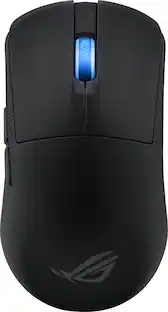 $81.99The price was $129.99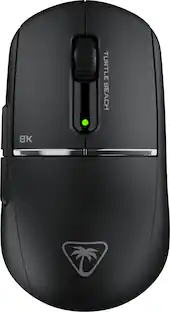
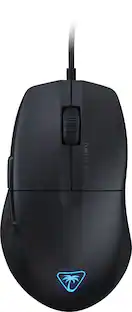
Turtle Beach - Burst II Pro High-Performance Ultra-Lightweight Wireless Optical Esports Gaming Mouse
$99.99The price was $139.99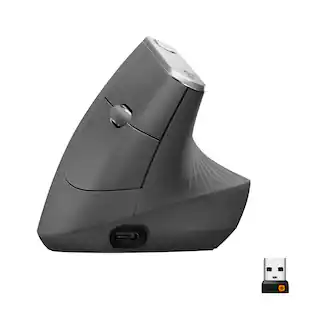 $77.99The price was $119.99
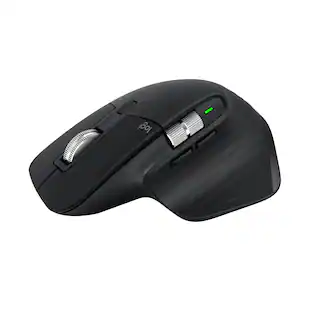 Top Deal$89.99The price was $99.99



Explore tech essentials Sponsored
Turtle Beach - Burst II Pro High-Performance Ultra-Lightweight Wireless Optical Esports Gaming Mouse
$99.99The price was $139.99 $129.99The price was $159.99

Discover related products
 $12.99The price was $13.99
 $249.00The price was $275.00
 $30.99The price was $32.99












Keep exploring

Logitech - B100 Corded Mouse – Wired USB Mouse for Computers and laptops, for Right or Left Hand Use
$12.18The price was $20.06 $119.95The price was $199.95
 $79.95The price was $109.95
 $149.95The price was $215.95