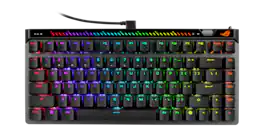
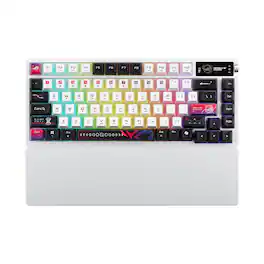
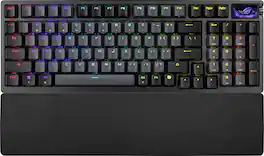
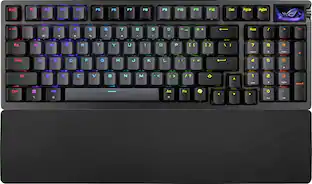
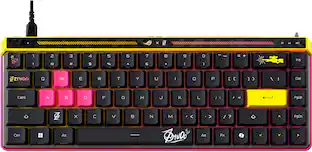
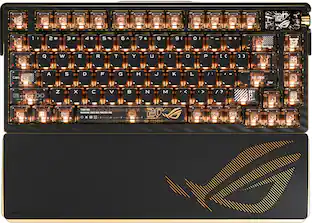
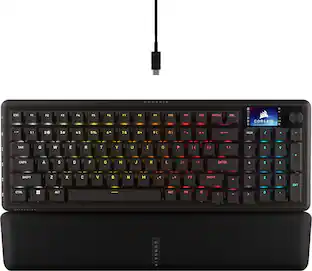
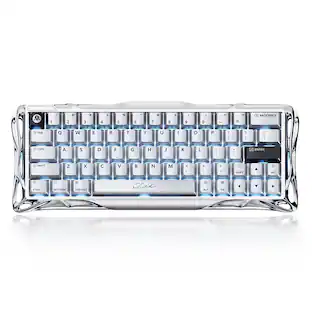
ROG Falchion Ace 75 HE is a 75% wired analog gaming keyboard with hot-swappable ROG HFX V2/V2X Magnetic Switches and ROG Hall Sensor; featuring onboard adjustment wheel and interactive touch panel, Rapid Trigger toggle, five-layer dampening, three tilt angles, protective keyboard carry case, and durable ROG Doubleshot PBT keycaps.

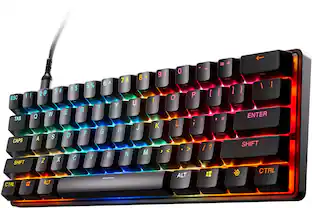
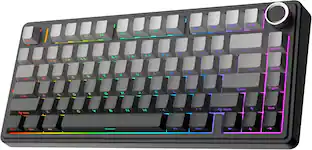
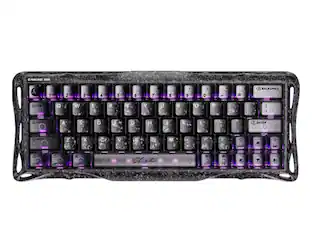
ROG Falchion Ace is a 65% form-factor wired mechanical keyboard designed for performance-focused gameplay. It has an interactive touch panel and innovative two-way cover case, and it’s the first ROG keyboard with wireless Aura Sync RGB lighting. ROG-tuned ROG NX mechanical switches for precise, clicky keystrokes

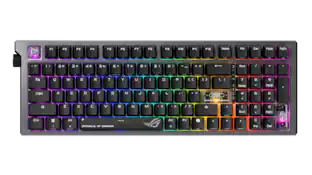
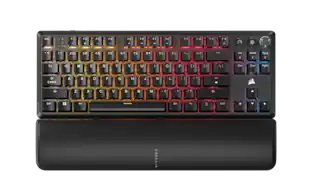
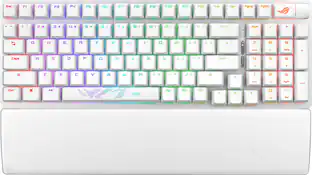
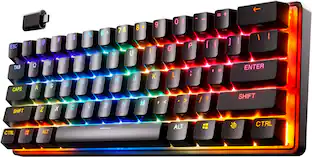
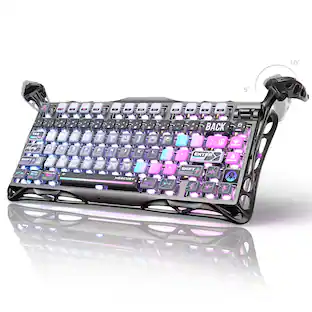
ROG Azoth X is a 75% wireless gaming keyboard with DIY-level customization and premium features keyboard. It features a metal top cover, south-facing PCB, silicone gasket mount, FR4 positioning plate, and five-layer dampening for a smooth, cushioned keystroke feel. Hot-swappable, pre-lubed ROG NX switches V2 ensure consistent, responsive typing, while three-sided translucent keycaps enhance aesthetics.

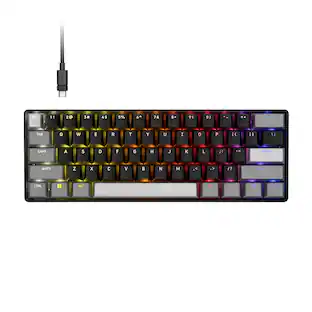
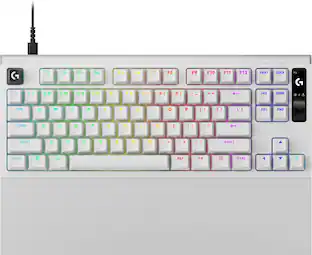
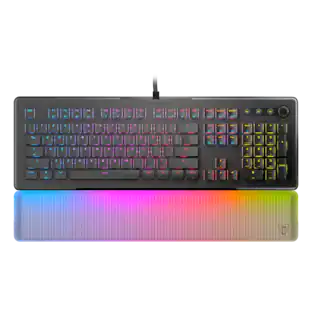
ROG Falcata 75% split gaming keyboard with hot-swappable ROG HFX V2 Magnetic Switches and ROG Hall Sensor; featuring Rapid Trigger toggle, intuitive control and multi-function wheel, tri-mode connectivity with ROG SpeedNova 8K wireless technology, Zone Mode, four-layer dampening and detachable silicone wrist rests.
| Pros for ASUS - ROG Falchion Ace 75% Wired Magnetic Hall Effect RGB Gaming Keyboard with Hot-Swappable ROG HFX V2 Switches - Black | |||
|---|---|---|---|
| There were no pros for this product— | There were no pros for this product— | Build Quality, Connectivity, RGB Lighting, Switch Performance, Battery Life | Build Quality, Switch Performance, Connectivity, RGB Lighting, Ergonomics |
| Cons for ASUS - ROG Falchion Ace 75% Wired Magnetic Hall Effect RGB Gaming Keyboard with Hot-Swappable ROG HFX V2 Switches - Black | |||
| There were no cons for this product— | There were no cons for this product— | Wrist Rest Comfort, Key Illumination | There were no cons for this product— |
The vast majority of our reviews come from verified purchases. Reviews from customers may include My Best Buy members, employees, and Tech Insider Network members (as tagged). Select reviewers may receive discounted products, promotional considerations or entries into drawings for honest, helpful reviews.

Over the last couple of years, I’ve used regular mechanical 60% keyboards. I’ve never used a Hall-effect keyboard before, and it’s an odd change that I’m still trying to get used to. I built two profiles that I switch between. FN + 1 is my first profile with a higher actuation point on the keys, which helps with the office work that I do. Essentially, you have to press the key longer for it to activate. I’ve been using around a 2mm actuation currently, but that continues to change. My default profile, my gaming profile, which is FN + 6, I set the actuation to .10mm. So that means even if I barely tap the key, it registers the input. When I game, I also flip the rapid trigger switch, and I immediately notice that my keystrokes reset quicker. Surprisingly enough, the profiles also saved the Windows Lock that I keep turned on for my gaming profile. I do not want to accidentally press the Windows key in the middle of a match. Those three features, to me, are the main selling points of the keyboard. The build quality is also insane. The bottom construction is made of solid metal. The clicks on the keys feel great and sound great. It produces a solid thock sound. You also have keyboard feet that have two levels of height adjustment. Out of every keyboard I've ever owned, this is the best sounding and best construction so far. However, that is also because it is the most expensive. The Gear Link software is better than using something like Armoury Crate. After you plug in the keyboard, it suggests that you visit the website as a notification. It takes a couple of clicks, and you're there. No extra application installation necessary. Within 30 seconds, you’re on a website that helps you adjust every feature of your keyboard without a single download. There is a touch bar on the top, which reminds me of the touchpad on the PS5 controller. With the exception that it has some ridges on it. In addition, it is paired with a lightbar that displays the level of the adjustment you’re making. In this area, you will also find the caps lock indicator, Windows lock indicator, which settings you are able to change at that moment (volume only, media only, brightness only), actuation adjustment, or rapid trigger adjustment. And with that touchbar, you can control volume, media track, brightness of the keyboard, and a custom option. Most keyboards have a dedicated FN + key combo for this. This slightly stands out because you can double tap it with the volume option enabled and mute your pc. If keyboard brightness is enabled, you can double tap that section to turn the keyboard lighting on the keyboard completely off. The double tap is a hit-or-miss sometimes, though. It does not always work; I still have not figured out the correct way to trigger it every time. You can cycle between the options you can change with the circle button. It's nice to have another input to control brightness, media, and whatnot, but other keyboards just use keys. And that's fine by me. Even this keyboard has those media and brightness keys still. It's a slight gimmick, but at least they are trying to stand out from other keyboard companies. Performance is another tab, which has two polling options: 8000Hz or 1000Hz. I would like to see other options implemented here. There is more research coming out nowadays that 8k is a marketing gimmick and increases CPU usage heavily without much to gain from it. Something like 2000 or 3000 might be something people may want someday. For the lighting effects, you have about ten to pick from. I just use static so it's not distracting while I work or play. Unfortunately, you cannot set each key to its own individual color. I would like to see that soon. I would use that for the volume function keys or WASD. You can also reassign the keys. You can create custom function buttons. You have every letter to pick from, four numbers, and about 15 other keys. There are some pre-assigned, like the profiles mentioned earlier, or like FN + F5, which is play/pause. Sorry to say, but I have no input on the macros, calibration, or speed tap features since I don't use those. I wish I had more to say about those above features, but it's something I've never used and never plan on using. Like, I don't play CS:GO, so I would never use speed tap. To tell you the truth, every feature I used, I had to play around with. There are no guides I could find, and the website isn’t fully helpful in explaining every feature. Sometimes you’ll find an “i” explaining one of those functions. For example, the calibration page does not tell you at all what it does. The only informational button on that page tells you what switches are supported. In the box, you get a carrying case for the keyboard. A 6-foot ROG branded cable. A 90 degree USB C side and a USB-A side. A key cap puller. A warranty packet. Some stickers. A simple instruction guide. A soft bag to wrap the keyboard in. And a CTRL replacement key if you don’t want to see the Copilot logo. So overall, I believe it to be worth the money. The multiwheel is cool also. It is used to adjust the actuation point and rapid trigger if you don't want to visit the website. That feature I have not seen on any other hall effect keyboards. The touch panel to me is a gimmick, but I get why it's there, so they stand out. With the other features, the build quality, and insane keystroke sound, I believe it to be a keyboard worth getting over the cheaper competition. Also, I wrote this using this keyboard and enjoyed every audible thock it made, erm, still getting used to the keystrokes, however!
Brandon Posted
The ASUS ROG Falchion Ace 75 HE is a great follow up to the previous iteration. It's a fresh new design including HFX V2 magnetic switches, a new ROG Hall sensor, a little bit more room with a 75% layout, hot swappable sockets, and an adjustment wheel that lets you tune in the actuation point without having to pull up the software. I like to see how serious ASUS is about Hall effect. - Unboxing - I love opening up ROG packaging. They always seem to have a great design and packaging. The one thing that jumped out at me was the carrying case. It's a nice touch and allows it to travel easily. The case is just bulky enough, protective, and has all the pockets you need for the extras inside. Inside the box you will find the keyboard, an angled USB-C cable that helps you route the cable away from your mouse hand, and the typical documentation/paperwork. - Design/Build - The 75HE has metal plates on the top and bottom giving it a quality look and feel. It feels solid with no flex. The feet have 2 major tilt angles (one small and one large foot.) There's a function row up top, a slick looking touch bar above it, and a small wheel in the upper right corner. There's also a well placed rapid trigger button that you can toggle without jumping into the software. It has the typical rubber underneath to hold it in place. - Specs & Features - -75% Layout -Hot Swappable ROG HFX V2 Magnetic -Actuation Range: .1mm to 3.5 mm, steps .01mm per key (you can fine tune any key to get your setup just right) -Polling rate: 8000Hz wired (.125ms response) -ROG Hall Sensor -Dampening: 6 Layers! -Connectivity is wired only, but the angled connector does help -Software: Gear Link (Web based tool) This is really easy to use and very responsive, I had no problems with it -Extras: Rapid Trigger toggle switch, Speed Tap, Per-Key RGB, Carrying case, NKRO - Performance - This keyboard aces one of my most important tests. It feels great in my hands. The keys feel smooth and responsive, but most importantly, Fast! In FPS shooters that I play, Overwatch, COD, and CS2, Rapid Trigger and Speed Tap were a lifesaver. The keys sound great too. The dampening gives you a quiet keyboard that has a quality clicking sound without any ping or reverb. The Gear link software is very responsive and being able to tune actuation points mid-game is a big improvement. A couple of features I love are being able to quickly scan through the RGB presets and adjust lighting right from my keyboard. ASUS has really set this keyboard up to make quick adjustments in-game or between games without loading up the software. -Pros/Cons- Pros - Stable HFX V2 Switches that can adjust as low as .01mm - Hot-swappable sockets which is very rare for Hall Effect keyboards - Adjustable wheel and RT toggle - Gear Link is quick and responsive, low resource - Dampening is great - Premium Travel case Suggestions/Needs Improvement - No wireless option - Touch Bar might be hard to access for some - I have seen 4mm travel on other keyboards, this one sits at 3.5mm The ROG Falchion Ace 75 ZHE is a nice improvement over the previous iteration. It's obvious they are listening to consumers. It's a premium build, it has top tier magnetic switches, and clever design and controls. If you're an FPS player that wants every feature in a premium, compact setup, this is it. It's also great for any gamer that's looking for a really fast keyboard with premium features and a small footprint. I definitely recommend it!
NanoEthan Posted
Unboxing: This Thing Means Business The moment you open the box, it’s obvious ASUS wasn’t messing around with the Falchion Ace. The keyboard comes tucked inside a surprisingly sturdy hard-shell case - not just foam or cardboard, but an actual protective case that feels like it belongs with high-end gear. It keeps everything secure, organized, and honestly makes the whole unboxing feel a little luxurious. And that case isn’t just for show. If you travel for work, bounce between setups, or hit LAN events, it turns the Falchion Ace into a genuinely portable keyboard. Everything has its own compartment, so you’re not digging around for cables or accessories. Speaking of cables: the included 90-degree angled USB cable is such a small detail, but it’s the kind of thing you appreciate immediately. It keeps your desk cleaner, reduces strain on the port, and just looks better. More companies should do this. Typing & Daily Use: Shockingly Comfortable If you spend long hours typing or gaming, comfort becomes a big deal fast. The Falchion Ace nails this. The switches feel crisp and responsive without being fatiguing, and the layout hits that sweet spot between compact and fully functional. The 75% size is perfect if you want to save desk space without sacrificing important keys. It’s compact enough for small setups or travel, but never feels cramped. And the weight is just right - solid and premium, but still easy to move around when you need to. Whether you’re grinding through work emails or marathon gaming sessions, this keyboard stays comfortable and consistent. Gaming Performance: Fast, Precise, and Reliable When milliseconds matter, this keyboard absolutely delivers. The wired connection keeps input lag nonexistent, and the Magnetic Hall Effect switches feel incredibly consistent. Every keypress registers exactly when you expect it to. Anti-ghosting works flawlessly, so even complicated combos or frantic inputs never get lost. It’s the kind of reliability you want when you’re deep in a match and can’t afford missed inputs. The hot-swappable ROG HFX V2 switches are a huge bonus. If you ever want to try a different feel or replace a switch, it takes seconds. It turns the keyboard into something you can tweak and evolve over time instead of a locked-in purchase. Customization: Surprisingly Smooth Software ASUS’s companion app is actually… good. It’s clean, responsive, and doesn’t bury simple settings behind confusing menus. RGB customization is extensive without being overwhelming, and the lighting itself looks fantastic - bright, smooth, and customizable down to the smallest detail. You can set up profiles for different games, match your room lighting, or keep things subtle for work. Whatever you want, the software makes it easy instead of frustrating. Is It Worth the Price? Absolutely Yes, the Falchion Ace sits on the pricier side of mechanical keyboards. But once you factor in the build quality, the hot-swappable switches, the excellent software, and the overall durability, the price makes sense. This isn’t a keyboard you replace in a year. It’s one you keep, upgrade, and rely on for a long time. Cheaper boards might save you money upfront, but they won’t match the longevity or consistency you get here. If you’re serious about gaming, content creation, or just want a premium keyboard that feels great every day, the Falchion Ace is absolutely worth considering. I can recommend it without hesitation.
Goor00inTX Posted