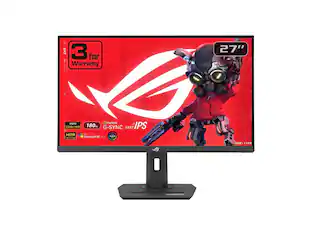
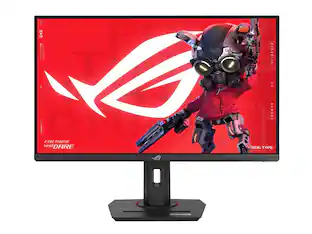
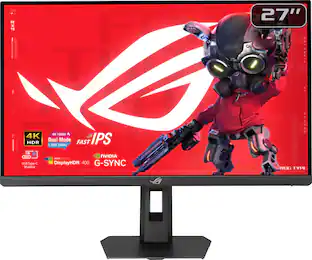
Elevate your gaming experience with the ROG Strix XG27ACMES, meticulously crafted for utility and performance. Immerse yourself in smooth, lifelike visuals boasting a 1440p resolution, 255Hz (OC) refresh rate, and lightning-fast 0.3ms response time (min.). Conquer challenges effortlessly with AI-powered features, and enhance your connectivity options with the inclusion of a versatile Type-C connection, ensuring you stay ahead while enjoying the convenience of modern connectivity.
A: Native is 240Hz, but there is an option in the monitor settings to overclock to 255 if you want.

Elevate your gaming experience with the ROG Strix XG27ACMES, meticulously crafted for utility and performance. Immerse yourself in smooth, lifelike visuals boasting a 1440p resolution, 255Hz (OC) refresh rate, and lightning-fast 0.3ms response time (min.). Conquer challenges effortlessly with AI-powered features, and enhance your connectivity options with the inclusion of a versatile Type-C connection, ensuring you stay ahead while enjoying the convenience of modern connectivity.

The ROG Strix OLED XG27ACDMS is a 27-inch, 280Hz QHD gaming monitor. With the addition of the Neo Proximity Sensor in the new ROG OLED Care Pro suite, the monitor transitions to a black screen when no user is detected, guarding against burn-in.

The Q27G41ZDF delivers lightning-fast 240Hz refresh rates, 0.03ms GtG pixel response, and low input lag for ultra-responsive gameplay. The ultra-responsive QD-OLED panel and 10-bit color space provides sharp visuals with unbelievable contrast and vibrant colors, while the NVIDIA G-SYNCA Compatible AdaptiveSync and HDR ready panel enhances clarity and fluidity. Built for eSports, its stable base ensures a solid setup for intense matches.

When it comes to gaming performance, the slightest disadvantage can be the difference between winning and losing a match. With a 240Hz refresh rate, lightning fast 1ms (GTG) response time and full adaptive G-Sync compatibility and FreeSync Premium support, you can be sure that the Odyssey G4 won’t let you down on the battlefield.
| Pros for ASUS - ROG Strix 27" 2K IPS 255Hz 0.3ms Gaming Monitor with G-SYNC/FreeSync Premium (DisplayPort, HDMI) - Black | |||
|---|---|---|---|
| Refresh Rate, Image Quality, Connectivity, Design, Contrast | Refresh Rate, Color Quality, HDR Performance, Software | Refresh Rate, OLED Quality, Overall Performance, Black Levels, Customization | Refresh Rate, Picture Quality, Performance, Price, Ease of use |
| Cons for ASUS - ROG Strix 27" 2K IPS 255Hz 0.3ms Gaming Monitor with G-SYNC/FreeSync Premium (DisplayPort, HDMI) - Black | |||
| Backlight Bleed, Dead Pixels | There were no cons for this product— | Brightness, Connectivity | Speakers, Screen, Ghosting, Stand, Lag |
Customers admire the ROG Strix 27" gaming monitor for its exceptional refresh rate, which provides a smooth and immersive gaming experience. The monitor's 2K resolution is also a plus, offering a sharper and more detailed picture compared to 1080p. Finally, users appreciate the monitor's color accuracy, noting the great visual quality it provides.
The vast majority of our reviews come from verified purchases. Reviews from customers may include My Best Buy members, employees, and Tech Insider Network members (as tagged). Select reviewers may receive discounted products, promotional considerations or entries into drawings for honest, helpful reviews.

As the title suggests, the specs and characteristics of the monitor are great. The coloring and lighting looks nice, and I don’t notice any screen tearing. 240hz runs smoothly without OC. The only issue I had was with the build quality of the panel, as there’s a significant amount of backlight bleed, especially at the bottom where there’s a loud clicking noise along the framing when pressed. It sounds as if the frame is not fully intact and cannot be pressed into place. Otherwise a good monitor for its price.
pat26 Posted
I have a 38” widescreen monitor that I use primarily for gaming, but I’m always on the lookout for additional screen real estate as my work involves editing and navigating through HUGE webpages and documents, so a dense 27” in portrait mode that can offer stellar Windows/productivity clarity but still support more FPS than many video cards are capable of producing in AAA titles seemed like it would scratch two itches at once. And did it turn in stellar performance? Not only is the ROG XG27ACMES a stellar gaming monitor that offers remarkably sharp text and Windows desktop and productivity rendering, it does so at a shockingly low price point that absolutely NAILS the top-heavy performance per dollar balance most budget-savvy gamers crave. As a ROG product, the XG27ACMES is surprisingly…conservative…in its design. There are no showy RGB logos on the back or front, only one small white power LED (that is defeatable) in the lower right corner, and a single silver ROG “eye” logo at the bottom center of the screen’s bezel. The stand has a threaded insert at the top for a camera or accessory mount, and it offers a hole near the base to help with cable management. The base is a surprisingly compact elongated hexagon that graciously takes up FAR less desktop space than most wide/huge “look at me, I’m a gaming monitor” type stands. Bezels only run 1/4” around the top and sides…it’s not an uber-fancy bezelless design, but the bezels themselves are small enough that I don’t find them very intrusive at all. Connectivity is…enough. There is a single DP port that can run at 1.2 or 1.4 spec, one HDMI 2.1 port, and a USB-C with DP Alt Mode. Sadly, there aren’t a host of separate HDMI inputs for multiple game consoles, but the USB-C port with video support makes it incredibly handy for quick hookup and disconnect of a laptop or tablet that is similarly equipped. The USB-C port also supports up to 15W of power delivery for charge/recharge of other devices. There are no speakers, but there is a 3.5mm jack for a headset. Honestly, the only real gripe I have with the monitor’s rather understated design is the monitor’s menu interface. I guess ASUS is trying to leverage the ROG branding with angular “edgy” and futuristic shapes and lines. The rear-panel controls are oddly shaped, oddly placed, oddly angled with odd diagonal texturing placed on odd segments of the buttons themselves. This by itself wouldn’t necessarily be so bad except that they are tucked a good inch back from the edge of the screen. Once your fingers disappear around the corner, it becomes a little harder to judge the relative position of where you THINK the controls are because you can no longer see where you are placing your fingers. The joystick navigation control is intuitive enough as is the exit button just below it. But from there, you have “Key 1” and “Key 2” for carrying out various adjustments or choosing different sub-menus, and a power button that is shaped and spaced suspiciously close to all the other controls—it took me a LONG time to stop accidentally turning the monitor off when I was just reaching for the color-preset button. ASUS does provide small icons on the very outside edge of the monitor’s frame to indicate which control is which and where they are located relative to each other; but as they are on the side of the monitor, you cannot see them when sitting in front of the monitor (from where I imagine most people are likely viewing their monitor), and they are printed in such low-contrast colors it is virtually impossible to make them out anyway. In terms of its gaming chops, the 27” 2560x1440 fast IPS screen is really in the Goldilocks range when it comes to performance potential. For the most part, 4K gaming is still pretty tough for most video cards south of $2000 to pull off (my RTX4090 still struggles), but 1440p offers an incredibly detailed gaming image with absolutely razor-sharp text without edge ringing or distracting artifacts. The 0.3ms response time should be fast enough for all but the most godlike of esports professionals while the super-high refresh rate should appeal to those who are always looking to squeeze out another few FPS with game settings or engine tweaks. Note that while the panel advertises 255Hz refresh, Windows won’t recognize that refresh rate as a selectable option until you enable overdrive in the monitor’s menu (at least, that’s what it took for me to have 255Hz as a refresh option. The XG27ACMES packs G-Sync and FreeSync Premium for simply ultra-smooth visuals from NVIDIA or AMD video card; if you are moving up from a fixed-refresh screen, the difference can feel like night and day. But this was also the first monitor I have used with ELMB Sync, an advanced backlight strobing technology that supposedly reduces motion blur and increases object clarity in fast-moving scenes but still allows you to pair that feature with variable-refresh technologies like FreeSync or G-Sync. I can see the appeal of ELMB Sync depending on the gaming background and experience you bring to the table. Specifically, I did notice some appreciable increases in fast-motion object detail and clarity—which is probably easier to pick out at 1440p when viewed from fairly close as is likely with a 27” monitor, but it comes at the cost of disabling your brightness control, dynamic dimming and dynamic contrast control (if you use them—most of my games are frantic enough that onscreen action causes screen flicker and distracting brightness shifts using THOSE dynamic adjustments), and importantly, HDR. The XG27ACMES supports HDR10 and is DisplayHDR 400-certified. This gives you the option of displaying far more color tones in games and video-based media. I measured the panel’s peak output at a surprisingly high 465 nits which is PLENTY bright for use in rooms with daylight or lots of direct lighting. The semi-matte screen coating also helps reduce distracting reflections during gameplay. Your mileage may vary of course, but it’s a real bonus to have so many different kinds of image enhancement and motion smoothing functions in a single unit. I don’t know if I won the silicon lottery or not, but my panel shows virtually NO IPS bleed in the corners or light bloom near the edges...darkened room blacks really are deeply black—not as inky black as an OLED screen, but this the best and most uniform IPS backlighting I’ve seen to date. Customization and personalization options are extensive. On-panel options include adjustments for overclock, VRR, ELMB, GamePlus enhancements (FPS counters, timers, stopwatch, crosshairs, etc.), 9 different color profile selection (FPS, Cinema, MOBA, sRGB, etc.), 3 levels of shadow detail enhancement as well as a dynamic shadow boost mode to automatically raise and lower shadow detail depending on the screen contents. Image controls include standard contrast, brightness, HDR color adjustments, dynamic screen dimming and contrast control (mentioned earlier), and ASUS’s own VividPixel—essentially a sharpness control that can enhance detail in some cases but can also quickly lead to ringing around text and high-contrast object outlines. You can also adjust color space (sRGB, DCI-P3, Wide), gamma (1.8 to 2.6), and color saturation, as well as choose a color temperature preset or set your own, and you can adjust color saturation by individual channel (RGBCMY). Suffice it to say that there are enough fine-tuning image adjustments and controls that you can either pick a preset that looks great to you or spend hours with a colorimeter and tweak the picture to your EXACT specifications and needs, whether it is gaming, productivity, or content development. Aside from these on-panel adjustments, there is also an ASUS DisplayWidget Center, a small downloadable companion app that lets you make most of the adjustments indicated above from your keyboard rather than having to reach around back to blindly press at the oddly shaped menu and select keys. Once you step up from 1080p, it will probably be hard to go back. The XG27ACMES’s 1440p picture quality, color reproduction, and fine detail will look far beyond what you get from most 1080p monitors out there. Typical of virtually all monitors that support HDR, activating HDR in Windows will make the desktop image look decidedly less bright and colorful. BUT, once you feed it a game where the devs took the time to add in legitimate HDR encoding, and you are in for a treat. The sudden bump in color and pop is striking, and there are enough fine-tuning controls on the monitor itself to get the image dialed into your precise preferences. Overall, I was really shocked with just how good the monitor could look with a quality video signal and all the visual bells and whistles activated. Granted, there are "better" monitors out there--the ROG XG27ACMES doesn’t necessarily have the absolute best image quality available, nor the deepest blacks or whitest whites. But it really does come darned close, and it performs a heck of a lot better than most IPS screens I’ve auditioned at a price that is remarkably low for everything you get under the hood. The results you will see from this monitor simply punch WAY above their price and weight class—definitely recommended!
WyldeBlue Posted
The monitor is great. I waited two weeks to test it, and unfortunately, it arrived with a damaged pixel. I'm returning it and will buy another one. Hopefully, this won't happen again.
Kevin Posted