Main Content

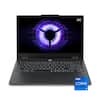
ASUS - ROG Zephyrus G14 14" OLED 3K Gaming Laptop- Intel Core Ultra 9 386H 2026- 16GB Memory - GeForce RTX 5070Ti - 1TB Storage - Platinum White

Model: GU405AR-ZP/G14_97T
SKU: 6673587
Sold byBest Buy

Customers are saying

Customers commend the premium build quality and the gorgeous OLED display, which are frequently highlighted as standout features. Users also appreciate the impressive battery life, excellent portability, and efficient thermal management that keeps the device cool and quiet. While the connectivity options are well-regarded, some customers express disappointment that the memory capacity cannot be upgraded.

Generated by AI based on customer reviews.
See it in-store: Roseville has a demo model on display.

Highlights

Features
  • Copilot+ on Windows 11 Brings AI into Your Gaming Flow

    Quickly find content, get smart suggestions, and access in-game tips, so you can spend less time searching and more time playing, streaming, and creating.

  • OLED ROG Nebula Display HDR, Elevated

    Transform your visual experience with an OLED ROG Nebula Display HDR, featuring upgraded 1100 nits peak brightness in HDR, VESA Certified DisplayHDR 1000, a 0.2ms response time, 3K resolution, and NVIDIA G-SYNC.

  • Unparalleled Performance

    Supercharge your productivity with an Intel Core Ultra 9 386H Processor, equipped with 16 cores, delivering 50 TOPS in AI performance. Experience the power and creativity of AI in a Copilot + PC.

  • Power Redefined

    Maximize your gaming potential with an NVIDIA GeForce RTX 5070 Ti Laptop GPU with NVIDIA Advanced Optimus.

  • Built for Multitasking

    With 16GB LPDDR5X 8533 MT/s memory and a 1TB PCIe 4.0 NVMe M.2 SSD, the Zephyrus G14 makes multitasking smooth whether you're gaming, creating, coding, or presenting.

  • ROG Intelligent Cooling

    ROG Intelligent Cooling keeps the Zephyrus G14 running fast and quiet. An advanced heatpipe design, liquid metal thermal compound, and a redesigned high-efficiency exhaust vent work together to improve airflow by up to 11.4%, helping maintain peak performance while reducing noise.

  • Expanded Slash Lighting Zone

    The upgraded slash lighting design expands the lighting control from 7 to 35 independently controlled zones, enabling smoother, more detailed animations that bring the Zephyrus to life.

  • Refined Craftsmanship

    The Zephyrus G14 features a CNC-milled aluminum chassis carved from a single solid piece of metal, giving it a lighter yet stronger build with a premium finish.

  • 2 Months of Game Pass Premium Included

    Includes two months of Xbox Game Pass Premium, so you can start playing new titles right away. Enjoy access to 200+ high-quality games across many genres. Terms apply*

  • Gaming PC

    Gaming PCs are built for high performance gaming, so you can stay fully in the action with the speed and graphics for modern, immersive gameplay.

Specifications
  • Screen Size
    14 inches
    Screen Resolution
    2880 x 1800
    Touch Screen
    No
    Refresh Rate
    120Hz
    Brightness
    1100 nits
Sponsored

Reviews

Rating 4.9 out of 5 stars with 29 reviews

5 star rating. 25 reviews4 star rating. 4 reviews
93% would recommend to a friend
Customers are sayingCustomers commend the premium build quality and the gorgeous OLED display, which are frequently highlighted as standout features. Users also appreciate the impressive battery life, excellent portability, and efficient thermal management that keeps the device cool and quiet. While the connectivity options are well-regarded, some customers express disappointment that the memory capacity cannot be upgraded.
This summary was generated by AI based on customer reviews.
  • Build Quality (24)
  • OLED Quality (19)
  • Battery Life (14)
  • Portability (13)
  • Heat Dissipation (12)
  • Memory Capacity (18)

Customer Images

The vast majority of our reviews come from verified purchases. Reviews from customers may include My Best Buy members, employees, and Tech Insider Network members (as tagged). Select reviewers may receive discounted products, promotional considerations or entries into drawings for honest, helpful reviews.

  • Rated 5 out of 5 stars

    Further refined update to a great laptop

    Great Core i9 Ultra more power efficient Intel Wi-Fi instead of MediaTek Screen brightness up to 1100nits Subtle but good anti reflective coating Hinge seems to have improved further Finally has a full-sized SD card slot Thunderbolt 4 support More zones for Slashdot lights Presence sensor Ambient light sensor Windows Hello face login support Long battery life Increased wattage of power brick Light and versatile Thicker chassis used to improve cooling Excellent sound for the size Great typing experience Metal chassis feels premium and strong Display hinge feels smooth and consistent Supports MUX switch and Optimus Upgradable SSD and Wi-Fi Not so great Still a diving board trackpad NVME slot only PCIe 4 RAM soldered in and not upgradable Limited RAM limits performance when using Optimus AI buying it all up memory and storage creating gaming sacrifices Intel Arc iGPU poor gaming performance compared to the previous Radeon Armory Crate and Optimus conflict sometimes disabling the iGPU or dGPU Out of the box, the 2026 G14 looks nearly identical to the previous 2 models. This isn’t a bad thing as the Zephyrus line didn’t need any major changes. It feels like a premium laptop that can be subtle enough in style and light enough in build to use for productivity purposes as well as gaming. Chassis and Ports 9.5/10 The aluminum chassis feels rigid and sturdy with the slight chamfer on the edges so it doesn’t feel sharp in the hands. While it does support charging via USB-C, this would only be suitable to keep the battery topped off during casual use or for slower charging. For gaming using the dGPU you are going to need to use the included power adapter that looks like and oversized and squared off USB-C plug. For 2026 Asus bumped up the capacity of the charger from a max of 200 watts to a standard of 250 with a peak of 300 watts. This means you don’t have to choose if you want more power for the CPU or GPU anymore. There is one USB-A 3.2 on each side for peripherals such as a mouse or flash drive. The left USB-C port is USB-C/Thunderbolt 4 and the right side USB-C port is only version 3.2. A nice change is the SD card slot on the right side is now full sized like the G16, so you don’t need a USB adapter anymore. Screen 10/10 It is possible that there are better laptop screens out there, but it is hard to fault this one. Asus was able to more than double the max brightness of the OLED over previous generations which makes it better for both gaming and casual use even in brightly lit environments. The pixel arrangement doesn’t exhibit any noticeable color fringing on text and with the 3K screen everything is very sharp with the inky blacks you expect. So far, there has been no sign of PWM flicker even at low light levels. It also still supports VRR and 120Hz refresh rate. The 240Hz is still reserved for the 16 inch. They finally added an ambient light sensor so it can adjust automatically. However, Microsoft’s implementation of adaptive brightness is best left off if you use night shift. As it adjusts it essentially turns night shift off and on as the color temperature shifts. If you use night shift, then it is best to only have on automatic brightness adjustments. With the factory color calibration of the screen the system feels well suited regardless of what you use it for. Some complained about screen wobble on past models but this one seems to have the most stable screen of any laptop I have used. Keyboard 9/10 The keyboard feels the same as previous generations. It works great for typing and gaming with a good amount of travel and no discernable wobble. While it could be argued that Asus needs to try to move onto hall effect switches, that tech would feel like too much of a compromise towards the gaming focus for a well-rounded laptop. The design might be dated but it still works great with fast, consistent response. Just like previous generations there are some minor backlight uniformity issues, but it seems like it has been improved further. The keyboard feels linear with a distinct but silent activation point and a soft landing. If you tend to type heavy, you will appreciate the dampened feeling at the end. Trackpad 7/10 While the keyboard might still be ok even if a bit of an old design, the trackpad feels dated for a premium laptop. It does seem like it has improved slightly but it is still a diving board design. Current premium laptops have moved onto haptic designs as the tech has fully matured. While the diving board design does feel well built and works smoothly, it doesn’t change the fact that it feels out of place for the class. Speakers 9.5/10 The Zephyrus line has for years had some of the best speakers available, particularly when you consider the size of the chassis. While they can get loud enough to be heard in the next room it’s the richness and clarity that makes the difference. Of course they won’t compare to discrete speakers they are some of the best if not the best sounding in such a small chassis. The sound is well balanced without the hollowness or tin can sound that many have. They are good enough to where listening to music or watching a movie with them doesn’t feel like you are sacrificing. More importantly, if you want to game without headphones on Turbo they can easily overpower the air rushing sound of the cooling fans. With the Dolby software you can customize them further. Battery 9/10 While the battery hasn’t changed, the design of the new Core Ultra 9 has made a noticeable difference in battery life, at least for casual use. When running on silent using the iGPU the battery life seems like it is likely higher than 12 hours during casual use. It is hard to estimate the actual time since Windows battery estimates fluctuate frequently. The longest stretch the laptop was used off the charger was about 6 hours over 2 days without plugging in and that used less than 50% of the battery. This is without using G-Helper to undervolt the system or disabling any cores. That was with the screen brightness around 40% most of the time. If you want to game on battery with the dGPU you are looking at a max of 2 hours of gameplay. Battery life gaming on the iGPU is unknown as the Intel Arc graphics are much weaker, and even more so when paired with less RAM, than the old Radeon option meaning a lot more sacrifices to quality and frame rate are needed. However, if you can find the right settings the power efficiency seen for casual use should also translate to longer gaming on the iGPU as well. Performance 9/10 After comparing this to a family members older 2025 G14 speced similar, the performance improvements are modest. The CPU is about 10% faster than the old AMD option. With AI gobbling up all the memory even the new RTX chips have been delayed so any performance improvements are appreciated. Even though the 5070Ti remained unchanged, and thankfully still has 12GB of VRAM, the larger power brick did allow it to squeeze out a few more FPS. Doom Eternal set to Ultra Nightmare returned an average of 118.9fps with a 1% low of 95.5fps and a 0.1% low of 60.9fps. GTAV returned an average of 82.1fps with a 1.0% low of 72.8fps and a 0.1% low of 67.4fps. Both games were played with the system plugged in on Turbo with Ultimate enabled, VRR enabled, and DLSS off. When running the integrated benchmark in Forza 5, the weak spot of this system having 16GB of RAM came to the surface. With the Extreme graphics preset, it returned 115fps. However, that was with a stutter count of 32, and the GPU Limited percentage of only 35.5. Unfortunately, limited RAM seems like its going to be the new norm for the next few years. Thankfully minor game tweaks can smooth out those dips with no discernable change in quality. The same can’t be said for gaming on the iGPU since not only do the Intel Arc graphics perform much worse than the outgoing Radeon, the 16GB RAM becomes even more of a bottleneck. If you are thinking of gaming on battery with the iGPU it is best to keep your expectations low. You can definitely get good battery life that way but graphics are going to need to be dialed down significantly. Cooling 9.5/10 The new G14 is slightly thicker, about 1mm, to accommodate better cooling, but the overall wattage was bumped up. The net result is that this version runs just around 12 to 15 degrees cooler than the previous generation. While you can’t defy the laws of thermodynamics, Asus has done a good job of balancing managing the heat and the sound for such a compact chassis. The system does get hot when running on Turbo, but the heat is pushed to the back of the chassis and away from your hands. It also does this without any hint of bearing whine or intrusive sounds. You just hear the sound of air rushing out of the chassis. While I rarely game for long enough to push thermal management to the limits, it doesn’t seem like this unit will have any issues staying stable. Going based off memory, it seems the keyboard on this latest one stays even cooler than older generations. Wi-Fi 10/10 This is an easy one. Intel doesn’t get everything right, but one thing they do well is Wi-Fi. Compared to the previous generation of G14 a family member has, this Intel card kept completely stable and locked in at higher speeds. The old MediaTek would choose 5Ghz while sitting right next to the access point. This Intel card can stay locked in on 6E at 2400Mbps while in another room. While the MediaTek card could be swapped out on the older G14, it is nice to see this one come with a solid Wi-Fi card. Final Thoughts The upgrades to the G14 are mostly evolutionary. The previous G14 was and still is a solid system. The question is if you should get the older generation or this new one. The previous generation would win out on gaming on the iGPU. However, if you prefer substantially longer battery life for casual use, a much brighter screen, and cooler operation then this latest of the G14 is worth considering.

    Posted by CraigB

  • Rated 5 out of 5 stars

    A Tiny Powerhouse

    This ASUS G14 is a beautiful little powerhouse. It is well-designed, lightweight, and packs an impressive amount of performance into a compact 14-inch laptop. This particular model comes with a 14-inch 3K OLED display with a 120Hz refresh rate, an Intel Core Ultra 9 processor, NVIDIA GeForce RTX 5070 Ti graphics, 16GB of RAM, a 1TB SSD, Wi-Fi 7, Bluetooth, and an RGB-backlit keyboard. For connectivity, it has two USB-C ports that support power delivery and display output, two USB-A ports, an HDMI port, an SD card reader, and a headphone jack. The model I received looks like silver to me, although ASUS calls the color "Platinum White." It also features a 1080p front-facing camera that supports video conferencing and Windows Hello. Setup was very simple. After signing in with a Microsoft account, you can either start fresh or restore your settings and data from another computer. I chose to restore from another computer, and the entire process took approximately 15 minutes. I am very impressed with the performance of this laptop. Who would have thought something this small could perform this well. Whether using its built-in display or connecting it to an external monitor or TV, the performance has been excellent. I was able to play Halo and Call of Duty at Ultra settings without any issues. I even connected it to my 98-inch TCL X11L, and it ran at 4K and 119Hz like a champ with no noticeable lag whatsoever. Another thing I really like about this laptop is how quiet it runs, even when using the higher-performance Turbo mode. Not only does it remain relatively quiet, but it also stays surprisingly cool. After finishing a gaming session, I picked it up expecting it to be hot, but the laptop was only slightly warm. Its compact size and lightweight design make this powerhouse extremely portable. Programs open quickly and run smoothly, making it great for everyday productivity as well as gaming. The non-touch display is absolutely beautiful. Despite being only 14 inches, the 3K OLED panel delivers deep blacks, sharp images, and vibrant colors. The 120Hz refresh rate also makes everything feel smooth and responsive. On the outside cove it has an LED lighting strip that displays animations. It looks pretty cool and can be customized through ASUS software. Battery life is also good. For everyday use, it can easily last throughout the day, although gaming will obviously reduce battery life considerably. The keyboard feels great to type on, with soft and relatively quiet keys. The keys feature customizable RGB backlighting, which adds a nice gaming touch. The trackpad is also responsive and smooth. The built-in speakers have a phenomenal sound reproduction for a laptop of this size, they are loud and don't sound flat. One thing to keep in mind is that the RAM is not upgradeable. If 16GB isn't enough for your needs, you'll want to purchase a configuration with more RAM from the beginning. Overall, this tiny powerhouse is an excellent laptop for everyday use and fantastic for gaming. Its 14-inch size and lightweight design make it extremely portable, while the powerful hardware gives it enough performance for demanding games and applications. It's a great option for school, work, gaming, and travel. The OLED display looks fantastic, the colors really pop, and there are plenty of ports for connecting additional peripherals. While it is definitely on the expensive side, I think the hardware configuration and performance justify the price. In the box, you get the laptop, power adapter, and user documentation.

    Posted by Wishkid

  • Rated 5 out of 5 stars

    Ideal for portable gaming or work

    This laptop is outstanding for power, portability and even professional style. It is hard to imagine using anything else that works in all settings from play to work. Unboxing: The laptop includes the basics in a nice box. There is a huge 250-300W power supply, the laptop and basic documentation. As with most Windows laptops, log in, install the initial updates and you will be ready to go. I recommend you take time after setup to allow any updates to install as you will get better out of the box functionality with some of the apps like the “Nvidia App” or the latest BIOS. Initial impressions: The laptop is very well built with very little flex in the keyboard and the screen. The screen can be opened with one hand, most of the body is metal. The looks are largely professional, and I wouldn’t mind using this in an office setting or during a meeting. The only time you will know this is a gaming PC is if you have the slash lighting turned on (I usually leave it off since I can’t see it as the user) or if you took a look at the keyboard which has a more “gaming” type font to it. Make sure to set up Windows Hello for easy secure face authentication using infrared similar to Apple FaceID. Performance: Starting with storage, the NVME appears to be PCI Express 4 with read speeds topping out at 6853 MB/s read and 5366 MB/s write in my tests. This is plenty fast for pretty much everything you might throw at it, though it would be nice to see PCI Express 5. With a Panther Lake processor and a discreet RTX 5070 Ti, this thing screams at pretty much anything you throw at it. Applications load instantly, battery life lasts forever (on internal GPU), every game will run at or close to 60+ FPS maxed out full resolution. Most surprisingly, I rarely heard the fan as I feel ASUS has a nice setup for cooling inside combined with the efficient x86 processor. The only time it ran audibly was when gaming or doing heavy AI work with a LLM. For gaming it is no issue, but the only limitations you may see are related to RAM. With 16GB of DDR5 performing at 8533 MT/s, and the video card being capped at 12GB, you may be limited by the size of a LLM you can load or how much heavy duty work you may be able to do with large projects. Otherwise, for photo editing, coding/development, gaming and everyday tasks I had no issues. Benchmarks: Wild Life Extreme: 23831 points at 142.7 FPS Steel Nomad: 3432 points at 34.33 FPS Steel Nomad Light: 14412 points at 106.76 FPS Geekbench 7 CPU: 2507 Single Core / 16685 Multi-Core Geekbench 7 OpenCL: 140595 Geekbench 7 CUDA: 206240 Geekbench AI Single / Half / Quantized: OpenVINO NPU 4262/38482/60019 OpenVINO CPU 4483/4162/9017 OpenVINO GPU 8870/26472/32530 Cinebench 2026: GPU 62226 CPU Multi 4357 Games: Halo CE (2026) - 45-50 fps balanced DLSS Ultra settings Forza Horizon 6 - 60-70 fps Extreme+RT settings Aliens: Fireteam Elite - 70-120 FPS (no DLSS) Max settings Display: The display works at an outstanding 2880x1800 resolution. This surprised me as at 14”, it is somewhat overkill. This resolution was great for development work as you can comfortably do some side-by-side windows with no issue. Some tips I suggest for this screen, change the settings from 200% to 175% scaling as 200% is a waste of this resolution. 175% was comfortable to my eyes, 150% may be too small. Also, ensure you turn on HDR (not on battery unless you don’t mind the extra drain) to get the full brightness and color space available from this display. It will look stunning in games, movies and any creative work. Audio: Asus is well known for having some of the best speakers on any PC. This is no different here. The speakers may be small on a 14” laptop, but they sound huge! The audio was impressive and sounded like it belonged on a 16” laptop with plenty of bass and detail. Keyboard / Trackpad: The keyboard is one of my favorites. First, I suggest you go into the Armoury Crate app and adjust the lighting of the keyboard if you do not want it cycling every color. Set it to white or pick a color. They keys have a perfect amount of key travel (not too shallow) and plenty of space for accurate typing. The backlight is bright with even lighting making the keys easy to see if needed. The mouse is precise and has a glass texture, but lacks haptic feedback as it is a traditional diving board style. This is no issue for me as I do a tap as opposed to a press when I use it, but if you prefer a press, it may be disappointing in this regard. Repairability: The laptop only has two modules (pictured) available to be replaced, the Wi-Fi card and the single NVME slot. If you are comfortable cloning your SSD, you can easily upgrade the included 1TB hard drive, but this is plenty of storage for most in my opinion and should last a good while as is. For information purposes, the Wireless card is a Intel BE211 which is 2x2, 320 MHz supporting up to 5.8 Gbps Wi-Fi 7 and Bluetooth 6. When opening the bottom, be aware there are two hidden screws (also pictured) under plastic caps toward the rear which blend in with the rest of the device. One of the front screws is also a captive screw so be sure to not try to get that one out, this design is similar across pretty much every Asus laptop. All major parts I could see such as the battery, fans, and heat pipes appear to be modular and able to replace if they ever break. .

    Posted by psyclopps

  • Rated 5 out of 5 stars

    Best in Class

    Hands down, this is by far the most premium laptop I have ever used in this gaming segment. From the packaging and unboxing to the hands-on experience, ASUS has thoroughly designed this laptop to excel and leave you nothing to complain about. Inside the regular laptop cardboard box, the laptop is housed in a gift-like box, which is a nice touch from ASUS. The moment I took it out of the box, I was impressed by the incredible craftsmanship. The laptop feels solid and is made of premium aluminum, and the build quality is simply breathtaking. Everything about this laptop feels high-quality, well-structured, and extremely well-built. With that being said, the laptop is still surprisingly thin and lightweight considering its capabilities. The Zephyrus G14 is packed with cutting-edge hardware and comes with a supplied powerful 250W power brick to support its peak performance. I put it on charge for about an hour and then dove right into the setup. The welcome screen is, without a doubt, gorgeous, with vivid and vibrant colors. It features a 14-inch 3K OLED display, and just looking at it, everything appears incredibly sharp and clear. Navigation through the laptop felt smooth and super-fast. The 120Hz refresh rate makes everything feel fluid and responsive. The front-facing camera is also crystal clear and works well for Windows Hello facial login. The performance of this Zephyrus G14 really shines. This compact form factor is powered by an Intel Core Ultra 9 386H processor, an NVIDIA GeForce RTX 5070 Ti GPU, and 16GB of RAM. This combination provides an incredible amount of power for a 14-inch laptop, which became pretty obvious during my testing. Games run smoothly, multitasking is smooth, and applications open like a flash. The 1TB SSD also makes Windows startup and application loading extremely fast. The RGB lighting effects are amazing the especially the “slash” area on the back of the display’s lid. Because this laptop requires substantial power to maintain its peak performance, the included 250W power adapter is needed to get the most out of it. Since the laptop supports USB-C Power pass-through charging, when I used this method of charging, I got a warning message that I have to use a higher power charger due to the USB-C power limitation to maintain maximum performance. Hence, I switched back to the 250-watt power brick because I want the laptop to perform flawlessly. The cooling system is impressive. The laptop stays relatively cool during normal use; however, the fans become noticeably loud under heavy workloads. Compared to its predecessors, this cooling system beats them!!! The keyboard is comfortable and feels premium; the large touchpad is smooth and responsive to gestures. Even though this laptop is designed for gaming, I found its keyboard is also excellent for productivity. The Dolby Atmos speakers are another plus for this laptop. They sound clear, and gaming, watching videos, and listening to music are just a blessing. The audio quality is impressive considering its size. My only little disappointment is the 16GB of LPDDR5X memory. Personally, to be fair, I would expect to have at least 32GB of RAM at this price point, since the memory is soldered to the motherboard and cannot be upgraded later. Overall, the ASUS ROG Zephyrus G14 is an exceptional laptop. It is the combination of performance, portability, craftsmanship, and premium design that really puts it on the throne of gaming laptops. This laptop, by far, is truly the best-built laptop I've ever used, and the fact that ASUS skillfully managed to pack this compact form-factor laptop with so much power is astonishing.

    Posted by Zaid

  • Rated 5 out of 5 stars

    2025 was great, 2026 is even better

    I already loved the 2025 version of this laptop. This one is basically the same, even looks identical, but now with a more efficient CPU, more GPU power, a brighter screen, a new bottom grille, a tighter hinge, and much better battery life. Those improvements are basically what makes this now a very “complete” feeling premium laptop. We now have a 14” laptop that is hitting almost the same fps in most games as other 16” ones I’ve tested that weigh twice as much and are much chunkier. So it’s very impressive, and the screen is almost blindingly bright now, especially in HDR. The fans are loud in Turbo mode, but there’s lots of ways to optimize it to your preference, you just have to take the time to understand the settings and how to tweak them to your liking. The price hike is crazy, so hopefully some sales happen asap. And the downgrade to 16GB of RAM on this model due to the rampocalypse is very sad. I personally haven’t run into any problems with that after some heavy gaming and benchmarking, video editing, and photo editing, but 16GB isn’t quite “future proof”, so that’s a shame. I guess they didn’t want to give people even more sticker shock if they had gone with 32GB, but still annoying (thanks AI companies). The 2025 is a better value because of this, but the improvements are still very welcomed here.

    Posted by DrBob

Compare similar products

ASUS - ROG Zephyrus G14 14" OLED 3K Gaming Laptop- Intel Core Ultra 9 386H 2026- 16GB Memory - GeForce RTX 5070Ti - 1TB Storage - Platinum White
4.9(29)

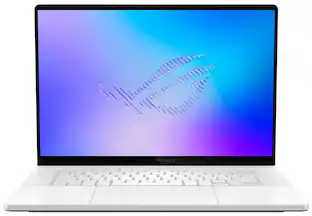
The ROG Zephyrus G14 features a premium aluminum CNC-machined chassis that delivers exceptional durability in a slim 0.72-inch profile and a lightweight 3.48-lb build. Powered by the latest Intel Core Ultra 9 386H processor and an NVIDIA GeForce RTX 5070 Ti Laptop GPU, the Zephyrus G14 delivers performance and portability to play games, create content, and multitask. The OLED ROG Nebula Display HDR brings visuals to life with an ultra-fast 0.2ms response time, vivid 3K resolution, 1100 nits peak brightness in HDR, and VESA Certified DisplayHDR TrueBlack 1000 for deeper contrast and richer colors. Dolby Atmos audio with dual woofers delivers immersive sound, while ROG Intelligent Cooling—paired with an upgraded exhaust vent design—improves airflow to help maintain sustained top performance during intense gaming sessions.
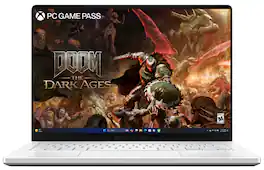
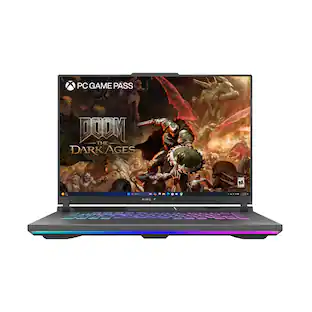
ASUS - ROG Zephyrus G14 14" 3K OLED 120Hz Gaming Laptop - Copilot+ PC - Ryzen AI 9 HX 370 - 32GB RAM - NVIDIA RTX 5070 Ti - 1TB - Platinum White

The ROG Zephyrus G14 has been redesigned with an all-new premium aluminum chassis for increased durability and elegance. At 0.63 inches thin and weighing in at just 3.46lbs, this gaming powerhouse combines portability with cutting-edge technology. Featuring the AMD Ryzen AI 9 HX 370 processor and NVIDIA RTX 5070 Ti laptop GPU, the Zephyrus G14 achieves unparalleled gaming performance. The Zephyrus G14 features an OLED ROG Nebula Display. Enjoy rapid 0.2ms response times, vivid 3K resolution, and a smooth 120Hz refresh rate. Elevate your audio experience with new upgraded woofers, offering a 252% volume increase, 100Hz bass frequency, and Dolby Atmos support. For intense gaming sessions, the ROG Intelligent Cooling integrates liquid metal and aerodynamic 2nd Gen Arc Flow Fans to sustain peak performance.

ASUS - ROG Zephyrus G16 16" OLED 3K Gaming Laptop- Intel Core Ultra 9 386H 2026- 16GB Memory - GeForce RTX 5070Ti - 1TB Storage - Eclipse Gray
4.7(27)

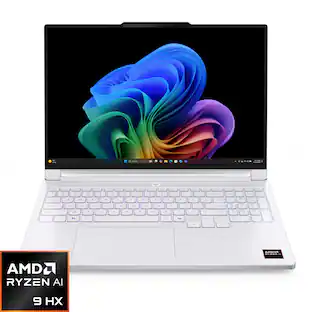
The ROG Zephyrus G16 features a premium aluminum CNC-machined chassis that delivers exceptional durability in a slim 0.7" profile and a lightweight 4.30 lbs build. Powered by the latest Intel Core Ultra 9 386H processor and an NVIDIA GeForce RTX 5070 Ti Laptop GPU, the Zephyrus G16 delivers the performance needed to play games, create content, and multitask. The 16" OLED ROG Nebula Display HDR brings gaming experience to life with a 240Hz refresh rate, ultra-fast 0.2ms response time, 1100 nits peak brightness in HDR, and VESA DisplayHDR TrueBlack 1000 for deeper contrast and richer colors. Dolby Atmos audio with dual woofers delivers immersive sound, while ROG Intelligent Cooling—paired with an upgraded exhaust vent design—improves airflow to help sustain performance during intense gaming sessions.

ASUS - ROG Zephyrus G14 14" 3K OLED 120Hz Gaming Laptop - AMD Ryzen 9 270 - 16GB Memory - GeForce RTX 5060 - 1TB Storage - Platinum White

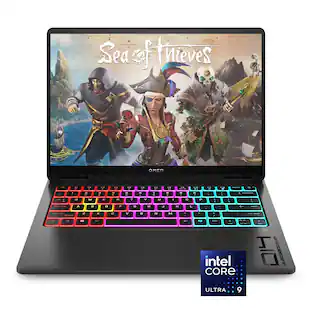
The ROG Zephyrus G14 has been redesigned with an all-new premium aluminum chassis for increased durability and elegance. At 0.63 inches thin and weighing in at just 3.31 lbs, this gaming powerhouse combines portability with cutting-edge technology. Featuring the AMD Ryzen 9 270 processor and NVIDIA RTX 5060 laptop GPU, the Zephyrus G14 achieves unparalleled gaming performance. The Zephyrus G14 features an OLED ROG Nebula Display. Enjoy rapid 0.2ms response times, vivid 3K resolution, and a smooth 120Hz refresh rate. Elevate your audio experience with new upgraded woofers, offering a 252% volume increase, 100Hz bass frequency, and Dolby Atmos support. For intense gaming sessions, the ROG Intelligent Cooling integrates liquid metal and aerodynamic 2nd Gen Arc Flow Fans to sustain peak performance.

Pros for ASUS - ROG Zephyrus G14 14" OLED 3K Gaming Laptop- Intel Core Ultra 9 386H 2026- 16GB Memory - GeForce RTX 5070Ti - 1TB Storage - Platinum White
Build Quality, OLED Quality, Battery Life, Portability, Heat DissipationOverall Performance, Portability, Battery Life, OLED Quality, DesignBuild Quality, OLED Quality, Portability, Battery Life, PerformanceOverall Performance, Portability, Battery Life, OLED Quality, Processor Speed
Cons for ASUS - ROG Zephyrus G14 14" OLED 3K Gaming Laptop- Intel Core Ultra 9 386H 2026- 16GB Memory - GeForce RTX 5070Ti - 1TB Storage - Platinum White
Memory CapacityHeat Dissipation, Noise Level, Storage Capacity, Port CountMemory Capacity, Noise Level, Heat DissipationHeat Dissipation, Noise Level, RAM

Specs

Questions & Answers
  • Will this laptop comes with an international warranty or local warranty (US)?

    This specific ROG Zephyrus G14 (2026) (GU405AR-ZP/G14_97T) laptop comes with a local warranty rathern than ain international warranty.

    Answered by ASUS Answers
    ASUS Answers response
  • Will a 32 GB Platinum White version of this model be available anytime soon?

    Thank you for your inquiry. The ASUS ROG Zephyrus G14 (GU405AR) in the Platinum White finish with 32GB LPDDR5X RAM is currently available in select markets. However, availability is limited and may vary depending on the region.

    Answered by ASUS Answers
    ASUS Answers response
  • Asus themselves dont even sell the 16gb of ram version with a 5070 ti how does best buy? Why is it also priced the exact same as the 32gb of ram mode?

    OpenAI and Anthropic needed the other 16gb for data centers, 16gb was left over from last years being 32gb.

    Answered by AsusSupport
  • Is the 16 GB RAM self upgradable?

    No. I will be exchanging this one for a 32GB version as soon as my Best Buy gets one. I have 60 days as a Best Buy Plus Member. The cost difference will be about the same as a DIY upgrade of the ram anyway. At least the advantage of soldered on RAM is that it is significantly faster RAM than slotted.

    Answered by Anonymous
  • 16GB of RAM for that price? It’s a joke?

    Unfortunately, it's not a joke. The model now has 16 gigs down from 32 gigs last year.

    Answered by cgiori
Ask a question
No content

Customers often buy these together

Sponsored

Special Offers

Top Offers
Included with Purchase