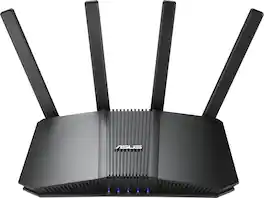
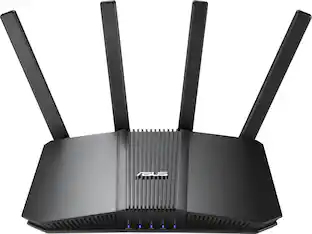
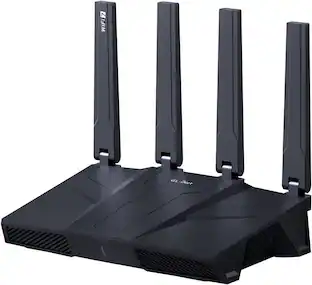
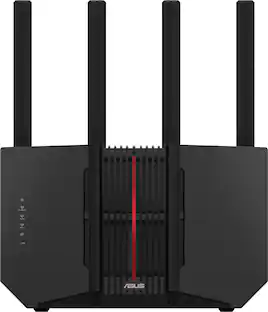
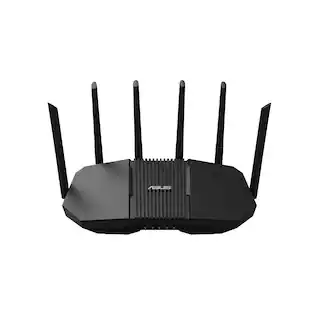
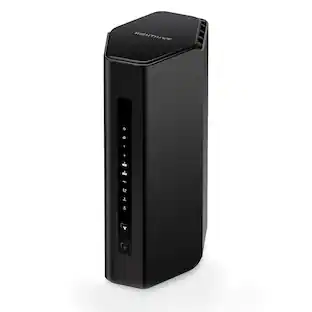
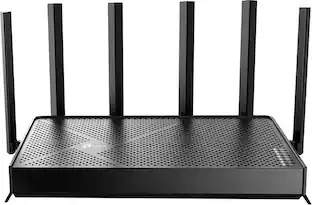
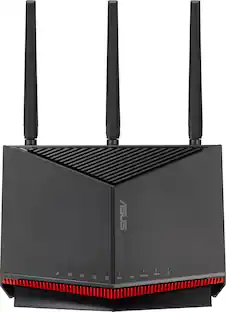
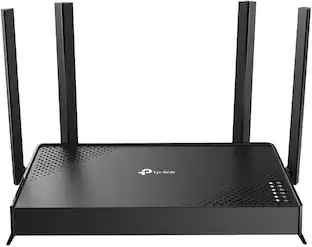
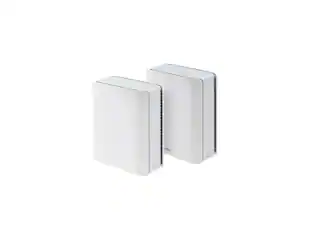
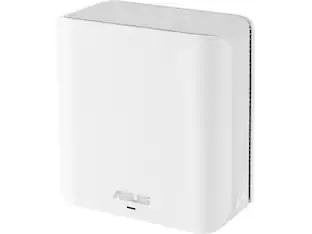
ASUS - RT-BE5000 Dual-Band Wi-Fi 7 Router - Black
About this product
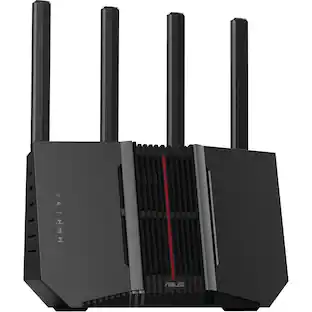
ASUS RT-BE5000 Dual-band WiFi 7 (802.11be) Smart AiMesh Extendable Router, 5000 Mbps, 2.5G port, Up to 3 SSIDs for IoT Devices, Parental Controls & VPNs, Advanced Network Security.
Highlights
Features
Ultra‑Fast Wi-Fi 7
Dual-band Wi-Fi 7 speeds up to 5000 Mbps with MLO and 4K-QAM
Intelligent Whole‑Home AiMesh
AI-powered Smart AiMesh boosts coverage up to 2300 sq ft and easy extendibility with compatible ASUS routers for seamless and secure whole home Wi-Fi
Enhanced Coverage Performance
Four external antennas and one internal antenna eliminate Wi-Fi dead zones
Smart Network Segmentation
Establish up to three SSIDs for parental controls and IoT devices with Smart Home Master Network
Seamless Whole‑Home Roaming
Hassle-free AiMesh Extendable Network for whole home seamless roaming
Specifications
- Wi-Fi Mesh SystemNoNumber Of LAN Ports4
Reviews
Rating 4.6 out of 5 stars with 28 reviews
4.6Customer Images
The vast majority of our reviews come from verified purchases. Reviews from customers may include My Best Buy members, employees, and Tech Insider Network members (as tagged). Select reviewers may receive discounted products, promotional considerations or entries into drawings for honest, helpful reviews.

- Rated 4 out of 5 stars
Good Value Wi-Fi 7 Router with AiMesh
A good router for the price, especially if it's on sale. I've used an ASUS RT-AX82U gaming router with 350 Mbps fiber internet, over the past 5 years without any issues other than the occasional hiccup they all have that requires a reset. I compared the BE-5000 to the AX-82U in my house, and over my almost 2-acre property, to check the range and document the readings. The results were interesting. More on that below. I'm not going to be quoting specs since those are listed in detail in the product description. I will note that the BE-5000 is a dual band Wi-Fi 7 router and not a tri band which should perform better. Setup was straightforward after downloading the full manual from ASUS. The included quick-start guide is fairly minimal, and the QR codes only take you to the main ASUS website rather than the specific support page for this router. However, it's not difficult even without the manual. Just plug it in, turn it on, tell your PC or whatever device you're using to show all Wi-Fi in range, select the name of the router that's printed on the bottom label and then input the password, also on the bottom label and it logs you in. After logging in, I renamed the network and changed the default passwords, which I strongly recommend for security. Note: Administrator access has a separate login and password that provides access to advanced settings. From there you can create additional Wi‑Fi networks, set up a VPN, enable automatic updates, and make other changes. The firmware offers a large number of advanced options, but most buyers will likely use the default settings, which is how I performed my testing. One disappointment was that I could not import my existing network settings from the RT-AX82U into the BE-5000. As a result, I had to create a new network and reconnect all of my Wi-Fi devices manually. In my case, that meant re-pairing roughly 50 devices, including laptops, phones, printers, smart TVs, and smart home devices. If you're replacing an existing router, keep that in mind before making the switch. If you have another compatible Asus router that supports AiMesh you can connect them together for a mesh system and expand your network. This is what I did since my AX-82U and BE-5000 are AiMesh compatible. Test results farther down the review. For people that may not know, Wi-Fi, Bluetooth, cellular networks, and NFC are all radio systems that transmit and receive data. It's all known as "wireless" and I've met many people that don't realize that means radio. This is why the placement of the router can have a lot to do with how well it performs. You will want to keep it in an open area away from walls and especially anything metal that will impede or reflect the radio waves. Modern routers use multiple antennas for MIMO and beamforming, which can improve throughput, reliability, and signal directionality. A high central location with nothing close by is the best placement for a Wi-Fi router. Testing at my house: I live in a two-level rancher style house, 50'x 30', with a full semi-finished basement, on the side of a steep hill. Basement section is brick exterior, and the top floor is vinyl siding over OSB. One corner, top, of the basement is below grade about 8 feet and the opposite corner, bottom, at ground level. The part of my basement that's above ground has a total of four windows that let the Wi-Fi signal escape. The basement router is mounted on an L-shaped bracket I built and attached to a floor truss near the center of the basement. This keeps it elevated and away from most walls and other obstructions. All routers in all setups worked great in the house, upstairs and down. I used Wi-Fi on my Samsung Galaxy S25 to compare the BE-5000 to the AX-82U for signal strength, download and upload speeds, latency and jitter to document the readings. I did this in a few rooms in my house and in 9 locations over my almost 2-acre property. I did that four times which produced over 50 data sets. First with the AX-82U, the BE-5000, The BE-5000 meshed with the AX-82U upstairs on a 6 foot tall shelf, in a room with a vaulted ceiling, with Wi-Fi backhaul, and then with connected with CAT 6 cable. No way I can include all of that here, So, I'm summarizing the results using two locations for each router setup. One was the top corner of the property up the hill, where the router was below grade and 150 feet away. The other was the bottom corner of the property, about 30 feet lower in elevation than the router and roughly 220 feet away. LAT=Latency, JT=Jitter, SIG=Signal, DN=Download, UP=Upload in Mbps AX-82U Wi-Fi 6 only, router in basement: Top corner, router below grade, apx 150' away: LAT 148 ms, JT 66 ms, SIG –64 dBm, DN 11.6, UP 20.2 Bottom corner, router above grade, apx 220' away: LAT 21 ms, JT 2 ms, SIG –76 dBm, DN 77.2, UP 64.2 BE-5000 Wi-Fi 7, Router in basement: Top corner, router below grade, apx 150 away: Speed test failed. Bottom corner, router above grade, apx 220': LAT 46 ms, JT 38 ms, SIG –73 dBm, DN 8.2, UP 12.5 BE-5000 downstairs AiMesh to AX-82U upstairs with Wi-Fi backhaul: Top corner, apx 150' away: LAT 100 ms, JT 29 ms, SIG –60 dBm, DN 22.8, UP 17.7, NOTE: Wi-Fi 6 from AX-82U Bottom corner, apx 220' away: LAT 34 ms, JT 15 ms, SIG –68 dBm, DN 18.5, UP 8.9, NOTE: Wi-Fi 6 from AX-82U BE-5000 downstairs AiMesh to AX-82U upstairs with wired backhaul: Top corner, apx 150' away: LAT 21 ms, JT 1 ms, SIG –77 dBm, DN 185.3, UP 53.8, NOTE: Wi-Fi 6 from AX-82U Bottom corner, apx 220' away: LAT 22 ms, JT 0 ms, SIG –83 dBm, DN 37.9, UP 45.0, NOTE: Wi-Fi 6 from AX-82U Surprisingly, the older RT-AX82U consistently outperformed the BE-5000 at longer distances, despite lacking Wi-Fi 7 support. In my testing, signal quality and usable throughput mattered more than the newer wireless standard when coverage was stretched across my property. The single most important finding from my testing wasn't Wi-Fi 7 versus Wi-Fi 6. It was the difference between wireless and wired mesh backhaul. Connecting the routers with Ethernet produced dramatically lower latency and much faster speeds than relying on a wireless mesh connection. My conclusion is that the BE-5000 should work well for most people, especially when it's on sale. Performance inside my house was good, setup was straightforward, and it offers an affordable way to get Wi-Fi 7. However, in my testing the older ASUS RT-AX82U consistently provided better range and performance at longer distances. If you need coverage for a larger home or property, you should consider a higher-end router or an AiMesh setup. My best results came from using AiMesh with a wired backhaul.
Posted by MrLowNotes
- Rated 5 out of 5 stars
The little router that could..
I have been a long-time ASUS router user; I bought my AC68U (TM-AC1900) originally in 2014. It's a great router I couldn't get rid of over the years, even as newer routers were released. In fact, it still works today in ‘AiMesh access point mode’ to extend the network. The New ASUS RT-BE5000 is a modern iteration of the old 802.11AC router that is now generations newer (802.11BE), providing dual-band Wi-Fi 7 access with more bandwidth in the 2.4 GHz and 5 GHz bands (5500 Mbps), along with newer-generation encryption security by introducing WPA3. While this model is dual-band, ASUS does make a tri-band with 6 GHz frequencies, but only a few devices use 6 GHz, and the distance it can penetrate walls is much less than the 5Ghz bands, The RT-BE5000 has 1 gb of RAM and a quad-core 2.0 GHz processor with 5 antennas (one internal and 4 external), and introduces newer features like MLO (multi-link operation - aka: faster bandwidth speeds), jumbo frames (for faster speeds), 160 mhz band for 5Ghz band (more speed), and much more. It is a great generational upgrade if you're like me and stuck on 802.11ac or Wi-Fi 5 or Wi-Fi 6. The biggest quirk is that the unit has only two 2.5 gigabit Ethernet ports, one on the WAN and one on the LAN; the rest are 1 gigabit. In terms of speed, I found the unit more than acceptable, but it would periodically slow down. I finally realized that the location was causing interference in my ASUS AiMesh connection. The router's Wi-Fi signal is much stronger than the previous Asus routers on the network. I made this router the master router as it's the newest device on the network, and my node placements were causing issues. The other issue I ran into was that the older network cards wouldn't see the network until I turned on WPA3/WPA2 compatibility mode. I’ll say older devices may have trouble connecting to the network if MLO is on, so turn it off until you set up your legacy devices, and then you can turn on MLO. Setup was really easy. You can use the ASUS router app to set it up, and I did initially, since I usually monitor and maintain these routers via the web browser. It was nifty to just scan a QR code, and the app finds the router, logs in, and sets it up. Within a few minutes, I was up and running. The app works; it has all the functions you want, but they're buried in menus and harder to find if you don't know what you are looking for. For instance, I had to change the default LAN IP address, and it took a few minutes to find where to do that in the app. However, once I configured things in the app, I used the old, familiar web browser to configure the rest of the router. Let's say, if anybody has any experience with ASUS routers, the web interface has not changed. It's all familiar, very simple to use, and extremely powerful. I was able to quickly set up my DDNS and transfer my VPN credentials to run the VPN router. I was also able to set up my ‘parental’ controls very easily. ASUS, with their AI Protect, is easy to use. I’ll say ASUS does it right in their ability to run router-level protection from MAC-based isolation to segregated SSID network names for IoT devices to a kids only network. They make it easy to make multiple wifi networks. It also helps that there is an antivirus on the network level. If you are looking for a new router, ASUS should be at the top of your list. If you are looking for mesh units, ASUS makes mesh points, and all older ASUS units are cross-compatible. In my experience, ASUS units are generally very stable and last a long time. I have no issues running these units, and over the last 12 years that my oldest unit has been I don't think they are going to stop working any time soon.
Posted by TheStigenator
- Rated 5 out of 5 stars
Great features for all levels of networking skills
I picked up the ASUS RT BE5000 to improve the network coverage for my 3 story house to ensure all floors had quality speed and coverage. This review is based on my first few days of use with fiber service, with the BE5000 used as both primary router and access point. TL;DR - Setup is beginner friendly, if you are new to networking the app will walk you through it. If you already know what you want to do, and how to get there, settings are intuitive to navigate. So far traffic management works as expected, have not experienced any drops in service, and wifi coverage remains consistent. Pros: App is intuitive, built for all levels of networking experience Mesh capable if you have compatible ASUS routers Traffic management is straight forward, multiple network configuration options Cons: Dual band versus tri/quad for dedicated network traffic management In the box is the router, power cable, paperwork, and short ethernet cable. Setup is easy, plug in, scan the paperwork to get the ASUS router app, and follow the workflow within the app. It took me less than 10 minutes to name the network, configure the basics and be up and running. I did test it in router mode, but long term I'm using this as an access port to improve whole home coverage of my existing network. Stand alone the router should cover approximately 2300 sq ft, but depends on floor plan, obstacles, and where your services come into the home. For my setup, I placed the BE5000 upstairs, this is where my home office is, along with my gaming setup, and the home theater, this is by far the highest bandwidth demand area in my house. Upstairs is approximately 1300 sq ft, and using a wifi analyzer app, I am at -30 to -50 dBM throughout the upstairs rooms with max of only one wall between the router and devices. It's hard to pinpoint exact coverage due to running a mesh network, because when this router drops out, one of my other devices is placed to pick up coverage. As for performance, this is wifi7 protocol, which I think should be the expectation if you are purchasing a new router. The router offers multi-link operation (MLO) so your older devices running wifi4 - 6e protocols as well as 2.4 GHz only (typically IoT) devices are supported. The router is 5 Ghz dual band, but it does allow for 3x SSID network customization, so if you don't need a parental control setup, you could, in theory, drop the 2.4Ghz to run a dedicated 5 GHz gaming network and prioritize traffic here. That being said, if you aren't pushing the latest top of the line GPU/CPU build, or not able to have the router in the same room as the desktop, doubt you'll notice much difference.. The BE5000 has a 2 GHz CPU and 1 GB of ram and, so far, handles network tasks smoothly. The router has a 2.5G WAN port, 2.5G LAN port, and 3 x 1G LAN ports, which means I was able to eliminate the switch I was running prior since the 1G ports are more than sufficient to power the home office video conferencing needs. Lastly, when used as a stand alone router, ASUS throws in some nice features for security such as VPN, parental controls for both website access and permitted usage time, and the ability to set and control a guest network. This is through the app settings feature, which allows you to set up an IoT network, additional parental controls network, and a third with VPN coverage. One of my favorite features is the "Wake on LAN" option, I have a 3d printer direct connected to the router, and can leave the printer on sleep mode, but it will wake when I send a print command which means I can print from anywhere at any time, and don't have to turn off my printer in between prints. Overall, solid 5 stars for home office use, great for beginner setups, mesh networking to support multiple floor coverage, but still can offer enough traffic control and customization that it will perform well without having to step up into the higher end routers.
Posted by EngineerMom
- Rated 5 out of 5 stars
Impressive Performance at a great price
The last time I bought a WiFi routers was when I moved into my new apartment during the pandemic. I had not really thought about it because it worked just fine- even after I had twice upgraded my home internet service speed. When offered the chance to get a new router, I really didn't expect to much difference. I'm happy to say I am pleasantly surprised. Before I decommissioned my old router (by a well-respected manufacturer), I ran a few tests so I could have a benchmark. We'll get back to that shortly. The ASUS RT-BE5000 is an an attractive angular device that could be left out, but resides under my couch. It comes with a power supply transformer and a CAT6 patch cable. I plugged it in and connected it to my modem, then downloaded the set-up and management apps to my phone. Set-up was fast and pretty easy. Using the name and password of my old router, I knew that my WiFi devices within the apartment would likely connect as if nothing had change. That was the case. However, I had no contact with the outside world (Internet) because I had ignored the instruction to restart my modem. Once I did so, things got much better. Most of my devices were up and running. I did have two devices that needed a little more work to resolve because one had Alexa and the other a fairly sophisticated interface, but runs solely on 2.4 Ghz. Once I moved them over to the very convenient IoT "alternate" network everything was running smoothly and noticeably faster. The interface for set-up is good, but I imagine some less technical users might get a little frustrated with what I went through. In order to test performance, I used a combination of my laptop and the web interface for the router, the phone router app, and a couple of free Windows-based apps. I use a 1 Gig copper-based home internet service. Without getting in the weeds with technical details, here are the performance notes: Max Download: 817.88 Mbps Typical range: 700-805 Mbps Max Upload: 41.3 Mbps (limited to 50 by my service provider) Typical range: 28-38 Mbps Typical ping: 13ms All of the above results are superior to my prior router. There are a variety of settings to optimize the router's performance for the predominant type of use: Streaming, Work from Home, Gaming, Office and "AI Balance". I trade stocks from home and use a trading dashboard, use AI extensively for work and often download and upload very large files for work. Quite often, I'm also either watching YouTube videos or listening to music while doing all of the above. The stats above were obtained when running at least two of the scenarios mentioned. Additionally, I have 17 IoT devices in my apartment. I'm pleasantly surprised by the ease of use and performance of the RT-BE5000. For less than $200 it's a steal.
Posted by phoenixfta
- Rated 5 out of 5 stars
Strong and reliable wireless router
I've been a longtime avid fan and user of ASUS routers throughout my life. This is my 3rd one I believe. My last one still worked to be honest, but this newer one is a welcome upgrade. It has Wifi 7 to allow of a faster and more reliable connection so I was excited to get my hands on this and upgrade my Home wifi. Unboxing was fairly simple, not too many bells and whistles, Just the router with its fancy antennas , an ethernet cable and power supply. I love they include the ethernet cable, they include the cable that needed to provide the best connection to the router from the modem. Setting up the router was also very easy and quick. I downloaded the Asus router app from the iOS store onto my iPad and was up and running in no time. The app makes it so easy to set up their wireless router. The router will have a QR code to scan so the app knows which router to set up, and the router even comes with a preset Wifi name and password if you choose to keep it, cool. If you want to customize it and choose your own name and password you can do so within the app during setup as well. The app is very easy to understand and use and has many useful features such as putting a timer on your children's (or parents) haha wifi time. So they can only use it during certain times of the day. It will show you what devices are actively connected to the router and using data. It will also display how much data is being used by each device and you can prioritize devices if you would like as well. I like to prioritize data for gaming :B so Im not lagging when I'm losing online. Wifi connection with this router has been very stable and strong for the last week using it. No drops, no lag, or packet losses. So it has been amazing for gaming and streaming movies and shows. I would recommend this router to anyone needing a reliable and stable wifi router that is easy to use. I trust Asus routers as a longtime user, and I think you would love it as well!
Posted by Ponskippa
Featured products
SponsoredCompare similar products

ASUS RT-BE5000 Dual-band WiFi 7 (802.11be) Smart AiMesh Extendable Router, 5000 Mbps, 2.5G port, Up to 3 SSIDs for IoT Devices, Parental Controls & VPNs, Advanced Network Security.

Wi-Fi 7 (802.11be) dual-band extendable router boosts speeds up to 3600 Mbps, with 4096-QAM increasing a single frequency band’s transmission speed by 1.2 times

Elevate your smart home with blazing-fast dual-band Wi-Fi 7 speeds of up to 6500 Mbps and boosted coverage with AI-boosted Smart AiMesh technology. With next-gen ASUS Network Security and a suite of advanced network technologies such as IoT Network, the RT-BE82U safeguard your network end-to-end, 24/7.

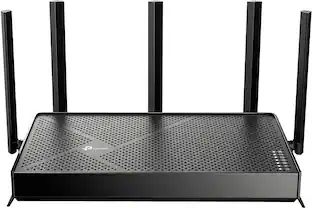
Step into a new era of home Wi-Fi with the TP-Link BE5000 Dual-band Wi-Fi 7 Router. Powered by revolutionary Wi-Fi 7 technology, this dual-band router revolutionizes your home connectivity. It offers expansive wireless coverage and impressive Wi-Fi speeds of up to 5.0 Gbps using Multi-Link Operation across five simultaneous streams spanning the 5GHz, and 2.4GHz bands. Wi-Fi 7 delivers even smoother connections with less interference, lower latency, and enhanced reliability. Plus, enjoy increased capacity to accommodate more devices simultaneously, making it the perfect router for 4K/8K streaming, lag-free online gaming, and seamless smart home connectivity. Designed for ultra high speed, multi-gigabit internet, the Archer BE5000 boasts a 2.5 Gbps internet port, 2.5 Gbps LAN port, three Gigabit LAN ports, and a USB 3.0 port, catering to all your high-performance device needs. Experience the future of Wi-Fi today with the TP-Link Archer BE5000.†‡§
| Pros for ASUS - RT-BE5000 Dual-Band Wi-Fi 7 Router - Black | |||
|---|---|---|---|
| There were no pros for this product— | Connectivity, Signal Strength, Range, Setup Ease, Build Quality | Overall Performance, Connectivity, Speed, Range, Signal Strength | Overall Performance, Connectivity, Range, Speed, Coverage |
| Cons for ASUS - RT-BE5000 Dual-Band Wi-Fi 7 Router - Black | |||
| There were no cons for this product— | Overheating | There were no cons for this product— | Signal Strength |
Specs
Be the first to ask a question.
We’ll try to get your question answered within 24 hours by a Best Buy customer or brand representative.
Customers often buy these together
Smart Speakers and Displays

Google - Home Speaker - Smart Speaker with Gemini For Home Voice Assistant and 360-Degree Sound - Hazel
Holiday Deal$79.99$7999The price was $99.99
Security Camera
Ring - Ourtdoor Cam, Battery - White
$62.99$6299The price was $79.99eufy - S340 Outdoor Solar Powered 3K PTZ Security Camera with Dual Lens - White
$159.99$15999The price was $219.99
More recommended items
Smart Doorbell
Home Security System
Smart Thermostat
More to consider
ASUS RT-BE82U BE6500 Dual-Band Wi-Fi 7 Router
$164.99$16499The price was $219.99GL.iNet GL-BE9300 Flint 3 Tri-Band Wi-Fi 7 Router 5 x 2.5G VPN Router
Reviews coming soon
$209.99$20999ASUS RT-BE92U BE9700 Tri-Band Wi-Fi 7 Router
$265.00$26500The price was $289.99TP-Link Archer BE230 Wi-Fi 7 IEEE 802.11be Ethernet Wireless Router - Dual Band - 2.40 GHz ISM Band - 5 GHz UNII Band
Reviews coming soon
$149.99$14999The price was $155.63TP-Link Archer BE6500 Dual-Band Wi-Fi 7 Router
$168.46$16846The price was $199.99ASUS RT-BE86U BE6800 Dual-Band Wi-Fi 7 Router
$255.99$25599The price was $269.99TP-Link Archer BE3500 Dual-Band Wi-Fi 7 Router
$89.99$8999The price was $99.99
Explore tech essentials Sponsored
ASUS RT-BE86U BE6800 Dual-Band Wi-Fi 7 Router
$255.99$25599The price was $269.99ASUS RT-BE82U BE6500 Dual-Band Wi-Fi 7 Router
$164.99$16499The price was $219.99TP-Link Archer BE3500 Dual-Band Wi-Fi 7 Router
$89.99$8999The price was $99.99TP-Link Archer BE3600 Pro Dual-Band Wi-Fi 7 Router
$99.99$9999The price was $109.99
Discover related products
Seagate BarraCuda 8TB SATA III 6 Gb/s 3.5" Internal HDD
$249.99$24999The price was $296.99Logitech X56 HOTAS Microsoft Flight Simulator RGB Dual-Throttle and Joystick
$247.00$24700The price was $275.00Apple Magic Keyboard for iPad Air 13" (M2)
$124.99$12499The price was $349.00MSI PRO B760-P WIFI DDR4 (Socket 1700) USB 3.2 Intel Motherboard
$151.99$15199The price was $195.21HP Sprocket Studio Plus WiFi Photo Printer, Compatible with iOS and Android
Reviews coming soon
$149.99$14999
Keep exploring
TP-Link ER707-M2 - Omada Multi-Gigabit VPN Router - Omada Multi-Gigabit VPN Router
Reviews coming soon
$134.99$13499STARLINK Mini Kit AC Dual Band Wi-Fi System - White with Cables Bundle
$424.95$42495The price was $539.95GL.iNet GL-AXT1800 Slate AX Pocket-Sized Wi-Fi 6 Travel Router with VPN
Reviews coming soon
$119.99$11999Ubiquiti Dream Machine Pro Max UDM-PRO-MAX
$707.15$70715The price was $732.82ASUS ROG Rapture GT-BE98 PRO Quad-Band WiFi-7 Gaming Router
Reviews coming soon
$465.49$46549The price was $475.19GL.iNet GL-BE9300 Flint 3 Tri-Band Wi-Fi 7 Router 5 x 2.5G VPN Router
Reviews coming soon
$209.99$20999NETGEAR RBK753-100NAR AX4200 Orbi WiFi 2 Satellites + 1 Router
Reviews coming soon
$199.99$19999The price was $229.99NETGEAR RBE973-100NAR Orbi 970 Quad-Band WiFi 7 Mesh System, 10000 sqft. Coverage, Router + 2 Satellites
Reviews coming soon
$1,399.99$1,39999ASUS RT-BE92U: BE9700 Tri-Band WiFi 7 Router with 10G Port & AiMesh
Reviews coming soon
$166.24$16624The price was $167.99