Rating 4.6 out of 5 stars with 11 reviews
4.6- Sound Quality (6)
The vast majority of our reviews come from verified purchases. Reviews from customers may include My Best Buy members, employees, and Tech Insider Network members (as tagged). Select reviewers may receive discounted products, promotional considerations or entries into drawings for honest, helpful reviews.
- Rated 4 out of 5 stars
Poor documentation
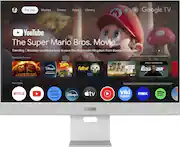
Very decent image quality and resolution. The matte finish deals very well with front-glass reflections. The smart monitor entertainment functions can be an enjoyable feature. As a computer monitor it frustrated me a lot because I couldn't get it to wake from sleep after my laptop (plugged in via USB-C) went to sleep. When waking up my laptop, the monitor remained off. I finally figured out the settings to get it to sleep and wake properly - it's buried under two sub-menus: "Enable mouse/keyboard to wake up monitor." Because this monitor is designed to pair directly to a bluetooth keyboard and mouse, it wasn't clear at all that this includes a connected laptop. Documentation is very poor which is why it took so long to figure out.
This review is from ASUS - ZenScreen 27" 4K IPS Smart Monitor with HDR (DisplayPort, HDMI, USB-C) - Silver
Posted by Peepee21
- Rated 4 out of 5 stars
Amazing when you dial it in
Once you find the settings that work for you set-ups this is a very good monitor it does wonders with the color profiles and is able to pull image details out of older media without the overly processed looks that sometimes happens when you play an older piece of media on a new system. I have not found myself using the Google TV feature considering there’s two computers hooked up to it and the Google TV’s factory settings had poor refresh rates and pixelization. The Usb-c setting was tricky to start. For whatever reason it wouldn’t display initially. I had to turn on my Windows PC and switch over to my my MacBook and then when I jiggled the mouse on the Windows PC it worked. Idk, but thats what it wanted. I turned settings to DCI-P3, HDR standard, No dynamic backlight, Normal color temp., low blue off, PC mode off, low latency on, shadow detail 0, Dynamic black equalizer 0, basic settings are all at 50 except sharpness is 40, and all professional settings are turned off. The sound mode is standard and the audio processing is Dolby Audio Processing for Apple Music and what not. I also added Dolby Atmos to the Windows PC (economically smart or not, its made a good audio experience for games, music, and movies). The H&K speakers do surprisingly well for the size. I don’t play any competitive type game so I don’t benefit from an enhanced framerate so 60fps is just fine for the semi-casual single player experiences and does wonders for emulated games that didn’t anticipate high-hertz rate gaming. I don’t notice any issues that wouldn’t happen gaming on a decent TV. I am very happy with the purchase, overall, but I wish it would have ran this nice from the manufacturer. Then again this is an issue with all modern panels (TV’s and Monitors).
This review is from ASUS - ZenScreen 27" 4K IPS Smart Monitor with HDR (DisplayPort, HDMI, USB-C) - Silver
Posted by ThotHoThongSnizzmark
- Rated 5 out of 5 stars
Great Smart Monitor!!
I needed a new TV for my bedroom that was small; below 28 inches, because my TV stand was originally made for CRTs. This fit the bill perfectly. Not only does it look and sound great, but it also has Google TV OS built in with a neat little remote. I highly recommend this monitor for either multimedia use or PC use! It's great!!
This review is from ASUS - ZenScreen 27" 4K IPS Smart Monitor with HDR (DisplayPort, HDMI, USB-C) - Silver
Posted by Zachary
- Rated 5 out of 5 stars
Great Monitor
Bought this monitor to pair with my mac mini. It's a perfect combination. I love the colors that come out of it, and the quality of the speakers. Most monitor speakers aren't the greatest, but these put out fairly decent audio.
This review is from ASUS - ZenScreen 27" 4K IPS Smart Monitor with HDR (DisplayPort, HDMI, USB-C) - Silver
Posted by Sara
- Rated 5 out of 5 stars
Nice display
I liked it, good price for good quality. And elegant as well.
This review is from ASUS - ZenScreen 27" 4K IPS Smart Monitor with HDR (DisplayPort, HDMI, USB-C) - Silver
Posted by AhmedR
Customer reviews from bestbuy-ca
See all bestbuy-ca reviewsSyndicated rating, 4 out of 5 stars with 2 reviews on bestbuy-ca.
4.0(2 reviews)Customer reviews from https://www.asus.com
See all https://www.asus.com reviewsSyndicated rating, 5 out of 5 stars with 2 reviews on https://www.asus.com.
5.0(2 reviews)