Brother - PT-P700 PC-Connectable Label Printer for PC and Mac - Black
About this product
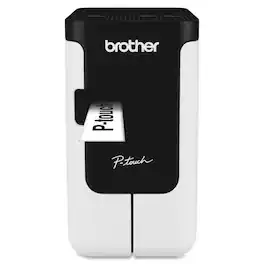
Print labels quickly and easily. The PT-P700 offers simple connectivity – so there's no software or drivers to install. Simply connect to your computer via the included USB cable and launch the built-in software to get started creating professional labels using your own keyboard. Create multi-line labels using fonts and graphics on your computer. Fast print speeds and automatic label cutting help speed large labeling jobs along. For more advanced labeling, such as including bar codes or printing from a database, you can use the P-touch Editor software for Windows. Print labels up to 24mm wide, with large crisp text up to 48pt. The PT-P700 is compatible with durable, TZe series tapes – great for indoor applications or harsher environments – such as outdoors. Choose from a variety of colors and sizes, including Extra-strength adhesive, Acid free, Cable and wire, Tamper evident, Fabric iron-on, Super narrow or decorative Simply Stylish. The split back tapes offer a hassle-free application, with easy peel and stick.
Features
No software or drivers to install
Just connect via included USB cable to get started
Create large, durable labels up to ~1” (0.94”) wide
Suitable for indoor or outdoor use
Customize labels using fonts and graphics on your computer
Quickly create multi-line labels using the built-in software and your own keyboard
Fast and Efficient
Fast print speeds and automatic label cutting help support efficient labeling
Flexible Power Options
Works with AC adapter (included) or 6 x AA batteries (sold separately)
Compatible with ~9/64” (0.13"), ~1/4” (0.23"), ~3/8” (0.35"), ~1/2” (0.47"), ~3/4” (0.7") and ~1” (0.94”) tapes
Including a variety of indoor and outdoor labels for versatility
Media Type: Label, Tape
Features: ABCD Keyboard, Print Preview, Repeat Printing
Color: Black
Platform Supported: PC
Recycled: No
Specifications
- BrandBrotherModel NumberPT-P700Product NamePT-P700 PC-Connectable Label Printer for PC and MacColorBlackWarranty - Parts2 year limitedWarranty - Labor2 year limited
Reviews
Rating 4.9 out of 5 stars with 8 reviews
The vast majority of our reviews come from verified purchases. Reviews from customers may include My Best Buy members, employees, and Tech Insider Network members (as tagged). Select reviewers may receive discounted products, promotional considerations or entries into drawings for honest, helpful reviews.

Compare similar products
Print labels quickly and easily. The PT-P700 offers simple connectivity – so there's no software or drivers to install. Simply connect to your computer via the included USB cable and launch the built-in software to get started creating professional labels using your own keyboard. Create multi-line labels using fonts and graphics on your computer. Fast print speeds and automatic label cutting help speed large labeling jobs along. For more advanced labeling, such as including bar codes or printing from a database, you can use the P-touch Editor software for Windows. Print labels up to 24mm wide, with large crisp text up to 48pt. The PT-P700 is compatible with durable, TZe series tapes – great for indoor applications or harsher environments – such as outdoors. Choose from a variety of colors and sizes, including Extra-strength adhesive, Acid free, Cable and wire, Tamper evident, Fabric iron-on, Super narrow or decorative Simply Stylish. The split back tapes offer a hassle-free application, with easy peel and stick.

Label printing your way! The Brother P-touch CUBE Plus PT-P710BT lets you easily design and print labels up to 24mm (~1 inch) wide from your Apple or Android smartphone, tablet, laptop or desktop. Design and print unique labels with Bluetooth wireless technology using free P-touch Design&Print 2* or Brother iPrint & Label* apps. Use P-touch Editor software to access database information from your desktop to create and print labels using the USB cable provided. P-touch CUBE Plus lets you create the labels you need - from simple text for organizing and identifying, to unique labels with a variety of symbols, frames and fonts including most Google and Apple font libraries. Select from pre-designed templates plus new templates created for retail store and crafting businesses to help your products stand out. Enjoy smartphone features such as spell check and voice to text to simplify label creation. The sleek design makes a welcome addition in your craft business, retail store, home or office. The built-in Li-ion battery offers easy portability. The built-in automatic cutter provides clean full cuts, so you can create just the right size label. The P-touch CUBE Plus uses P-touch, laminated tapes up to 24mm (~ 1 inch) wide available in a variety of colors and types. P-touch CUBE Plus also works with Premium Glitter and Premium Matte tapes great for special events, gift wrapping and customized product identification. The P-touch CUBE Plus PTP-710BT comes with Black on White Starter Tape, Black on Premium Glitter Gold Starter Tape, built-in Li-ion battery and USB cable. *Wireless connection required.
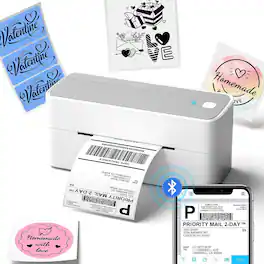
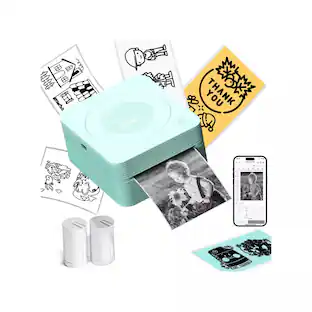
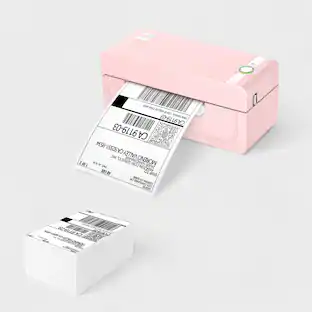
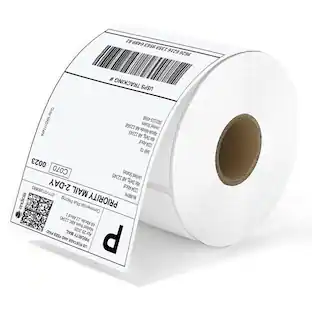
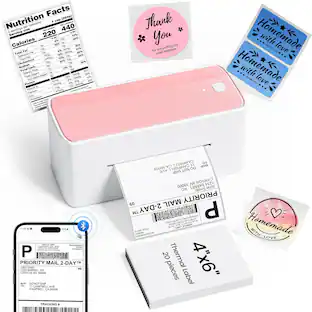
The Phomemo PM-241BT is a compact, wireless label maker designed for effortless printing of shipping labels, package labels, logos, and stickers. Featuring Bluetooth connectivity, it allows you to create professional-grade business labels directly from your smartphone. Its sleek, space-saving design fits seamlessly on any desktop, while Phomemo’s advanced quick-print technology ensures fast, efficient handling of high-volume label printing with ease.

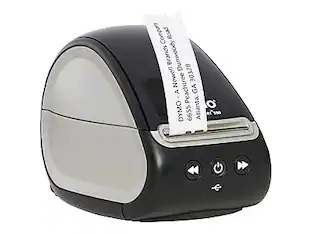
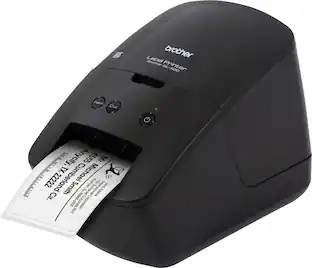
The Brother QL-600 Label Printer is an affordable, cost-effective way to print a virtually endless variety of paper or film labels up to 2.4 inches (62mm) wide for your home, home office or small office. The Brother QL-600 Label Printer fits today’s contemporary spaces, fitting easily into tight areas, delivering high-res printing and big power to print paper and film labels. The Brother QL-600 Label Printer with built-in auto cutter provides a clean, accurate edge so you can easily create custom labels to handle almost any organizing task in your home, home office or small office. It connects to both PC and Mac(R) computers with the included USB cable and can print up to 44 labels per minute(1). It prints crisp, high-res labels at up to 300 x 600 dpi so it’s great for creating professional labels including mailing and shipping labels, small signage and banners, filing tags, and other identification labels. At home users will appreciate the ability to print one, a few or hundreds of labels at a time along with banners up to 3 feet long without ever needing to worry about ink or toner. Available MS Office add-ins and Excel database connectivity enable easy printing of address, gift and mailing list labels. Small office and home office users will be able to easily print barcodes, images and logos along with being able to print signage labels. P-touch Editor software lets you choose from pre-installed label templates, built-in fonts, symbols and styles or create your own labels using a robust library of frames, fonts and images. The software integrates with Microsoft applications such as Excel and Word, helping you create labels using information stored on your computer. The Brother QL-600 is Windows, Linux and Mac(R) compatible. (1) Based on using standard address labels, black text only, at 300 x 300 dpi. All trademarks and registered trademarks referenced herein are the property of their respective companies. Mac is a registered trademark of Apple Inc.
Specs
Questions & Answers
doe's it work on windows 11 pc
Answered by BrotherThe Brother PT‑P700 is compatible with the Windows 11 operating system. https://support.brother.com/g/b/downloadlist.aspx?c=us&lang=en&prod=p700eus&os=10069
I have already my UPC code bars, would it print exactly how the codes are or would it add something extra ?
Answered by BrotherThe Brother PTP700 machine will print the barcodes as designed, it will not add any extra data.

Is there a driver that allows me to print directly to the printer, or do I have to use the supplied software application? I want to integrate this with a MS Access project that I'm building, and print directly from my Access program to the printer.
Answered by BrotherYes, there is a driver available to use the Brother PTP700, you can download the driver in the Brother support web site at https://support.brother.com/
Can you use this as a handheld (have a keyboard for input) or only use with computer?
Answered by TylerOnly with a computer, there's no keyboard on the device
Referring to the brother label printer PT-P700 - Can you print 1 single label? Do you have to use a certain label? If so how much do they cost a roll?
Answered by KnightimereaderYes you can print a single label. It only uses tape made for this label maker and it is fairly expensive, but then not many labels of any type are cheap. Google PT-P700 and you will see where others have tweaked the defaults settings to get it to waste less tape between labels.

Find more like this
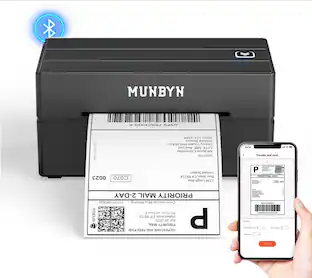 $75.99The price was $89.99
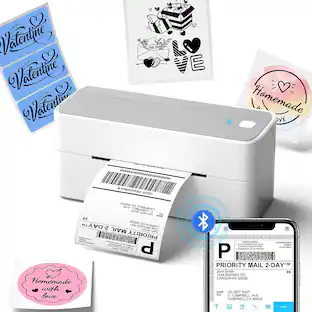 $79.99The price was $88.88
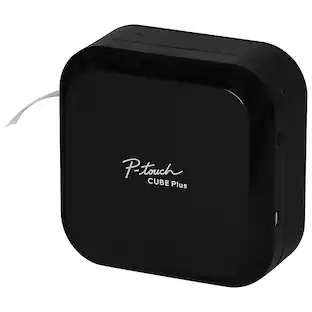 $114.98The price was $136.32


More to consider
- $114.98The price was $136.32
- $79.99The price was $88.88
 $79.99The price was $88.88
Explore tech essentials Sponsored

Discover related products
 $12.99The price was $13.99













Keep exploring
 $29.99The price was $39.99
- $79.99The price was $88.88
 $99.90The price was $124.99
 $29.99The price was $39.99
 $39.99The price was $44.99