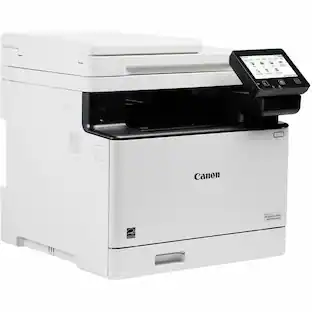
Appreciation EventEnds Sunday. Limited quantities. No rainchecks.Shop now

Skip to contentGo to Product Search
Main Content

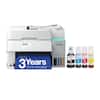
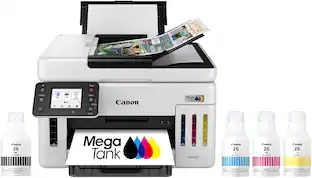
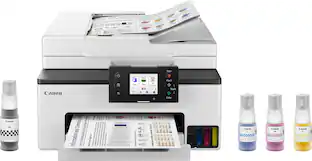
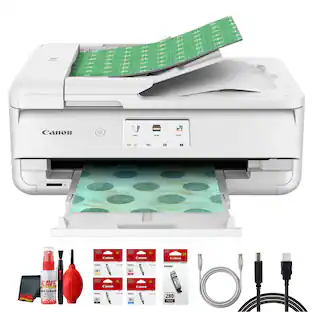
Canon - MAXIFY Megatank GX4020 Wireless All-In-One Supertank Inkjet Printer with Fax - White

Model: 5779C002
SKU: 12633592
Sold & shipped by
6ave Electronics

Customers are saying

Customers commend the product's phenomenal print quality, along with its simple setup and overall ease of use. They also appreciate its convenient size and strong overall performance. However, some users have noted that connectivity can take a long time to establish. Additionally, the printer's noise level has been described as a bit loud.

Generated by AI based on customer reviews.
Features
  • 2.7" LCD Screen

    Get the job done easy with an intuitive and easy to use 2.7” LCD touch screen.

  • High page yield

    Print up to 6,000 black pages / 14000 color pages with just a single set of inks.6

  • Up to 600 X 1200 DPI9

    Medium resolution for producing sharp text, even at 6 points or smaller, and graphics with thin lines and curves.

  • Ethernet connectivity

    Built-In Ethernet connection for Wired LAN support.

  • Wireless connect

    Easy Wi-Fi setup in minutes. Connect to Wi-Fi without the need for a computer.

  • Mobile device printing

    Print from your favorite mobile devices using the free Canon PRINT app, Apple AirPrint and Mopria Print Service.

  • Built-in duplex printing

    Print on both sides of the page without turning it over manually, to minimize your printing costs and help the environment.

  • More print, copy and scan solutions

    Automatically print 2-sided documents, scan documents to your computer or directly to e-mail, send quick faxes and more.

  • Inkjet printers are best for home or small business use

    They offer excellent print quality for photos and documents and accept a variety of paper types and sizes.

  • Easy to refill

    The ink bottles have a "keyed nozzle" design to only fit and fill the correct colo ink tank.

  • Easy setup

    Get running in just a few minutes thanks to a streamlined and easy setup process out of the box.

  • Compact size

    Not only are the MAXIFY GX series printers packed with features, they're also designed small to fit your workspace.

  • Auto Document Feeder

    Copy multi-page documents with ease with the 35-sheet ADF.

  • Disclaimers

    Page yield is the estimated value based on Canon individual testing method using ISO/IEC 24712 test chart and continuous printing simulation with full set of replacement ink bottles after initial setup.

  • Warranty is effective for three (3) years from date of original purchase or the printing of 80,000 pages, whichever comes first. Warranty program is subject to certain conditions and restrictions. See www.usa.canon.com/maxify-gx-series-warranty for details.

  • Wireless printing and scanning requires a working network with wireless 802.11b/g/n capability, operating at 2.4GHz or 5.0GHz. Wireless performance may vary based on terrain and distance between the printer and wireless network clients.

  • Requires an Internet connection and the Canon PRINT Inkjet/SELPHY app, available for free on the App Store and at Google Play. Your device must be connected to the same working network with wireless 802.11 b/g/n capability as your printer

  • AirPrint functionality requires a compatible iPad, iPhone, or iPod Touch device running iOS 7.0 or later, and an AirPrint-enabled printer connected to the same network as your iOS device. A printer connected to the USB port of your Mac, PC, AirPort Base station, or Time Capsule is not supported.

  • Requires Android mobile device with Android 4.4 operating system or later with the Mopria Print Service pre-loaded with that device and the compatible PIXMA printer on the same wireless network.

See all features
Specifications
  • Networking
    Wireless, Wired
    ENERGY STAR Certified
    Yes
    Printer Type
    Printer, Copier, Scanner, Fax
    ISO Color Print Speed
    13 pages per minute
    ISO Mono Print Speed
    18 pages per minute
    Output Tray Capacity
    Not specified
Sponsored

Reviews

Customers are sayingCustomers commend the product's phenomenal print quality, along with its simple setup and overall ease of use. They also appreciate its convenient size and strong overall performance. However, some users have noted that connectivity can take a long time to establish. Additionally, the printer's noise level has been described as a bit loud.
This summary was generated by AI based on customer reviews.
  • Print Quality (61)
  • Ease of use (15)
  • Setup (15)
  • Overall Performance (9)
  • Size (6)
  • Connectivity (5)
  • Noise Level (4)

Customer Images

The vast majority of our reviews come from verified purchases. Reviews from customers may include My Best Buy members, employees, and Tech Insider Network members (as tagged). Select reviewers may receive discounted products, promotional considerations or entries into drawings for honest, helpful reviews.

  • Rated 5 out of 5 stars

    In Store Availability

    It really does have the best pictures & documents!! I am a lover of making pictures & Very very Happy that I chose this Printer, & was able to buy it in person at Best Buy!!!! Can’t go wrong with what you are happiest with!! The whole process was very easy, & the young man that was working with me & what I wanted “by name of the product. He actually knew about the product and asked me if I really needed that much of a printer. And he explained why he asked me, He just wanted to make sure that I really needed everything involved (picture making, fax, copy, scan, all wirelessly, in this printer (if I didn’t need to, there were other styles that was cheaper, with the same Company & Product, just a less items on the other printers. I really appreciated that he DIDN’T try to Over-Sell me!!!! I told him that I had investigated them online and this was the only one that had everything that I wanted, He helped me to get it paid for. I was so happy with this purchase from an associate that knew how to listen, and, he helped me eagerly “without earning a commission!! He would’ve been worth the commission!!!! Good hunting (for whatever you actually want)!!

    This review is from Canon - MAXIFY Megatank GX4020 Wireless All-In-One Supertank Inkjet Printer with Fax - White

    Posted by dianeishome2

  • Rated 4 out of 5 stars

    Beautiful SF

    Easy to use, setting up was a pain in the rear end. I didn't know the machine needed a maintenance cartridge.

    This review is from Canon - MAXIFY Megatank GX4020 Wireless All-In-One Supertank Inkjet Printer with Fax - White

    Posted by SFChaseCenter

  • Rated 1 out of 5 stars

    Not Canon's best quality.

    Randomly disappears from our home Wi-Fi network at home. Sometimes cycling the printer off/on restores availability. Other times cycling the network is required. Very annoying. After just over 2 weeks of use, foam on scanned lid is falling off. Not an encouraging sign for durability. I scan frequently, wrestling the foam down with out moving the document is a pain.

    This review is from Canon - MAXIFY Megatank GX4020 Wireless All-In-One Supertank Inkjet Printer with Fax - White

    Posted by MichaelL

  • Rated 5 out of 5 stars

    Perfect All-In-One printer for my home office!

    For an All-In-One printer, I found the set-up of the Canon Maxify GX4020 to be surprisingly easy. The machine was packaged nicely in the box and was relatively easy to remove and get set up in my office. This printer comes with minimal paperwork; the manual (if needed) is found on the canon website via a QR code. The only thing missing in the setup instructions is a reminder to remove the orange packing tape. Once the tape is removed, you are ready to connect the power cord; press the ON button; and follow the instructions on the printer’s screen. The set-up process is pretty neat, as you are prompted and instructed on a screen that you can also interact with via touch inputs. Since the paperwork indicates that the ink will stain if spilled, I was somewhat concerned about adding the ink. My concerns were unfounded, as carefully removing the lids and adding the ink was quick and easy. The on-screen instructions only show adding one ink color at a time, but each of the 3 colors and the black are all added the same way. The way the bottles are made seems to keep the ink in until they are placed in the printer, meaning spilling them wasn’t a problem at all. There are three (yes, that’s three!) paper trays. The Cassette is for plain paper and the Rear Tray is for envelopes, photo paper, or legal paper. I haven’t used the Rear Flat Tray, but the manual indicates that it is for Paperboard. After adding the ink and the paper, I connected to my Wi-Fi using the printer’s touch screen. It was easy enough, but the password entry was reminiscent of old school texting (not fun!). With the Wi-Fi connected, I tried printing from an Apple computer, a PC, and my iPhone. Everything printed as it should. Also, there is the option for double-sided printing. On the printer screen, touch Settings, then Feed Settings to change the paper size and type for the printer trays. There is a setting labeled Detect Paper Setting Mismatch, which is automatically enabled, so I disabled it. Using the touch screen to adjust settings is simple, and so far I haven’t found the printer to be difficult to use. Next, I tried the scanner. On my Apple computer I opened the Printers & Scanners, clicked on the Canon GX4020, then I clicked Open Scanner and scanned from my computer. On the PC, I downloaded a Microsoft Scan app and used it to scan. On my iPhone, I downloaded the Canon PRINT app using the QR code on the printer’s screen. Both the flatbed and the feeder scanned nicely: I didn’t have any jams with the feeder, but for double-sided images, I had to scan side one and then flip the pages for side two. Copying is accomplished pretty similarly to scanning and was very easy to do. The print quality is phenomenal. I printed some sheets with text and some graphics, and everything was clear, crisp, and well defined with great colors. Next, I tried printing out some glossy photos using some photo paper I had. These really turned out awesome and looked pretty similar to photos you might get developed from the store. With the copying feature, I copied some color documents I had, and the results were vivid and sharp. Overall, there doesn’t seem to be any task that this printer can’t handle. I haven’t had a reason to use the fax feature yet, but so far this seems to be a great multifunction printer. I especially like that the Canon Maxify GX4020 can print 6,000 pages in black and white, or 14,000 pages in color (according to their website) on a new “full ink bottle set”. With the set-up ink included in the package, it can print 5,000 black and white pages, and 5,000 color pages. Canon also states that this printer has a 3 year or 80,000 sheet warranty, meaning it will likely last the average user for a very long time. Speaking of lasting a long time, the build quality on this printer seems very good. Everything feels high quality, and little details like being able to visually see the ink levels are nice touches that Canon implemented in its design. This printer will definitely become my “go-to” device anytime I need to print, scan, or copy documents and pictures. With its ease of use and wide range of functions, I cannot imagine I will need any other machine when it comes to tasks related to printing in my home office. While I haven’t needed to test it, the fact that it also can fax is an added bonus to anyone who might need to use that feature. Additionally, this printer will be able to print for a long while with the included ink, which is easy to refill when the time comes. If you’re looking for an All-In-One printer that can handle just about anything you throw at it, I wouldn’t hesitate to check out the Canon Maxify GX4020.

    This review is from Canon - MAXIFY Megatank GX4020 Wireless All-In-One Supertank Inkjet Printer with Fax - White

    Posted by JohnR

  • Rated 5 out of 5 stars

    Awesome Multifunction - Does Everything Well !

    We have three users in our household and an indispensible need for a multifunction unit that "just works". We all love to print in full color, my spouse scans quit a few documents on a monthly basis and my daughter seems to invent a new art or scapbooking use for printer ink every other week. We previously used an HP full color laser that was marketed towards small office or home use. That has served us well for the last few years but we have always wanted to be able to do glossy photo prints and higher resolution graphics. I was thrilled to hook up the Maxify GX4020 with pigment based inks. This printer has a faster time to ready than our laser, Prints dual sided without issue and prints remarkably good photos. Straight out of the box I was laughing at the size of ink bottles - especially the black. Notably - the included bottles will be consumed in the first fill. Yes - that IS how large the tanks are ! After a quick search for replacement ink, I also noted that it's quite inexpensive to buy more. The first run setup took around 5 minutes to prime the printer and it self aligned. I used the app to setup the printer and wifi settings. I also checked through the onscreen settings, they are easy to navigate if you don't want to install an app on you phone. Torture testing - We have collectively scanned over 1000 pages already most of which were scanned via the ADF. I've managed to Jam the ADF two or three times with an inadvertantly folded over page which I consider to be user error. I have printed a stack of photos on photo paper - they are all crisp and vibrant with no streaks or banding. I have also printed out a few manuals from the 1950's complete with original technical drawings - black and line art print very fast and dual sided printing saves on paper. Our art loving teenager has printed a pile of patterned papers for scrapbooking and other projects and a good number of photos. This printer keeps doing exactly what it was made to do. Compatibility - Using the default driver on Windows 10/11 - we are able to print and scan without issue. ChromeOS / Android / Mac - Also can also print without issue and autodetect the printer. What I Love - ADF feeder - We have already scanned around 1000-1200 pages. The ADF feed is not "picky" and works well. Massive ink capacity, Low ink cost and waste tank is inexpensive to replace ( $14-17 at the time of this review ) Lots of extra features - Cloud ability, built in prints etc. . . go ahead and wander through the menus - nice suprise ! 5GHZ Wifi compatibility - THANK YOU ! - Room for improvement - Power Management - Defaults to power off after 12 hours requiring a physical power on to bring the printer back up. Periodic head purge and clean- I would love to be able to set the interval and just leave the printer powered on / asleep.

    This review is from Canon - MAXIFY Megatank GX4020 Wireless All-In-One Supertank Inkjet Printer with Fax - White

    Posted by James K

From the manufacturer

Compare similar products

Canon - MAXIFY Megatank GX4020 Wireless All-In-One Supertank Inkjet Printer with Fax - White

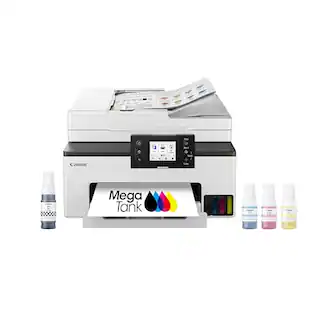
Designed for home offices and small businesses, the Canon MAXIFY GX4020 delivers high-quality, low-cost printing, and outstanding wireless connectivity in a compact size. Get serious print productivity with a high page yield of up to 6,000 Black / 14,000 Color pages per full ink bottle set and a low cost per print of less than 2 cents per page1. The MAXIFY GX4020 comes with a full set of ink and a 3-year or 80,000 pages2 limited warranty so you can print with confidence. The MAXIFY GX4020 is easy to set up and maintain and offers great media versatility to print on a variety of media types and sizes, including business cards, envelopes, banners and more. Produce crisp, colorful documents quickly and cost-effectively with fast print speeds and a high quality 4-color pigment-based ink system. Keep printing with a large combined plain paper capacity of up to 350 sheets. Easily connect and print through high-speed USB, Ethernet, or wirelessly3 from computers or mobile devices. This model is backed by Canon's Service and Support network.

Canon - MAXIFY GX2020 Megatank Wireless All-In-One Supertank Inkjet Printer - White
3.7(20)

Business quality printing from the comfort of home: Canon MegaTank printers are a great choice for high quality printing, value, and performance to help you get the job done. Great for hybrid working environments, the GX2020 has plenty of features to keep you productive from home or office, with office-like print quality. The GX2020 MegaTank All-in-One inkjet printer delivers high-quality, low-cost printing, and outstanding wireless connectivity in a compact size. Get serious print productivity with a high page yield of up to 3,000 Black / 3,000 Color pages with just a single set of inks. Plus, the GX2020 comes with a 3-year limited warranty or 60,000 pages (whichever comes first)* and is backed by Canon’s friendly and knowledgeable Service and Support network, so you can have peace of mind and focus on the business at hand. You’ll get a stable, reliable connection with dual band WiFi,¹ fast print speeds and generous paper capacity of up to 250 sheets. The GX2020 also has a built in 35-sheet automatic document feeder, so you can copy multi-page documents with ease. The adjustable 2.7-inch touchscreen makes it easy to view and navigate through functions. The GX2020 is easy to set up and maintain and offers great media versatility to print on a variety of media types and sizes, including photo paper, envelopes, banners and more. Create beautiful and professional posters, banners and signage with Poster Artist Online.⁶ Print both documents and photos on a variety of paper types using a 4-color pigment-based ink system for sharp black text and dye-based colors for vivid photos up to 8.5” x 14”. Setting up the GX2020 is easy. You can connect through high-speed USB or wirelessly¹ from computers or mobile devices. The GX2020 is also Chromebook compatible.

Canon - Megatank GX7120 Wireless All-In-One Supertank Inkjet Printer with Fax - White
4.5(10)

The Canon MegaTank GX7120 Wireless Home & Office All-In-One Printer is designed to meet the needs of small offices by delivering high-quality, low-cost printing, and outstanding wireless connectivity. Get serious print productivity with a high page yield of up to 6,000 Black / 14,000 Color pages per full ink bottle set and a combined 600 sheet plain paper capacity. Each printer comes with a full set of ink, and a 3-year or 80,000 pages* limited warranty so you can print with confidence. The MegaTank GX7120 is easy to setup and maintain and delivers superior versatility thanks to an auto document feeder for scanning, copying, and faxing— plus, print on a variety of media types and sizes, including labels, envelopes, and banners. Produce crisp, colorful documents quickly and cost-effectively thanks to fast print speeds and a 4-color pigment-based ink system. Connectivity is paramount with the GX7120, easily connect and print through high-speed USB, Ethernet, or wirelessly from computers or mobile devices.

Canon - Megatank GX6120 Wireless All-In-One Supertank Inkjet Printer - White
5.0(12)

The Canon MegaTank GX6120 Wireless Small Office All-In-One Printer is designed to meet the needs of small offices by delivering high-quality, low-cost printing, and outstanding wireless connectivity. Get serious print productivity with a high page yield of up to 6,000 Black / 14,000 Color pages per full ink bottle set and a combined 350 sheet plain paper capacity. Each printer comes with a full set of ink, plus 2 bonus black ink bottles, and a 3-year or 80,000 pages* limited warranty so you can print with confidence. The MegaTank GX6120 is easy to setup and maintain and delivers superior versatility thanks to an auto document feeder for scanning and copying - plus, print on a variety of media types and sizes, including labels, envelopes, and banners. Produce crisp, colorful documents quickly and cost-effectively thanks to fast print speeds and a 4-color pigment-based ink system. Easily connect and print through high-speed USB, Ethernet, or wirelessly from computers or mobile devices.

Pros for Canon - MAXIFY Megatank GX4020 Wireless All-In-One Supertank Inkjet Printer with Fax - White
Print Quality, Setup, Size, Ease of use, Overall PerformancePrint Quality, Setup, SizeEase of SetupPrint Speed, Ease of Use
Cons for Canon - MAXIFY Megatank GX4020 Wireless All-In-One Supertank Inkjet Printer with Fax - White
Connectivity, Noise LevelThere were no cons for this productThere were no cons for this productThere were no cons for this product

Specs

Questions & Answers
  • Can I print on both sides of the paper with this printer?

    Yes, the printer has a built-in duplex printing feature that allows you to print on both sides without manually flipping the paper.

    This question and answer was generated by AI based on customer and product data.
  • What is the maximum number of sheets the automatic document feeder can hold?

    The automatic document feeder has a capacity of 35 sheets.

    This question and answer was generated by AI based on customer and product data.
  • How do I refill the ink in this printer?

    The ink bottles are designed with a "keyed nozzle" to ensure you fill the correct color ink tank.

    This question and answer was generated by AI based on customer and product data.
  • What is the page yield of this Canon printer?

    This printer can print up to 6,000 black pages and 14,000 color pages with a single set of ink bottles.

    This question and answer was generated by AI based on customer and product data.
  • What is the resolution of the scanner on this Canon printer?

    The scanner has a resolution of up to 1200 x 2400.

    This question and answer was generated by AI based on customer and product data.
Ask a question
No content

Customers often buy these together

Sponsored

Similar products from outside of Best Buy

sponsored
Ask BlueAI

Finance Options

My Best Buy® Credit Card
Choose a benefit:Or
Buy Now, Pay Later
Lease to own

Finance Options

My Best Buy® Credit Card
Choose a benefit:Or
Buy Now, Pay Later
Lease to own