Core Tech - Animal Design Tri-Mode Wireless Optical Mouse with Bluetooth and USB Receiver - Wireless - Fortune Cat
Reviews coming soon
About this product
Bring a playful cat design to your desk with this Core Tech wireless optical mouse. Connect using Bluetooth 3.0, Bluetooth 5.0 or the included 2.4 GHz USB receiver. The rounded shell, three-button layout and scroll wheel support everyday navigation, browsing and computer tasks. A wireless range of up to 33 feet gives you flexibility at your workspace. The mouse uses one replaceable AA battery and has an onboard compartment for the USB receiver. Its ABS shell features sculpted animal details and an anti-slip bottom. Compatible with Windows and Mac computers through a supported Bluetooth connection or USB-A port. One-year Core Tech parts and labor warranty.
Color
Fortune CatFeatures
Sculpted Animal Design
A rounded cat shape with detailed ears, face, paws and tail adds character to your desk. The Fortune Cat design matches the pictured variant.
Three Wireless Connection Modes
Choose Bluetooth 3.0, Bluetooth 5.0 or 2.4 GHz wireless with the included USB receiver. Enjoy a cable-free workspace and a wireless range of up to 33 feet.
USB Receiver Setup
For a receiver connection, install an AA battery, insert the receiver into a USB-A port and switch on the mouse. Store the receiver in the mouse compartment when it is not in use.
Three Buttons and Scroll Wheel
Left and right click buttons plus a clickable scroll wheel support everyday browsing and navigation. The rounded ABS shell and anti-slip bottom help keep handling comfortable.
Replaceable AA Battery Power
The mouse operates with one replaceable AA battery. The removable battery compartment makes battery changes straightforward. Backed by a one-year Core Tech parts and labor warranty.
Specifications
- Number of Buttons (Total)3Connection TypeWireless
Reviews
This product doesn't have any reviews yet.
Compare similar products

Bring a playful cat design to your desk with this Core Tech wireless optical mouse. Connect using Bluetooth 3.0, Bluetooth 5.0 or the included 2.4 GHz USB receiver. The rounded shell, three-button layout and scroll wheel support everyday navigation, browsing and computer tasks. A wireless range of up to 33 feet gives you flexibility at your workspace. The mouse uses one replaceable AA battery and has an onboard compartment for the USB receiver. Its ABS shell features sculpted animal details and an anti-slip bottom. Compatible with Windows and Mac computers through a supported Bluetooth connection or USB-A port. One-year Core Tech parts and labor warranty.

Add a playful touch to your workspace with this Core Tech cat-shaped wireless optical mouse. Cat-ear details, sculpted whiskers and a paw-print accent give the compact shell its distinctive look. Connect to a compatible computer through the included 2.4 GHz USB receiver and choose 800, 1200 or 1600 DPI to suit everyday browsing, documents and navigation. Quiet left and right clicks help reduce distractions. The scroll wheel and dedicated DPI button keep essential controls close at hand. Powered by one replaceable AA battery. Backed by a one-year Core Tech parts and labor warranty.
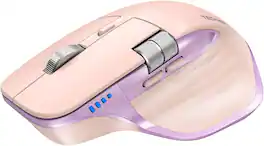
Streamline your setup with the TECKNET Wireless Mouse. Connect up to three devices at once via dual Bluetooth 5.3/5.0 and 2.4GHz USB-A, then switch between them with a single button for smooth multitasking. A precision metal scroll wheel and side scroll wheel deliver smooth vertical and horizontal navigation, while six adjustable DPI levels up to 4800 provide accurate control for detailed work or fast browsing. The rechargeable design charges in 1.5–2 hours and lasts up to 3 months, and silent clicks keep offices, libraries, and shared spaces quiet. Works with Windows, macOS, Chrome, and Linux. Backed by TECKNET’s 24-month warranty (registration required).

Adesso iMouse S50R 2.4GHz Wireless Mini Mouse - Optical - Wireless - Radio Frequency - 2.40 GHz - Red - USB - 1200 dpi - Scroll Wheel - 3 Button(s) - Symmetrical - 2 x AAA Battery Supported
Specs
Customers often buy these together
Computer Keyboards


![The text on the image reads:
888 DD DI DD 4 DSC i F2 F3 4 FS T6 ET 1. 1N IN F.. 11 1.. 114 1n F1 F12 118 in9 - a ee 1 8F 2 3 $ 4 % 5 A 6 & 7 . 8 I 9 I 0 ee I + = delete fn home page up clear - / + tab Q W E R T Y U I 0 P { [ ] ] | I delete end page down 7 8 9 ee caps lock A S D F G H J K L : I - return 4 5 6 + shift Z X C V N M < F > ? / shift a 1 2 3 control option 2 command 3 command option control Y - 0 enter
After grouping and correcting the text, it reads:
888 DD DI DD 4 DSC i F2 F3 4 FS T6 ET 1. 1N IN F.. 11 1.. 114 1n F1 F12 118 in9 - a ee 1 8F 2 3 $ 4 % 5 A 6 & 7 . 8 I 9 I 0 ee I + = delete fn home page up clear - / + tab Q W E R T Y U I 0 P { [ ] ] | I delete end page down 7 8 9 ee caps lock A S D F G H J K L : I - return 4 5 6 + shift Z X C V N M < F > ? / shift a 1 2 3 control option 2 command 3 command option control Y - 0 enter](https://pisces.bbystatic.com/image2/BestBuy_US/images/products/f4059d3a-0c2a-46ef-bcfd-4e11b9b26d5d.jpg;maxHeight=232;maxWidth=233?format=webp)
Mouse Pads

Insignia™ - Desk Mat - Black
Black Friday Deal$12.49The price was $24.99




More to consider
Core Tech Cat Design Silent 2.4 GHz Wireless Optical Mouse with USB Receiver and Adjustable DPI
$28.97The price was $39.99



Explore tech essentials Sponsored
Logitech MX Anywhere 3S Wireless Bluetooth Optical Fast Scrolling Mouse with Programmable Buttons
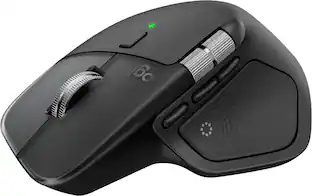
Black Friday Deal$66.99The price was $89.99Logitech MX Master 4 - Adobe Edition - Wireless Laser Ergonomic Mouse with Advanced Performance Haptic Feedback
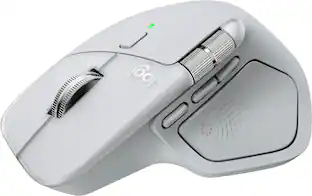
Black Friday Deal$109.99The price was $119.99Logitech MX Master 4 for Mac - Wireless Laser Ergonomic Mouse with Advanced Performance Haptic Feedback
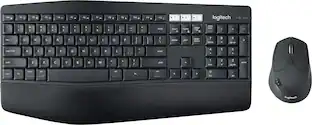
Black Friday Deal$109.99The price was $119.99Logitech MK850 Performance Full-size Wireless Membrane Keyboard and Mouse Combo for PC and Mac
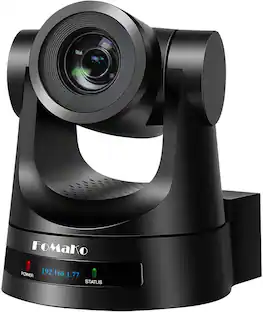
Black Friday Deal$69.99The price was $99.99FoMaKo FMK20SDI Pro 20x Optical Zoom AI Auto-Tracking for Church Services Worship Education
$383.00The price was $479.00Glorious GMMK Pro Barebone High Profile Gasket Mounted RGB 75% Wired Mechanical Keyboard
$74.99The price was $169.99


Keep exploring
GravaStar Mercury M1 Pro Special Edition Wireless Gaming Mouse with 26000 DPI and Magnesium Alloy Frame
$74.95The price was $99.95GravaStar Mercury X Wireless Optical Gaming Mouse with 32000 DPI and 49g Magnesium Alloy Frame
$59.95The price was $109.95Logitech MX Master 4 - Wireless Bluetooth Mouse, Ergo, Haptic Feedback, Custom Vibration
$109.99The price was $127.73Anker Ergonomic Optical USB Wired Vertical Mouse 1000/1600 DPI, 5 Buttons CE100
$16.14The price was $25.99