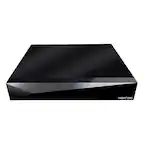
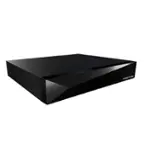
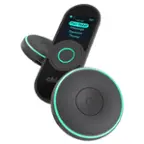
D-Link - mydlink 4-channel DVR - Black/Silver
- General
- Brand: D-Link
- Model Number: DNR-202L
- Product Name: mydlink 4-channel DVR
- Color: Black/Silver
- Connectivity
- Camera Connectivity: Wireless (Security system cameras can be set up in several ways. Wired cameras require cables for power and footage transmission, while wire-free cameras don't need cables for either. Wireless cameras still require cables for receiving power but are able to transmit footage via a wireless network.)
- Output(s): USB 2.0
- Compatibility
- Camera Compatibility: mydlink-enabled network cameras
- Number Of Channels: 4
- Operating System Compatibility: Android, Apple iOS, Mac, Windows
- Features
- Storage Capacity: 0 gigabytes (Measured in megabytes (MB), gigabytes (GB) and terabytes (TB), this is the amount available for storing files, music, movies, photos and more. The total includes the capacity of the hard disk drive and solid state drive if both are included on the computer.)
- Dimensions
- Product Height: 0.8 inches (The out of box height of the item. Height is measured as the vertical distance from the bottom of the item to the top as it would be primarily used or placed.)
- Product Width: 4.7 inches (The out of box width of the item. Width is measured as the horizontal distance from one side of the item to the other as it would be primarily used or placed.)
- Product Depth: 3.1 inches (The out of box depth of the item. Depth is measured as the distance from the front of the item to the back as it would be primarily used or placed.)
- Product Weight: 0.2 pounds (The out of box weight of the item.)
- Warranty
- Warranty - Parts: 1 year
- Warranty - Labor: 1 year
- Other
- UPC: 790069386398
Monitor your business securely with this D-Link camera recorder. It lets you simultaneously record and view playback and live streaming from up to four cameras, and up to two hard drives can be connected for storage. This D-Link camera recorder can be set to record on schedule or when motion is detected, and it has an app for remote access.
- 4-channel DVR: For monitoring up to 4 different areas simultaneously with mydlink-enabled network cameras (not included).
- Recording performance: Records and plays 720p videos.
- Trigger based recording: Ability to record whenever sound or motion is detected.
- Remote viewing with the free mydlink View app: Surveillance in the palm of your hand with live viewing on any compatible smartphone or tablet.
- A user-friendly GUI simplifies network and camera setup: Allowing users to easily access multiple cameras for viewing, recording, playback, and configuration.
- 10/100 LAN Ethernet port: Provides a simple wired connection.
- 2 USB 2.0 ports: To connect your own hard drives of up to 4TB each.
- 4-channel DVR: For monitoring up to 4 different areas simultaneously with mydlink-enabled network cameras (not included).
- Recording performance: Records and plays 720p videos.
- Trigger based recording: Ability to record whenever sound or motion is detected.
- Remote viewing with the free mydlink View app: Surveillance in the palm of your hand with live viewing on any compatible smartphone or tablet.
- A user-friendly GUI simplifies network and camera setup: Allowing users to easily access multiple cameras for viewing, recording, playback, and configuration.
- 10/100 LAN Ethernet port: Provides a simple wired connection.
- 2 USB 2.0 ports: To connect your own hard drives of up to 4TB each.
Whats Included
- CAT5 Ethernet cable
- D-Link mydlink DVR
- Power adapter
- Quick Installation Guide
- CAT5 Ethernet cable
- D-Link mydlink DVR
- Power adapter
- Quick Installation Guide
A: We want to thank you for the interest in the product. Please note that the D-Link DNR-202L is only compatible with D-Link cameras. Sorry for the inconvenience. Thank you.
Q: Can I log onto a website to view my cameras from an Apple Computer?
A: We thank you for your feedback. Please note that you may utilize either a Windows or Apple computer to log into the mydlink website needed to access and view the DNR-202L provided your system has the following minimum requirements available: •A computer with either Microsoft Windows 7 or 8, Windows Vista 2 or XP SP 2 or a Mac with OS 10.5 or above. •You should have a PC with at least a Pentium 4 – 2.4 GHz or above; and have at least 512MB of RAM. •You should be using a web browser with Internet Explorer 7 or above, Firefox, Chrome, or Safari 4 or above. • And an Existing 10/100 Ethernet-based network. If you need any additional information please visit www.dlink.com. Thank you for choosing D-Link.
Q: Can I see picture on smart phone
A: Yes you have to first download an app to your phone but it can manage and view everything from the app
A: You also need an external USB hard drive.
Q: I don't see how any camera connect to this
A: It records from DLink IP cameras already on your network. They do not connect physically to the recorder.
Q: Will a RCA camera interface or an IP camera intetface work with this
A: This only works with specific DLink IP cameras
Q: Does the DNR-202L record in 1080p?
A: If it's connected to a 1080p camera, yes it records
Reviews
People also viewed
- $1,149.95The price was $1,499.99