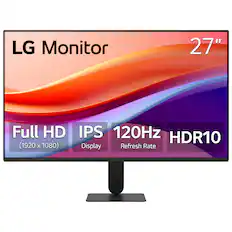
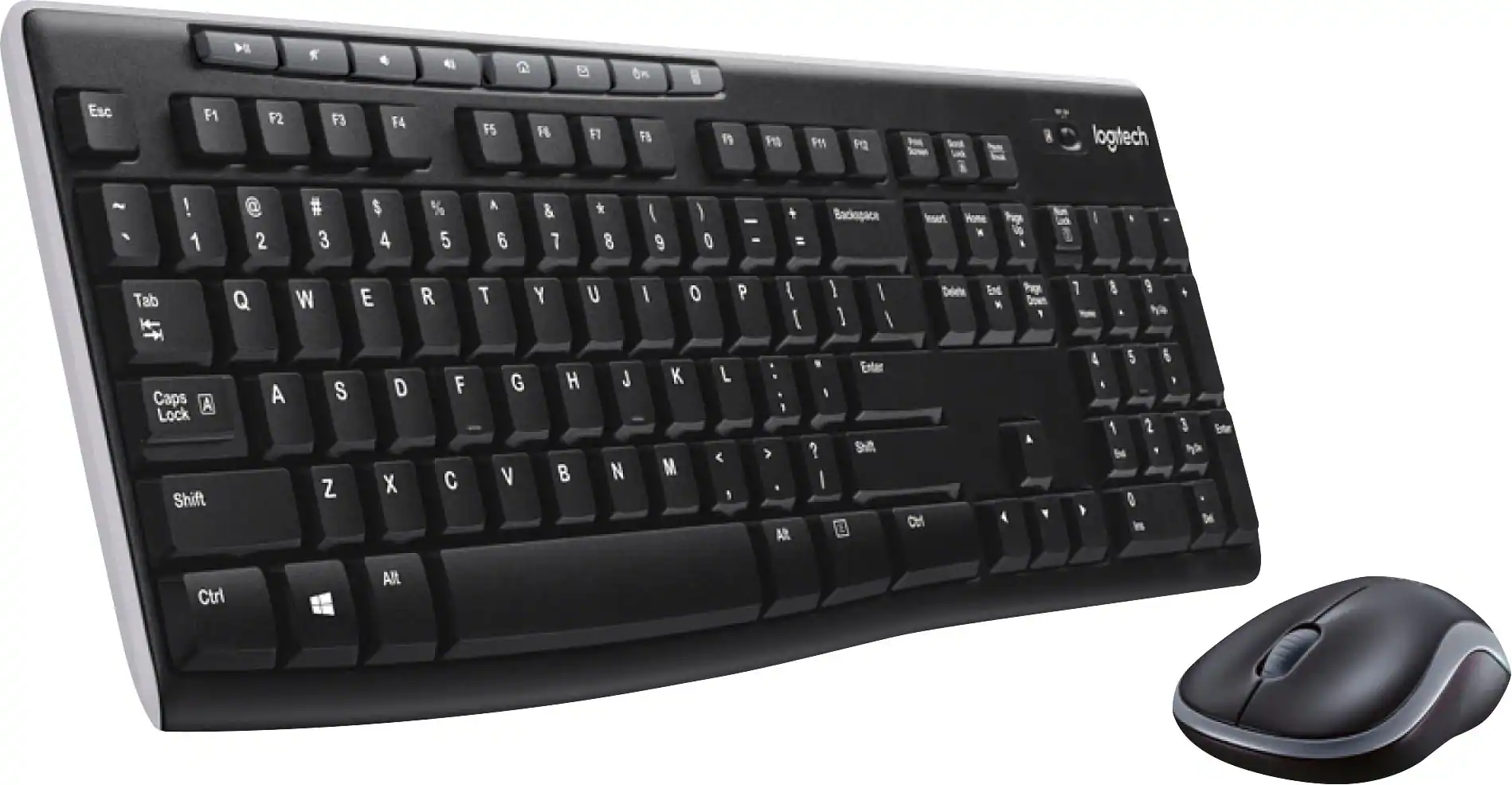
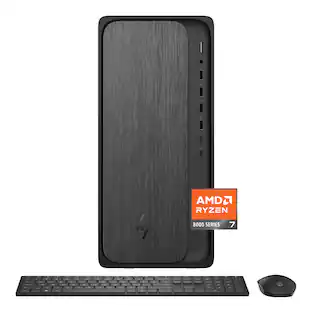
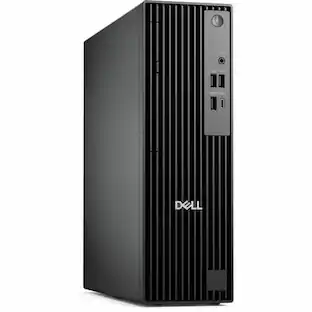
Processor Model: AMD Ryzen 100 Series (Your computer's processor is like its brain. Working in combination with system memory, the power of the processor determines the complexity of software you can run, how many programs you can have open at the same time, and how fast those programs will run. Most computers feature an AMD, Intel or Snapdragon processor.)
Storage Type: SSD
Total Storage Capacity: 512 gigabytes
System Memory (RAM): 16 gigabytes (Random-access memory (RAM) is a computing device's short-term data storage, which allows active information to be accessed quickly. The size and type of RAM determines how efficiently the device can handle large amounts of information at one time. For example, gaming or video editing requires more RAM for optimal performance.)
Graphics Type: Integrated (Dedicated graphics uses a separate graphics card for processing video images. Because it does not use memory from the system's RAM, there is no extra burden on the CPU and graphics are processed more efficiently. Integrated graphics shares system RAM to process video images.)
Graphics: AMD Radeon 660M (Often referred to as a "graphics processing unit" (GPU), this device is responsible for displaying image content and decoding/encoding video content in programs and games.)
Processor Model: AMD Ryzen 100 Series (Your computer's processor is like its brain. Working in combination with system memory, the power of the processor determines the complexity of software you can run, how many programs you can have open at the same time, and how fast those programs will run. Most computers feature an AMD, Intel or Snapdragon processor.)
Processor Model Number: 150
Processor Model Year of Release: 2025 (The year the processor model was initially available for sale or built into a computer.)
CPU Base Clock Frequency: 3.3 gigahertz (Actual central processing unit (CPU) speed may vary by device configuration and design. The average rate at which the processor is able to execute tasks under normal operating conditions as asserted by the manufacturer.)
CPU Boost Clock Frequency: 4.55 gigahertz (Actual central processing unit (CPU) speed may vary by device configuration and design. The maximum rate at which the processor is able to execute tasks, typically only used for a short period of time as needed. This rate may temporarily boost the processor's performance, but may result in overheating, shutdown, or damage to equipment if sustained.)
Number of CPU Cores: 6-core (A core, or "brain" of a CPU, allows it to receive and execute instructions. Each core can work independently or together to perform parallel operations.)
Number of CPU Threads: 12 (Generally, the more threads, the faster and more responsive the operating system.)
CPU Cache Memory Level: L1, L2, L3
L1 Cache: 0 megabytes (Cache memory, also called CPU memory, is random-access memory (RAM) that a computer microprocessor can access more quickly than it can access regular RAM. This memory is typically integrated directly with the CPU chip or placed on a separate chip that has a separate bus interconnect with the CPU.)
L2 Cache: 3 megabytes (Cache memory, also called CPU memory, is random-access memory (RAM) that a computer microprocessor can access more quickly than it can access regular RAM. This memory is typically integrated directly with the CPU chip or placed on a separate chip that has a separate bus interconnect with the CPU.)
L3 Cache: 16 megabytes (Cache memory, also called CPU memory, is random-access memory (RAM) that a computer microprocessor can access more quickly than it can access regular RAM. This memory is typically integrated directly with the CPU chip or placed on a separate chip that has a separate bus interconnect with the CPU.)
Storage
Storage Type: SSD
Total Storage Capacity: 512 gigabytes
Solid State Drive Capacity: 512 gigabytes (The amount of data that can be stored on the device's solid state drive (SSD). SSD is a flash-based storage with faster speeds than a hard disk drive (HDD).)
Solid State Drive Interface: PCIe (Connects the solid state drive to the host system. PCI and SATA interfaces are the most common; PCI interfaces are typically faster, but SATA interfaces are compatible with a wider range of systems.)
Memory
System Memory (RAM): 16 gigabytes (Random-access memory (RAM) is a computing device's short-term data storage, which allows active information to be accessed quickly. The size and type of RAM determines how efficiently the device can handle large amounts of information at one time. For example, gaming or video editing requires more RAM for optimal performance.)
Type of Memory (RAM): DDR5 (Each type of RAM delivers a different level of speed, bandwidth, energy efficiency and performance.)
System Memory RAM Speed: 4800 megahertz (How fast the information-storing hardware operates. The faster the RAM, the faster memory can be transferred to other system components. Ultimately, faster RAM improves operational efficiency.)
Number Of Memory Slots: 2
Number of Memory Sticks Included: 1
System Memory RAM Expandable To: 64 gigabytes (Adding more random-access memory (RAM) to a computer speeds up performance and improves efficiency. Upgrades to memory are limited by the number of expansion slots for additional RAM and existing RAM installed on the device.)
Graphics
Graphics Type: Integrated (Dedicated graphics uses a separate graphics card for processing video images. Because it does not use memory from the system's RAM, there is no extra burden on the CPU and graphics are processed more efficiently. Integrated graphics shares system RAM to process video images.)
GPU Brand: AMD Radeon
Graphics: AMD Radeon 660M (Often referred to as a "graphics processing unit" (GPU), this device is responsible for displaying image content and decoding/encoding video content in programs and games.)
Compatibility
Operating System: Windows 11 Home (The operating system manages all software and hardware, including files, memory and connected devices. Most importantly, it lets you interact with your device and your programs in a visual way; otherwise, you'd be typing computer code to get anything done.)
Operating System Architecture: 64-bit (An operating system (OS) manages computer hardware, software resources, and programs in conjunction with the system's processor. 64-bit operating systems can handle more data at once than 32-bit systems, resulting in faster speeds, more effiency, and overall improved performance.)
Connectivity
Display Connector(s): 1 x DisplayPort 1.4, 1 x HDMI 2.1 (The number and type of connectors used to connect to an external display.)
Number of HDMI Outputs (Total): 1
Number of DisplayPort Outputs (Total): 1
USB Ports: 4 x USB-A 2.0, 3 x USB-A 3.2, 1 x USB-C 3.2 (The number and type of USB ports the product has.)
Number of USB Ports (Total): 8
Wireless Connectivity: Wi-Fi, Bluetooth (The manner in which a device sends data to another device over a short distance without the use of wires or cables.)
Wireless Standard: AX (The wireless networking protocol used by the device. Each iteration of the protocol is based on the 802.11 standard developed by the Institute of Electrical and Electronics Engineers (IEEE) Standards Association. Denoted by letters following 802.11 (802.11a, 802.11ac, etc.), each version, published in alphabetical order, encompasses all previous versions.)
Wireless Networking Standard: Wi-Fi 6 (The wireless networking standard used by the device. Each iteration of the standard developed by the Wi-Fi Alliance corresponds to an existing IEEE 802.11 protocol; for example, standard 802.11ac (or AC) is termed Wi-Fi 5. Refers specifically to the standard the device is designed to use, but ultimately determines product interoperability and backward compatibility including previous versions.)
Ethernet Card: 10/100/1000 (Also known as an Ethernet adapter, this card plugs into a computer's motherboard and enables it to access an Ethernet network. Ethernet data transmission speeds are measured in Mbps (megabits per second) and Gbps (gigabits per second). For example, a 10/100 Ethernet port transmits 10 and 100 Mbps, while a 10/100/1000 Ethernet port transmits 10 and 100 Mbps and has a maximum speed of 1000 Mbps (1 Gbps).)
Product Height: 12.77 inches (The out of box height of the item. Height is measured as the vertical distance from the bottom of the item to the top as it would be primarily used or placed.)
Product Width: 6.06 inches (The out of box width of the item. Width is measured as the horizontal distance from one side of the item to the other as it would be primarily used or placed.)
Product Depth: 11.54 inches (The out of box depth of the item. Depth is measured as the distance from the front of the item to the back as it would be primarily used or placed.)
Product Weight: 8.84 pounds (The out of box weight of the item.)
Certifications Listings & Approvals
ENERGY STAR Certified: true (Devices carrying the ENERGY STAR service mark, such as computer products and peripherals, kitchen appliances, and other products, generally use 20% to 30% less energy than required by federal standards.)
EPEAT Qualified: true (The Electronic Product Environmental Assessment Tool (EPEAT) was designed to provide an environmental assessment tool for purchasers. In order to qualify for EPEAT, a product must meet all 23 required criteria.)
EPEAT Level: Silver (The Electronic Product Environmental Assessment Tool (EPEAT) was designed to provide an environmental assessment tool for purchasers. In order to qualify for EPEAT, a product must meet all 23 required criteria. Products are rated Bronze, Silver or Gold based on how many of 28 optional criteria they meet (below 50%, 50%, 75%).)
Included
Included Software: McAfee LiveSafe 30-day trial
Optical Drive Type: None (An optical disk drive (ODD) uses a laser light to read data from or write data to an optical disc. These discs include CDs, DVDs, and Blu-ray Discs. This allows you to play music or watch movies using prerecorded discs.)
Keyboard Included: true
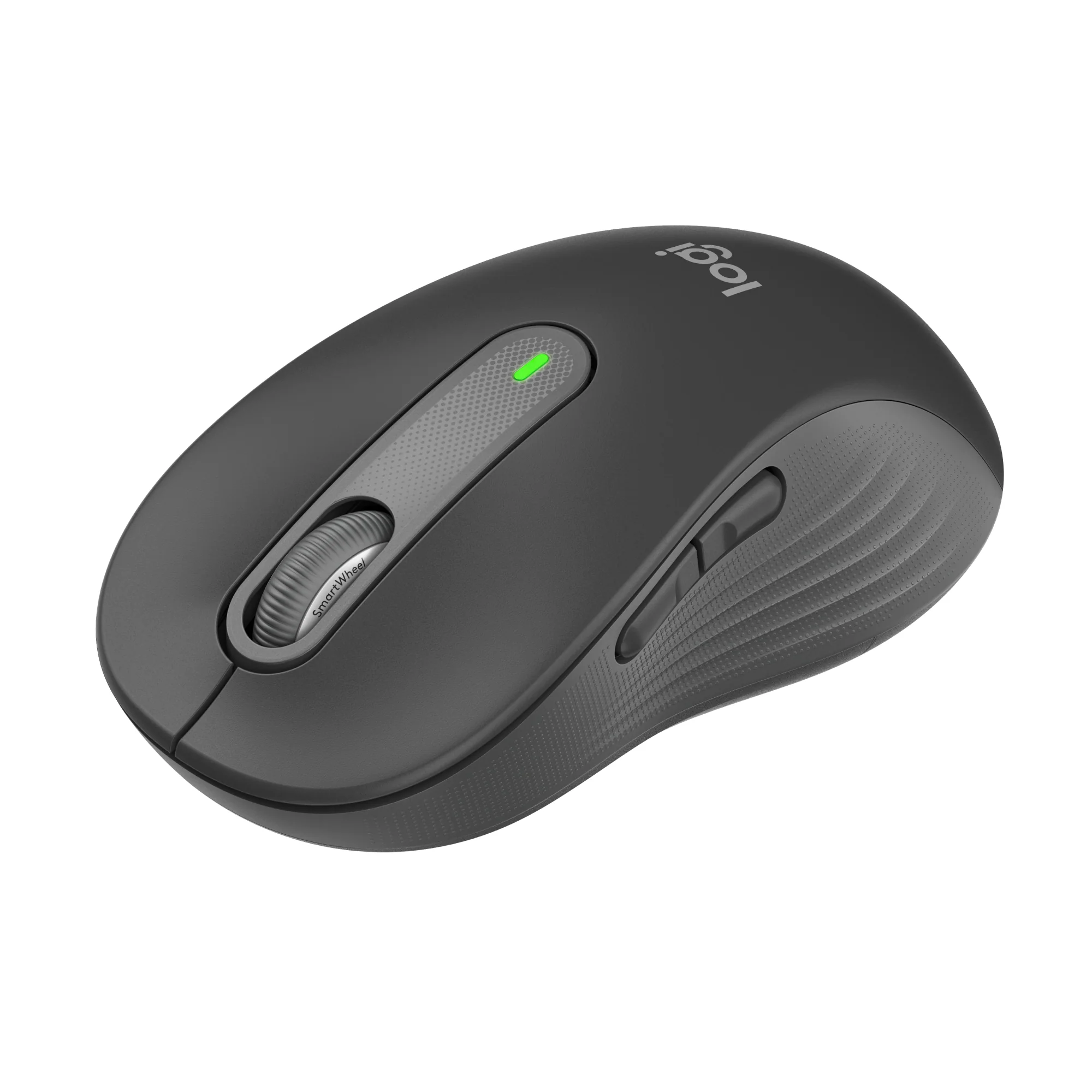
Mouse Included: true
Wireless Keyboard: false
Wireless Mouse: false
Warranty
Warranty - Parts: 1 Year Basic Onsite Service after remote diagnosis with Hardware-Only Support-Retail
Warranty - Labor: 1 Year Basic Onsite Service after remote diagnosis with Hardware-Only Support-Retail
Other
UPC: 884116695981
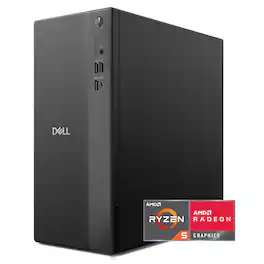
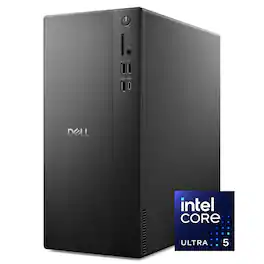
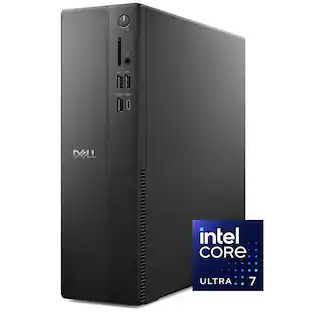
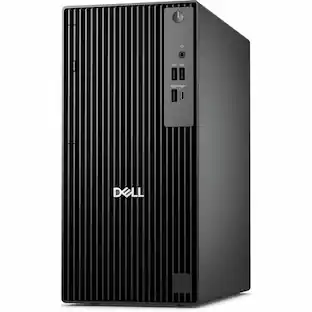
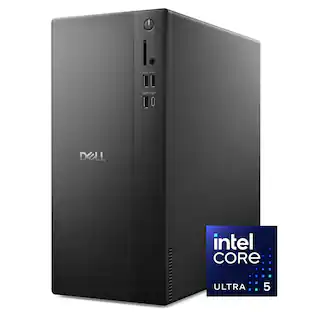
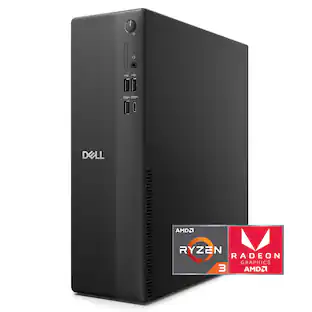
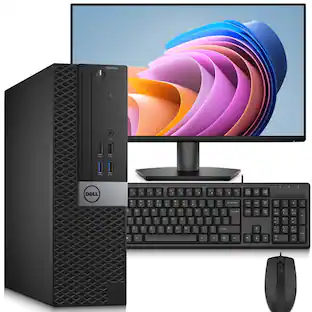
Dell Tower Desktop. Powerful, space-saving performance. Boost everyday productivity with a powerful, space-saving desktop.
Fast performance: Launch apps instantly, switch tasks without slowdown, and work efficiently with the responsive power of AMD Ryzen 100 Series Processors.
Everyday visuals: Experience vibrant graphics for casual play, smooth video calls, and creative tasks powered by integrated AMD Radeon graphics.
Multi‑monitor support: Connect up to four FHD displays via DisplayPort 1.4 with Daisy Chaining* or two 4K displays with HDMI 2.1 and DP 1.4.
Easy upgrades: Access internal components quickly using the tool‑less entry and removable side panel, making upgrades convenient and hassle‑free.
Style meets sustainability: A sleek tower crafted with recycled**.
Whats Included
Dell Tower DT1265
Dell Wired Keyboard - KB216 - US English - Black
Dell Wired Mouse - MS116 - Black
US Power Cord
Documents
Disclaimers
*DisplayPort can support up to 1 UHD or 3 FHD monitors if displays are equipped with Daisy chain functionality.
**materials and refined edges brings modern elegance to any home or office
**** Based on internal analysis, January 2025. Up to 5% closed loop plastic and up to 38% post-consumer recycled plastic. 50% recycled steel in select chassis parts.
Boost productivity with a high-performance desktop in a stylish, space-saving design. Featuring built-in AI, powered by Intel Core Ultra desktop processors (Series 2).
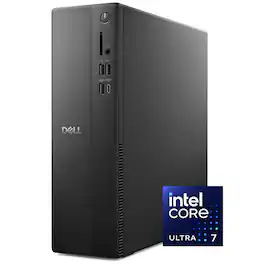
The ASUS V500 Desktop delivers powerful, reliable, and expandable performance in a compact design. Ideal for professionals and home users, it ensures seamless multitasking, productivity, and entertainment. AI-powered two-way noise cancellation enhances virtual meetings with crystal-clear audio. Advanced cooling keeps operation quiet and efficient, while versatile connectivity allows easy integration with peripherals. Built-in security features and upgradeability make it a future-proof solution for those seeking performance, convenience, and reliability. Whether for work or entertainment, the V500 offers a space-saving design with the power to handle diverse computing needs.
Boost productivity with a high-performance desktop designed to fit in any space. Featuring built-in AI, powered by Intel Core Ultra desktop processors (Series 2).
The vast majority of our reviews come from verified purchases. Reviews from customers may include My Best Buy members, employees, and Tech Insider Network members (as tagged). Select reviewers may receive discounted products, promotional considerations or entries into drawings for honest, helpful reviews.
Rated 5 out of 5 stars
2026 new budget standard desktop
Setup:
The unboxing was very easy. Pretty much the same as it has been for years. There were a power cable, tower, keyboard and mouse. Simply connect them all and a monitor and you’re up and running. When running through the initial setup screens it stopped at a Win 11 updates screen and took over an hour to complete. That was not super quick but obviously necessary for performance and security.
Use: Once I logged into my existing Microsoft account it was pretty seamless to get the profile setup. During the setup you are left with a long update you can skip but for reliability I let it process. After the initial setup I was doing my normal process, which is remove the McAffee free AV, look for any bloatware that is not needed and remove. Then run the Dell System Update for any new patches and drivers. That took about an hour and several restarts. Then I went to the Windows updates and ran them including reboots. Finally, after 2 ½ hours of setup time I was up and running. I did notice that when the updates were processing the computer already seemed to slow down. After all the setup was done, I found the system to still run at about 5-25% CPU use and about 50% ram use with nothing opened. Normally I would not even look at this, but I noticed a few browser tabs, Outlook opened and the system felt like it was waiting to process. I did look into the CPU, and it is a budget CPU that is about 2-3 generations back from current AMD and Intel 2026 offerings. Also, it is mostly used in laptops, which is fine for low energy consumption but for a desktop you would think they could add more. Now I understand how the price point is being met if they are recycling older CPU’s, slower ram and slower ssd drives. I just feel this is a way for them to still offer a competing price by using parts that are not being used in the AI boom which is what is raising costs everywhere. I get that and it makes sense but $600 for 3-4 yr old tech is still a lot.
Overall, the system performed great just as long as you did not have too much opened. Also it was quiet and had plenty of USB ports and a single USB-C port in the front. The PSU was only 180w so I doubt a dedicated gpu would work unless it was low wattage. There is a PCIE x8 slot there. Also, beyond the small M.2 2242 size there is a sata connection for a 2.5” SSD if one was needed but no place to mount it. Additionally, the 16gb is a single dimm so you can add another 16gb dimm to bring it to 32gb.
I think the standard keyboard and mouse are typically with free desktops and are nice to have something, but I assume most will upgrade that to your specific need depending on the use case. I did not use any gaming since I know with the integrated GPU it can handle some gaming but would be really limited.
Overall, this is a nice system if you plan on home use or light work use with mostly cloud based apps and home media vs video editing or gaming. If that is the need then you may want to look elsewhere.
Posted by KKCNIck
Rated 4 out of 5 stars
Better than Expected
The Dell Tower DT1265 is one of those desktops that doesn’t look particularly exciting on paper, but after actually using it for a while, it ends up being a really solid all-around machine for everyday users. My configuration came with an AMD Ryzen 5 150 processor, integrated Radeon graphics, 16GB of DDR5 memory, WiFi connectivity, and an NVMe SSD running Windows 11.
After benchmarking, thermal testing, and general day-to-day use, I came away impressed with how balanced the system feels for a mainstream home or office desktop.
Right out of the box, the system feels quick and responsive. Boot times are fast, applications open almost instantly, and multitasking is smooth thanks to the Ryzen processor and DDR5 memory. Web browsing with dozens of tabs, Office apps, streaming video, media playback, and general productivity work all run effortlessly. For the average home user, student, or office setup, this machine honestly feels faster than most people will ever need.
The compact tower design also strikes a nice middle ground. It’s smaller than a full gaming tower, but not so cramped that upgrades become impossible. Dell includes modern connectivity like USB-C, HDMI 2.1, DisplayPort, built-in WiFi, Bluetooth, and PCIe Gen4 support, helping the system feel more modern and future-proof than many older entry-level prebuilts.
Performance & Benchmarks
I ran Cinebench 2026 to see how the Ryzen 5 150 handled heavier workloads, and the results were respectable for a productivity-focused desktop:
* CPU Multi-Core: 2184 pts
* CPU Single-Core: 432 pts
* CPU Single-Thread: 350 pts
* MP Ratio: 6.24x
In real-world use, those numbers translate into a PC that feels genuinely snappy during normal workloads. This obviously isn’t designed to compete with gaming rigs or professional workstations, but for browsing, productivity, media consumption, light content creation, and even some casual gaming, performance is very solid.
The integrated Radeon graphics were also better than expected. Older or lighter games, emulation, and media tasks all run surprisingly well without needing a dedicated graphics card immediately.
RAM Configuration
One thing worth mentioning is that my configuration only included a single 16GB stick of DDR5 memory instead of two sticks running in dual-channel mode.
Interestingly, Dell uses laptop-style DDR5 SODIMM memory in this system instead of full-size desktop DIMMs. That helps keep the tower compact internally, but it’s something buyers should know before ordering upgrades.
While 16GB is more than enough for normal use, running in single-channel mode does leave some performance on the table, especially for integrated graphics performance since the Radeon GPU shares system memory.
For everyday productivity work, the difference honestly isn’t very noticeable. The system still feels fast and responsive. However, adding a second matching DDR5 SODIMM stick would likely improve gaming and graphics performance quite a bit. Thankfully, this is also one of the easiest upgrades you can make to the system.
Thermals & Noise
Thermals were probably the most interesting part of testing.
Using HWiNFO during Cinebench runs, the Ryzen 5 150 briefly peaked at 99.2°C under full synthetic load before settling back down. Idle temperatures stayed excellent in the low 30°C range, while average temperatures during testing stayed around the mid-50s overall.
This tells me Dell tuned the system aggressively for short boost performance instead of prioritizing ultra-low peak temperatures. During normal everyday use, the PC stays quiet and cool, but synthetic stress tests definitely push the compact OEM cooling solution close to its limits.
The good news is that the system never felt unstable, excessively loud, or heavily throttled during testing. For the workloads this desktop is actually intended for, cooling performance is perfectly acceptable even if benchmark temperatures look high.
Upgradeability
One thing I appreciate is that Dell didn’t completely lock the DT1265 down. The side panel is easy to remove, storage upgrades are straightforward, and there’s still PCIe expansion support available for future upgrades.
That said, this is still a Dell prebuilt system. The included 180W power supply and proprietary design choices limit how far you can realistically push upgrades compared to a custom-built PC. If you plan on installing a large dedicated gaming GPU later, this probably isn’t the ideal platform.
Final Thoughts
The Dell Tower DT1265 ends up being exactly what most people actually need: a fast, quiet, modern desktop that handles everyday computing extremely well without requiring custom PC knowledge.
It’s not a gaming monster, and enthusiasts will probably wish for better cooling and a stronger power supply. But for families, students, office work, streaming, browsing, and light gaming, it’s honestly a very solid machine.
What makes this system work so well is balance. The Ryzen processor, DDR5 memory, fast SSD, WiFi connectivity, and modern ports all come together to create a desktop that simply feels quick and responsive in daily use, and for most buyers, that matters far more than benchmark bragging rights.
Pros
* Fast everyday performance
* Quick boot and application load times
* Quiet during normal workloads
* Built-in WiFi and Bluetooth
* Easy RAM and storage upgrades
* Surprisingly capable integrated graphics
* Modern port selection
Cons
* Single-channel RAM limits maximum performance
* Uses laptop-style SODIMM memory
* CPU temperatures spike high under stress testing
* 180W PSU limits future GPU upgrades
* Proprietary Dell components
Posted by Bakut3n
Rated 4 out of 5 stars
Decent at getting some light tasks done
This Dell computer isn't a powerhouse and isn't priced as one either. It's priced and spec'd at the lower end of desktop PCs and it's performance is going to reflect that. But It's not a terrible option if you're looking to just browse the web, watch some YouTube and do other light productivity tasks.
Setup is the same as it's been for a while. Windows will walk you through everything and take a really long time to check for and install updates. It's skippable but I wouldn't recommend it because you're going to have to update your computer anyways so you might as well get as much done during the setup stage as you can. After the initial setup, I tend to uninstall any extra software that I'm not going to need and this one doesn't really have all that much. There's the windows stuff like Office and a bunch of localizations of OneDrive but the only real Dell pack-in that I felt the need to remove is McAfee.
Download and installing somewhat large things really takes it's toll on the system. I wanted to check if the integrated graphics could handle some light gaming. It can, but I also wanted to test it's limits. I can safely tell you that you're not going to be playing Cyberpunk 2077 on this machine. In almost any configuration. Even the SteamDeck optimized preset couldn't run the benchmark at a playable framerate. You could probably set everything at low and get something somewhat playable but what's the point by then? You can do some other lighter things. Minecraft runs fine as long as you're playing with "Fancy" graphics instead of their newer "Vivid" settings. Just don't buy this PC to game. It's not made for it so you're not going to play anything bigger than casual mobile-esque games.
Otherwise, the system runs fine as long as you're not doing too much at once. Anything you can do in a browser (for the most part) will run fine. Productivity stuff like writing documents and spreadsheets. Checking emails or watching YouTube/Twitch. This is a low end productivity machine and that's what you're going to get out of it. You won't be editing videos or doing much more photo editing beyond cropping and color correction of compressed images. As stated, you're not going to be gaming beyond light, casual things (I bet this could rock Stardew Valley though!).
The insides of the computer look clean. There isn't a lot of room for expansion. If you manage to get the exact same CAMM2 memory module, you can upgrade this computer to 32GB. I, personally, have never seen a CAMM2 module sold in the wild so I'm not sure how expensive they run. The NVME is small but it looks like the slot can support full sized ones if you wanted to replace it. There is a single SATA port if you have a slower drive you want to install but the case doesn't have anywhere to mount it. You can probably get away with a SATA SSD but I wouldn't trust a floating mechanical hard drive.
All said, this isn't a bad system for what it's built for. It's a lower end system and you're not going to get more than lower end performance. For light productivity work or for a lower power server system, it's going to do just fine. If you're looking for gaming or a heavier workflow, you'll want to pass on this one.
Posted by swemoney
Rated 5 out of 5 stars
Surprisingly good desktop, deserves a better name
The ’official’ name of this desktop minitower is the ‘Dell Desktop AMD Ryzen 5 150 2025’, but I’ll refer to it here as the DT1250. Dell does a lot of things really well, but naming doesn’t seem to be one of them.
The DT1250 is positioned as a mid-tier desktop but it exceeds expectations. While I wouldn’t recommend it as a gaming rig or as a video/graphic editor without some upgrading, it’s more than capable of handling anything else you toss its way like web research, productivity or managing your finances… the things real people do. You can get the base model from Dell itself, but that comes with only 8 gigs of RAM, and the Best Buy config includes 16 gigs of RAM (on a single stick) so it’s a much better value.
I feel like 512 gigs of storage is the absolute minimum for running Windows, and I understand that SSD sticks add a lot to the baser cost of any configuration these days, but if you work with a lot of large files or like your storage local, you’ll need some options. Fortunately, the DT1250 has plenty of USB ports of all flavors; there are four on the front (2 USB 2.0 and 1 USB 3.2 Type A and 1 USB 3.2 Type C) as well as four on the back (2 USB 3.2 with Smart Power features and 2 USB 3.2) so it’s easy to add external storage. Internally, there is a single SATA port and power jack for a SATA HDD. (There’s no obvious mounting slot, but from the pattern of holes on the front of the case it appears as if that’s where Dell intends that you mount it.)
Once Windows was fully provisioned and updated, I was able to get a better feel of the overall performance and I was impressed, especially at this price point. Apps opened quickly and smoothly, browser performance was snappy in both Chrome and Edge. I then ran a few benchmark runs resulting in a respectable 47% rating – pretty much right in the middle as you would expect. It rated high in CPU and disk access and a bit lower in memory and 3D benchmarks. Again, this is not positioned as a gaming rig; Dell does that too and if you want to see a monster rig, look at my review of the Dell - Tower Plus EBT2250 Desktop. This is a solid desktop for everything else.
But you CAN produce some higher scores by simply adding some RAM. I purchased a second 16gb DDR5 SODIMM. After a second run of benchmark tests, the overall score rose to a 60% rating (higher numbers are better) and it also measurably raised all of the other categories of tests as well, so there IS some room to grow. I have an SSD I am testing next and it will be interesting to see how that affects performance.
If you need a reliable, solid performer desktop for your home or office you would be hard pressed to find a better all-around value. With Dell’s enterprise offerings with similar specs showing up in the $1200 range at the time of this review, this is a great deal if you don’t need all the Enterprise ‘extras’. I’m a big fan of Dell and HP desktops and my last primary desktop was an old Dell tower (which is STILL running as a Linux box) so I feel confident in recommending this tower.
No notes, Dell. (Except, maybe snappier more consistent names??)
Posted by kaizen61
Rated 5 out of 5 stars
Silent, power efficient and compact
Very nice desktop computer. It came with an included keyboard and mouse (wired, and the keyboard has low profile keycaps). The tower itself is very compact and light weight. It comes with plenty of USB ports (4 type A on the back, 3 type A and 1 type C on the front). There is also a HDMI and DP ports on the back for video out from the integrated APU. There is also an 1gb ethernet port and although it does not have a Wi-Fi external antenna, it does have a Wi-Fi adapter. The motherboard is a custom one, but it does have a full size PCIe empty slot to be able to upgrade to a discrete video card (check sizing, not much space, so I would say a compact or mid range one). The RAM is actually one Sodimm of 16gb DDR5 4800mhz, and there is an empty slot to be able to add more.
Setting it up was plenty easy, just plug and play. I plugged it via the HDMI port to my 4k TV to use it a as fast an snappy media center PC. The HDMI port does support VRR and is max 60hz, I have not tried the DP port. The CPU is a 6 core 12 thread Ryzen 5 and is fast and snappy, also thanks to the included 512gb solid drive. Its one of those NVME style ones (the size is a 2230, however there is space and a mount to upgrade to a regular 2280 one). Plenty good for a home office, student or light media entertainment. As a media center PC, is perfect and silent. I have not heard its CPU fan at all (only when the bios was updating). Everything starts fast and have not had any issues. The integrated Radeon graphics APU is more than enough for a media center PC. For gaming, I would say very few very light weight games on low would run, like indie games. It does have the benefit of the empty PCIe slot to upgrade to a discrete video card. I may do that in the future.