Skip to contentGo to Product Search
Main Content

Elgato - Prompter - All-in-One Teleprompter with Built-in Screen - Black

Model: 10WAD9901
SKU: 6580839
Sold byBest Buy

Customers are saying

Customers praise the product for its exceptional ease of use and overall performance, noting that it significantly enhances presentations. Users also appreciate the wide range of camera compatibility options available. While the device is highly effective, some users have noted that its large screen size can be quite substantial.

Generated by AI based on customer reviews.

Features

  • Built-in display

    No extra tablets or smartphone screens required

  • Multipurpose

    Read Twitch chat or scripts while looking at your camera.

  • Meet face to face

    Maintain professional eye contact on Zoom or Teams calls

  • Drag-and-drop

    Move any window or app onto Prompter’s display, just like a monitor.

  • Super compatible

    Supports more cameras than any other, even the widest lenses.

  • Ultra customizable

    Includes Camera Hub app to adjust text and chat appearance.

  • Desktop controlled

    Use your PC or Mac computer — not a third-party mobile app

  • Easy setup

    No complicated installs, just attach your camera and plug in.

  • Works with Stream Deck

    Control with a key press, a dial turn, or a tap of your foot.

  • Ecosystem

    It works seamlessly with the Elgato gear you love.

Specifications

  • Brand
    Elgato
    Model Number
    10WAD9901
    Product Name
    Prompter - All-in-One Teleprompter with Built-in Screen
    Color
    Black
    Warranty - Parts
    2 years
    Warranty - Labor
    2 years
Sponsored

Reviews

Customers are sayingCustomers praise the product for its exceptional ease of use and overall performance, noting that it significantly enhances presentations. Users also appreciate the wide range of camera compatibility options available. While the device is highly effective, some users have noted that its large screen size can be quite substantial.
This summary was generated by AI based on customer reviews.
  • Ease of Use (8)
  • Overall Performance (8)
  • Camera Compatibility (3)
  • Screen Size (3)

Customer Images

The vast majority of our reviews come from verified purchases. Reviews from customers may include My Best Buy members, employees, and Tech Insider Network members (as tagged). Select reviewers may receive discounted products, promotional considerations or entries into drawings for honest, helpful reviews.

  • Rated 4 out of 5 stars

    Set Up for more professional video conferencing

    Takes some setup; I personally had to troubleshoot my own setup a bit after installing everything. I use a Mac Mini M2 so I excited to give this a go to assist my business podcast. I think I can put it to good use. I put it between a set of dual monitors but settled with just above it.

    Posted by Kris

  • Rated 2 out of 5 stars

    Good potential, too many issues

    This is a cool product with good potential, but there are several issues that are not just dealbreakers, but actually feel like a bit of an insult. The biggest issue is that, when using the prompter mode, my video repeatedly gets said to 1080p 30fps. This is pretty insulting given that it only comes with a faceplate for the Elgato Facecam Pro and not for the Elgato Facecam. Another big issue is the fact that I there is glare in my recordings whenever the prompter is on. People on Reddit have recommended putting depolarizing film between the camera and the reflector, and said that it works well. Elgato should probably do this from the factory. Also, the prompting software has a feature that scrolls automatically based on what line you're saying. That did not work for me, it would not recognize the words I was saying and scroll the text. Another issue; the prompter comes with no desk mount. This thing is 300 bucks, you should be able to include a desk mount. Lastly, this thing is just huge. That's not necessarily a problem, but it's a consideration since I had to put my monitor about 8 inches from the wall to fit this thing behind it.

    Posted by Charlie

  • Rated 4 out of 5 stars

    Software is the major stumbling block

    I like this prompter, I really do. However, there are issues I have with its software. But first, the hardware and setup. It is bigger than I though, but perfectly acceptable. I am using a Facecam M.2 with this, so it is disappointing that Elgato does not include a backplate specific to their own camera, only the Facecam Pro (which is about $100 more). I like the braided cable that comes with it, although an option for USB-C connection to the computer would be nice. The 90 degree connection is great since it eliminates the strain on the cable. Setup was relatively simple. Now the issues, which are software based There is no way to turn off the prompter. Elgato is aware of this and has even shown screenshots of software with the ability to turn it off, but they have not released it yet. I found a workaround by disconnecting the display in Display Settings (Windows), but when I shutdown my monitors for the night (leaving my PC running, but monitors off), it automatically returns to being shown. Maybe this is partly a Windows issue. Another problem is the screen will become jittery on the prompter when typing a script in the software. It is annoying and should not be doing that, yet another software fix is needed. Right now, I have to unplug the prompter when I am shutting down for the night and leaving the PC powered on. I am going to work around the script issue by typing out in a different program and then pasting into the prompter software. Once the software issues are resolved it will be even better.

    Posted by warlikeloki

  • Rated 4 out of 5 stars

    THIS THING IS AMAZING

    If you're a content creator who doesn't like either a) memorizing your lines or b) reading them off of something else then this is just the ticket! I've used for several projects already and I love it. Only downside is even for a small teleprompter it is still a bit bulky if your tight on space and my particular camera creates a reflection at the bottom of the screen but its low enough I can just crop it out so overall if I had 10 stars to work with I'd give it 9

    Posted by JaredC

  • Rated 4 out of 5 stars

    4.5 stars for very good prodcut

    This is actually a 4.5 star review (very good). The teleprompter works great, it's easy to ready and farily easy to use. The half-star discount is due to the fact that one must download software that is not self-explanatory, which resulted in a few hiccups on the set up stage.

    Posted by user767109

Compare similar products

Elgato - Prompter - All-in-One Teleprompter with Built-in Screen - Black
4.1(27)

With Prompter, create and connect with confidence. Present video scripts, read Twitch chat, or Zoom conference with natural eye contact. Streamline your setup with Prompter’s built-in 9“ display, unlike other teleprompters that require an extra tablet or smartphone. Prompter works with almost any webcam or camera (even the widest DSLR lenses) and connects directly to your PC or Mac. Customize its display using Camera Hub software, or drag and drop any window — just like a monitor. Swap out cameras with ease using an intuitive backplate system, then plug in with a single USB cable

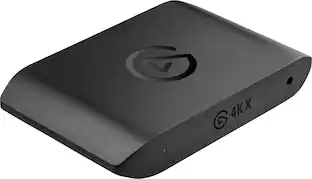
Elgato - 4K X 4K144 HDR10 External Capture Card with HDMI 2.1 for Nintendo Switch 2, PS5, PS4/Pro, Xbox, PC, and Mac - Black

4K X is game capture at its best. Equipped with HDMI 2.1, our most powerful USB card lets you capture the latest titles up to 4K with HDR at 144 frames per second, or even 1080p240. Say goodbye to screen tearing with VRR passthrough. Enjoy ultra-low latency technology that keeps your broadcast and gameplay synced. 4K X works with almost any HDMI-compatible device, including PS5, Xbox Series X, Switch, Steam Deck, PC, Mac, even your iPhone 15. And it works seamlessly with leading broadcast apps like OBS, so you can stream like a pro on Twitch, YouTube, or Discord.

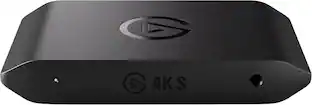
Elgato - 4K S – Ext Capture 4K60, 1440p120/1080p240 Passthrough and Capture for PS5, Xbox Series X/S, Switch 2, PC, Mac, iPad - Black

Showcase your gameplay at its best with Elgato Game Capture 4K S. Play and capture in crisp 4K60, ultra-smooth 1440p120, or even 1080p240—all with near-zero latency. With VRR passthrough, HDR10 capture on Windows, and analog audio input, this external USB-C card delivers pro-level features in a plug-and-play form factor. Whether you’re streaming or recording, it works seamlessly on Windows, macOS, and iPadOS—no drivers needed. 4K S is compatible with OBS Studio, Streamlabs, Discord, Zoom, and more. Connect your PS5, Xbox, or docked Switch 2, and share your gameplay in cinematic detail.

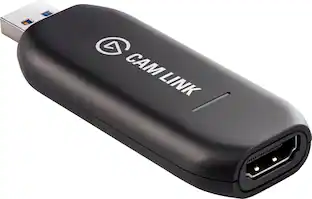
Elgato - Cam Link 4K – Windows & macOS - Black

Cam Link 4K transforms your DSLR or mirrorless camera into the ultimate webcam. One end connects to your cam’s HDMI port; the other to your computer via USB. Meet, stream, and record in stunning Full HD or even 4K up to 60 fps*. Ready to use right out of the box, Cam Link 4K works in your favorite apps—from OBS Studio to Zoom and Discord. It supports almost any camera, including camcorders, action cams, and iPhones**. With ultra-low latency, your video and audio are always in perfect sync. Connected to an iPad***, Cam Link 4K even helps you preview shots like a field monitor.

Pros for Elgato - Prompter - All-in-One Teleprompter with Built-in Screen - Black
Overall Performance, Ease of Use, Camera CompatibilityOverall Performance, Ease of use, HDMI, Video Quality, SetupOverall Performance, Latency, FunctionalityEase of use, Video Quality, Overall Performance, HDMI, Compatibility
Cons for Elgato - Prompter - All-in-One Teleprompter with Built-in Screen - Black
Screen SizePrice, Software, Lag, ConnectivityAudio Quality, Setup DifficultyPrice, Software, Heat, Latency, Resolution

Specs

Questions & Answers

  • How is the teleprompter powered?

    The teleprompter connects to your computer with a single USB cable.

    This question and answer was generated by AI based on customer and product data.
  • What kind of cameras does this teleprompter work with?

    It works with almost any webcam or camera, including wide DSLR lenses.

    This question and answer was generated by AI based on customer and product data.
  • Does this teleprompter require a separate tablet or smartphone?

    No, the teleprompter has a built-in 9" display, so you don't need an extra tablet or smartphone.

    This question and answer was generated by AI based on customer and product data.
  • Can I use this teleprompter with my computer?

    Yes, it connects directly to your PC or Mac.

    This question and answer was generated by AI based on customer and product data.
  • Is this teleprompter compatible with other Elgato products?

    Yes, it's part of the Elgato ecosystem and works seamlessly with their other gear.

    This question and answer was generated by AI based on customer and product data.
Ask a question
No content
Sponsored