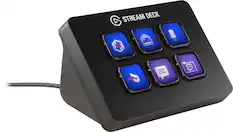
Elgato - Stream Deck Neo - White
Customers are saying
Customers consistently note that this product significantly improves workflow efficiency and offers a highly intuitive user experience. Users frequently praise the tactile quality of the buttons and the extensive software customization options available. Additionally, the device is widely recognized for its reliable and consistent overall performance.
Control any app
With a key press, manage your video calls, music, livestreams, slideshows, and more—even when they’re in the background or minimized.
Streamline any “thing”
Save time on your tasks, no matter how simple. Navigate files and folders, paste repetitive text, and even enhance your gameplay with a single tap.
Drag-and-drop setup
Assign actions to any key in Stream Deck, easy-to-use software for Windows and Mac. New to Stream Deck? Neo is preloaded with essential resources to get you started.
Real-time insights
Keep track of your important info like viewer count, CPU usage, time zones, unread emails, stock prices, and weather with a quick glance
One device, unlimited actions
Just eight keys? Think again. Organize actions into pages or inside folders to multiply your possibilities, then navigate with a quick tap.
Multi action magic
Chain multiple actions together for max control. Ready to stream? Turn on your lighting, start your OBS intro, and go live—all with a single key press.
Neo, better together
Stream Deck controls your other Neo devices seamlessly. Adjust lighting brightness, zoom in on camera, or mute your mic audio with a tap.
Tailored to you
Personalize your deck from thousands of plugins, profiles, audio, and icon designs on the Elgato Marketplace.
- Lighting TypeMulticolorForm FactorFull-sizeConnection TypeWired
Reviews
Rating 4.7 out of 5 stars with 35 reviews
- Ease of use (11)
- Button Functionality (6)
- Customization (6)
- Overall Performance (6)
Customer Images
The vast majority of our reviews come from verified purchases. Reviews from customers may include My Best Buy members, employees, and Tech Insider Network members (as tagged). Select reviewers may receive discounted products, promotional considerations or entries into drawings for honest, helpful reviews.





Compare similar products
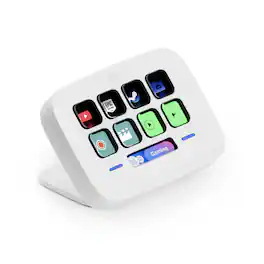
Great workflows made easy. Meet Stream Deck Neo, an eight-key controller that makes everyday tasks fast and fun. It automates the little repetitive stuff, such as pasting text or browsing folders, so you can focus on bigger things. Tap to manage Spotify music or mute your mic in Teams, even when apps are running in the background. Customize your keys with a simple drag-’n-drop, all insid efree software for Windows or Mac. It’s got an Infobar that shows your most important info in real time, plus two Touch Points to tap between pages of actions. Others will wonder how you do it.
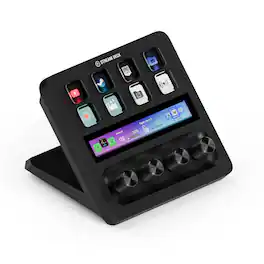
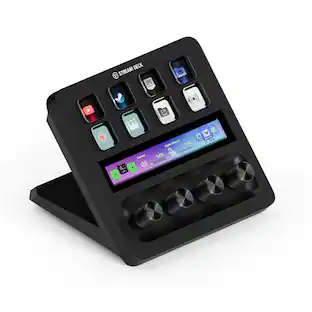
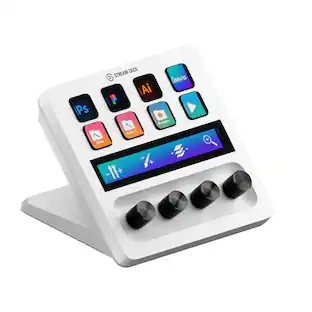
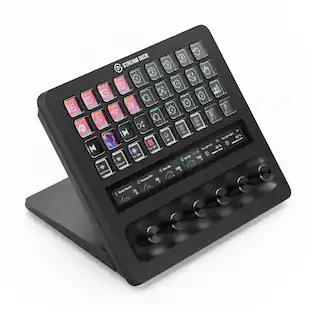
Iconic Stream Deck tech with LCD keys, dials, and touch strip. Fully customizable. Perfect for any workflow. Stream Deck + is your audio mixer, studio controller, production console – anything you want it to be. Trigger actions. Control mics and cameras. Adjust volume, lighting, and much more. Create limitless pages for different apps and swipe between them on the fly. Set up with ease in the Stream Deck app. Unlock Elgato Wave Link mixing software, and hit the Stream Deck Store for plugins, icon packs, thousands or royalty-free music tracks, sound effects, and more. With new plugins and updates added regularly, Stream Deck + evolves with your workflow.

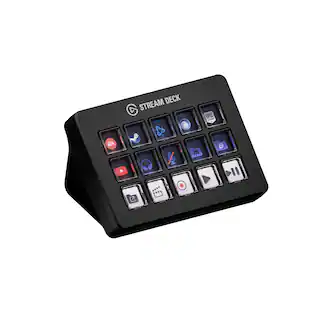
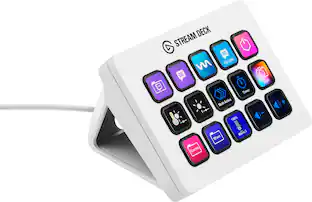
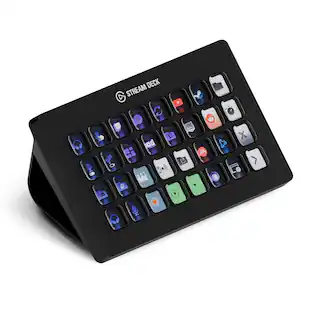
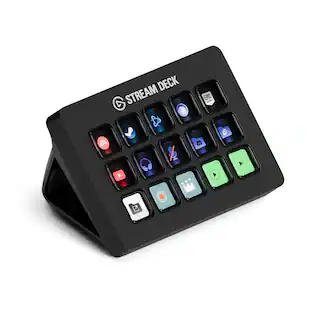
Stream Deck gives you 15 LCD keys to control your apps and tools. Trigger actions, launch social posts, adjust audio, play sound clips, activate lights, and much more. Get visual feedback to confirm your commands. Set Stream Deck to automatically switch key configurations as you jump between apps. It’s the ultimate workflow hack, and it’s fully customizable. Personalize your Stream Deck with custom icons, screensavers, and a growing range of interchangeable faceplates. Use the app to configure keys with ease, and hit the Stream Deck Store for app plugins, icon packs, thousands of royalty free tracks, effects, and more.

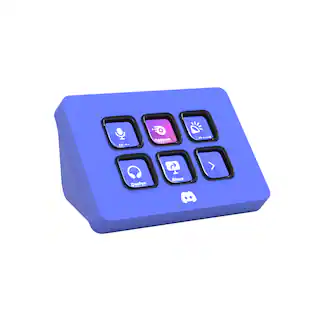
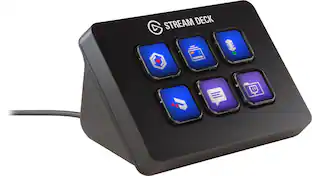
Meet the Elgato Stream Deck Mini – Discord Edition, the ultimate companion for Discord power users. With six fully customizable LCD keys and preloaded Discord actions, you can mute, deafen, screen share, and switch chats in a single tap. Wrapped in Discord’s iconic blurple and bundled with a free 1-month Discord Nitro voucher, this Stream Deck Mini goes beyond voice and chat. Whether you’re in-game, live streaming, or just hanging with friends, it lets you move fast, stay organized, and express yourself with ease. Plug it in, power up, and take control—because it’s your deck, your rules.
| Pros for Elgato - Stream Deck Neo - White | |||
|---|---|---|---|
| Ease of use, Customization, Overall Performance, Button Functionality | Ease of use, Overall Performance, Customization, Volume Control, Knobs | Ease of use, Overall Performance, Customization, LCD Keys, Software | Overall Performance, Ease of Use, Color |
| Cons for Elgato - Stream Deck Neo - White | |||
| There were no cons for this product— | Price | Price, Stand | There were no cons for this product— |
Specs
What is the maximum number of button pages that can be setup?
Answered by CorsairHello, There's no maximum number, you can create folders within folders, within folders. -Art

How many keystrokes can be recorded in a single macro?
Answered by CorsairHello, Could you be more specific? Do contact our team directly right on our site at any time. -Art
What operating systems are compatible with the Elgato Stream Deck Neo?
The Elgato Stream Deck Neo is compatible with Windows 10 (64-bit) or later and macOS Monterey 12 or later.
This question and answer was generated by AI based on customer and product data.Does the Elgato Stream Deck Neo come with software?
Yes, the Elgato Stream Deck Neo comes with free Stream Deck app software for Windows or Mac.
This question and answer was generated by AI based on customer and product data.Does the Elgato Stream Deck Neo have a detachable cable?
Yes, the Elgato Stream Deck Neo has a detachable USB-C cable.
This question and answer was generated by AI based on customer and product data.
Customers often buy these together

More to consider
 Top Deal$59.99The price was $69.99
 Top Deal$179.99The price was $229.99
 Clearance$62.99The price was $69.99


Explore tech essentials Sponsored
- Top Deal$59.99The price was $69.99
Discover related products
 $8.98The price was $12.99









Keep exploring
 $37.99The price was $58.99
 $55.99The price was $62.99