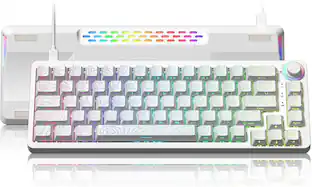
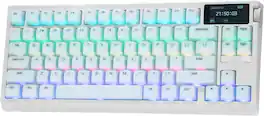
EPOMAKER - G84 PRO 75% Wireless Gaming Keyboard with Screen&Knob, 8000mAh, Silicone Keycaps - White
Reviews coming soon
About this product
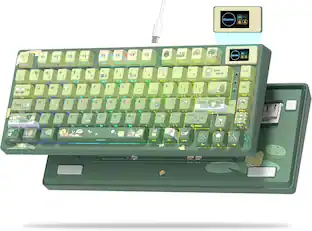
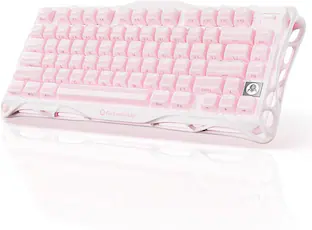
Creamy in Sound, Creamy in Aesthetic: Feel the difference in G84 PRO Creamy Keyboard, with the innovative silicone keycaps in a wonderfully velvety texture that is soft to the touch, making long coding sessions, essay writing, or late-night raids a gentle caress rather than tiring work. Such dampening power, amplified by the sound-optimizing 5-layer acoustic foams and Gasket-Mount structure, virtually eliminates harsh vibration and distracting bounce, ensuring a shake-free, comfortable typing experience
Creamy in Sound, Creamy in Aesthetic
Feel the difference in G84 PRO, with the innovative silicone keycaps in a wonderfully velvety texture that is soft to the touch, making long coding sessions, essay writing, or late-night raids a gentle caress rather than tiring work. Such dampening power, amplified by the sound-optimizing 5-layer acoustic foams and Gasket-Mount structure, virtually eliminates harsh vibration and distracting bounce.
Wire-free, Worry-Free
Powered by a massive 8000mAh battery that offers weeks of usage with the backlight off, the G84 PRO comes with three versatile connection modes for PC, laptop, tablet, phone, or Android smart devices. Switch to 2.4Ghz or wired mode for competitive gaming or critical tasks, with blazing-fast 1k polling guaranteeing speed and stability, or the BT mode that connects up to 3 devices simultaneously for maximum portability and convenience
Glass Screen, Metal Knob & RGB Backlit Keys
Transform your desk into a personalized command center with the G84 PRO custom keyboard with screen. Try the integrated, customizable Glass Screen that keeps the essentials at your fingertips: check vitals such as battery level, time, and keyboard status on the info page, or turn your keyboard into a unique piece of desk art with a dedicated GIF page for animations, doodles or GIFs, all easily uploaded via the web-based software
Hot-Swappable Board, Customizable Function
Built for limitless personalization, the G84 PRO Custom Keyboard features a hot-swappable PCB and a 2-in-1 keycap-and-switch puller for effortless swapping without any soldering. Conveniently experiment with silent, linear switches for late-night work or tactile or clicky switches for gaming feedback, or stick to the original Creamy Jade and Sea Salt Silent switches from EPOMAKER for factory-lubed smooth typing.
Wrist-Friendly, User-Friendly
Enhance your digital experience with the G84 PRO Ergonomic Keyboard, with Cherry-Profile keycaps and a 2-stage kick-stand. The non-grippy silicone keycaps and mid-gram force switches encourage smooth key travel, with thoughtfully designed force that prevents accidental keystrokes when you're simply resting your fingers on the board, but is light enough to avoid being tiring during high-speed typing or rapid gaming inputs.
- Lighting TypeRGBForm Factor75%Keyboard TechnologyMechanicalKey Switch BehaviorLinearConnection TypeWireless, Wired
Reviews
This product doesn't have any reviews yet.





Compare similar products
Creamy in Sound, Creamy in Aesthetic: Feel the difference in G84 PRO Creamy Keyboard, with the innovative silicone keycaps in a wonderfully velvety texture that is soft to the touch, making long coding sessions, essay writing, or late-night raids a gentle caress rather than tiring work. Such dampening power, amplified by the sound-optimizing 5-layer acoustic foams and Gasket-Mount structure, virtually eliminates harsh vibration and distracting bounce, ensuring a shake-free, comfortable typing experience
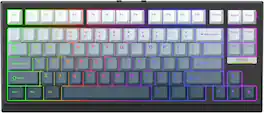
Fast Trigger & Zero Dead Zone: Achieve unmatched fluidity and precision with the G84 HE Hall Effect Keyboard. Get every flick of keystroke delivered instantly with actuation as sensitive as per 0.01mm, with trigger and release travel adjustable from 0.1 to 3.3mm with zero dead zone.
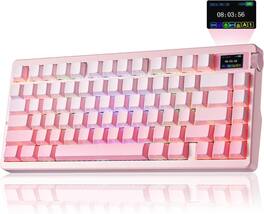
The AULA Nova75 is a compact 75% wireless computer keyboard built for both competitive gaming and everyday productivity. Pre-lubed mechanical switches on a gasket-mounted structure deliver a smooth, creamy typing feel, tuned with layered sound dampening for a quiet, satisfying sound. Tri-mode connectivity pairs over Bluetooth 5.0, 2.4GHz wireless, or a wired USB-C to USB-A cable, switching across up to five devices, while plug-and-play USB keeps wired use simple. The space-saving compact 75% layout frees desk space for wide mouse movement, and full anti-ghosting keys with N-key rollover register every fast combo accurately. Vibrant RGB lighting with 16.8 million multicolor options illuminates the durable PBT keycaps for a fully customizable, illuminated setup. Built-in extras include a hot-swappable PCB for 3-pin and 5-pin switches, a multifunction control knob for volume, lighting, and modes, a TFT smart display with a battery level indicator, a rechargeable 8000mAh battery for long wireless sessions, and an adjustable tilt kickstand. A driver lets you remap keys, record macros, assign programmable buttons, and use multimedia hot keys, so you can tailor the keyboard for gaming, work, or creative tasks. gift for teenage gamer, gift for gamer, gift for creator, gift for hard to buy for teen dad office gamer, gift for college student, gift for esports player, gift for streamer, birthday gift for gamer, WFH, satisfying work from home keyboard, style up your home office, home office vibes, battlestation upgrade, gaming setup aesthetic, desk setup upgrade, mechanical gaming keyboard, thocky keyboard, keyboard for Valorant, competitive FPS keyboard, hot-swappable keyboard, gasket mount keyboard, wireless gaming keyboard.
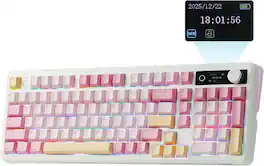
PRO with Screen, Functional Design: Experience the EPOMAKER TH99 PRO custom keyboard, the fully programmable extension of your workflow and playstyle. The precision-engineered volume knob provides instant auditory control, allowing mid-game toggle without ever alt-tabbing; while the stunning glass screen, with Infor page for keyboard status, battery and time monitor, serves as your digital command center with GIF display and RGB control panel.
Specs
Be the first to ask a question.
We’ll try to get your question answered within 24 hours by a Best Buy customer or brand representative.
Customers often buy these together





![Sure, here is the corrected and grouped text from the image:
**Top Row:**
- ESC
- F1
- F2
- F3
- F4
- F5
- F6
- F7
- F8
- F9
- F10
- F11
- F12
- PRTSC
- DEL
**Number Row:**
- 1
- 2
- 3
- 4
- 5
- 6
- 7
- 8
- 9
- 0
- -
- =
- \
**Letter Row:**
- TAB
- Q
- W
- E
- R
- T
- Y
- U
- I
- O
- P
- [
- ]
- \
**Letter Row:**
- CAPS
- A
- S
- D
- F
- G
- H
- J
- K
- L
- ;
- '
**Letter Row:**
- SHIFT
- Z
- X
- C
- V
- B
- N
- M
- ,
- .
- /
**Function Row:**
-](https://pisces.bbystatic.com/image2/BestBuy_US/images/products/9be10b95-8e90-4a5d-b85f-cbc6a7d8e8df.png;maxHeight=232;maxWidth=233?format=webp)


![esc ~ ! 1 tab caps lock shift ctrl F2 Fl # 2 3 Q W A S Z start opt L F3 $ 4 E D X alt cmd3 ) FS F4 A % 5 6 R T F G V C logi 44 HI & F9 FID FB F7 F6 * ) - - & 0 8 9 7 O P U I Y K L H J > < N M 1 B PM + = { [ : I ; ? I alt cmd D 2 4 300 3 1 F12 . * page I insert home up clear backspace 8 9 + 7 page A pg up end down home } I delete ] / 6 4 5 4 enter 2 3 enter 1 dn Pg end shift = 0 del ins etrl fn opt](https://pisces.bbystatic.com/image2/BestBuy_US/images/products/6539/6539505_sd.jpg;maxHeight=232;maxWidth=233?format=webp)
![Sure, here is the corrected and grouped text:
```
ESC F1 F2 F3 F4 F5 F6 F7 F8 F9 F10 F11 F12 1 2 3 logitech - - 1 2 # $ 4 % 5 6 & 7 8 9 0 - - back insert home page up num lock clear / . tab Q W E R T Y U I O P { [ } ] / delete end page down 7 home 8 A 9 P9 up + caps lock A S D F G H J K L : ; a enter 4 5 6 shift Z X C V B N M < > ? shift 1 end 2 3 pg dn enter ctrl fn start alt opt alt crnd x alt cmd x fn ctrl alt opt 0 ins del 1 logitech
```](https://pisces.bbystatic.com/image2/BestBuy_US/images/products/5761/5761911_sd.jpg;maxHeight=232;maxWidth=233?format=webp)


![Esc F1 F2 F3 F4 F5 F6 F7 F8 F9 F10 F11 F12 Print Screen Scroll Lock Pause Break 1 2 3 4 5 6 7 8 9 0 - + = Backspace Insert Home H Page Up A Num Look 1 I Tab Q W E R T Y U I o P { [ } ] I I Delete End IN Page Down 7 Home 8 9 Pg Up Caps A Lock A S D F G H J K L ; : DE g Enter 4 5 6 Shift Z X C V N M < > ? I Shift 1 End 2 3 Pp Dn Enter Ctrl Alt Alt Ctrl 0 Ins Del](https://pisces.bbystatic.com/image2/BestBuy_US/images/products/a588d446-5678-40ae-86b8-1f15e0026e66.jpg;maxHeight=232;maxWidth=233?format=webp)
![Sure, here is the corrected and grouped text from the image:
---
**Top Row:**
- Esc
- F1 F2 F3 F4 F5 F6 F7 F8 F9 F10 F11 F12
**Second Row:**
- 1 ! 2 @ 3 # 4 $ 5 % 6 ^ 7 & 8 * 9 ( 0 ) - _ + =
**Third Row:**
- Tab Q W E R T Y U I O P [ { ] } \
**Fourth Row:**
- Caps Lock A S D F G H J K L ; ' Enter
**Fifth Row:**
- Shift Z X C V B N M , . / Shift
**Function Keys:**
- F1 F2 F3 F4 F5 F6 F7 F8 F9 F10 F11 F12
**Right Side:**
- Insert Home Page Up Delete End Page Down
**Bottom Row:**
- Ctrl Alt Spacebar Alt Ctrl
**Additional Keys:**
- Logi
- Scroll Lock
- Pause Break
---
This should match the layout of the keyboard in the image.](https://pisces.bbystatic.com/image2/BestBuy_US/images/products/0ce0f170-380c-41e4-8d6a-fa0aadbd534c.jpg;maxHeight=232;maxWidth=233?format=webp)

Customers ultimately bought
 $59.99The price was $69.99
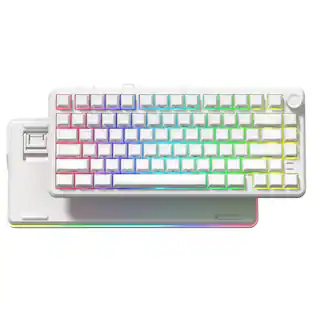

Explore tech essentials Sponsored
 $149.99The price was $199.99
 Top Deal$181.99The price was $239.99


Keep exploring
 $38.99The price was $58.99
 $247.64The price was $283.49