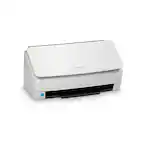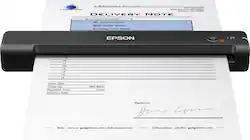
Epson - ES-55R Mobile Color Document Receipt Scanner - Black
- Key Specs
- Networking: Not Applicable
- Scan Method: Other
- Duplex Scan Function: true
- General
- Brand: Epson
- Model Number: EPSON WORKFORCE ES-55R B11B25
- Product Name: ES-55R Mobile Color Document Receipt Scanner
- Color: Black
- Connectivity
- Scanner Connectivity: USB 2.0
- Minimum System Requirements: Microsoft Windows 7 (32/64 bits) SP1, Windows 8 (32/64 bits), Windows 8.1 (32/64 bits), Windows 10 (32/64 bits), Apple MacOS X 10.11.x - 10.14.x
- Dimensions
- Product Height: 1.3 inches (The out of box height of the item. Height is measured as the vertical distance from the bottom of the item to the top as it would be primarily used or placed.)
- Product Width: 10.7 inches (The out of box width of the item. Width is measured as the horizontal distance from one side of the item to the other as it would be primarily used or placed.)
- Maximum Document Length: 72 inches
- Maximum Document Width: 8.5 inches
- Product Weight: 0.6 pounds (The out of box weight of the item.)
- Features
- Automatic Document Feeder Included: false
- Scanner Type: Sheetfed
- Scanner Resolution: Up to 600 x 600 (Refers to the number of pixels/dots, both horizontally and vertically, of the image produced by the scanner. Generally, the higher the resolution, the sharper and cleaner the produced image.)
- Document Size: Letter
- Image Scanner Type: Contact Image Sensor (CIS)
- Included
- Included Software: EPSON ScanSmart Accounting Edition
- Scanner Info
- Scanner Bit Depth: 16 (Refers to the number of bits used to define each pixel in the captured image and determines the number of colors or tones that can be represented. Generally, the greater the bit depth, the better the image quality.)
- Certifications Listings & Approvals
- ENERGY STAR Certified: true (Devices carrying the ENERGY STAR service mark, such as computer products and peripherals, kitchen appliances, and other products, generally use 20% to 30% less energy than required by federal standards.)
- TWAIN Compliant: true (Products with this label are compliant with standards set by the TWAIN Working Group for regulating communication between software and digital imaging devices. Devices that are TWAIN compliant are compatible for use with each other without requiring additional software, even if they have different capabilities.)
- Warranty
- Warranty - Parts: 1 year
- Warranty - Labor: 1 year
- Other
- UPC: 010343945050
Complete your financial reports with this Epson WorkForce Accounting Edition scanner. The included Nuance OCR software lets you create searchable, editable versions of hard-copy documents, and USB connectivity eliminates the need for batteries or external power. This Epson WorkForce Accounting Edition scanner extracts receipt and invoice data for further analysis with Excel or QuickBooks Online.
- Up to 600 x 600 dpi optical resolution (1200 x 1200 dpi interpolated resolution): To capture every word and image detail with clarity.
- 16-bit internal color depth: Along with 8-bit external grayscale depth for realistic detail.
- 8.5" x 72" maximum scan size: Enables you to capture entire pages.
- Up to 10 ppm scan speeds*: For rapidly preserving a variety of files.
- Portable design: Enables you to easily take the scanner on the go.
- High-speed USB 2.0 interface: Offers easy connectivity.
- Up to 600 x 600 dpi optical resolution (1200 x 1200 dpi interpolated resolution): To capture every word and image detail with clarity.
- 16-bit internal color depth: Along with 8-bit external grayscale depth for realistic detail.
- 8.5" x 72" maximum scan size: Enables you to capture entire pages.
- Up to 10 ppm scan speeds*: For rapidly preserving a variety of files.
- Portable design: Enables you to easily take the scanner on the go.
- High-speed USB 2.0 interface: Offers easy connectivity.
Whats Included
- EPSON ScanSmart Accounting Edition
- Epson ES-55R Mobile Color Document Receipt Scanner
- Maintenance sheets
- USB cable
- EPSON ScanSmart Accounting Edition
- Epson ES-55R Mobile Color Document Receipt Scanner
- Maintenance sheets
- USB cable
Q: Does this Epson Receipt Scanner interface with QuickBooks 2019?
A: Yes, this Epson Receipt Scanner has an interface with QuickBooks 2019
Q: Does it have an SD card slot?
A: Hi Nanny, The ES-55R does not have an SD card slot. You must connect it to a computer in order to scan. Regards, Mark - The Epson Team.
Q: Does it automatically scan both sides?
A: Hi Alamo, This is Mark from Epson. Epson ES-55R does not scan both sides in a single pass. Hope this helps. Regards, Mark - The Epson Team.
Q: When you scan receipts can it download the data into excel spreadsheet
A: Yes, the scanned receipts can be downloaded into Excel spreadsheets.
A: I just got this Epson Es-55R. If you scan a receipt. It will give you a copy of the Date Added (when you scanned it) and the Date on the Receipt. You can sort any of those fields. Date added, Date issued Vendor if you save as an invoice( you get a tab for invoice No.) I upload some screens shots. You can see the Export and save QuickBooks Online, QuickBooks Desktop, Quicken File, TurboTax File. Hope this helps.
Q: How much time does it take to scan one 8.5 x 11 sheet of paper?
A: It was about 5 seconds to scan one 8.5 x 11 sheet of paper.
Q: Can I use this to turn documents and photos into PDF FILES
A: Hello PDFscanner. Yes, the ES-55R can save a scanned image to your computer as a PDF, searchable PDF, or JPEG file. Regards, Kevin - The Epson Team
Q: Does the software need to be renewed every year?
A: Hi, The software that comes with the ES-55R does not have to be renewed. Regards, Mark - The Epson Team.









![DELIVERY NOTE
[Header with company details]
[Delivery details]
Signature: [Signature]
[Footer with contact information]](https://pisces.bbystatic.com/image2/BestBuy_US/images/products/b5e6d1eb-8346-49c2-afb7-af5b5abc4f76.jpg;maxHeight=144;maxWidth=200?format=webp)