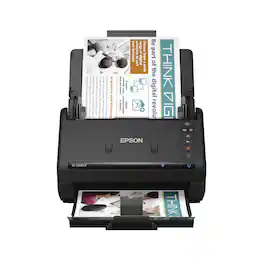
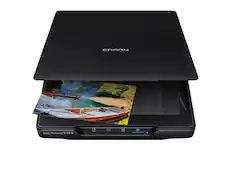
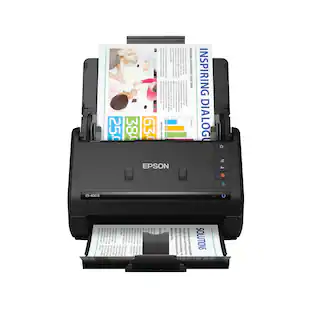
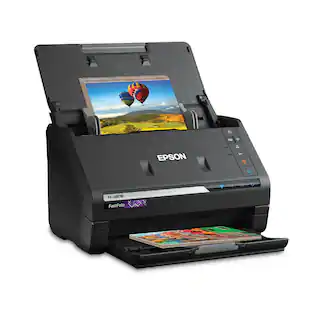
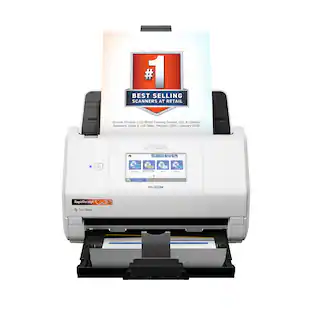
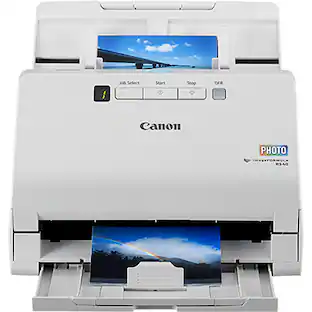
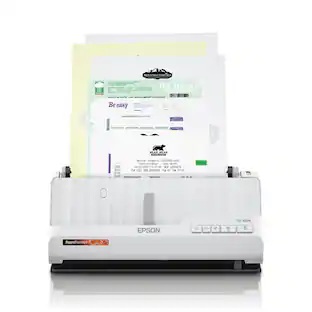
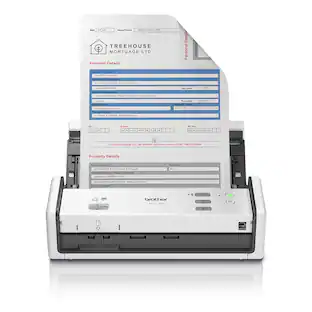
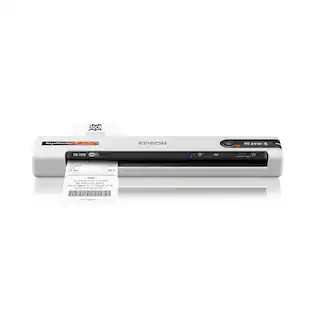
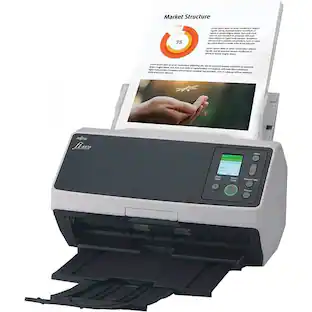
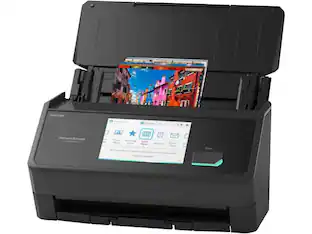
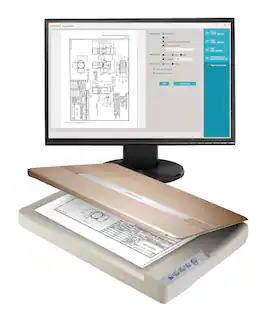
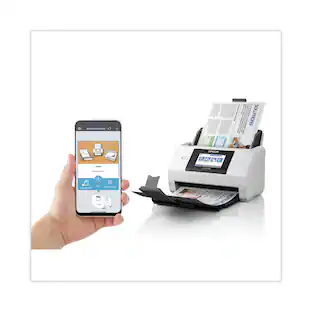
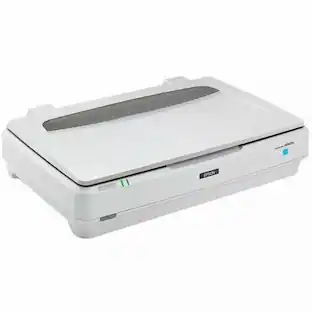
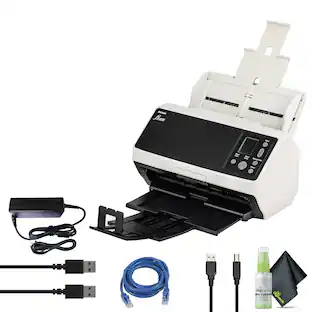
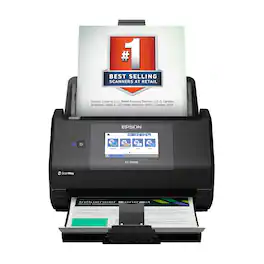
Get organized fast with the WorkForce ES-500W II wireless duplex desktop document scanner. This reliable, easy-to-use performer speeds through scans up to 35 ppm/70 ipm1, capturing both sides of each sheet in one pass. Its 50-sheet Auto Document Feeder allows you to breeze through stacks of documents of varying sizes. Intuitive Epson ScanSmart Software2 means you can easily preview, email and upload your scans. The included TWAIN driver ensures compatibility with most document management software. Wirelessly scan to cloud storage accounts2 and create searchable PDFs. You can also scan directly from your mobile device using the Epson Smart Panel app3. Color and image adjustment features such as auto crop, staple protection, dirt detection and paper-skew correction help ensure remarkable image quality.
Q: Does this scanner have a duplex scan function?
A: Yes, the Epson Workforce ES-500W II has a duplex scan function, allowing it to scan both sides of a document in one pass.
Q: Is this scanner compatible with Windows and Mac operating systems?
A: Yes, this scanner is compatible with both Windows (Windows 7 SP1 and above) and Mac (OS X 10.11.x to macOS 10.15x) operating systems.
Q: Does the Epson Workforce ES-500W II scanner come with software?
A: Yes, the Epson Workforce ES-500W II scanner includes Epson ScanSmart software for easy scanning, previewing, emailing, and uploading scanned documents.
Q: How fast can this scanner scan documents?
A: This scanner can scan documents at a speed of up to 35 pages per minute (ppm) for both color and monochrome documents.
Q: Can this scanner scan to cloud storage?
A: Yes, you can scan documents directly to cloud storage accounts using the Epson ScanSmart software.
Q: What is the maximum number of sheets the automatic document feeder can hold?
A: The automatic document feeder has a capacity of 50 sheets.
Q: Will this scanner sort receipts into catagories and interface with Quickbooks?
A: Hello fasthorse1. Yes, the ES-500 II is compatible with many 3rd party software titles including Quickbooks. Using the Epson ScanSmart software you can export your data into QuickBooks Online. Regards, Kevin - The Epson Team.
A: Hello YukonMax. Ideally, you should use paper that is free of folds or creases. While the scanner can handle standard paper types with minimal creasing, results may vary if the paper is not completely flat. Regards, Kevin - The Epson Team.

Get organized fast with the WorkForce ES-500W II wireless duplex desktop document scanner. This reliable, easy-to-use performer speeds through scans up to 35 ppm/70 ipm1, capturing both sides of each sheet in one pass. Its 50-sheet Auto Document Feeder allows you to breeze through stacks of documents of varying sizes. Intuitive Epson ScanSmart Software2 means you can easily preview, email and upload your scans. The included TWAIN driver ensures compatibility with most document management software. Wirelessly scan to cloud storage accounts2 and create searchable PDFs. You can also scan directly from your mobile device using the Epson Smart Panel app3. Color and image adjustment features such as auto crop, staple protection, dirt detection and paper-skew correction help ensure remarkable image quality.

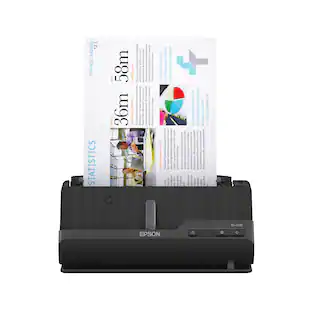
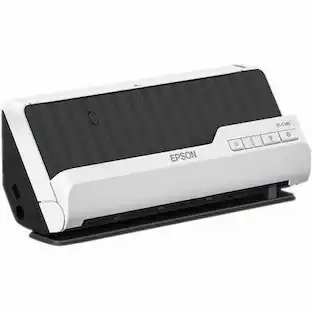
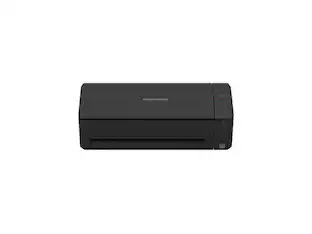
A compact modern wonder, the WorkForce ES-C220 keeps things simple with its intuitive design and exceptional flexibility. With the ES-C220, you can organize stacks of documents and make keeping piles of paperwork for your records a thing of the past. Ideal for the home or office, this easy-to-use scanner is the definition of innovation, saving 60% of desk space and scanning two sides at once as fast as 30 ppm/60 ipm. Offering a robust solution to managing your workflow, the included Epson ScanSmart software allows you to preview, email and upload your scans. In addition, help save valuable time with automatic file name suggestion for streamlined file management. The scanner features a 20-page Auto Document Feeder that makes it easy to scan in batches. In addition, the versatile ES-C220 scans papers of varying sizes up to 8.5" x 120". Maintain amazing quality with intelligent image adjustments such as cropping, paper skew correction and dirt detection. The ES-C220 proves bigger isn’t always better.

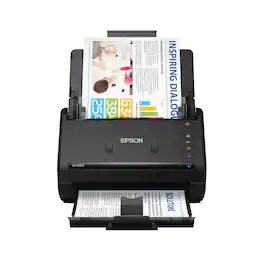
Get organized fast with the WorkForce ES-400 II duplex desktop document scanner. This reliable, easy-to-use performer speeds through scans up to 35 ppm/70 ipm1, capturing both sides of each sheet in one pass. Its 50-sheet Auto Document Feeder allows you to breeze through stacks of documents of varying sizes. Intuitive Epson ScanSmart Software2 means you can easily preview, email and upload your scans. The included TWAIN driver ensures compatibility with most document management software. Scan to cloud storage accounts2 or searchable PDFs. Color and image adjustment features such as auto crop, dirt detection, staple protection and paper-skew correction help ensure remarkable image quality, whatever the scan.

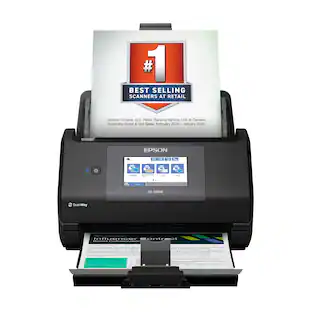
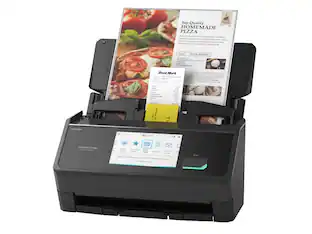
Get organized — quickly and easily — with the WorkForce ES-580W wireless duplex desktop document scanner. This reliable performer makes it easy to scan to your smartphone, tablet or online storage account1 from your desktop or your mobile device. You can even scan directly to a USB memory drive without using a computer. A 4.3" touchscreen enables quick, effortless navigation, while a 100-sheet Auto Document Feeder allows you to breeze through stacks of documents. Scan pages at up to 35 ppm/70 ipm2, capturing both sides in one pass. Intuitive Epson ScanSmart Software1 means you can easily preview, email and upload your scans. The included TWAIN driver ensures compatibility with most document management software. Wirelessly scan to cloud storage accounts1, create searchable PDFs, and get remarkable image quality with Epson Image Processing Technology.
| Pros for Epson - WorkForce ES-500W II Wireless Duplex Desktop Document Scanner - Black | |||
|---|---|---|---|
| Cons for Epson - WorkForce ES-500W II Wireless Duplex Desktop Document Scanner - Black | |||
| There were no cons for this product— |
Customers recognize the WorkForce ES-500W II Wireless Duplex Desktop Document Scanner for its impressive scan speed and ease of use. Its compact size and wireless capabilities are also appreciated, along with its duplex functionality. Furthermore, customers find the setup and software simple, and praise the overall performance of the scanner.
The vast majority of our reviews come from verified purchases. Reviews from customers may include My Best Buy members, employees, and Tech Insider Network members (as tagged). Select reviewers may receive discounted products, promotional considerations or entries into drawings for honest, helpful reviews.
This scanner is great. It is small, lightning fast, excellent quality, and has wireless capabilities. The most important thing about this machine is its excellent quality of scan. It is exactly what I would expect from an epson product. It scans super fast and will scan both sides of the page in a single pass. Its speed certainly rivals commercial grade machines, and I would prefer this piece of equipment in my home or office over a big, bulky commercial machine. I was able to easily set up all the software, both on my desktop computer and my mobile device. I find the mobile app very easily, and it is very straightforward. I love using the mobile app with this device because of the simple interface, and the convenience of using my phone over a computer. The machine itself sits on about 12x7 inches of real estate on my desk, less than a piece of paper. When not in use, I keep it folded up to that size. To use I unfold the top loading tray and generally the output tray. This tray is nice to have but not necessary. If the output tray is not unfolded, the scanned pages will just end up on my desk. If it was close to the edge, it would be valuable so the paper doesn’t scatter all over the floor. When it unfolds, it expands in both height, and length above the desk surfaces, but I don’t find it to be very intrusive. Set up was pretty easy. I initially set it up using the USB connection and the PC software. After using it a little bit this way, I decided to connect it to my WiFi network. Once I connected it to my wifi network is when I really felt the versatility of the machine. I was able to install the software on an additional machine, and my phone, and could start scanning things to most any location that I could think of. The software allows scanning straight to a local drive, Google Drive, Evernote, Sharepoint, SugarSync, Email, FPT even another printer. I can also use mobile software to make the files accessible directly from my phone or iPad. I’ve seen similar models that don’t have WiFi capabilities, and I think it is a huge mistake (at least for me) to not have a machine with these wifi capabilities. The ADF tray is large enough for most documents that I would ever deal with, and will adjust to allow much smaller single page items such as photos, receipts, and business cards. This scanner gets a big thumbs up from me, and a very large recommendation. I’m not sure what else I would even include in a scanner. The only thing I could think of would be to make it accessible from the internet, but I’m not sure why that would be necessary, because I would have to load the document locally anyway! This is a review for the Epson DS-530 II Color Document Scanner that I received free of charge to do a beta test and review.
Posted by mbez
PROs: - Another blazing-fast and virtually error-free small-footprint document scanner from Epson--even with multi-sized receipts and letters mixed into the stack, the sheet feeder never missed a scan or 2-sided document on the first pass; full 8.5' x 11" sheets took <1 second! - Reasonably low-drag setup; wireless capability lets you place the scanner anywhere in your house--all critical components for operation downloaded and installed in under 5 minutes before scanning was ready for action (no joke!) - Wireless scanning to PC or direct to OneDrive/Google/Dropbox worked flawlessly; Epson Scan utility easily allowed customization of filenames prior to upload/finalization, DPI setting adjustments for greater/lesser detail in scans, error-correction settings for staples, dirt, paper skew, etc. - 2-sided scanning capability worked perfectly for large document collections or images with labels/stickers on the back, and the Epson software preview window lets you quickly delete unneeded/empty scans before saving the files to disc - Exceedingly small desktop footprint clocks out around the size of an artisan bread loaf (more on that later); adjustable power-off settings let you hide the scanner away in a corner until you absolutely need it - Slow-mode button right on the scanner allows you to ease up on the throttle for document feed speed and prevent paper jams or errors--it's a great way to intervene when you have thin or wrinkled papers to scan without having to resort to adjusting a software setting on the PC - Included OCR integration with popular MS Office programs or Evernote quickly created editable documents from scanned papers...OCR accuracy obviously depended on the source material (i.e. don't expect something to recognize handwriting very well), but typed matter was accurate into MS Word about 98% of the time requiring very little rework to make perfect - Post-scan interface screen provides simple/graphical button options for common actions available after scanning: Save, attach to Email, Send to GoogleDrive, Send to Dropbox, Send to Evernote, Print, Save to Word, Save to Excel, Save to PowerPoint, Save to OneDrive, and a Trial for "Manage Invoices/Receipts" - Includes Presto! BizCard 6 business card scanner/organizer application--this wasn't anything we specifically needed, but it makes sense given the capabilities/demographic this scanner seems to target and for those of you needing/wanting this capability, it's nice to have something that does such a good job of cleanly and neatly organizing hundreds of business contacts CONs - It sits unassumingly in a corner--until you need it...then it requires more than 2 feet of space (including at least 6 inches from the wall itself) to fully accommodate the document feeder and output trays--just be aware of the additional clearance you'll need around the unit if you have a smallish/cluttered desk like we do - 200-300 DPI tends to be the sweet spot for document accuracy vs scanning speed, but just like Epson's other photo scanners we've auditioned, I'm not sure what value the 1200 DPI setting has in the scanning menu for this unit. This scanner tops out at 600 dpi optically (according to Epson), so having a 1200 DPI setting seems to be doing nothing more for the user than making the resultant scans absurdly large with no gain in captured detail from the underlying document/image. This is a minor quibble as most people will probably set-it-and-forget-it somewhere in the low 200-300s anyway, but just be aware that someone else trying to be "helpful" in the software interface at some point could inadvertently set this scanner to an input format that is well beyond the hardware's capabilities! - I get it...Epson is marketing similar form-factor scanners with slightly different capabilities for unique user segments...this scanner is clearly aimed at the home-office document consumer rather than a small-business owner, photo editor, or someone who has more interest in manipulating the data within the scans rather than just capturing the scans themselves. But the Epson ScanSmart dialog (the simple 3-button interface that starts a single or double-sided scan either remotely or via USB connection), has a GIANT orange "TRIAL" banner across the "Manage invoices and receipts" button...this is separate from the "Trial" that shows up on the "Select Action" page after a scan is complete. This "Manage" feature allows the user to extract data from invoices and receipts to upload into TurboTax, Quicken, and other financial management software, but it's a paid add-on here (it's also available gratis with other Epson scanners that just happen to look strikingly similar to this one!) and frankly it's just kind of irritating that an option requiring an additional purchase takes up 1/3 of the screen space on an otherwise streamlined dialog page...it would have been FAR more preferable to allow the user to customize or install additional options onto this main interface page than constantly nag the user with a feature that may or may not be of any interest in the first place Bottom line: Overall, this is a pretty darned capable document scanner that should do well to service most "average" to even "above-average" scanning needs. Image auto-correct options include capabilities to remove punch holes, background or background text, stitch images and documents together, adjust document skew, and make color and filter adjustments to tweak your scans or enhance scanned text to dial things in pretty well close to whatever you're after. Although this particular scanner is marketed more for the home-office user, I tried using the scanner for 600 DPI photo scanning and the results were actually exceedingly good! Colors were just a hair darker and more saturated than the original photos, but in most cases, the digital results looked a bit better to my eyes than the original faded photos from my youth. No, I wouldn't try using this particular unit for large-scale photo archiving and restoration; but it's nice to know that if the need arises, you've got a capable enough unit for photo or color scanning that I doubt most people would feel they were making any compromises at all in scanning quality, especially given the lightning-fast speed at which the documents shot through the document feeder and out the other end! My only gripes are relatively minor, and have more to do with the way the software is packaged to constantly remind you that "this scanner could do even more if you only paid us a bit more money than you already spent!" But those are truly minor quibbles that in no way detract from the speed, quality, and relative quiet that this scanner provides for a pretty high-volume daily throughput of 1- and 2-sided scans. The only gotcha I found during installation was the fact that Epson posted two different software packages on their webpage for this unit, both with the same software release date, and neither with release notes to tell you what you were getting into. One is a 9.1MB package for "Drivers and Utilities Combo Package Installer"; the other is a 71.1MB package for "Scanner Driver and Epson Scan 2 Utility v6.6.24.1." Well, surely the larger installer with the more specifically named scanner utility MUST be the proper installation package, right? No...do yourself a favor and go with the combo package installer...the primary utilities, interfaces, guides, and additional apps are downloaded during installation rather than up front from the Epson website--best I can tell, the scanner driver and Epson Scan 2 utility will only get you a TWAIN-compliant driver and the Epson control panel interface (which I suppose is fine if you're looking for minimal bloatware in your installation). Honestly, with hardware performance this good, the only things that really do feel a bit thin are the included apps and utilities. This scanner is MORE than capable at holding its own for image capture, not just documents/text; but aside from the business card manager, there are no included utilities to help you wring a lot of extra value out of your purchase. Now, I wouldn't expect a full-blown Photoshop or desktop publishing alternative to be bundled in with a scanner of this size; but at this price point, even a basic image organizer/printing interface would have at least been appreciated. Fortunately, we have a number of image editing and printing applications at home, but I don't know as that's necessarily the case for a typical home-office user who might be jealously eyeing this scanner to do just a tad more than what is printed on the box. Still, if you have the means and the interest, this scanner is definitely recommended for the performance and capabilities it DOES deliver.
Posted by WyldeBlue
For those in need, this is a great little scanner. Some people question the need for a stand-alone scanner when multifunction printers and even phone apps can accomplish the same thing. Having used scanners on both of these devices, I can say that I'm far more comfortable using the stand alone version as it provides consistent results and with much quicker/easier user interface. While I don't do a whole lot of scanning, I do find myself in need of a dedicated scanner for end-of-year tasks like scanning receipts, invoices and other documents. I have an expensive HP multifunction printer which scans documents. While it does it well, getting the scan out of the printer and sent to my email or uploaded to a cloud storage account is a huge pain. So much so that I've given up on using the scanner function on that printer. Phone apps are great for when you need to quickly take a picture of a document however, quality has always been iffy for me. Plus, why have a phone scanning app when you can just take a pic of the document? But, having used this scanner, I really like it. It's fast. a test scan of a document took a little over a second and quality from the scan was great. You can obviously change the scanning settings for higher quality or what not but, with the out-of-box settings, the scans look great quality for me. The scanner is fairly small as well. it's about a foot wide and about 7-8 inches deep. It's not large by any means and doesn't take up too much space on your desktop/shelf. When the scanner is opened up it takes up a bit of space but mainly in height so, again, nothing where you need to relocate the scanner whenever you need to use. Also it's significantly smaller than your typical flat bed scanners of old. It's wireless which I really like. It connects wirelessly or through USB. I opted for the wireless connection as it's just more convenient for me. Using the included software, it's super easy to scan items and, what I really like the most, is the ability to send the scan to any number of formats/outputs. My HP could do this however the setup of all that was just a mess and I never got it to work correctly. That said, one issue I have is that there is an option to manage receipts/invoices when scanning. it's an added service which doesn't really make sense to me. I figured something like this should be included however, it's nothing to me since I manage that stuff myself through my PC backups. Still though, would've been nice to have that part of the software included.
Posted by LouRevue