Everything for Back to School — and then someShop now

Skip to contentGo to Product Search
Main Content

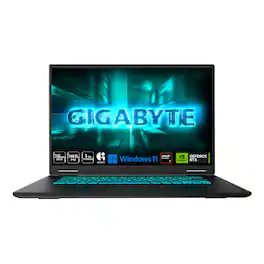
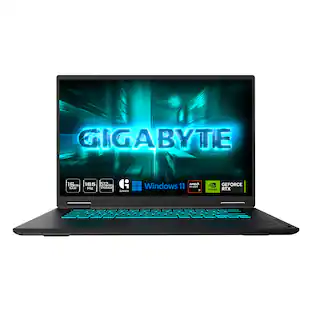
GIGABYTE - GAMING A16 Gaming Laptop - 165Hz 1920x1200 WUXGA - RTX 5070 - AMD Ryzen 7 260 - 1TB SSD - 16GB DDR5 RAM - Black Steel

Model: GAMING A16 3WHK3US894SH
SKU: 6675472
Sold byBest Buy

Customers are saying

Customers are satisfied with the overall performance of the hardware, which handles demanding tasks brilliantly. Users also appreciate the reliable battery life, the quiet operation of the system's ambient mode, and the device's portability for travel. However, some users have expressed frustration regarding the placement of the power connector.

Generated by AI based on customer reviews.
See it in-store: Roseville has a demo model on display.

Highlights

Features
  • GiMATE as Your Smart AI Mate

    Introducing GiMATE, your smart AI Mate that transforms how you interact with technology. GiMATE creates an intelligent interface that truly understands your needs. Control is now more intuitive, more intelligent, and more personal.

  • AMD Ryzen 7 260 Processor

    With the AMD Ryzen 7 260 processor, you can stream, record gameplay, and run multiple applications without compromise. GIGABYTE GAMING A16 offers fast multimedia processing and the smoothest gaming experience.

  • NVIDIA GeForce RTX 5070 Laptop GPU

    Powered by NVIDIA® Blackwell, GeForce RTX™ 5070 Laptop GPUs bring game-changing capabilities to gamers and creators. Equipped with a massive level of AI horsepower, the RTX 50 Series enables new experiences and next-level graphics fidelity. Multiply performance with NVIDIA DLSS 4, generate images at unprecedented speed, and unleash your creativity with NVIDIA Studio. All in the thinnest and longest lasting RTX laptops, optimized by Max-Q.

  • Game and Create with Windows 11 Home

    With Windows 11 Home, GIGABYTE GAMING A16 brings it all together in one place and gives you everything you need to stay ahead – game, create, and boost your productivity with confidence.

  • 180-degree Hinge with 19.45mm Slim Chassis

    GIGABYTE GAMING A16 features a laid-flat 180-degree hinge design to adapt to various scenarios, all with a 19.45 millimeters (0.76 inches) slim chassis.

  • Surcharge The Productivity with 14 Hours Battery Life

    GIGABYTE GAMING A16 refines the system and gives up to 14hrs battery life to support your study session in library or school.

  • WINDFORCE Infinity Cooling with 0dB Ambience

    GIGABYTE GAMING A16 is equipped with the iconic WINDFORCE Cooling Technology, featuring dual-fan design coupled with 3D VortX air-channeling to maximize the airflows. The Icy Touch allows gamers to control in comfort with low temperatures. With the help of GIGABYTE GiMATE AI Cooling feature, the device dynamically adapts to the system demands and creates noise-free immersion on low-power scenarios.

  • Support NVIDIA Advanced Optimus with MUX Switch Performance Uplift

    With the support of NVIDIA Advanced Optimus, you have the ability to switch between an internal GPU for longer battery life or discrete GPU for higher performance.

  • 4-sided Super-slim Bezels Design

    With the 4-sided slim bezels, GIGABYTE GAMING A16 presents a panoramic display and delivers smooth framerates for gamers. Perceive every game-winning moment on the fast, smooth display with enlarged viewing area.

  • Newly Designed Golden Curve Keyboard

    GIGABYTE GAMING A16 features Golden Curve Keyboard with larger key caps and optimized force curve that meets the golden sweet spot to deliver a comfortable and silent experience for both gaming and working. Along with the enlarged touch pad, GIGABYTE GAMING A16 presents best-in-class on-device control for your portable scenarios.

  • Personal Cinema with Dolby Atmos

    Powered by Dolby, GIGABYTE GAMING A16 levels up the audio as the cinematic feast for your ears. The surround sound is set to amaze you sensationally within the immersive display.

  • Productivity with PD 3.0 Type-C Charging

    GIGABYTE GAMING A16 provides versatile I/O ports to connect your high-speed devices. The cutting-edge USB4 Type-C port enables up to 40Gbps bandwidth and is compatible with DisplayPort monitors and supports PD3.0. Experience fast charging to 50% in 30 minutes through AC charging.

  • Wi-Fi 6E Support

    With the support of Wi-Fi 6E, you can experience up to 6x faster on managed networks, 3x faster for home and consumer use, and 75% lower latency than Wi-Fi 5.

  • Discover Your Next Favorite Game with Xbox Game Pass Ultimate

    Play over 100 high-quality games with friends on your PC, console, phone or tablet for one month free.* With games added all the time, there’s always something new to play. (*T&C apply)

  • High-Speed 16GB DDR5 System Memory

    Equipped with 16GB of next-generation DDR5 RAM, the AERO X16 delivers faster data processing, improved multitasking, and enhanced system responsiveness.

See all features
Specifications
  • Screen Type
    IPS
    Screen Size
    16 inches
    Screen Resolution
    1920 x 1200 (Full HD+)
    Touch Screen
    No
    Refresh Rate
    165Hz
Sponsored

Reviews

Rating 4.5 out of 5 stars with 25 reviews

92% would recommend to a friend
Customers are sayingCustomers are satisfied with the overall performance of the hardware, which handles demanding tasks brilliantly. Users also appreciate the reliable battery life, the quiet operation of the system's ambient mode, and the device's portability for travel. However, some users have expressed frustration regarding the placement of the power connector.
This summary was generated by AI based on customer reviews.
  • Overall Performance (13)
  • Battery Life (3)
  • Noise Level (3)
  • Portability (3)
  • Port Quantity (3)

Customer Images

The vast majority of our reviews come from verified purchases. Reviews from customers may include My Best Buy members, employees, and Tech Insider Network members (as tagged). Select reviewers may receive discounted products, promotional considerations or entries into drawings for honest, helpful reviews.

  • Rated 5 out of 5 stars

    Good performance. Minimal concessions.

    While this isn't the greatest time to buy computer hardware, this computer feels like it does a good job of offering good performance for productivity and gaming while not going crazy on the concessions. The 8GB of VRAM (Doom Dark Ages reported it as 6.7GB) is probably the biggest issue you're going to find for your gaming needs. You might also feel bottlenecked by that memory for any local AI models you intend to run. Otherwise, things work pretty well. Setup is as easy as any other new windows install. Just follow the setup prompts and wait a while for updates to finish (you can skip the updates during setup but it's probably for the best to just let it go). After setup, there was minimal extra software to uninstall. No McAfee! The bundled software feels fairly light weight. The main GiMATE app is what you'll use to run system updates and change modes to performance when your gaming. There are also a few extra "AI" settings for things like monitoring when you get up so it can lock your screen or check if someone is "peeping" at your screen so it can lock your screen or alert you. The more interesting bundled apps if you're interested in AI are the GiMATECoder and GiMATECreator apps. These actually link up with HuggingFace to download and use local models for coding assistance or generative things. The neat part, to me, is that it's not an app trying to hawk and sell their own AI stuff and they, instead, only allow you to choose and download your own models. I didn't find any performance issues with general productivity work. I haven't tested crazy workloads but I haven't found myself noticing any issues with coding tasks. Obviously, lighter productivity work that's mostly done in web apps work splendidly as well. Gaming performance is pretty great but you're kind of limited by the screen. You have a 16:10 "1080p" resolution for the most part. Brightness is fine but I wouldn't trust being able to see much outside. My two benchmark games are Doom Dark Ages and Cyberpunk 2077. Doom was the most limited by the VRAM as I wasn't able to even set everything at "high" without getting a VRAM warning. Mostly high settings was getting me around 70fps, though. Cyberpunk was more impressive as the defaults started at Ray Tracing Low and got around 77fps. I tested Ray Tracing Medium (55fps) and Ray Tracing Ultra (45fps) as well. The 5070 in this laptop does good work and I just really wish it came with more VRAM. Speaking of RAM, the second biggest limiter for this laptop is going to be the 16GB of RAM. Luckily, the RAM isn't soldered in so you can upgrade that at a time when prices aren't insane. You also get a 1TB NVMe drive. It's also replaceable if you feel like it's not enough (and prices go down). Input is really good for a Windows laptop. The keyboard feels good and is sized right so I don't miss keys. I'm typing this review on it as we speak. The trackpad is also really large and feels good to use. All in all, this is a pretty good laptop. Prices aren't in a good place so I would only recommend this laptop (or really any PC at this time) if you really need it. But you get good performance and a lot more upgradability than most options these days. If you're in the market, this isn't a bad choice.

    Posted by swemoney

  • Rated 4 out of 5 stars

    Solid performer, slightly quirky, but quite good

    I jumped into this laptop with some doubt about the real-world performance of its GPU, but my actual experience proved those worries wrong. This machine delivers smooth, highly responsive gameplay on some demanding titles - games like Baldur's Gate 3 and Cyberpunk 2077 run fluidly without the stuttering or compromises I braced myself for. The performance when on battery power is great - and I haven't noticed any issues with battery life, either. I especially like how well-engineered the cooling system is. The fans do their job efficiently without sounding like a jet engine or adding massive bulk. It fits much better in my bag than my previous laptop, which had a ridiculous amount of extra plastic jutting out the back just to accommodate heat sinks. However, making the chassis this compact forced a few design choices, including one major layout quirk. The peripheral connectors are much further forward along the sides than normal. If you use a wired mouse, having cables plug in right where your hand needs to maneuver makes mouse operation incredibly awkward. I ended up switching over to a Bluetooth mouse—which isn't my baseline preference for gaming, but it simply made life easier here. Another minor hardware complaint is that we are apparently still trapped in the barrel-connector era for power delivery. One day we'll be in the era of universal USB-C charging adoption on high-performance machines, but we just aren't there yet. Aesthetically, the keyboard deck is a bit of a neutral curiosity. It’s a very simplistic layout. On the positive side, Gigabyte restrained themselves from cluttering the deck with bloatware buttons; there’s only one dedicated key for their proprietary "GiMATE" software assistant, and thankfully it’s tucked away in the normal top row with the function keys. The flip side of this minimalist layout is that you get a massive touchpad—which is responsive and has great haptics—surrounded by a ton of empty plastic on either side. It’s not a bad design, just an unusual physical aspect you have to get used to. I think this is a solid entry- to mid-level gaming laptop. It feels like the sacrifices made to hit its price point show up as minor physical quirks rather than actual compromises to in-game performance.

    Posted by Andy K

  • Rated 5 out of 5 stars

    Great Gaming Performance with Slim Design

    I was planning a trip for a gaming event but needed to bring along a newer gaming laptop. I wanted something thin with some options to upgrade, while being ready to play at medium to high settings out of the box. I saw that Gigabyte was releasing the Gaming A16 with an AMD Ryzen 7 and Nvidia RTX 5070, which was within the specifications I was looking for. Pros: - Thin and Light for a Gaming Laptop. - Powerful Performance with AMD Ryzen 7 and Nvidia RTX 5070. - Upgradeable Memory and Storage options. Cons: - MUX Switching is enabled by default which impacts graphics performance. - Loud fans when running at High Performance. Setup: Gigabyte packages the Gaming A16 is nicely with black plastic sleeve and sheet between the keyboard and display. Included in the box is the Gaming A16 Laptop and a 150W Adapter with manuals. Gigabyte left the Windows 11 setup mostly as default, the only major change is the included Gigabyte GiMate branding during startup. I had no issues setting up windows and getting everything updated. GiMate: Gigabytes GiMate functions as the control software for the RBG, special features and update tool. Overall, it is an improvement over the older Gigabyte Control Center as it is quicker and more streamlined. There are 4 tabs and settings: Home, System Settings, Scenario Profile Settings, and Apps. Home has general performance information on the CPU, GPU, and Battery displayed in a dashboard. There is a quick select for performance modes between Silent, Balanced, and Performance that control the power draw and system cooling, along with a System Profile drop down. The System Profile sets the system settings based on what you are using the laptop primarily for, such as Moderate, Gaming, Creator, Power Savings, and Online Meeting. The details of each Profile can be viewed and modified under the Scenario Profile Settings tab, with much of the settings being related to either performance and cooling or AI Features to help with specific usages like canceling out background noise or keeping your eyes line focused on the camera. I find the Nvidia Broadcasts noise cancellation for the microphone to be the most useful of the features offered. I’ve used Nvidia Broadcast as a standalone app for years, which is also an option if you want to uninstall the GiMate. The Apps tab provides a marketplace style search of the third-party apps, which are mostly Microsoft or Nvidia tools. Specifications & Upgrades: Gigabyte packed the Gaming A16 with an AMD Ryzen 7 260 Processor, which has 8 cores/16 threads with base clock speed of 3.8GHz and boosted clock up to 5.1GHz. The default power consumption is only 45W, which is great for thin and light laptops to keep the temperatures down while still delivering plenty of power. For graphics processing it has a dedicated Nvidia GeForce RTX 5070 8GB for the heavy lifting, but also has an integrated graphics through the Processor. The integrated graphics card is the AMD Radeon 780M that can provide respectable graphics without consuming as much power as the dedicated graphics. By default, MUX switching is enabled which sends the dedicated graphics through the integrated graphics, for better performance it is recommended to disable MUX Switching, only using the dedicated graphics. This will consume more power but greatly reduce latency and increase frame rates. Gigabyte made a great choice for future upgrades with the Memory, deciding to include 1x16GB stick of DDR5 5600MT/s instead of 2x8GB sticks. This allows for a simple future upgrade of adding 1 additional 16GB stick to bring the system total to 32GB instead of having to replace both sticks with 2x8GB. For Storage, by default there is a 1TB NVMe drive, with read and write. Additionally, there is 1 empty NVMe slot next to the battery that can be upgraded later for additional storage once these SSD prices come back down to earth. There is also a removeable Wi-Fi 6E & Bluetooth v5.2 card, which can be upgraded in the future if the next Wi-Fi cards use the same standard. The display is 16” 1920 x 1200 resolution IPS display with a 165Hz refresh rate and 300nit peak brightness. It would have been nice to have a nicer OLED or Mini-LED display but that would have greatly increased the cost of the laptop. Case & Keyboard: Gigabyte fit all of that into a slim and modern case for the Gaming A16. The case is between ~0.8in to ~1.15in thick, the smallest is the thinnest part without any footing. This isn’t the thinnest gaming laptop out there due to the feet on the bottom, but without them then the average thickness is only 0.91in which is respectable considering what’s on the inside. The laptop otherwise measures a width of 14.1in and a depth of 10.3in. The laptop weights 4.85lbs, which is on the lower end of the average for gaming laptops. There is a large trackpad that is ~ 3 9/16in by 5 1/4in, providing plenty of space. The keyboard is a slim tenkeyless style, standard laptop keyboard, but with a RBG backlight. There is only 1 Zone for the RBG, meaning all the keys are only 1 color at a time. Both the trackpad and keyboard feel good, with solid feedback while typing or navigating and little to no unnecessary flexing. Connectivity: The Gaming A16 comes with Wi-Fi 6E and Bluetooth v5.2 for wireless, and a 1 Gigabit Ethernet port for wired. Gigabyte included plenty of additional ports, from the Left side there is from back to front the Power, 1 Gigabit Ethernet, HDMI 2.1, USB-A 3.2 Gen 1, and USB4 (Type-C) DisplayPort 1.4 and Power Delivery 3.0. On the Right side is USB-A 3.2 Gen 1, USB-A 2.0, and 3.5mm Combo Jack. Additionally, the Right side has the Power Charging and Battery LED’s next to the 3.5mm Combo Jack. Performance: There are many ways to test the performance of a laptop, my preferred is using a baseline test and compare it with actual gameplay test. For the baseline test I use PassMark Performance Test 11.1 currently, more so because it provides a good breakdown of each area and an overall score to compare system to system. I prefer to test with default settings before making any adjustments to the system. On default settings, I was able to score a total score of 8966.3 for the Gigabyte Gaming A16, with the lowest scores in the Memory (Scored 2505.5) and 2D Graphics (Scored 588.6). I expected these to be the 2 lowest scoring areas in the test. For the memory, this is due to there being only 1 stick of memory, which greatly reduces the overall performance of the system which is designed to run in Dual Channel mode with 2 same sized sticks of Memory. This can be fixed by getting another stick of 16GB DDR5 5600MT/s and installing it. The reason I suspected the 2D Graphics would also be an issue is due to the MUX Switching, as this forces the laptop to route the dedicated graphics output through the integrated graphics before getting to the display. This introduces an artificial bottleneck, which adds latency and greatly reduces framerates. Simply disabling the MUX Switching, restarting, and running the PassMark test again resulted in a total score of 9745.5 and 2D Graphics score of 1191.8, more than double the initial score for 2D Graphics. If you plan to mainly play games while plugged in, just disable the MUX Switching as it will only impact your gaming performance and experience. For gameplay tests, I decided to jump back into some Destiny 2 as there is a resurgence of the game with the final update. I set all the settings to Medium and took the in-activity frame rate range. I was able to hit around 55-80 fps with the default settings. After disabling the MUX Switching, I was able to hit between 90-105 fps. A massive improvement over the default settings. Once I upgrade the Memory to 2 sticks of 16GB, I’m confident that I’ll see frame rates around 120fps. Cooling: Gigabyte didn’t skip out on the cooling solution for the Gaming A16. You will notice right away when starting up a game that the laptop fans become very noisy. This is to be expected for cooling the processor and graphics, it will be very noisy but hopefully just as effective. Gigabyte didn’t miss a beat. In gaming, I didn’t hit the thermal limits for either component, 100C for the Processor and 85C for Graphics. The maximum temperature I hit on the Processor was 88C. For Graphics I hit 82C. Under a performance test, I was able to hit thermal limits on the processor, but that was with the laptop on Performance Mode and on the Gaming Profile. This isn’t as likely of a situation while gaming, as not all cores will be used for a single game, but possibly while working on a Creative or Work project it might occur. I’m not at all concerned, as the cooling seems to be sufficient. I might consider a cooling pad in the future. Conclusion: If you’re looking for a powerful gaming laptop that is portable yet able to keep it’s cool while gaming, the Gigabyte Gaming A16 is a great consideration. Not only are the default specifications decent, but they’re configured in a way that provides you with an option to upgrade the Memory and Storage in the future with minimum effort. Overall, I’m very happy with the gaming performance for the size and portability of it. I’ll be taking the Gigabyte Gaming A16 along with me on many trips to come.

    Posted by BradfordBT

  • Rated 5 out of 5 stars

    Top Tier Gaming

    This is my first go at using a Gigabyte laptop, and I am 100% happy that I took the chance on them. After having a variety of other similar high-end laptops, I was looking for something a little more up to date when I came across the new A16 from Gigabyte. Performance is there, I have been able to run every AAA title at High-Ultra settings and still managed to get great frame rates, generally near or above 60fps. My current favorites, Diablo 4, Crimson Desert, Cyberpunk 2077, and WoW all run perfectly. If you are planning on using this as is without an external Monitor, or gaming audio (Headphones/Speakers) then I can also say that you will be very happy with the 165Hz 1920x1200 screen. Everything looks very crisp and clear. I never really noticed any screen tearing even when playing some fast, twitchy games like Warzone. The audio is also very nice, with some great separation and oomph from the built in speakers. The fan noise can get a bit loud when you are really pushing it, so you will need to crank up the volume, but it still sounds good. You get all the necessary I/O, but I do wish all of that was either at the back of the laptop or further back on the sides. Overall build quality feels great, with a little flex on the screen and around the keyboard, but nothing worrisome. I've been using this as my primary gaming rig, connected to a great gaming monitor, and a nice pair of gaming speakers and I have been thoroughly impressed every time I start playing. This would be an easy recommendation for anyone looking for a great gaming laptop, that won't drain your bank.

    Posted by Balboa3

  • Rated 5 out of 5 stars

    Lacks frills, makes up for it in performance.

    As gamer and 3D modeler, I spend a lot of time sitting at a desktop, and while I was looking for a good mobile solution for doing both of these tasks, I had some doubts about the capabilities of Gigabyte's machine here, and while it's less powerful than what I use at my desk, it turned out to be plenty capable of handling both work and play on the go. Given the laptop is entirely marketed as a "gaming" laptop, I'll focus primarily on my experience using it as such. Setup is quick and simple, and pretty similar to any modern windows machine. I was surprised at the lack of bloatware present to get rid of. Most of what I did wind up removing is just personal preference (CoPilot, begone!) and not stuff that bogs down the system. The GiMate app is generally unobtrusive and is a good way to get the latest updates, so that got to stick around. It also controls things like the keyboard lighting. I'm not much for all the RGB customization, so I just set it to a color I liked and that was pretty much the end of my setup journey. Make sure you check your screen refresh rate and adjust it. By default, it was running at 60hz instead of 165, and there's a massive difference between the two. With 16gb of RAM and 8gb of VRAM, this machine isn't winning any speed records, but it is plenty powerful enough to run every game I threw at it at maxed or nearly maxed settings with good framerates. This is partly due to the 1920x1200 screen. Not exactly high resolution, but plenty good enough for a 16" screen. I have an older laptop running a 2560x1440 screen on a RX 6800M GPU and it's almost impossible to tell the difference, detail-wise. Build quality is decent enough. The shell is fully plastic, but it doesn't feel flimsy. Cooling seems to be excellent, and even in cases of extreme CPU load, generally kept it from throttling, though it did occasionally hit as high as the 100c max. The CPU is designed to boost until it hits thermal limits though, so that's sort of expected. While gaming, temps were pretty solid at around 70c for both CPU and GPU in a 22c (72f) ambient environment. I tested out a variety of the newest games I have. Unfortunately, the screen doesn't seem to have g-sync compatibility, so I turned on v-sync and I capped the gaming refresh rate at 161fps in nVidia control panel to prevent tearing. I did use DLSS if it was available. In general, this seemed to double framerates. I did not enable ray-tracing. Hell is Us Great performance, 120-150fps in combat. Black Myth: Wukong Decent - this game has frametime issues no matter what hardware you're running, but it was as smooth as it usually gets at 70-90fps. God of War: Ragnarok Great performance, basically capped framerate at 161fps - clearly could have gone higher, no apparent stuttering anywhere. Sniper Elite 5 Again, great performance, 130-150fps in combat areas with a lot of stuff going on. Stellar Blade Like God of War, easily hit 160fps in combat. Great performance. I'm incredibly impressed that the laptop runs this well for gaming. Honestly I'd have been happy to see it hitting 90fps in most titles, and it easily exceeds that. As far as my 3D modeling chores go, 16gb of ram is the primary limitation, and it did bog things down a bit, though it was still very usable. Thankfully, the machine is configured using a single 16gb chip instead of two 8gb ones. This does hurt performance (very) slightly, but it makes things much less painful for your wallet if you want to upgrade to 32gb, which I did, which made the machine much more capable for that specific sort of task. Otherwise, it was running great on 16gb and I'd probably have kept it that way. Overall, I think Gigabyte did a great job providing a machine that performs great without cutting too many corners or sacrificing much in the way of quality and features. I'd definitely recommend it for anyone looking for a solid mobile gaming experience.

    Posted by Cryos

Compare similar products

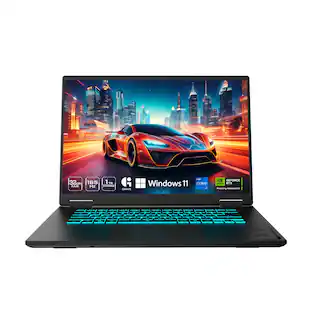
GIGABYTE - GAMING A16 Gaming Laptop - 165Hz 1920x1200 WUXGA - RTX 5070 - AMD Ryzen 7 260 - 1TB SSD - 16GB DDR5 RAM - Black Steel
4.5(25)

GAME IT ALL. The GIGABYTE GAMING A16 redefines accessible gaming with a perfect synergy of AI-powered performance and ergonomic design. Featuring an AMD Ryzen™ 7 260 Processor and up to a NVIDIA® GeForce RTX™ 5070 GPU, the GAMING A16 is ideal for casual gamers, students, and professionals exploring generative AI. Equipped with GiMATE - an intelligent AI agent - this laptop, personalizes your computing experience by adapting system operations to your unique needs. With a focus on user comfort, the GIGABYTE GAMING A16 introduces the premium GIGABYTE Golden Curve Keyboard and a versatile 180-degree hinge design, accommodating various usage scenarios from gaming to productivity. Perceive every game winning moment on a panoramic 165Hz display with slim bezels and a 16:10 aspect ratio while Dolby Atmos® creates an immersive audio experience.

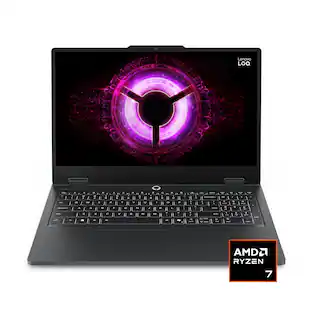
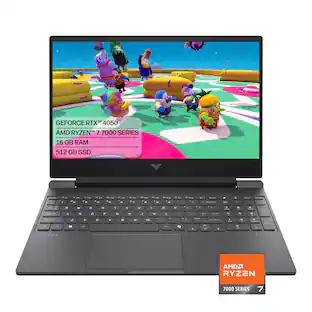
HP - Victus 15.6" 144Hz Full HD Gaming Laptop - AMD Ryzen 7 7445HS (2023) - 16GB Memory - NVIDIA GeForce RTX 4050 - 512GB SSD - Mica Silver

Begin your gaming journey with the perfect combination of power and customization. Get great, stable performance for all your games with the AMD processor, and use the OMEN Gaming Hub toolkit to open up your gaming possibilities.

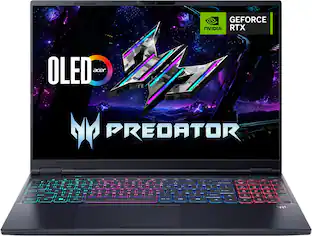
Acer - Predator Helios Neo 16S AI Gaming Laptop - 16" OLED 240Hz - Intel Core Ultra 9 - NVIDIA GeForce RTX 5070Ti – 32GB – 1TB - Obsidian Black

Step into the future with Predator Helios Neo 16S AI—a gaming powerhouse crafted for versatility on the move. Built around an Intel Core Ultra processor, NVIDIA GeForce RTX 5070 Ti GPU with 992 AI TOPS, and a vibrant 16-inch OLED WQXGA display offering 240Hz refresh and 100% DCI-P3 color accuracy. Designed for style-conscious gamers and professionals, this ultra-slim machine (19.9mm) with a sleek profile that meets the demands for performance on the go.

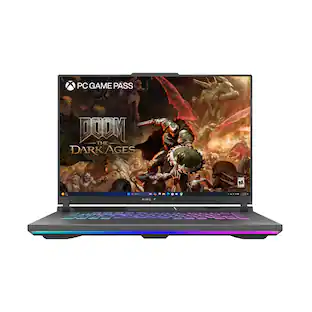
ASUS - ROG Strix G16 16" FHD 165Hz Gaming Laptop - AMD Ryzen 9 8940HX - 16GB Memory - GeForce RTX 5070 Ti - 1TB Storage - Eclipse Gray

Unlock a next-level gaming experience with the ROG Strix G16. Featuring a 165Hz display with Pantone-validated color accuracy, it delivers stunning visuals. Powered by AMD Ryzen 9 8940 HX Mobile Processor and NVIDIA GeForce RTX 5070 Ti GPU, enjoy seamless gaming and creative performance. With 16GB LPDDR5 RAM, a 1TB PCIe 4.0 SSD, and advanced ROG Intelligent Cooling, stay at the top of your game. The esports-ready keyboard, Dolby Vision, and customizable RGB Aura Light Bar elevate every moment. Plus, enjoy easy upgrades and 3 months of PC Game Pass for the ultimate gaming experience.

Pros for GIGABYTE - GAMING A16 Gaming Laptop - 165Hz 1920x1200 WUXGA - RTX 5070 - AMD Ryzen 7 260 - 1TB SSD - 16GB DDR5 RAM - Black Steel
Overall Performance, Noise Level, Portability, Battery LifeOverall Performance, Portability, Noise Level, Speed, Heat DissipationOverall Performance, Processor Speed, Portability, Design, OLED QualityOverall Performance, Portability, Processor Speed, Design, Cooling System
Cons for GIGABYTE - GAMING A16 Gaming Laptop - 165Hz 1920x1200 WUXGA - RTX 5070 - AMD Ryzen 7 260 - 1TB SSD - 16GB DDR5 RAM - Black Steel
Port QuantityBattery Life, RAM, Storage Capacity, Connectivity, WeightBattery Life, Noise Level, Heat Dissipation, Refresh RateBattery Life, RAM, Screen Quality, Fan Noise, Port Count

Specs

Questions & Answers
  • Is the keyboard on this laptop backlit?

    Yes, this laptop features a backlit keyboard with customizable RGB lighting.

    This question and answer was generated by AI based on customer and product data.
  • What is the maximum battery life of this laptop?

    This laptop offers up to 14 hours of battery life to support your daily tasks.

    This question and answer was generated by AI based on customer and product data.
  • Does this laptop support Wi-Fi 6E?

    Yes, this laptop supports Wi-Fi 6E, which provides faster speeds and lower latency compared to previous standards.

    This question and answer was generated by AI based on customer and product data.
  • How much system memory does this laptop have?

    This laptop is equipped with 16GB of high-speed DDR5 system memory.

    This question and answer was generated by AI based on customer and product data.
  • Does this laptop include a front-facing camera?

    Yes, this laptop comes with a built-in front-facing camera.

    This question and answer was generated by AI based on customer and product data.
Ask a question
No content

Customers often buy these together

Sponsored
Ask BlueAI

Finance Options

My Best Buy® Credit Card
Choose a benefit:Or
Lease to own

Special Offers

Top Offers
Included with Purchase

Finance Options

My Best Buy® Credit Card
Choose a benefit:Or
Lease to own

Special Offers

Top Offers
Included with Purchase