Everything for Back to School — and then someShop now

Skip to contentGo to Product Search
Main Content

Hercules - Stream 200 XLR, Pro Audio Mixer for Advanced Content Creators, Streaming, and Gaming - Black

Model: AMS-STREAM-200-XLR
SKU: 10677450
Sold & shipped by

About this product

Hercules Stream 200 XLR is an audio controller featuring a built-in sound card, allowing streamers to separate the audio mix that they’re listening to from the mix being played for their audience. Thanks to this audio controller with a built-in LCD screen, you can manage all your audio sources in real time: games, chat software, music, XLR microphone, game console, second computer, and more. Hercules Stream 200 XLR lets you enjoy a customized experience by individually viewing and controlling the sound level of each audio track — for you, and for your audience! Instantly enable, turn down the volume, turn up the volume, mute or unmute the sound!
Features
  • Complete user-friendly sound control in real time

    4 volume level management encoders (with mute support), 2 pages of 4 tracks each + page management button, headset volume encoder, Mute All button, audio control from other devices (game console, second computer…), 1 headset output, 1 XLR microphone input, 1 optical connector, 1 line-in port, 1 line-out port.

  • Practical action launcher buttons

    4 action buttons: multiple mute, URL launcher, scene change, etc.

  • Fully customizable device

    Choice of colors and styles for VU meters custom images and icons profile management.

  • Advance audio settings

    Mute List, Solo, Push to Mute, preamp for high-fidelity vocal sound.

  • Creator mix button

    2 x 2 stereo VU meters for each track, Creator/Audience mix switching button, volume control link button.

  • Integrated software

    Hercules Stream Control app. Core streaming apps pre-integrated (OBS, Streamlabs), built-in guidance (setup assistance, plug-and-play product, drag-and-drop interface).

See all features
Specifications
  • Lighting Type
    Multicolor
    Form Factor
    Full-size
    Connection Type
    Wired
Sponsored

Reviews

Rating 4.3 out of 5 stars with 21 reviews

90% would recommend to a friend

Customer Images

The vast majority of our reviews come from verified purchases. Reviews from customers may include My Best Buy members, employees, and Tech Insider Network members (as tagged). Select reviewers may receive discounted products, promotional considerations or entries into drawings for honest, helpful reviews.

  • Rated 4 out of 5 stars

    Great For Streamers and Content Creators

    Hercules Stream 200 XLR Hercules has put a good idea into physical form. Their streaming device called the Hercules Stream 200 XLR streaming device allows me to connect multiple audio sources to the device and control the input and output volumes via physical knobs. It also has a button that can be used to link the input and output volume of a channel so that when I turn a knob it controls both input and output simultaneously. In addition to that, it has buttons that I can customize for taking actions such as muting a channel, playing and pausing music, launching URLs. I set all of this through the Hercules software that I installed and the software also performs firmware updates for the Stream 200 XLR Construction Construction of the Hercules is case plastic and the buttons are rubber. The buttons do feel nice. The knobs are plastic but strong enough to withstand years of use. I have no doubt that I'll get many years of use out of them. As far as the knobs go, there are five. Four smaller ones are across the front above the action buttons and one larger one on the right side towards the bottom that is for the headphone volume. The four knobs are used to control input and output volume for the input/output channels. Headphone volume knob has a lighted ring around it and it lights up based on the percentage of volume I have set for my headphones. For instance if I have the volume ¾ of the way up, 75% of the Ring will light up. If I have it set to 50% it would cause half the ring to be lit up. It’s a bright white light so it's very noticeable. Each of the action buttons have a number on them which also lights up. There are four other buttons for global mute, volume link, switching pages, creator volume control (input volume control), and audience (output volume control). Each of those has a symbol indicating its purpose. The symbols light up when activated. On the back are the input ports for the various input sources, the screen brightness button, and the 48v phantom power button. Each port is clearly marked. The LCD display on the front is bright and clear. It’s very easy to read the text, see the volume meters, and see the icons. App The app needs to be installed in order to update the firmware on the Stream 200 XLR and also to be able to set up the channels, pages, actions, and settings for XLR mics. I found it easy and straightforward to use. It is feature rich and has granular settings for XLR mics such as a limiter, compressor, etc. I really like the customizability of it. I also like that you can set programs to use specific inputs and outputs that are related to the Stream 200 XLR. You can do this within the Windows 11 volume mixer. This allows you to control the volume specifically related to something like Spotify, Windows Media Player, Chrome, etc. Those programs will show up in the Windows Volume Mixer when they try to access a mic or output audio. For example, if I have a streaming session where I want to play a video clip in Windows Media Player and I want to control the volume of that separately from other input sources, I can do it through the output channel I assign to Media Player. I can then just use the corresponding volume knob on the Stream 200 XLR to control volume output of that specific channel. This makes it super convenient for me to the volume of each input source individually. I don’t have to go back to the Volume Mixer Windows settings and adjust it that way on the fly, I just turn the knob to adjust it the way I want it. Performance The Hercules Stream 200 XLR software doesn’t take up much in the way of computer resources. It runs smoothly and performs well. I did run into a few issues with the Stream 200 XLR device. The first one I received had an issue where there were a lot of popping sounds that happened when I would use an XLR microphone. All other input ports worked as expected, it was just a problem when using the XLR port. I tried multiple XLR microphones. Multiple condenser and dynamic microphones. The problem persisted across all of them. I could hear it in headphones, see it showing with the volume meters , and was present in recordings. I reached out to Hercules' support and they sent me a replacement. The replacement has the same problem but with one exception. The problem isn’t present in the recordings made while using the second one. I can still hear it through headphones and the volume meters still show it happening. At this point, I have moved my headphones over to my computer's headphone jack so I can still monitor audio, but don’t hear the popping noise. I’m able to use the second one for streaming and recording, but it would be nice to just be able to use my headphones through the Stream 200 XLR’s headphone jack. The first one was unusable for audio recording due to how bad the problem was and it being present in the recordings and in streaming. The second one I can use, but I’ll have to use my headphones through my computer’s headphone jack as the noise is annoying enough that I wouldn’t want to be hearing it through an entire live stream. Final Thoughts Hercules has made something that I wanted for a long time. I no longer have to mess with changing the volume of a source through software while streaming, I can do it now with the channel volume knobs on the Stream 200 XLR. The screen and the back lit buttons are easy to see. The convenience of this alone makes it worth it. I like that support responded quickly. There wasn’t any fuss, they just sent out a replacement. I do hope they work out whatever is causing the popping noise involving the XLR port. I’m happy with the features and ease of controlling inputs this brings to streaming.

    This review is from Hercules - Stream 200 XLR, Pro Audio Mixer for Advanced Content Creators, Streaming, and Gaming - Black

    Posted by James

  • Rated 4 out of 5 stars

    Good Audio Mixer for Podcasts, OK for Streaming

    I've been testing the Hercules Stream 200 XLR for a few days now. My verdict is it's a very good audio mixer but there's some limitations and gaps which stop it from being perfect. That said, if you're a Windows user, who regularly records live streams or podcasts, the Hercules Stream 200 XLR will up your game. In the box - Stream 200 XLR - USB C Cable - XLR Pre Amp - stickers Stream 200 CLR Ports - XLR mic input (XLR Pre Amp included) - 1 xOptical - 2x 1/8" Line Out - 1x 1/8" Line In Stream 200 XLR Buttons There's 4 audio main audio dials, a master volume control (with LED), and 5 action buttons (1 of which is a mute button). Installation is easy, plug it into your Windows PC and then download the Hercules Stream Control Software. I received multiple firmware and software updates after first install (see photos). Make sure you do those. After that, everything is managed by Stream Control. No registration is required to use the software. Connecting your microphones, headphones, etc. is plug and play. I didn't use the optical port and honestly can't remember the last time I needed one. I would have loved another 1/8" line in. Initial Observations The Stream 200 XLR looks great and professional. The screen is vibrant. I will say the buttons are a little too spongey for my liking and the dials are not stepped, they're smooth. I prefer stepped buttons to give me more precise control. On that note, the LED on the master control has some bleed as you adjust the volume - so it's not 100% clear what setting you're at. Using the Hercules Stream 200 XLR (Stream Control) The muscle for the Stream 200 XLR is in the (free) Stream Control software. The good - it integrates with OBS, which is a must have if you're streaming. Integration is tight. There's no latency or lag when using the Stream Mixer or impact on your gaming. The things I kind of wish that the 4 hot buttons were LED/LCD programmable colored macro buttons (like what exists with other decks). Labeled simply 1 through to 5, it's good but not great - especially if you want to have multiple profiles for different stream events and then you need to remember what your "1" is for. This might seem like a trivial issue, but if you're mid stream, game and want to hit a button for reaction or effect, you don't want to hit the wrong button and that's where LED/LCD action buttons help - A LOT. I will say that the Stream Control software is very good and better than I expected. You have almost an infinite amount of flexibility, it's intuitive and and it's easy to reset it to defaults if you get lost. FYI, I also found that Hercules has some good how to videos on their YouTube channel if you're looking for a guide configuring the software (there's no PDF user manual on the website - so hit up YouTube). A nice things, you can control your audio vs your audience audio separately, so great if you want to mix things in but have more clarity on the game audio for yourself. What could be better The Stream 200 XLR seems geared for PC gamers and streamers. There's no MacOS app, which is OK given if you're a gamer you're going to be on a PC. But this means the Hercules Stream 200 XLR is not good if you're also recording podcasts as well on a Mac. It's not a show stopper, but you should know that some other Mixer decks have PC and MacOS support. Final Thoughts If you're a Windows user, live streaming games and using OBS the Hercules Stream 200 XLR has nearly everything you need. It would be perfect if it has LED/LCD macro buttons, but if that's not something you need - you will be very happy.

    This review is from Hercules - Stream 200 XLR, Pro Audio Mixer for Advanced Content Creators, Streaming, and Gaming - Black

    Posted by teasten

  • Rated 4 out of 5 stars

    A Great Addition to My Setup!

    The Hercules Stream 200 XLR Pro Audio Mixer is a great addition for a streamer. The ability to monitor and change individual audio volumes brings in a more dynamic experience. The mixer isn't too big taking up desk space. It is also very light. It is simple to set up. Just plug in the main USB-C cord after that plug in your XLR microphone. Then, connect your audio. Lastly, ensure Windows knows which Mic and Audio you want to use. The functionality for the mixer was something new for me. This was my first experience with a mixer. It allows for four custom channels on the main page. You can click over to the second page for four more additional channels. With each channel, you can individually set it the volume to each source. When I was doing a group chat I could easily adjust the volume when others were speaking. While doing some work I could easily adjust my music volume. Also, while gaming I could do the same. Being able to adjust the volume on the fly is great. You also have a creator and audience feature. Allowing you to choose which audio you hear and what the audience hears. So if you don't want your music going through just select the source for the audience and set it up that way. It comes with software that allows you to customize the layout and bottom buttons. The software is very basic. I would like to see more features put into it in the future. You can change your screen layout. You can change the channel icons. You can upload your channel icons. The feeling of the mixer is pretty good. Outside of the one through four-turn knobs. They just feel mediocre and have no serrations on them. They are very smooth. They have a function where if you push the knob in it mutes the channel. Well, when you do this I tend to turn the volume down as well. It was a consistent push all the time. The USB-C cord doesn't fully plug in all the way. This model is only for XLR microphones. The addition of standard USB microphones would have been great. Maybe an individual wanted the extra input but doesn't have an XLR microphone. Lastly, the app is basic with basic functions. I would love to see more updates in the app. Allowing for more user ability and functional ability. This is still a great mixer to add to the advanced streamer or content creator. Having the ability to individually set the volume for multiple audio sources is a benefit. No more having to tab out of software to adjust the volume. You can do it "Live!" This is a great addition to any setup!

    This review is from Hercules - Stream 200 XLR, Pro Audio Mixer for Advanced Content Creators, Streaming, and Gaming - Black

    Posted by Nice

  • Rated 4 out of 5 stars

    Pro Audio with Rookie Software

    THIS… Is the Hercules Stream 200 XLR (and yes that XLR) and it is a nifty audio controller that allows you to control the volume on four customizable tracks plus your mic allowing you total control over your audio while streaming! Plus, it has four function buttons that can launch websites, apps and a few more functions in the effort to keep your stream flowing smoothly. It does all this while displaying it on a vibrant screen with an intuitive layout to make adjustments easy on the fly… now this is a lot in a relatively small package and admittedly I am always having audio issues as it has always been the arrow in my knee, so lets take a look and see if the Hercules Stream 200 XLR lives up to the hype… or if it is just another screen on my desk. Opening the box I was somewhat underwhelmed… I expected a larger looking screen or just something.. MORE. That was quickly squashed when I plugged it in and saw the bright screen and clicky buttons light up but not the end of my headache with the Hercules Stream 200. Plugging in the Audio mixer was easy, figuring out the software behind it was … a couple days on youtube trying to figure things out. There is seemingly no option to bluetooth your headphones to the mixer, so I had to plug in my headphones for the first time in a long time, but once I figured that out I was able to route my four audio channels once I watched the tutorial about 7 more times. Under the four audio channels on the screen are four icons for programmable buttons that can do several functions such as skipping a song, to launching a browser, to a pre-programmed key binding. After I weathered the storm of setting up the Hercules Stream 200 XLR, I had to accept that I wasn’t going to be able to control my mic as it isn’t XLR and didn’t cooperate with my steel series software to control it from the software side of things. With all the hurdles and headache out of the way, I truly have to say that I have fallen in love with the Strea 200 XLR! It is very precise on what it can and cannot do, but when it does something, it does it VERY well. I can easily control all my active audio, instantly mute it all, control my headphones volume and modulate it all together when streaming for my audience or for just my end or BOTH. Never in my wildest dreams would I have thought that I can quickly mute chrome so that an erroneous ear blasting ad from which of my 20 open tabs (who knows, I don’t!) doesn't blow my ears out. I also am able to layer my audio effortlessly before I even get to post processing which is SO nice. The hurdles in the beginning are almost all but forgotten once the Stream 200 is set up. The only day to day task that I would like to see improved (other than bluetooth and better software) is the placement for my quick action buttons in relation to the screen as they are under the volume rockers. This causes me to take an extra second to line up my desired button to the screen and is just a little bit more effort than effortless and an error that I keep making. My screen also had light bleed on the bottom pretty bad when on a blank screen, but almost unnoticeable when in use. I will chalk it up to being the first generation of this product, and certainly something that I can live with but will be on the lookout for in the next version. All in all, where the Hercules Stream 200 XLR lacks in tutorials and software features, it makes up for in the genuine use of the product. I think Hercules needs to use the product they are making more to iron out some obvious kinks, but I can appreciate the initial attempt. Regardless for streaming or for personal use; I think most gamers, work from homers and streamers will appreciate this product as it is just such a nice creature comfort to have in day to day life and a genuinely pretty screen. The best part of the whole thing is when you buy this at Best Buy… you never have to worry about getting the wrong product for your gaming/workstation. I love this audio controller, but it is a very interesting item. Which is what makes Best Buy awesome with an excellent return policy and even better customer service, so you never have to worry about buying a product that you don’t like… so why not test it out!?

    This review is from Hercules - Stream 200 XLR, Pro Audio Mixer for Advanced Content Creators, Streaming, and Gaming - Black

    Posted by Exander

  • Rated 5 out of 5 stars

    Mix and match your sources at your fingertips LIVE

    The Hercules – Stream 200 XLR Pro Audio Mixer is perhaps the best way to bring all your app sounds together, control them and adjust them all—ON THE FLY. There are mixers out there that you can do this too, but usually, most are not as user friendly to use on the fly. This mixer helps me bring my game sound, music, conference call, and most of all, my supercardoid microphone in one spot and tweak volume and outputs as easy as literally 1-2-3. I love playing games. I also love listening to music while I play games. I also (sorry co-workers) play games and listen to music while on boring 2-hour meetings. This device makes multi-tasking easy, as I can be “present” and live in all my activities while being on standby, because I know what’s going on in each. Gone are the days when I wait too long for a required HR training to finish without any side entertainment. This is my solution to my first-world woes. Setup takes a little bit of time, but it is not taxing at all. The device is plug-and-play. The software is easy to get as well, and right after installation, it updated my firmware soonafter. 5-6 minutes tops and the Hercules app is up and running. Component setup is easy as well, and this I would say took the most time, because this device, like any other mixer setup, if you do not label your plugs right, it is not going to help me with quick accesses. This mixer makes it easy for me to plug and label each channel, match it with colors and icon customizations that stay saved on the device. It is drag and drop—what a convenience. One of the best things about this whole setup is, it has an XLR input. I have a streaming microphone, but I sort of have a squeaky voice. I love using my supercardoid beta 58a microphone that I use for recordings and performances because I sound full. I can plug it easily in this mixer, straight up digitizing it for easy monitor output. My PC mixer recognizes all these sources too—so I can easily match the app such as Spotify, Viber, youtube, microphone and match it with the specific channel in the sound mixer settings. So all compatibilities are in sync. Once all my components are set up, then I go to work. I can have a meeting and show content or play games and switch audio. There is a cut-scene I need to listen to—I simply turn up the game channel with the matching color bars to help me easily recognize my inputs. I can do dungeon walk-throughs with buddies while following a youtube guide. My chat channel cannot hear my youtube channel and I can easily do a walk-through and be guided when I switch audio from game audio, chat, and the youtube channel. This is the power of this tool. It makes it easy for me to organize my inputs, see them in real-time, and adjust on the fly without making a mistake that I turned up “who let the dogs out” in a zoom call. Most of all, I do sound great on my super cardoid mic. The XLR is such a nice touch. I definitely recommend!

    This review is from Hercules - Stream 200 XLR, Pro Audio Mixer for Advanced Content Creators, Streaming, and Gaming - Black

    Posted by DarR

Compare similar products

Hercules - Stream 200 XLR, Pro Audio Mixer for Advanced Content Creators, Streaming, and Gaming - Black
4.3(21)

Hercules Stream 200 XLR is an audio controller featuring a built-in sound card, allowing streamers to separate the audio mix that they’re listening to from the mix being played for their audience. Thanks to this audio controller with a built-in LCD screen, you can manage all your audio sources in real time: games, chat software, music, XLR microphone, game console, second computer, and more. Hercules Stream 200 XLR lets you enjoy a customized experience by individually viewing and controlling the sound level of each audio track — for you, and for your audience! Instantly enable, turn down the volume, turn up the volume, mute or unmute the sound!

Elgato - Stream Deck + Studio Controller with customizable touch strip and dials - Black

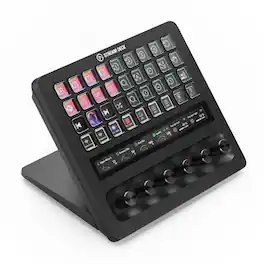
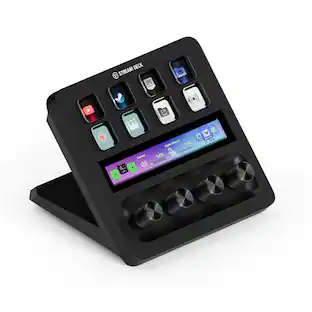
Iconic Stream Deck tech with LCD keys, dials, and touch strip. Fully customizable. Perfect for any workflow. Stream Deck + is your audio mixer, studio controller, production console – anything you want it to be. Trigger actions. Control mics and cameras. Adjust volume, lighting, and much more. Create limitless pages for different apps and swipe between them on the fly. Set up with ease in the Stream Deck app. Unlock Elgato Wave Link mixing software, and hit the Stream Deck Store for plugins, icon packs, thousands or royalty-free music tracks, sound effects, and more. With new plugins and updates added regularly, Stream Deck + evolves with your workflow.

Elgato - Stream Deck + XL - Black
5.0(3)

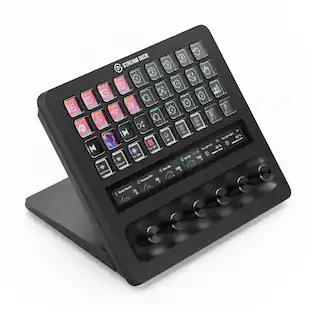
With dozens of customizable controls and real-time info monitoring, Stream Deck + XL lets professionals run entire productions and systems from a single, easy-to-use platform. Integrate everything from DAWs to camera equipment and creative apps with drag-and-drop setup on PC or Mac. Stay in command—32 macro keys and six multifunction dials streamline your work, while a touch strip display puts critical insights within easy view. Optional accessories expand your setup even further, letting Stream Deck + XL double as an audio interface or USB hub. It’s our biggest Stream Deck yet, built for your biggest workflows.

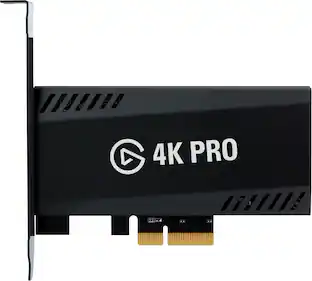
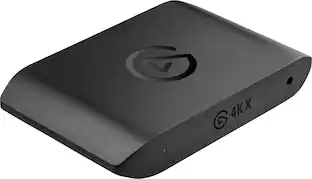
Elgato - 4K Pro – 8K60 Passthrough/4K60 Capture for PC, Nintendo Switch 2, PS5, Xbox Series X with HDMI 2.1, VRR, HDR10 - Black
4.5(43)

8K60 passthrough, 4K60 capture! VRR and true 10-bit HDR. 4K Pro turns your high-end PC or dual PC setup into the ultimate streaming machine, and leaves your gameplay alone. Equipped with HDMI 2.1, you can even play in high resolutions at high frame rates, like 4K240, and capture ultra smooth 1080p240 footage of your performance – all while ultra-low latency circuitry keeps your gameplay and capture feed perfectly synced. From PC, PS5, and Xbox Series X to Nintendo Switch, Steam Deck, ROG Ally, even iPhone 15 – we’ve made sure 4K Pro plays beautifully with your beloved machine. Because you‘ve invested in high-end gear for the best gaming experience possible, and you shouldn’t have to compromise that.

Pros for Hercules - Stream 200 XLR, Pro Audio Mixer for Advanced Content Creators, Streaming, and Gaming - Black
There were no pros for this productEase of use, Overall Performance, Customization, Volume Control, KnobsThere were no pros for this productOverall Performance, Ease of use, Video Quality
Cons for Hercules - Stream 200 XLR, Pro Audio Mixer for Advanced Content Creators, Streaming, and Gaming - Black
There were no cons for this productPriceThere were no cons for this productPassthrough

Specs

Questions & Answers
  • How many USB ports does the audio mixer have?

    The Hercules Stream 200 XLR audio mixer has one USB port.

    This question and answer was generated by AI based on customer and product data.
  • Is the audio mixer compatible with XLR microphones?

    This audio controller allows you to manage a variety of audio sources, including XLR microphones.

    This question and answer was generated by AI based on customer and product data.
  • What is the purpose of the built-in LCD screen on the audio mixer?

    The built-in LCD screen on the audio mixer allows you to manage all your audio sources in real time and individually control the sound level of each audio track.

    This question and answer was generated by AI based on customer and product data.
  • Does the audio mixer allow you to adjust the volume of different audio sources independently?

    Hercules Stream 200 XLR lets you enjoy a customized experience by individually viewing and controlling the sound level of each audio track — for you, and for your audience! You can instantly enable, turn down the volume, turn up the volume, mute or unmute the sound.

    This question and answer was generated by AI based on customer and product data.
Ask a question
No content

Customers often buy these together

Sponsored

Finance Options

My Best Buy® Credit Card
Choose a benefit:Or
Buy Now, Pay Later
Lease to own

Finance Options

My Best Buy® Credit Card
Choose a benefit:Or
Buy Now, Pay Later
Lease to own