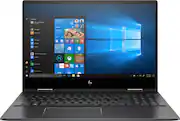
Rating 4.5 out of 5 stars with 198 reviews
4.5- Touch screen (29)
- Fast (22)
- Performance (9)
- Price (7)
- Gaming (6)
- Battery life (5)
- Overheating (4)
- Ram (3)
- Storage (3)
- Color (2)
Customer Images
The vast majority of our reviews come from verified purchases. Reviews from customers may include My Best Buy members, employees, and Tech Insider Network members (as tagged). Select reviewers may receive discounted products, promotional considerations or entries into drawings for honest, helpful reviews.
- Rated 5 out of 5 stars
Great laptop, great price!
I got this laptop for regular home use. It works fantastic, it's super responsive, and beautiful. My son plays his games on it and there is no lag at all. Overall a great purchase, worth every penny.
Posted by MyReview
- Rated 5 out of 5 stars
Great laptop
Been waiting for this refresh since AMDs announcement of the 2nd gen Ryzen processors in January. Although this 3700U processor is only about 5% faster than it's predecessor, the 2700U, the main selling point here is the die shrinkage from 14nm to 12nm. This means less power consumption, less heat and better overall CPU efficiency. I had the previous model, the 15M-CP0012DX, and I can tell you that this new model runs much quieter and cooler. CPU temps while streaming and browsing, which is my main use, seem to be roughly 3-5 °C cooler. Idle is at 35 °C. This new model still uses the same keyboard, same ram frequency at 2400, same Realtek WiFi card (which is now inaccessible unless you remove the mother board) and same FHD IPS touch display so I won't talk about those. One thing to note about the display and one of my only gripes, it's still a bit dim just like the previous one, I was hoping HP gave it some more brightness but they didn't. Since it only came with 8GB of ram, I took the liberty to open the back cover up and upgrade it to 32GB of ram. I just don't think 8GB is enough these days and adding more ram takes a little less stress off of the CPU which helps it run even cooler. I noticed the back cover was redesigned for better airflow and there are much more thermal tapes scattered around. Internal design is a big upgrade from the 2700U model. There are now 2 cooling fans with even more heat pipes, seems like HP is taking fan noise and heat very serious and that's something I can appreciate. Also, there is only 1 drive for the PCI-e NVMe SSD, no more SATA III drive which is fine by me. Laptop comes with 256GB which is fine for most people but if you want to upgrade they make them up to 2TB (4000GB), if you have the means to buy one. I can't comment on battery life too much as I mostly keep my laptop in my room and plugged in but it seems to last a decent amount of time of around 4-5 hours. I ran it unplugged on purpose and it wasn't too bad at all although I don't have solid figures. Maybe another review will address this. So overall I am very happy with this laptop, no issues at all so far. That's all I have and thanks for reading. Hopefully this will help you decide to buy or not.
Posted by 72689
- Rated 5 out of 5 stars
Would buy again
Great performance, good build quality, and great value. Very happy with the purchase. I do wish hp would be more clear on what ram it has and if its upgradable. Though it has plenty for most users I have a few programs that want to see a full 8 gigs and while this laptop has 8 gigs some of it is shared with the graphics card. I would have liked to have a bigger hdd and usb c charging but again those aren't deal breakers and its still a great laptop.
Posted by Matt
- Rated 5 out of 5 stars
Great Laptop
I was originally looking at getting the previous model of this laptop, during my research I noticed that they were releasing a new model so I decided to wait for this one to come out. I'm glad I did, I feel like the construction is a bit more sturdy overall, especially on the touchpad. This is a touchscreen even though the specs currently say it's not (I knew it would be because I was able to find the HP spec sheet online, but in case you're wondering). A few things worth mentioning, there is no indicator on the num lock key to indicate if it is on or off, there is no f lock key, and the fingerprint reader is hit or miss. None of these things were deal breakers for me nor do I feel like they were things that I personally would remove a star for. I may eventually do some upgrades to the RAM and/or install a larger SSD, but overall I am super happy with the laptop.
Posted by cb88
- Rated 5 out of 5 stars
Great laptop
Absolutely amazing laptop, it had every feature that I wanted including fingerprint and touchscreen at an amazing price. Super fast as well.
Posted by victorialynnexo