Rating 4.4 out of 5 stars with 614 reviews
4.4- Screen (97)
- Speed (78)
- Lightweight (53)
- Weight (33)
- Battery life (28)
- Overheating (11)
- Fan noise (9)
- Speakers (7)
- Camera quality (6)
- Bloatware (5)
Customer Images
The vast majority of our reviews come from verified purchases. Reviews from customers may include My Best Buy members, employees, and Tech Insider Network members (as tagged). Select reviewers may receive discounted products, promotional considerations or entries into drawings for honest, helpful reviews.
- Rated 5 out of 5 stars
The Goldilocks Laptop
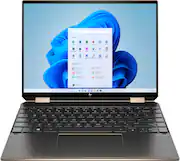
During this review, I will be referencing my previous review of the 2020 HP Spectre x360 15" a lot. Take a look here: https://www.reddit.com/r/spectrex360/comments/gvxb9g/hp_spectre_x360_156_2020_laptop_review/?utm_source=share&utm_medium=web2x&context=3 HP Spectre x360 13.5" (2020) | 14-ea0023dx Cost: $1,599.99 + Tax (Bestbuy) Initial thoughts and background story: I had this laptop in my sights about 1 month before it's official release date. As soon as the laptop appeared on Bestbuy's website, I set it to notify me as soon as it was available to purchase. The day it was available to purchase I was able to place an order. I chose delivery as it stated it would be delivered in 2 days. This turned out to not be the case and one week after the expected delivery date I called Bestbuy's customer support number and asked about the status update on my laptop order. The representative was extremely helpful and stated that the laptop was lost in traffic as it was never picked up by UPS and the computer in the warehouse just automatically printed the label and it was never scanned. I was given the option to either have it reshipped or have it fully refunded. I suggested a 3rd option of changing the order to an in-store pickup and the customer service rep was helpful throughout the whole process. The following day I got an email notification that my device was ready for pickup at my nearby Bestbuy. I was ecstatic and shocked at how quickly everything worked out. The moral of the story is: If possible, select in-store pickup. Laptop Drivers: https://support.hp.com/us-en/drivers/selfservice/hp-spectre-x360-convertible-laptop-pc-14-ea0000/35698516/model/2100028129?sku=1H9M0UA Data Sheet: https://files.bbystatic.com/sI0LlBmMe2h%2F094HQvvVdA%3D%3D/Datasheet Pros: Another beautiful display. The resolution is 3000 x 2000 which is not exactly 4k but the difference is minimal. (This specific unit had no issues with OLED uniformity and colors were spot on. My previous HP Spectre x360 15" had a green tint on light gray backgrounds and it was very annoying. I'm glad this issue is not present on this laptop) An even better typing experience. For some reason, the laptop feels like it has more key travel and the spacing of the keys feel precise. The alignment to the trackpad is centered and not left-sided as compared to the 15" model. The only thing I had to adjust for was the page function keys on the most right sides of the laptop (And I'm going to miss the numpad. That may or may not be something of importance to everyone but it was a welcome feature especially for using the calculator or entering your PIN quicker) Build quality is top-notch. There is no flex on the bottom of the chassis and no keyboard wobble on a flat surface. (Unfortunately, the laptop does not openly perfectly with one hand. About half-way when opening the laptop, the bottom starts to lift up slightly. It is still do-able however) Windows Hello still works exceptionally fast. The placement of the fingerprint reader is in the keyboard layout and I enjoy the greater size of the scanner as it makes me more likely to use the fingerprint scanner. Speed: For some reason, this laptop feels consistently faster & snappier as compared to my previous 15" laptop. Even though there is no dedicated GPU, the integrated Iris XE graphics seem to be just what I need. Video playback is buttery smooth. There are no frame drops when playing 4k HDR 60 FPS videos on YouTube. I even managed to play 8k 60 FPS videos just fine as well with little to no frame drops. Size: This is the goldilocks Spectre x360 in my opinion. The 15" seemed to be way too large to fully utilize all the features of the 360-degree functionality. Tablet mode was a no go. The 13" seemed to be way too small for productivity. But the 14" just happens to give that extra vertical screen real estate that is a game-changer. Scrolling on Reddit and writing code feels so nice on this laptop. Tablet mode feels useable and a feature I enjoy greatly Weight: The weight of this laptop is light yet feels solid and well constructed. The 15" was a tad bit too heavy. The network speeds are just as fast as the previous models. (Reaching speeds of 500 Mbps up & down while being a floor above my router) Begone propriety AC adapter. No more blue tip chargers for this laptop. The laptop comes with a 65 W USB-C Charger and I'm able to use the chargers around the house whenever I need it. I use a 90W USB-C Charger to power this device) (Don't trust that HP Website mislabel, its a headphone jack) The screen-to-body ratio is still 90% while being a 3:2 aspect ratio. That ASPECT RATIO though. It really is nice. Scroll less. See more. Adaptive color profiles. The system is able to automatically detect the surroundings to find the best color profile for your uses. The included HP Rechargeable MPP 2.0 Tilt Pen was a nice add-on that many companies overlook. Battery life has improved as compared to the 15" laptop in my case. I'm getting upwards of 9 hours on this laptop and I believe it's due to all the built in AI features that this laptop has. The Smart Sense profile in the command center automatically detects the best mode for specific use cases. The Webcam privacy filter is COOOOL. The placement of the switch is on the keyboard and when you press this key, the camera becomes disabled and white stripes cover the webcam. This laptop uses 2x 8GB Micron Technology 4267MHz. I get speeds around the 3800 MHz range and woah why is this an underlooked feature. On BestBuy's website, it states that there is only 3200 MHz RAM but that is not the case it seems. Everything just feels snappy, smooth, safe, and beautiful. THUNDERBOLT 4 USB-C Cons: Still a terrible webcam. yup :(. Just make sure you got great lighting. The temperatures do lean towards the warm side but I must say that they are not as hot as previous models. I credit this to the Smart Sense profile switching that kicks in the fans every so often when heavy usage is detected. The temperature is not burning hot. It is more of a sauna temperature warm. Speakers aren't the best of the best. They are a tiny bit quieter than the 15" model but it is still loud and the quality is on point. Still a fingerprint magnet for the exterior. Side Notes/Comments: The laptop drivers on the website may not be up at the moment but that is the link that was provided from the software. Still the classic bloatware in the system. I did not fully reinstall the operating system but instead just manually removed the applications that I did not want as I was setting up the device. (Such as Express VPN, McAfee, OneDrive Promos, Alexa) Honestly, I don't see the "dot pattern" that was reported on previous models. Maybe it's there but it's too small for me to see I believe they added AI noise reduction for the microphone so that is an improvement to be noted. The in-bag detection is a nice idea and I have to fully test that out. The Iris XE Graphics are about the same level as the Nvidia MX350. Just if anyone was wondering. The laptop is 3 lbs or 1.36 kg Y'all should check out HP Quickdrop. (A way to transfer files from your phone to the computer, quickly and seamlessly
Posted by rawl
- Rated 4 out of 5 stars
Next level
Purchased the HP Spectre 360 2in1 13.5 inch in Nightfall Black. The wrapping definitely matches the price point, giving a feeling of receiving a high-end product throughout the unboxing process. And the computer is a beauty. Inside the box is the laptop itself, a patent leather laptop sleeve and a stylus pen. The laptop speed is super fast while executing tasks such as streaming Netflix, YouTube etc., using Microsoft Office products, using a variety of other applications, checking email and running multiple tasks at the same time (i.e. multiple windows open and streaming simultaneously). The high definition screen provides a crisp image that is easy to look at and makes viewing pleasurable and the 3:2 aspect ratio makes you forget you have a smaller device. I didn't want to carry around a heavy 15 inch laptop and with this screen you don't feel like you've compromised screen size at all. I love the fingerprint reader, between having to remember so many passwords and constant threat of cyber security compromise it adds a little bit of comfort. The battery life is decent for a laptop but nowhere near 10 hours for example I was taking an online proctored exam where there was only one application running and the microphone and webcam and the battery nearly died 3.5 hours into the exam. Overall I am pleased with my purchase and have even purchased an additional for a family member that was in need of replacement PC. Given the expensive price and cons listed below I still made the investment. And although I would purchase again I gave it a 4 star instead of 5 for the cons listed in this review (would've given it a 4.5 if that were an option). Pros: Beautiful, fast, extra accessories, screen display (both quality of image and end to end display), amount of SSD storage, compact size and finger print reader. Cons: Expensive, low quality webcam, the nightfall black body/display screen show fingerprints and shorter battery life than expected.
Posted by Happycamper
- Rated 5 out of 5 stars
Excellent laptop - great value
As an owner of a 2016 Spectre x360, I thought it was time to upgrade. I purchased the 14 inch Tiger Lake Spectre x360-14 on November 13, 2020. I have been very pleased with the 2020 model thus far. Size: I found my 2016 Spectre to be an ideal size and weight compared to any prior laptop I had owned. This model raises the bar. With a 14 inch diagonally measured screen, the 2020 model laptop is actually slightly smaller than the 2016 model. Bigger screen, smaller overall size. How did they do that? It’s all in reducing the size of the screen bezels, that wasted space around the borders of the screen, which are very slim in the 2020 Spectre. I really wanted more screen space, but would not consider a 15 inch screen because of the size and weight. I didn’t think it could get any better than my 2016 Spectre, but it does. Battery life: This is the weak point of the 2020 Spectre x360-14 for some people. The OLED screen extracts a big penalty on battery life over an IPS screen. I got about 5.5 hours with the screen on the entire time, web browsing, etc. At 19% remaining, Battery Saver kicked in and reduced screen brightness. It seemed like the processor slowed also as it was not as responsive, but still quite useable. The Spectre lasted another 40 minutes until at 7% remaining, a popup said to turn off or connect the power supply which I did. So a little under six hours of use with the screen on. Unless I’m on an airplane, I generally use a laptop with the power supply attached, so I don’t see this as huge limitation for me. Keyboard: The keyboard is much better than the 2016 model. Keys are not as slippery, much better marked (can’t really read the symbols on the silver keys on the 2016). The 2020 model has larger markings, larger keys and a better feel overall. Keyboard illumination from back lit LEDs is superb. On 2016 Spectre, there is one mode of illumination that provides some backlight but it is quite uneven on the keyboard and stays on all the time when activated. On the 2020 Spectre, illumination is even, with two levels of brightness, and after about 8 seconds, it turns off if no keys are touched. Touchpad: The 2020 Spectre’s touchpad is a huge improvement over 2016. This was a weak point of the 2016 model for me. The earlier touchpad was just “inaccurate” in that the slightest touches would move the cursor when unintended. Sensitivity adjustments never worked. With the 2020 model, the touchpad works like it should. I was surprised to find it uses an Elan driver as some reviews indicated it used Microsoft Precision drivers which appear to be the best. Screen: The best feature of this laptop is the 3:2 screen ratio. You quickly realize how much more enjoyable and less tiring using this screen layout is compared to a 16:9. The only thing a 16:9 screen is good for is watching movies. If you use a laptop for anything else, you will appreciate this change to the original laptop screen format. It simply takes less eye and head movement and scrolling to acquire the same information on a 3:2 screen than on a 16:9 screen if viewing text and images. This alone is a reason to buy this computer. I think we will see this become the standard laptop screen format very soon. The OLED display is quite good. I can see an improvement in resolution between this 3K version and my 2016 FHD IPS screen. Whites are truly white, not gray as on the 2016 model. Text is clearer. I have not played with the auto adjustment features yet. It’s currently turned off. The screen brightness can be set so high you can read a book from the light it produces, whereas the 2016 display brightness was typically set at almost 100% to produce a useable image indoors. Color rendition appears to be quite good, though even with HP Display Control app set at “Native – No optimization applied” I thought the color saturation was a bit too high for natural looking color. Other modes on Display Control produce even higher color saturation. There are a lot of options for adjusting the screen color and brightness. It will take some time to find the right one(s) for me. I have not noticed any of the grid lines that some users report. Overall, another major improvement over the 2016 model. Speed: What can I say, it’s faster than my four year old Spectre, which I found adequate for word processing, web browsing, etc. But the 2020 Tiger Lake model is clearly more responsive. What counts for me is how it performs on the tasks I use it for. I don’t play computers games, and would not expect this laptop (without a dedicated GPU) to be adequate for hardcore gamers, but for my use, it is more than adequate. Just FYI, Best Buy’s Specification for this laptop reports that it uses 3200 MHz memory. This is incorrect. The installed memory is actually two Micron Technology 8 Gig RAM modules of 4267 MHz memory. Heat: Yes, the laptop gets warm on your lap, but never uncomfortably so. I would say it’s the same as the 2016 Spectre, but obviously with a much faster processor, better display and all the other improvements. I never heard any fan noise. Sound: I found the sound quality good, not great. Bear in mind if you are listening to things like YouTube, audio quality of the original media varies considerably. There’s a lot of bad audio on the internet, and no speakers can improve something that was poorly recorded. But for content that was properly recorded, I found the sound quite good, and volume levels adequate. Signon: Windows Hello facial recognition works flawlessly and instantly. It took about a minute to set it up. I was not offered the option to store a fingerprint, probably because I had setup the Hello and PIN options, but I’ll probably teach it my fingerprint just in case. Power supply: The 2020 Spectre comes with a 65 watt HP USB C Power Delivery charger, but fortunately the laptop can use any USB C charger that produces at least that minimum power. The 2016 Spectre would give you a pop up if you connected anything other than HP’s charger telling you it recommended you use the factory charger. That was a total annoyance, even though it would still charge with non-HP chargers. No silly warnings on the 2020 model. This allows me to use a dual port Aukey charger that charges both my phone and the Spectre at the same time with a single charger. WiFi: Not much to say here other than the WiFi gave equal or slightly better performance compared to other WiFi devices on my home network. I tend to use wired gigabit Ethernet (with an Ethernet to USB C adapter that I purchased – not included with the Spectre) for the best speeds, but on both 802.11 AC and AX access points, the WiFi speeds were very close to what I measured on wired ethernet tests. I noticed that the Spectre detected an AX access point and gave a pop up when connected to that device alerting me that it had established an AX (WiFi 6) connection. Webcam: I have not tested this. Other reviewers are critical of the picture quality in the sense that the 2020 Spectre’s webcam is no better than that on webcams from a few years ago. That’s probably true. It’s just a 720p webcam. If you want a better webcam, buy a better webcam and plug it into a USB port. Overall impression: The 2020 Spectre x360-14 is a superb laptop. I rarely used the tablet mode on my 2016 model, but I still have not found a better laptop for my needs. It’s fast, lightweight, has an excellent screen and keyboard, more storage than most people will ever use and simply meets all my needs. Yes, there are cheaper laptops, but my four year old 2016 Spectre is still working quite well, and I expect to get at least another four years from the 2020 model. The 3:2 ratio screen really is reason enough to justify an upgrade. You simply have to spend about an hour with this format to realize how much better this screen ratio is compared to the 16:9 screen format that has been the only choice for many years. Over the years, I have used laptops by Dell, Lenovo and HP (including some designed for business customers). Some of the business models might be slightly more robust in terms of construction, but none had the same combination of features and performance that the 2020 Spectre x360-14 offers. Highly recommended. Price match warning: A week after I purchased the laptop, Best Buy’s website showed a significant price reduction over what I had just paid. My phone call to Best Buy’s 800 number resulted in a polite: we can’t price match this item. I was unable to get any explanation why since I was well within the return period and the lower price was from Best Buy itself. I went to the local BB store where I had purchased the laptop. The helpful employee said when he tried to process a price match, the computer said it was ineligible because it was part of a bundle. I explained that it was not a bundle, but Best Buy had offered a slight discount on a Logitech mouse and a Microsoft 365 subscription if purchased at the same time as the laptop. (This same offer applies to almost all BB laptops.) So the $35 or so I saved by buying the accessories at the same time I purchased the laptop had made me ineligible for a refund of a couple of hundred dollars because Best Buy considered this a bundle purchase. Best Buy needs to fix this. I was ready to return the computer on the last day of the return period and purchase another one when it went on sale, but a very helpful assistant manager in the store was able to work it out to complete the price match. Until Best Buy fixes this, I would forego any accessories purchased on the same order as the laptop.
Posted by WG26
- Rated 5 out of 5 stars
This is a great laptop!
This is a great laptop! I was looking for a laptop that could easily move around the house with me. After viewing it's 15" sibling I found the 13" would be better to pick up and move around as I needed to. It is fast! I'm not one who really cares about boot up and shut down time, but it's at the password screen in less than 5 seconds. Shut down is a little longer then 5 seconds, but you can just close the lid and let it finish doing it's business. The touchscreen laptop is new to me and I thought I might not use it much. But I find myself scrolling shopping sites or news articles without worrying about where the pointer is in and accidently clicking an ad or something else on the page. The TouchPad is really big which is nice when I do need to move around the screen. It's also really sensitive to my touch and doesn't have a jitter if I am holding the pointer in one spot. The laptop is beautiful. The color, texture, and sheen make it feel nice to the touch. The texture of the outside lets me hold it securely when I'm moving around the house without having to grip it hard and feel like I'm crushing it. Camera and mic are good. Nothing amazing. Clear video and sound. You can turn both mic and camera off quickly with a button on the keyboard, which comes in handy when the dog barks. The back-lit keyboard is a cool feature. There is only one color setting and intensity is full brightness, half brightness, and off. The 15" did have more ports, but I purchased a USB C docking station that gave me the additional USB ports and display ports when I needed to extend the desktop to multiple screens. It doesn't get hot on my lap. I played a video intense game and the fan kicked on about every 10 mins. I never felt like I needed a lap tray because it was burning my skin. The sound is pretty good considering the size of the speakers. I haven't used the I would recommend this laptop to anyone. It can be pricey because it's a Gen 11 processor, but I still say go for it.
Posted by Illbehonestwithyou
- Rated 5 out of 5 stars
Great premium 2 in 1 laptop ! (one month use)
I have got this in an amazing deal ($1299/-) during the holiday season. So, keep watching the price , it may come down again near Christmas. Anyways, I bought this HP 2in1 laptop last month and have been using it since then. I spend an average of 4-5 hours on this laptop (other than my work laptop) to watch videos, audio , web browsing, studying and coding. I must say, I am really impressed with the quality and performance of this laptop. Screen-- It is having a very unconventional screen ratio 3:2 which is getting popular nowadays. It shows more content on the screen which is perfect for me while reading/writing documents, browsing and coding. While watching any youtube or video content, it shows black bar as most of the videos are not in 3:2 aspect ratio but that's okay with me. BTW, I forgot to mention, it is a 3k oled panel with amazing colors accuracy. This laptop is definitely one of the best in the market. Performance-- This laptop powered with tiger lake 11th gen intel evo platform. Great performance for my use. I don't play games on my laptop but I have heard it can handle a decent amount of gaming. 11th Gen is way better in graphic performance than 10th Gen. So, I would suggest going with only 11th gen. Sound-- Great sounding speaker. Very crisp and clear and doesn't distort at high volume. I wish the max volume could be a little louder. Keyboard-- One of the best in class keyboards, especially in 2in1 laptops. It is Chiclet style keyboard with good key travel (1mm approx). Love typing on it! Battery-- I would say battery is just okay. On my regular use I get around 5-6 hours max. Battery could have been a little better. Overall I really like this laptop and would recommend this product. Good Job HP!!
Posted by Ankitk