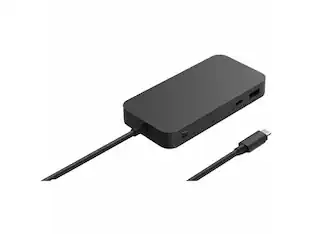
Insignia™ - 4-Port USB Hub with USB-C Connection - Black

More Buying Options from Best Buy
Related Item

Specifications
- Number of USB Port(s)4
- Key Specs
- Number of USB Port(s): 4
- General
- Brand: Insignia™
- Model Number: NS-PCHC4A
- Product Name: 4-Port USB Hub with USB-C Connection
- Color: Black
- Features
- Hub Type: USB hubs (The type of connection, such as Ethernet or USB, used to connect peripheral devices to the hub for shared access.)
- Ports
- Number of USB Port(s): 4
- Port Type(s): USB (USB 2.0 connects external drives, gaming controllers, smartphones, MP3 players and other accessories.USB 3.0 transfers data faster than USB 2.0, but only when used with USB 3.0 devices.USB Type-C provides fast speeds and versatile power, featuring connectors with identical ends that plug in upside down or right side up. Adapters allow for video as well as backward compatibility.Thunderbolt provides ultra-high bandwidth for fast data transfer between devices featuring a Thunderbolt or MiniDisplayPort connection.HDMI allows you to connect a projector or display HD media on your HDTV or monitor.Media card slots allow you to transfer photos from your digital camera or camcorder.)
- Speed
- Rated Speed: 5000 megabits per second (The rate of data that can be transmitted by the networking device.)
- Dimensions
- Product Height: 0.64 inches (The out of box height of the item. Height is measured as the vertical distance from the bottom of the item to the top as it would be primarily used or placed.)
- Product Length: 0.28 inches (The out of box length of the item. Length is measured as the longest dimension of the item.)
- Product Width: 1.35 inches (The out of box width of the item. Width is measured as the horizontal distance from one side of the item to the other as it would be primarily used or placed.)
- Product Weight: 0.1 pounds (The out of box weight of the item.)
- Warranty
- Warranty - Parts: 1 year limited
- Warranty - Labor: 1 year limited
- Other
- UPC: 600603296925
If you’re like many busy people, you have a dozen things going on at once, and working on the computer is no different. You likely need your computer’s USB ports to connect a keyboard or mouse, transfer files and charge devices – it’s no surprise that there aren’t enough ports for everything. This hub helps optimize your workspace by providing four extra USB ports to connect accessories – simply plug it into your computer’s USB-C port. Transfer speeds up to 5 Gbps move files quickly and efficiently. Its compact size makes it perfect for slipping into a purse or backpack. You really can do it all with the Insignia 4-Port USB-C Hub.
- Works with most USB devices: Connect up to 4 USB devices (including smartphones, tablets, flash drives and more) at the same time.
- USB-C connection: Easily connect to your computer’s USB-C port.
- Transfer files quickly: Transfer speeds up to 5 Gbps let you move files quickly and efficiently.
- Take it with you: Small, compact design for convenient transportation.
- System requirements: Works with a Windows 10 or macOS 10.12 and newer computer.
- Black color: Basic black color blends in with many electronics.
Whats Included
- Insignia 4 Port USB-C Hub
Product Manuals
Q: How many devices can I connect to this hub at the same time?
A: You can connect up to 4 USB devices to this hub simultaneously.
Q: Is this hub easy to carry around?
A: Yes, the hub has a small and compact design making it easy to transport.
Q: What type of connection does this hub use to connect to my computer?
A: This hub connects to your computer's USB-C port.
Q: What is the maximum speed for transferring files with this hub?
A: This USB-C hub offers transfer speeds of up to 5 Gbps.
Q: Does this hub work with Windows computers?
A: Yes, this hub is compatible with Windows 10 or macOS 10.12 and newer computers.
Q: Is this a usb-c to USB type-A 3.0?
A: This USB Type C hub has 4 USB Type A 3.0 ports.
Q: Will this work to charge multiple cellphones. I want to plug my devices into one port to charge
A: With this hub you can connect up to 4 USB devices (including smartphones, tablets, flash drives and more) at the same time. Try the wall charger model NS-MPH5A1CW
Q: Does this have thunderbolt 3 support? and does what is the transfer speed?
A: The USB-C end of it will work IN a Thunderbolt 3 port, but all the ports the hub adds are USB-A 3.0 so they can't provide Thunderbolt-anything. Kind regards, good luck!
Compare similar products

If you’re like many busy people, you have a dozen things going on at once, and working on the computer is no different. You likely need your computer’s USB ports to connect a keyboard or mouse, transfer files and charge devices – it’s no surprise that there aren’t enough ports for everything. This hub helps optimize your workspace by providing four extra USB ports to connect accessories – simply plug it into your computer’s USB-C port. Transfer speeds up to 5 Gbps move files quickly and efficiently. Its compact size makes it perfect for slipping into a purse or backpack. You really can do it all with the Insignia 4-Port USB-C Hub.
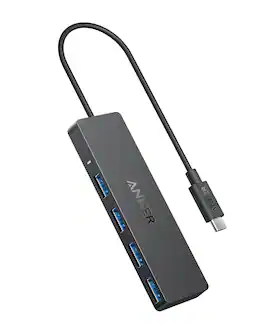
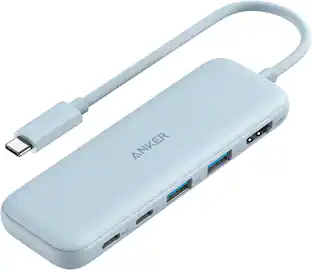
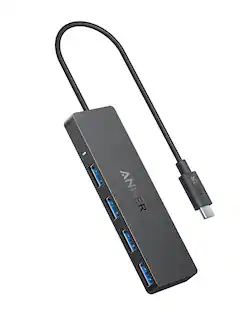
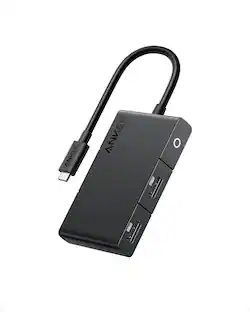
Anker 4-Port USB 3.0 Hub with 5Gbps Data Transfer, Ultra-Slim Data USB C Hub [Charging Not Supported], for MacBook, iMac, Surface, Mobile HDD, and More (USB-C, 0.7 ft)

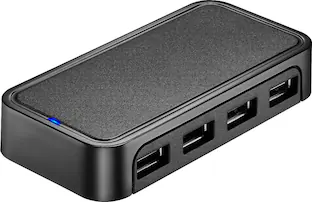
The Insignia 4-Port USB 3.0 Hub lets you connect up to four USB devices with the use of a single USB 3.0 port. An LED indicator light lets you know when the hub has been plugged in and is ready for your keyboard, mouse, or other USB accessories. A 5 V, 900 mA total output delivers quick and consistent power, while a data transfer speed of up to 5 Gbps performs quickly so you can get more done. Its compact design makes this hub easy to store and carry.

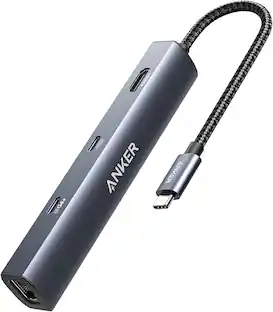
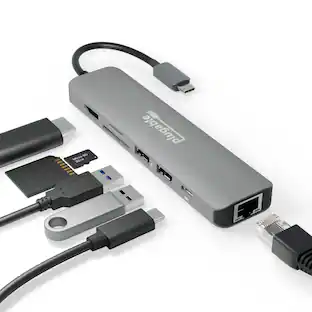
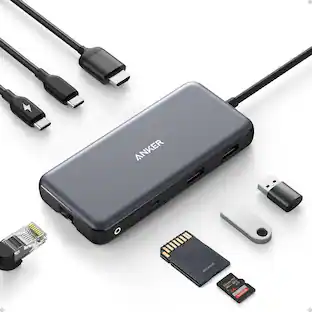
Anker USB C Hub (5-in-1), 4K@30Hz HDMI USB Hub with 90W Max Power Delivery, USBC & USBA Data Ports, Compact and Stylish for MacBook, Dell XPS, and More (Charger Not Included)
| Pros for Insignia™ - 4-Port USB Hub with USB-C Connection - Black | |||
|---|---|---|---|
| Overall Performance, Ease of use, Connectivity, Size, USB-C | There were no pros for this product— | Overall Performance, Ease of use, Connectivity, Size, USB Ports | Overall Performance, Connectivity, Ease of Use |
| Cons for Insignia™ - 4-Port USB Hub with USB-C Connection - Black | |||
| Power, Cord Length | There were no cons for this product— | Power, Cable Length | There were no cons for this product— |
Specs
Reviews
Rating 4.7 out of 5 stars with 1449 reviews
- Overall Performance (303)
- USB-C (273)
- Ease of use (230)
- Connectivity (85)
- Size (58)
- Cord Length (32)
- Power (8)
Customer Images
The vast majority of our reviews come from verified purchases. Reviews from customers may include My Best Buy members, employees, and Tech Insider Network members (as tagged). Select reviewers may receive discounted products, promotional considerations or entries into drawings for honest, helpful reviews.
Customers often buy these together
Monitor and Video Cables



Laptop Docking Stations
More recommended items
 Cables and Adapters
 Computer Keyboards
 Mice
Mice USB Drives
 External Hard Drives
 Web Cameras
More to consider
 $11.99The price was $17.99





Explore tech essentials Sponsored


Discover related products

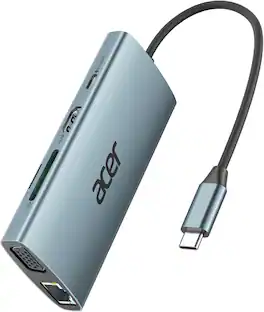
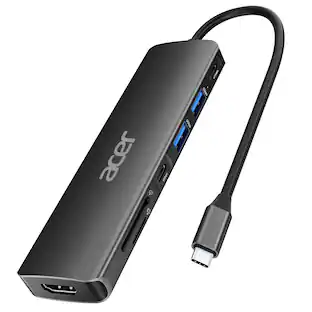
Acer - 5 in 1 USB C Hub with 4K HDMI, 100W Power Delivery, 3 USB A Data Ports, USB C to HDMI Adapter
$14.99The price was $16.99 $13.99The price was $19.99




Keep exploring
 $175.99The price was $189.95
 $21.99The price was $24.99