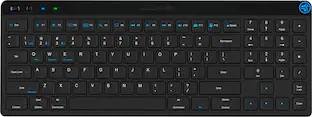
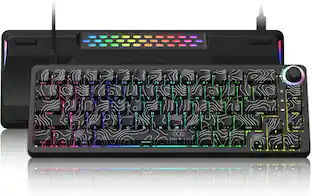
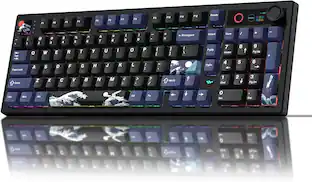
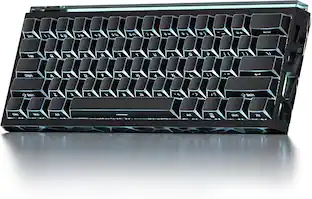
KINESIS - mWave Mechanical Keyboard for Mac - Quiet Linear Switch - Wired/Wireless Connectivity - Bluetooth - Compact - 30 - White
Reviews coming soon
About this product
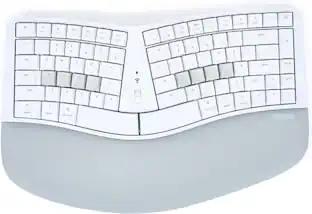
The classic ""sculpt"" design reimagined for a more discerning typists. As the market leader in computer ergonomics, Kinesis has been designing and building premium-grade ergonomic keyboards for more than 25 years. The all-new Kinesis mWave Mechanical Keyboard features a time-tested design UPGRADED for improved typing feel and ergonomics. Fixed Split Design: Split design positions hands closer to shoulder-width in proper typing form to reduce ulnar deviation. Integrated Tenting: Tenting elevates the thumb side of the hand to reduce forearm pronation caused by flat keyboards. Integrated Palm Support: Velvety smooth, washable palm support promotes neutral typing position to reduce wrist extension. Integrated Palm Support: Velvety smooth, washable palm support promotes neutral typing position to reduce wrist extension. Compact Tenkeyless Layout: Tenkeyless layout with embedded keypad results in a smaller footprint for closer mouse placement. Negative Tilt: For those with sensitive wrists, snap on the magnetic feet for a negative typing angle. Tactile Home Row and Arrows: Find the home row and arrow keys without taking your eyes off the screen thanks to their unique sculpted shape. Available Backlighting: Connect the keyboard via USB to illuminate the key legends for working in low light environments.
Color
WhiteKinesis mWave Mechanical Keyboard for Mac - Quiet Linear
The classic ""sculpt"" design reimagined for a more discerning typists. As the market leader in computer ergonomics, Kinesis has been designing and building premium-grade ergonomic keyboards for more than 25 years. The all-new Kinesis mWave Mechanical Keyboard features a time-tested design UPGRADED for improved typing feel and ergonomics. Fixed Split Design: Split design positions hands closer to shoulder-width in proper typing form to
- Form FactorFull-sizeKeyboard TechnologyMechanicalKey Switch BehaviorLinearConnection TypeWireless
Reviews
This product doesn't have any reviews yet.

Compare similar products

The classic ""sculpt"" design reimagined for a more discerning typists. As the market leader in computer ergonomics, Kinesis has been designing and building premium-grade ergonomic keyboards for more than 25 years. The all-new Kinesis mWave Mechanical Keyboard features a time-tested design UPGRADED for improved typing feel and ergonomics. Fixed Split Design: Split design positions hands closer to shoulder-width in proper typing form to reduce ulnar deviation. Integrated Tenting: Tenting elevates the thumb side of the hand to reduce forearm pronation caused by flat keyboards. Integrated Palm Support: Velvety smooth, washable palm support promotes neutral typing position to reduce wrist extension. Integrated Palm Support: Velvety smooth, washable palm support promotes neutral typing position to reduce wrist extension. Compact Tenkeyless Layout: Tenkeyless layout with embedded keypad results in a smaller footprint for closer mouse placement. Negative Tilt: For those with sensitive wrists, snap on the magnetic feet for a negative typing angle. Tactile Home Row and Arrows: Find the home row and arrow keys without taking your eyes off the screen thanks to their unique sculpted shape. Available Backlighting: Connect the keyboard via USB to illuminate the key legends for working in low light environments.

Ergonomic wave design keyboard with tactile mechanical switches, integrated palm support, and Mac-specific layout for improved comfort and productivity. Features programmable keys, optional backlighting when wired, and dual connectivity via USB or Bluetooth for flexible use.

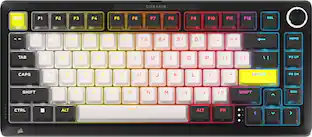
G915 X LIGHTSPEED TKL low-profile wireless gaming keyboard offers the latest innovations in gaming technology with meticulously crafted design and curated materials. Tri-mode connectivity provides best-in-class 2.4 GHz LIGHTSPEED wireless, Bluetooth, and wired data mode. Set up to 15 features per key with KEYCONTROL. Meticulously crafted low-profile GL switches unleash increased APM for even more speed.
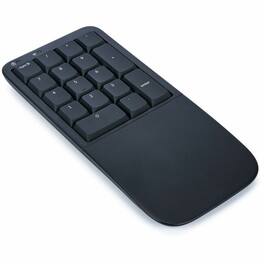
The all-new Kinesis Mechanical Keypad LP is the perfect companion to any Kinesis tenkeyless keyboard. Mechanical key switches, fully programmable, available backlighting, and choice of Wireless or Wired mode. Boost productivity without compromising ergonomics. The new Mechanical Keypad LP matches the low-profile design of the mWave Mechanical keyboard. It utilizes quiet low-profile "LP" mechanical key switches, the same choice of Wired or Wireless mode, available white backlighting over USB, and full programmability via Kinesis Clique. The Mechanical Keypad LP keypad allows flexibility in positioning the keypad to the right or left of the keyboard and is perfect for tenkeyless keyboards like the mWave and Freestyle, or even laptops. Use it in any situation where a stand-alone keypad is preferred. More from the Manufacturer
| Pros for KINESIS - mWave Mechanical Keyboard for Mac - Quiet Linear Switch - Wired/Wireless Connectivity - Bluetooth - Compact - 30 - White | |||
|---|---|---|---|
| There were no pros for this product— | There were no pros for this product— | Build Quality, Battery Life, Wireless Performance | There were no pros for this product— |
Specs
Be the first to ask a question.
We’ll try to get your question answered within 24 hours by a Best Buy customer or brand representative.
Customers often buy these together



More to consider
 $69.99The price was $79.13

Explore tech essentials Sponsored
 $183.99The price was $239.99
 $169.99The price was $249.99