Main Content

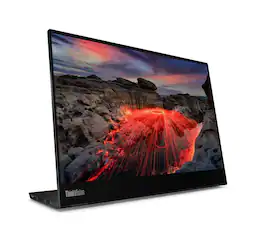
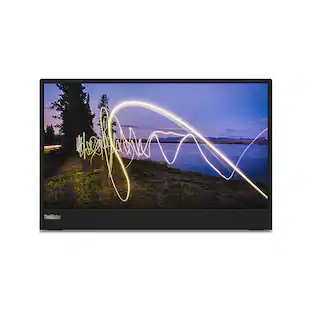
Lenovo - Thinkvision M14t Gen 2 Portable Monitor - Touch, 2.2K, 16:10, USB-C, 14" IPS (63FDUAR6WW) - Raven Black

Model: 63FDUAR6WW
SKU: 11988880
$349.99
or
$29.17/mo.
suggested payments with 12-Month Financing
Show me how
Finance OptionsView your offers
Availability
FREE shipping to
Sold & shipped by
T3Wares
(24)

More Buying Options

Highlights

  • Key Specs
    • Refresh Rate: 60Hz (The number of frames per second the device can produce natively without enhancement. Higher rates help produce smooth, seamless pictures.)
    • Maximum Resolution: 2240 x 1400 (Maximum resolution refers to the highest number of pixels that a screen can process and display. Higher resolution signals produce more detailed images.)
    • Response Time: 6 milliseconds (The speed at which pixels can change colors is called response time. It is measured in milliseconds (ms).)
    • Panel Type: IPS (Technology that affects response time and image quality.)
    • Synchronization Technology: Not Applicable (Generally, these technologies allow syncing between a computer/console game's frame rate and the device's refresh rate for a smoother display without tearing.)
    • Screen Size: 14 inches (Size of the screen, measured diagonally from corner to corner.)
    • Display Connector(s): 1 x DisplayPort 1.2 (The number and type of connectors used to connect to an external display.)
  • General
    • Brand: Lenovo
    • Model Number: 63FDUAR6WW
    • Product Name: Lenovo Thinkvision M14t Gen 2 Portable Monitor - Touch, 2.2K, 16:10, USB-C, 14" IPS (63FDUAR6WW)
    • Color: Raven Black
  • Display
    • Refresh Rate: 60Hz (The number of frames per second the device can produce natively without enhancement. Higher rates help produce smooth, seamless pictures.)
    • Maximum Resolution: 2240 x 1400 (Maximum resolution refers to the highest number of pixels that a screen can process and display. Higher resolution signals produce more detailed images.)
    • Native Resolution: 2240 x 1400 (Native resolution of a screen refers to its single, fixed resolution. Sometimes screens must scale an image up or down in order to fit the native resolution. This can cause a loss of resolution or detail.)
    • Contrast Ratio: 1500:1 (Measured difference between a displayed image's brightest whites and darkest blacks. The larger the first number, the more detail and color that can be displayed.)
    • Response Time: 6 milliseconds (The speed at which pixels can change colors is called response time. It is measured in milliseconds (ms).)
    • Display Type: LED
    • Panel Type: IPS (Technology that affects response time and image quality.)
    • Synchronization Technology: Not Applicable (Generally, these technologies allow syncing between a computer/console game's frame rate and the device's refresh rate for a smoother display without tearing.)
    • Aspect Ratio: 16:10 (The measurement of the width of a screen compared to the height of a screen, expressed as a ratio.)
    • Curved Screen: false
    • Pixel Density: 189 pixels per inch (The number of pixels present per inch on the device's display. Higher pixel density improves the clarity and sharpness of the displayed image.)
    • Brightness: 300 candela per square meter (A measure of the total light output.)
    • Screen Size: 14 inches (Size of the screen, measured diagonally from corner to corner.)
    • Horizontal Viewing Angle: 178 degrees (The maximum angle at which the display can be viewed with acceptable visual performance from either side.)
    • Vertical Viewing Angle: 178 degrees (The maximum angle at which the display can be viewed with acceptable visual performance from above or below.)
    • Touch Screen: true (Touch-screen devices make navigating more intuitive. Using a touch-screen display, you can do things such as tap to select, hold and drag to move items, swipe to scroll, and pinch to zoom.)
    • Color Gamut (Standard RGB): 100 percent
  • Connectivity
    • Number of DisplayPort Inputs (Total): 1
    • Number of HDMI Inputs (Total): 0
    • Number of VGA Ports: 0 (VGA (Video Graphics Adapter or Video Graphics Array) is a display standard that transmits via analog signals. This type of interface is typically used to connect a computer to a display device such as a monitor, projector, or TV.)
    • Number of DVI Inputs: 0 (The number of digital cables carrying analog (VGA) video signals that can be connected to the product.)
    • Number of Mini DisplayPort Inputs: 0
    • Number of Thunderbolt Ports (Total): 0
    • Display Connector(s): 1 x DisplayPort 1.2 (The number and type of connectors used to connect to an external display.)
    • Number of USB Ports (Total): 2
    • USB Ports: 2 x USB-C (The number and type of USB ports the product has.)
    • Number of USB-A Charging Ports: 0
    • Number of USB-B Ports: 0
    • Headphone Jack: false (The device features an interface that allows for the connection of headphones.)
  • Compatibility
    • Wall Mountable: false (The product is able to be secured to a wall. Some products are designed ready to mount, while others may require additional hardware/accessories for installation.)
  • Features
    • Tiltable: true
    • Adjustable Stand Height: true
    • Anti-Glare: false (Product has features, such as a matte finish, that reduce the likelihood for screen glare.)
    • Eye Relief Features: Low blue light
    • Built-In Webcam: false
    • Integrated Speaker(s): false
    • Smart Capable: false (Smart, or smart-capable devices are able to connect directly to your home network in order to stream content from the Internet, run Internet-based apps, or connect to other smart devices.)
  • Dimensions
    • Product Width: 12.39 inches (The out of box width of the item. Width is measured as the horizontal distance from one side of the item to the other as it would be primarily used or placed.)
    • Product Weight: 1.5 pounds (The out of box weight of the item.)
    • Stand Included: true
  • Certifications Listings & Approvals
    • ENERGY STAR Certified: true (Devices carrying the ENERGY STAR service mark, such as computer products and peripherals, kitchen appliances, and other products, generally use 20% to 30% less energy than required by federal standards.)
    • EPEAT Qualified: true (The Electronic Product Environmental Assessment Tool (EPEAT) was designed to provide an environmental assessment tool for purchasers. In order to qualify for EPEAT, a product must meet all 23 required criteria.)
    • EPEAT Level: Gold (The Electronic Product Environmental Assessment Tool (EPEAT) was designed to provide an environmental assessment tool for purchasers. In order to qualify for EPEAT, a product must meet all 23 required criteria. Products are rated Bronze, Silver or Gold based on how many of 28 optional criteria they meet (below 50%, 50%, 75%).)
  • Warranty
    • Warranty - Parts: 3-Year (Limited)
    • Warranty - Labor: 3-Year (Limited)
  • Other
    • UPC: 197531619860

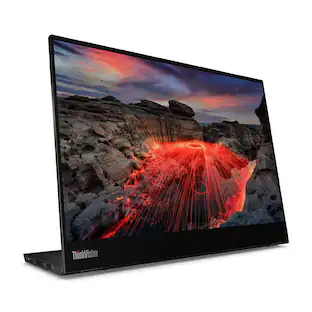
The Lenovo ThinkVision M14t Gen 2 is a lightweight, portable 14-inch touchscreen monitor, ideal for boosting productivity anywhere with its crisp 2240x1400 (2.2K) 16:10 display, 100% sRGB color, and included 10-point touch with stylus support for annotation and design. It offers seamless USB-C connectivity for power/video, a versatile adjustable stand, and features like eye-comfort certifications (TÜV Low Blue Light) and auto-rotation, making it a powerful second screen for creators and professionals on the go.
  • 14" IPS Touchscreen: 2240 x 1400 @ 16:9 & 60 Hz
  • Passive stylus pen included.: *Also compatible with active stylus (sold separately)
  • USB-C Input: (DisplayPort 1.2 via USB Type-C)
  • 14" IPS Touchscreen: 2240 x 1400 @ 16:9 & 60 Hz
  • Passive stylus pen included.: *Also compatible with active stylus (sold separately)
  • USB-C Input: (DisplayPort 1.2 via USB Type-C)
Whats Included
  • Monitor with stand, 1x USB-C to USB-C cable (1m, 5Gbps), 2x Clips, 1x Touch pen, 1x L-Shape dongle, 1x Protect bag, Quick setup guide
  • Monitor with stand, 1x USB-C to USB-C cable (1m, 5Gbps), 2x Clips, 1x Touch pen, 1x L-Shape dongle, 1x Protect bag, Quick setup guide

Q: I'm planning on purchasing a laptop with this monitor allowing me to slide things from one monitor to the other Is this monitor capable of doing that?

A: Hey DDT, This ThinkVision monitor supports the functionality that you're looking for. You may need to adjust monitor orientation / placement settings, but it is possible, so long as the laptop you're planning to use is compatible with this monitor (supports USB power delivery and video output via USB-C) Please feel free to reach out to us with any other questions!

Sponsored

Compare similar products

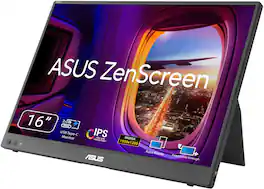
Lenovo - Thinkvision M14t Gen 2 Portable Monitor - Touch, 2.2K, 16:10, USB-C, 14" IPS (63FDUAR6WW) - Raven Black

The Lenovo ThinkVision M14t Gen 2 is a lightweight, portable 14-inch touchscreen monitor, ideal for boosting productivity anywhere with its crisp 2240x1400 (2.2K) 16:10 display, 100% sRGB color, and included 10-point touch with stylus support for annotation and design. It offers seamless USB-C connectivity for power/video, a versatile adjustable stand, and features like eye-comfort certifications (TÜV Low Blue Light) and auto-rotation, making it a powerful second screen for creators and professionals on the go.

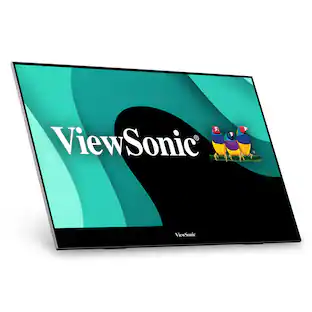
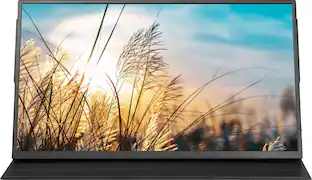
ViewSonic - ColorPro VP16-OLED 15.6" OLED Monitor (USB-C, and mini-HDMI) - Black
4.8(12)

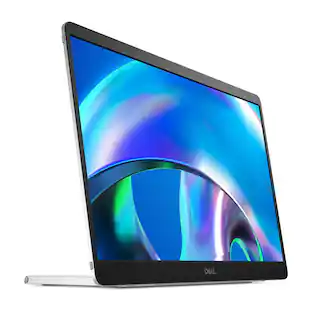
The ViewSonic ColorPro VP16-OLED is a 15.6" portable monitor with native Full HD 1080p resolution and advanced OLED technology for incredible visual performance on the go. The VP16-OLED is Pantone Validated and factory calibrated to deliver richer color uniformity and enhanced details, ensuring that it meets the demands of professional content creators. A flexible and foldable ergonomic stand delivers easy height adjustment for the perfect viewing angle in a variety of environments. A convenient tripod mount is integrated into the stand so that the display can be used as a high-quality photo or video preview screen for fine adjustments in the field, while a protective screen cover also doubles as a shading hood for a "dark room" effect. In addition, versatile connectivity options include two USB-C ports for 2-way charging, as well as mini HDMI and a headphone jack.

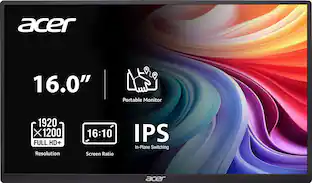
Acer - PM161W 16.0" WUXGA 60Hz FreeSync Compatible IPS Portable Monitor (2 x USB 3.1 Type-C, Mini HDMI, Audio Out) - Black

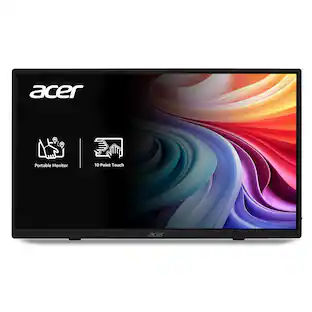
In meetings, in the classroom and anywhere in between, Acer’s PM Series portable monitor is the go-to choice for people on the move! Just fire it up and enjoy High-Definition entertainment—anywhere! Its accurate, vivid colors come to life from any viewing angle on the 16.0” IPS display that features WUXGA (1920x1200) resolution and 16:10 aspect ratio. Its slim design (0.52") and ultra-light weight (1.43 lbs.) allows it to easily fit in your laptop bag! Perfect for use as a secondary monitor for dual-monitor presentations, it’s powered by a single USB Type C cable, giving you the freedom to connect it to your laptop, smartphone or tablet—quickly and easily! Get fast refresh rates thanks to the Adaptive-Sync Support product that matches the refresh rate of your monitor with your graphics card.
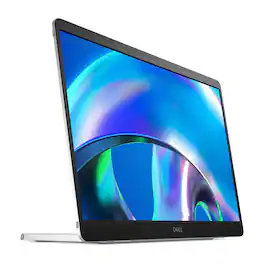
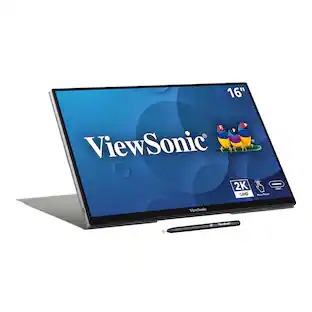
Lenovo - ThinkVision M14t Touchscreen LED Monitor - Black

The ThinkVision M14t Touchscreen LED Monitor is a portable 14-inch Full HD display designed for on-the-go productivity. It features a capacitive touchscreen with 10-point multi-touch support, two USB Type-C ports with DisplayPort 1.2 support, and an adjustable stand for personalized viewing angles. Weighing approximately 1.54 pounds, it offers a slim profile for easy portability.

Pros for Lenovo - Thinkvision M14t Gen 2 Portable Monitor - Touch, 2.2K, 16:10, USB-C, 14" IPS (63FDUAR6WW) - Raven Black
There were no pros for this productPortability, OLED QualityPortability, Image Quality, Connectivity, Weight, SizeThere were no pros for this product
Cons for Lenovo - Thinkvision M14t Gen 2 Portable Monitor - Touch, 2.2K, 16:10, USB-C, 14" IPS (63FDUAR6WW) - Raven Black
There were no cons for this productThere were no cons for this productAccessories, Port PlacementThere were no cons for this product

Specs

Reviews

This product doesn't have any reviews yet.

No content
Sponsored

Similar products from outside of Best Buy

sponsored

Finance Options

My Best Buy® Credit Card
Choose a benefit:
$29.17/mo.suggested payments with 12-Month Financing
Or
Limited time
15% back in rewardson your first day of purchases when approved for the My Best Buy® Credit Card. Offer ends 5/3/26.
Buy Now, Pay Later
4 payments starting at $87.50
Lease to own
Apply today with no credit needed and enjoy flexible payment options.