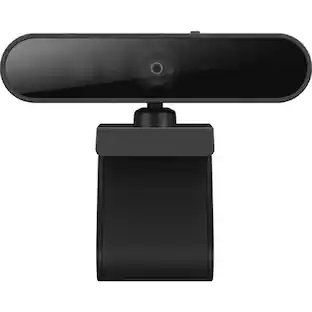
Logitech - C925e Full HD 1080p Business Webcam - Black
Customers are saying
Customers have good things to say about the microphone quality of this product. Users have noted that the built-in microphone performs reliably for their needs.
Features
HD 1080P/30 fps
Provides HD 1080p/30 fps and HD autofocus for true-to-life clarity in a fixed 78° field of view. Plus, RightLight 2 technology works in the background to adjust visual quality.
Noise-cancelling dual mics
Features dual integrated omnidirectional mics optimized to clearly capture audio up to one meter away so conversations always sound natural and clear.
High quality, low bandwidth
Supports H.264 with Scalable Video Coding (SVC) and UVC 1.1 encoding to minimize dependence on computer and network resources to produce remarkably clear video at all times.
Take control with Logi Tune app
The Logi Tune Desktop app simplifies personal device control with zoom in/out, color presets, color adjustments, set manual focus, and easy firmware updates.
Certified for Business
Certified for Microsoft Teams and Skype for Business. Certifications and compatibility with other popular applications include Google Meet and Zoom.
Versatile mounting options
Securely mount C925e wherever it works best—laptop, display or tabletop—with the adjustable clip or affix to your own tripod with the integrated thread.
Integrated privacy shade
Open or close the built-in lens shade with the slider tab on top of C925e. The lens appears white when the slider is closed, assuring privacy and peace of mind.
Remote management with Logitech Sync app
Whether employees are in the office, at home, or somewhere else, Sync device management software helps everyone stay connected by letting you ensure their Logitech video collaboration personal devices are being used and up to date.
Specifications
- Video ResolutionFull HD (1080p)
Reviews
Rating 4.6 out of 5 stars with 8 reviews
- Microphone Quality (4)
The vast majority of our reviews come from verified purchases. Reviews from customers may include My Best Buy members, employees, and Tech Insider Network members (as tagged). Select reviewers may receive discounted products, promotional considerations or entries into drawings for honest, helpful reviews.
Compare similar products

C925e is an HD 1080p business webcam that delivers professional video and sound. Affordably priced and engineered for all-day use, C925e features dual integrated omnidirectional mics and provides HD 1080p/30 fps and HD autofocus for true-to-life clarity in a fixed 78° field of view that's just right for individuals.

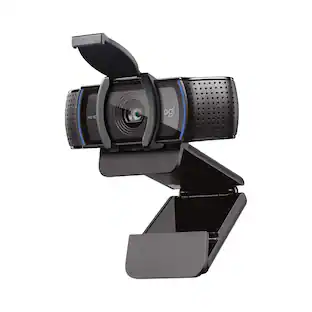
Logitech C920s is a budget-friendly, work-from-anywhere webcam that delivers a professional video meeting experience. It includes features designed to make you look and sound great in your next meeting. A 78º diagonal field of view perfectly frames you and your space, while autofocus adjusts smoothly and precisely. RightLight 2 technology automatically adjusts to your lighting situation even in low-light or backlit conditions. And dual integrated mics accurately capture your voice from multiple angles for greater nuance. If you’re streaming or recording, use Logitech’s Capture app to edit and customize. Flip down the lens cover at any point to protect your privacy.
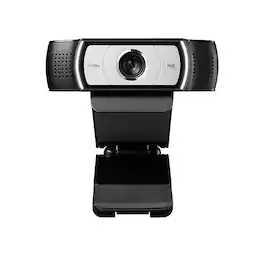
C930e is an advanced HD 1080p webcam certified for business that delivers high-resolution video in virtually any environment, including low-light and harshly backlit settings. H.264 video compression and a generously wide 90° field of view help make C930e the next best thing to being there in person.
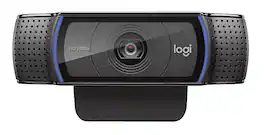
C920e is a budget-friendly, work-from-anywhere webcam that delivers HD video meetings that look better than most laptop built-ins with mics that capture your audio from up to one meter away.
| Pros for Logitech - C925e Full HD 1080p Business Webcam - Black | |||
|---|---|---|---|
| Microphone Quality | Overall Performance, Video Quality, Setup, Ease of Use, Privacy Feature | Overall Performance | Image Quality, Setup Ease |
| Cons for Logitech - C925e Full HD 1080p Business Webcam - Black | |||
| There were no cons for this product— | Focus, Autofocus, Compatibility, Cable Length, Field of View | There were no cons for this product— | There were no cons for this product— |
Specs
Customers often buy these together


Customers ultimately bought
 $559.00The price was $640.74
Explore tech essentials Sponsored
 Top Deal$109.99The price was $139.99
Discover related products
 $249.00The price was $275.00
 $12.99The price was $13.99













Keep exploring
 $269.00The price was $299.00
 $26.10The price was $27.18