Logitech - Crayon Digital Pencil for All Apple iPads (2018 releases and later) with USB-C ports - Silver
Logitech - Crayon Digital Pencil for All Apple iPads (2018 releases and later) with USB-C ports - Silver
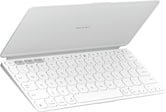
- Logitech - Keys-To-Go 2 Slim Portable Bluetooth Keyboard for iPad, iPhone, Mac, and Apple TV With Built-in Cover - Pale Gray$79.99
More Buying Options
Related Item

About This Item
- Key Specs
- Model Compatibility: Apple iPad Pro (M5) 11" 2025, Apple iPad Pro (M5) 13" 2025, Apple iPad (A16) 11" 2025, Apple iPad Air (M3) 13" 2025, Apple iPad Air (M3) 11" 2025, Apple iPad Pro (6th Generation) 12.9" 2022, Apple iPad Pro (5th Generation) 12.9" 2021, Apple iPad Pro (4th Generation) 12.9" 2020, Apple iPad Pro (3rd Generation) 12.9" 2018, Apple iPad Pro (4th Generation) 11" 2022, Apple iPad Pro (3rd Generation) 11" 2021, Apple iPad Pro (2nd Generation) 11" 2020, Apple iPad Pro (1st Generation) 11" 2018, Apple iPad (10th Generation) 10.9" 2022, Apple iPad (9th Generation) 10.2" 2021, Apple iPad (8th Generation) 10.2" 2020, Apple iPad (7th Generation) 10.2" 2019, Apple iPad Air (3rd Generation) 10.5" 2019, Apple iPad Air (4th Generation) 10.9" 2020, Apple iPad mini (5th Generation) 2019
- Screen Compatibility: Active
- Operating System Compatibility: Apple iPadOS
- General
- Brand: Logitech
- Model Number: 914-000070
- Product Name: Crayon Digital Pencil for All Apple iPads (2018 releases and later) with USB-C ports
- Color: Silver
- Stylus Tip Material: Silicone
- Material: Aluminum, silicon rubber
- Compatibility
- Brand Compatibility: Apple
- Model Compatibility: Apple iPad Pro (M5) 11" 2025, Apple iPad Pro (M5) 13" 2025, Apple iPad (A16) 11" 2025, Apple iPad Air (M3) 13" 2025, Apple iPad Air (M3) 11" 2025, Apple iPad Pro (6th Generation) 12.9" 2022, Apple iPad Pro (5th Generation) 12.9" 2021, Apple iPad Pro (4th Generation) 12.9" 2020, Apple iPad Pro (3rd Generation) 12.9" 2018, Apple iPad Pro (4th Generation) 11" 2022, Apple iPad Pro (3rd Generation) 11" 2021, Apple iPad Pro (2nd Generation) 11" 2020, Apple iPad Pro (1st Generation) 11" 2018, Apple iPad (10th Generation) 10.9" 2022, Apple iPad (9th Generation) 10.2" 2021, Apple iPad (8th Generation) 10.2" 2020, Apple iPad (7th Generation) 10.2" 2019, Apple iPad Air (3rd Generation) 10.5" 2019, Apple iPad Air (4th Generation) 10.9" 2020, Apple iPad mini (5th Generation) 2019
- Screen Compatibility: Active
- Operating System Compatibility: Apple iPadOS
- Features
- Comfort Grip: true
- Ergonomic Design: true
- Replaceable Stylus Tip: false
- Integrated Writing Pen: false
- Pocket Clip: false
- Dimensions
- Product Length: 6.5 inches (The out of box length of the item. Length is measured as the longest dimension of the item.)
- Product Diameter: 0.3 inches (The out of box diameter of the item, measured as a straight line passing from side to side of the item, through its center.)
- Product Weight: 0.7 ounces (The out of box weight of the item.)
- Warranty
- Warranty - Parts: 1 year
- Warranty - Labor: None
- Other
- UPC: 097855180742
Add flair to your flow with Logitech Crayon,L, a versatile digital stylus pencil for iPad Pro 12.9-inch (3rd gen), iPad Pro 11-inch, iPad Air (3rd & 4th gen), iPad mini (5th gen), and iPad (6th, 7th, 8th, 9th & 10th gen) that lets you use hundreds of Apple Pencil supported apps in dynamic new ways. Unleash your creativity and productivity with a seamless writing experience that’s as natural as pencil and paper. Need a thicker or thinner line? Just tilt and the smart tip dynamically adjusts line weight automatically. Logitech Crayon is built tough with 4 ft drop protection and a roll-proof shape. USB-C charging offers up to 6.5 hours of writing time, with power level indicator lights to show battery level.
- Compatibility: For any iPad (2018 releases or later) , iOS updated to 12.2 and above.
- Digital stylus pen: Logitech Crayon uses Apple Pencil technology so you can write and draw naturally in pixel-perfect precision without missing a single line or detail.
- Thick or thinner lines: Just tilt and the smart tip will adjust line weight automatically to the needed size.
- Instant connetion: Logitech Crayon connects to iPad instantly—just slide down the off/on switch and start writing. No device pairing or other delays required.
- Fast input: Logitech Crayon stylus for iPad delivers precise and fast input with hundreds of indispensable Apple Pencil supported apps and the list is growing bigger every day.
- No rolling: Logitech Crayon has a flat shape and doesn’t roll away when you put it down; throw it in a bag or stick it in your pocket assured that Logitech Crayon is tough enough to go anywhere you do.
- USB-C charging: Logitech Crayon charges via USB-C and gets up to 6.5 hrs of writing time from a single charge. The power level indicator lights lets you know how much charge remains.
- Hand placement: Go right ahead and rest your palm on the screen while you write. Palm Rejection Technology lets you enjoy natural hand placement while using Logitech Crayon.
- Compatibility: For any iPad (2018 releases or later) , iOS updated to 12.2 and above.
- Digital stylus pen: Logitech Crayon uses Apple Pencil technology so you can write and draw naturally in pixel-perfect precision without missing a single line or detail.
- Thick or thinner lines: Just tilt and the smart tip will adjust line weight automatically to the needed size.
- Instant connetion: Logitech Crayon connects to iPad instantly—just slide down the off/on switch and start writing. No device pairing or other delays required.
- Fast input: Logitech Crayon stylus for iPad delivers precise and fast input with hundreds of indispensable Apple Pencil supported apps and the list is growing bigger every day.
- No rolling: Logitech Crayon has a flat shape and doesn’t roll away when you put it down; throw it in a bag or stick it in your pocket assured that Logitech Crayon is tough enough to go anywhere you do.
- USB-C charging: Logitech Crayon charges via USB-C and gets up to 6.5 hrs of writing time from a single charge. The power level indicator lights lets you know how much charge remains.
- Hand placement: Go right ahead and rest your palm on the screen while you write. Palm Rejection Technology lets you enjoy natural hand placement while using Logitech Crayon.
Whats Included
- Crayon
- User documentation
- Crayon
- User documentation
Q: Does the Logitech Crayon have palm rejection technology?
A: Yes, the Logitech Crayon has palm rejection technology, so you can rest your palm on the screen while you write.
Q: How long does the battery last on this Logitech Crayon?
A: The Logitech Crayon gets up to 6.5 hours of writing time from a single charge.
Q: How do you charge the Logitech Crayon?
A: The Logitech Crayon charges via USB-C.
Q: Is the Logitech Crayon compatible with all iPad models?
A: The Logitech Crayon is compatible with iPad models with iOS 12.2 and later, including iPad Pro 12.9-inch (3rd, 4th, 5th, 6th gen.), iPad Pro 11-inch (1st, 2nd, 3rd, 4th gen.), iPad (6th, 7th, 8th, 9th, 10th gen.), iPad Air (3rd, 4th gen.), and iPad Mini (5th gen.).
Q: What is the connection type of the Logitech Crayon?
A: This digital pen has an instant connection, you just slide down the off/on switch and start writing.
Q: Is this Pencil compatible with iPad mini a17 pro gen 7?
A: Yes, the Logitech Crayon is compatible with the iPad mini (7th generation, A17). It's designed to work with all iPads released in 2018 and later.
Q: Are there replacement tip for the Logitech -crayon for apple ipad
A: Logitech does offer replacement tips for the Crayon digital pencil. If you are facing any issue, we recommend reaching out to our social care team via email at [email protected] with your - Name: - Email Address: - Country: - Product Name: - Brief description of issue:
Q: Will this work on a Windows laptop?
A: No — the Logitech Crayon is designed exclusively for iPads (2018 and later) with USB‑C. It won’t function on Windows laptops, since Windows doesn’t support Apple Pencil technology.
Reviews
Customers are saying
Customers appreciate the Crayon Digital Pencil for its overall performance and ease of use with compatible iPads. Many users find the battery life to be very good, and they appreciate the simple connectivity. The shape is comfortable to hold, and charging is fast. However, some customers have noted the lack of pressure sensitivity and magnetic attachment.
Customer Images
The vast majority of our reviews come from verified purchases. Reviews from customers may include My Best Buy members, employees, and Tech Insider Network members (as tagged). Select reviewers may receive discounted products, promotional considerations or entries into drawings for honest, helpful reviews.
Compare similar products

Add flair to your flow with Logitech Crayon,L, a versatile digital stylus pencil for iPad Pro 12.9-inch (3rd gen), iPad Pro 11-inch, iPad Air (3rd & 4th gen), iPad mini (5th gen), and iPad (6th, 7th, 8th, 9th & 10th gen) that lets you use hundreds of Apple Pencil supported apps in dynamic new ways. Unleash your creativity and productivity with a seamless writing experience that’s as natural as pencil and paper. Need a thicker or thinner line? Just tilt and the smart tip dynamically adjusts line weight automatically. Logitech Crayon is built tough with 4 ft drop protection and a roll-proof shape. USB-C charging offers up to 6.5 hours of writing time, with power level indicator lights to show battery level.

Maintain precise control over your iPad with the Insignia Active Stylus for iPad, iPad Pro, iPad Air and iPad mini. This stylus functions just like your Apple Pencil, using its precise tip to target individual pixels. Tilt to adjust your line thickness when drawing, just like an actual pencil. It also features magnetic support with compatible models, letting you easily locate your stylus each time. Double tap the tail end of the stylus to turn it on or off, helping you to conserve battery life. An included USB-C cable charges your stylus in as little as 30 minutes.

Annotate and take notes the modern way with this Wacom Bamboo Ink stylus pen for Windows Ink. The sensitive fine tip supports up to 4,096 pressure levels and enables writing precision, while the lightweight cylindrical design, durable aluminum material and long battery life let you focus on note-taking with no distractions. This Wacom Bamboo Ink stylus pen lets you use a soft, medium or firm nib (not included) based on your writing preference.

An affordable Apple Pencil with advanced features. Perfect for note-taking, sketching, annotating, journaling, and more. It magnetically attaches to your iPad for storage and pairs and charges with USB-C. Apple Pencil USB-C works with iPad Pro 13-inch with M5 chip; iPad Pro 13-inch with M4 chip; iPad Pro 12.9-inch (3rd, 4th, 5th, and 6th generation); iPad Pro 11-inch with M5 chip; iPad Pro 11-inch with M4 chip; iPad Pro 11-inch (1st, 2nd, 3rd, and 4th generation); iPad Air 13-inch and iPad Air 11-inch with M3 chip; iPad Air 13-inch and iPad Air 11-inch with M2 chip; iPad Air (4th and 5th generation); iPad mini (A17 Pro chip); iPad mini (6th generation); iPad (A16 chip); and iPad (10th generation).
| Pros for Logitech - Crayon Digital Pencil for All Apple iPads (2018 releases and later) with USB-C ports - Silver | |||
|---|---|---|---|
| Overall Performance, Battery Life, Connectivity, Compatibility, Ease of Use | Overall Performance, Ease of use, Battery Life, Price, Connectivity | Ease of use, Overall Performance, Compatibility, Price, Weight | Overall Performance, Ease of use, Battery Life, Connectivity, Charging Speed |
| Cons for Logitech - Crayon Digital Pencil for All Apple iPads (2018 releases and later) with USB-C ports - Silver | |||
| Pressure Sensitivity, Magnetic Attachment | Pressure Sensitivity, Lag | Lag, Pressure Sensitivity, Battery Life, Connectivity, Button Placement | Pressure Sensitivity, Tip Durability, Features |