Macally - Wired Mouse for Mac and PC - Dual USB C + A Plug - Simple Ambidextrous 3 Button USB Mouse Wired - Wired - Blue
Reviews coming soon
About this product
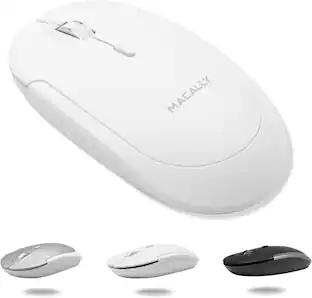
Keep your setup simple with the Macally wired mouse featuring dual USB C and USB A connectivity. Its three button layout, scroll wheel, 1200 DPI optical sensor, and ambidextrous design provide smooth, reliable control for Mac, Windows, Chromebook, and Linux computers. Just plug it in and start using it with no drivers, batteries, or pairing required. Wired optical computer mouse Connection: Dual USB C and USB A connector Batteries Required: No Sensor Type: Optical 1200 DPI Button Layout: 3 buttons Hand Orientation: Ambidextrous Cable Length: 5 ft / 1.5 m Compatibility: Mac and Windows computers Product Dimensions: 4.1 × 2.5 in Color: Blue
Color
BlueFeatures
Connect with USB C or USB A:
Connect to newer and traditional computers with one convenient wired mac mouse usb c solution. The dual connector works with either USB C or USB A ports without requiring a separate adapter.
Easy 3 Button Navigation:
Equipped with left click, right click, and a scroll wheel, our usb c mouse wired provides the essential controls needed for browsing, documents, spreadsheets, and other common computer tasks.
Smooth, Accurate Cursor Control:
The optical sensor delivers smooth and responsive cursor movement, making our wired mouse for laptop easy to use when navigating webpages, documents, applications, and more.
Comfortable for Either Hand:
The contoured shape supports comfortable use with either the left or right hand, making the imac mouse suitable for shared home, office, or classroom setups.
Ready to Use in Seconds:
Compatible with Mac, PC, and Chromebook. Just connect the usb wired mouse and start using it with no drivers, batteries, charging, or wireless pairing required.
Specifications
- Connection TypeWired
Reviews
This product doesn't have any reviews yet.

Compare similar products
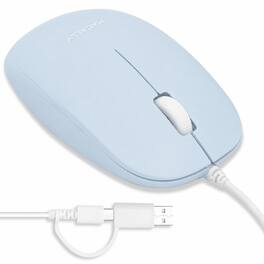
Keep your setup simple with the Macally wired mouse featuring dual USB C and USB A connectivity. Its three button layout, scroll wheel, 1200 DPI optical sensor, and ambidextrous design provide smooth, reliable control for Mac, Windows, Chromebook, and Linux computers. Just plug it in and start using it with no drivers, batteries, or pairing required. Wired optical computer mouse Connection: Dual USB C and USB A connector Batteries Required: No Sensor Type: Optical 1200 DPI Button Layout: 3 buttons Hand Orientation: Ambidextrous Cable Length: 5 ft / 1.5 m Compatibility: Mac and Windows computers Product Dimensions: 4.1 × 2.5 in Color: Blue
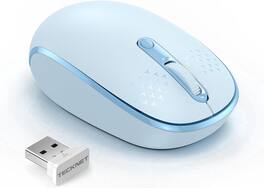
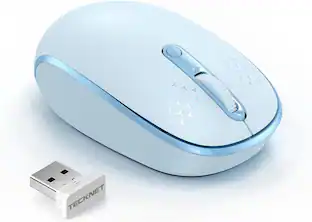
Add a playful pop of color to your workspace with the TECKNET Wireless Mouse. Designed for kids and small to medium hands, its compact 3.94 x 2.28 x 1.52-inch shape slips easily into a bag for travel. Soft, quiet clicks and a responsive scroll wheel help keep your work peaceful in shared spaces, while 2.4GHz wireless delivers reliable connectivity up to 49 ft. Three adjustable DPI levels (800/1200/1600) let you match sensitivity to your task, and a single AA battery provides up to 15 months of use. Compatible with Windows and Mac OS, it’s a cute, practical choice for laptops, desktops, and PCs, backed by TECKNET’s 36-month warranty (registration required). Note: AA battery not included; USB receiver stored in the back compartment.

Adesso HC-3003US Desktop 1000 dpi Optical metal scroll USB mouse

LIVEY Savvi MS10C Wired USB Mouse is designed for smooth, reliable, and comfortable everyday computer navigation. Featuring an optical sensor and USB wired connectivity, it provides a straightforward plug-and-play solution without the need for batteries or wireless pairing. Its ergonomic design supports a comfortable grip during extended use, making it suitable for office work, home computing, browsing, documentation, data entry, and general everyday tasks. The MS10C is a practical choice for compatible laptops, desktops, workstations, and home offices.
Specs
Customers often buy these together
Computer Keyboards

![The text on the image reads:
888 DD DI DD 4 DSC i F2 F3 4 FS T6 ET 1. 1N IN F.. 11 1.. 114 1n F1 F12 118 in9 - a ee 1 8F 2 3 $ 4 % 5 A 6 & 7 . 8 I 9 I 0 ee I + = delete fn home page up clear - / + tab Q W E R T Y U I 0 P { [ ] ] | I delete end page down 7 8 9 ee caps lock A S D F G H J K L : I - return 4 5 6 + shift Z X C V N M < F > ? / shift a 1 2 3 control option 2 command 3 command option control Y - 0 enter
After grouping and correcting the text, it reads:
888 DD DI DD 4 DSC i F2 F3 4 FS T6 ET 1. 1N IN F.. 11 1.. 114 1n F1 F12 118 in9 - a ee 1 8F 2 3 $ 4 % 5 A 6 & 7 . 8 I 9 I 0 ee I + = delete fn home page up clear - / + tab Q W E R T Y U I 0 P { [ ] ] | I delete end page down 7 8 9 ee caps lock A S D F G H J K L : I - return 4 5 6 + shift Z X C V N M < F > ? / shift a 1 2 3 control option 2 command 3 command option control Y - 0 enter](https://pisces.bbystatic.com/image2/BestBuy_US/images/products/f4059d3a-0c2a-46ef-bcfd-4e11b9b26d5d.jpg;maxHeight=232;maxWidth=233?format=webp)
Mouse Pads

Insignia™ - Mouse Pad - Black
Black Friday Deal$3.99The price was $7.99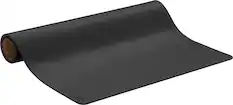
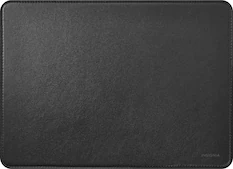
Insignia™ - Desk Mat - Black
Black Friday Deal$12.49The price was $24.99


More to consider




Explore tech essentials Sponsored
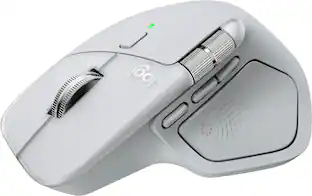
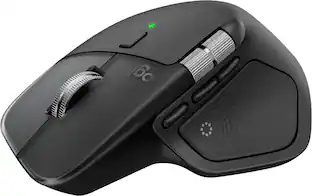
Logitech MX Master 4 for Mac - Wireless Laser Ergonomic Mouse with Advanced Performance Haptic Feedback
Black Friday Deal$109.99The price was $119.99Logitech MX Master 4 - Adobe Edition - Wireless Laser Ergonomic Mouse with Advanced Performance Haptic Feedback
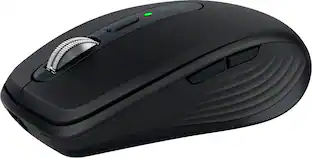
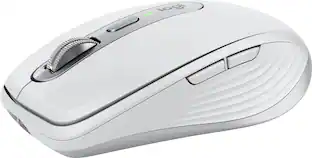
Black Friday Deal$109.99The price was $119.99Logitech MX Anywhere 3S Wireless Bluetooth Optical Fast Scrolling Mouse with Programmable Buttons
Black Friday Deal$66.99The price was $89.99

Keep exploring
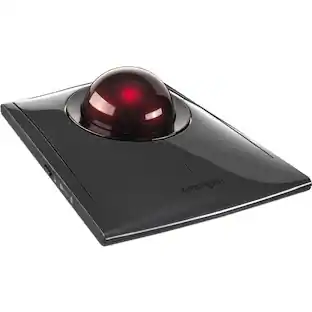
Kensington SlimBlade Pro Trackball - Optical - Cable/Wireless - Bluetooth/Radio Frequency - 2.40 GHz - Rechargeable
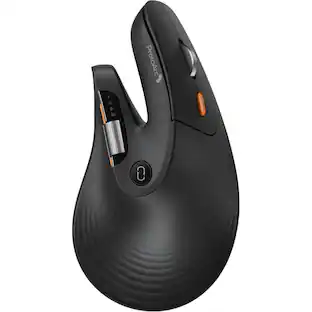
Black Friday Deal$119.99The price was $141.93ProtoArc EM11 NL Wireless Ergonomic Vertical Mouse, Rechargeable
Black Friday Deal$22.99The price was $45.99GravaStar Mercury M1 Pro Special Edition Wireless Gaming Mouse with 26000 DPI and Magnesium Alloy Frame
$74.95The price was $99.95GravaStar Mercury X Pro Wireless 8K Hz Gaming Mouse with 32000 DPI and 49g Magnesium Alloy Frame
$104.95The price was $139.95