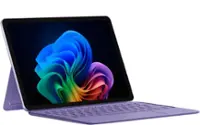
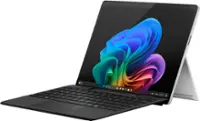
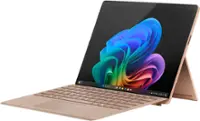
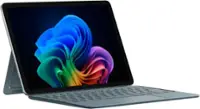
Microsoft - Surface Pro - Copilot+ PC - 12” - Snapdragon X Plus 8 Core - 16GB RAM - 256GB UFS - Device + Keyboard Bundle - Platinum
Microsoft - Surface Pro - Copilot+ PC - 12” - Snapdragon X Plus 8 Core - 16GB RAM - 256GB UFS - Device + Keyboard Bundle - Platinum
Total Storage Capacity
256GB
Highlights
- Key Specs
- Screen Size: 12 inches (Size of the screen, measured diagonally from corner to corner.)
- Screen Resolution: 2196 x 1464 (Screens come in a range of resolutions (measured in pixels, horizontal x vertical). The higher the resolution, the greater the picture quality.)
- Processor Model: Qualcomm Snapdragon X Plus (Your computer's processor is like its brain. Working in combination with system memory, the power of the processor determines the complexity of software you can run, how many programs you can have open at the same time, and how fast those programs will run. Most computers feature an AMD, Intel or Snapdragon processor.)
- Total Storage Capacity: 256 gigabytes
- Operating System: Windows 11 Home (The operating system manages all software and hardware, including files, memory and connected devices. Most importantly, it lets you interact with your device and your programs in a visual way; otherwise, you'd be typing computer code to get anything done.)
- Wireless Connectivity: Wi-Fi, Bluetooth (The manner in which a device sends data to another device over a short distance without the use of wires or cables.)
- Battery Chemistry: Lithium-ion
- 2-in-1 Design: true (A laptop and a tablet combined in one lightweight, portable device. Sometimes referred to as "convertible" or "hybrid" laptops, these devices deliver the processing power and keyboard of a laptop. When you're ready to play, either detach the screen or fold your 2-in-1 into tablet mode to comfortably watch movies, play games, read an e-book and more.)
- Backlit Keyboard: true (Integrated lights allow for visibility of the keys in low-light conditions.)
- Security Features: Facial recognition, Password Protection
- General
- Brand: Microsoft
- Model Number: EP2-36695
- Product Name: Surface Pro - Copilot+ PC - 12” - Snapdragon X Plus 8 Core - 16GB RAM - 256GB UFS - Device + Keyboard Bundle
- Color: Platinum
- Year of Release: 2025
- Display
- Display Type: LCD
- Screen Type: PixelSense
- Screen Size: 12 inches (Size of the screen, measured diagonally from corner to corner.)
- Screen Resolution: 2196 x 1464 (Screens come in a range of resolutions (measured in pixels, horizontal x vertical). The higher the resolution, the greater the picture quality.)
- Stylus Input: Built for Windows Ink (Active) (An active stylus/pen is able to communicate directly with a compatible device; active electromagnetic resonance (EMR) pens are powered via a device's screen and active electrostatic (AES) pens require an additional power source. A passive stylus does not have electronic features and is compatible with most capacitative touch screens.)
- High Dynamic Range (HDR): true (An HDR-compatible 4K TV or other HDR-compatible product displays HDR video content when it's available from sources like 4K Ultra HD Blu-ray Discs and 4K streaming services.)
- Processor
- Processor Brand: Snapdragon
- Processor Model: Qualcomm Snapdragon X Plus (Your computer's processor is like its brain. Working in combination with system memory, the power of the processor determines the complexity of software you can run, how many programs you can have open at the same time, and how fast those programs will run. Most computers feature an AMD, Intel or Snapdragon processor.)
- Neural Processing Unit (NPU): true (Whether the product comes with an integrated neural processing unit (NPU) that performs computations for AI (artificial intelligence) functions to increase proficiency of the CPU and reduce power consumption.)
- Maximum NPU Performance: 45 trillions operations per second (The maximum neural processing unit (NPU) computations performed. NPUs increase proficiency of the CPU and reduce power consumption for AI (artificial intelligence) functions.)
- Storage
- Total Storage Capacity: 256 gigabytes
- Memory
- System Memory (RAM): 16 gigabytes (Random-access memory (RAM) is a computing device's short-term data storage, which allows active information to be accessed quickly. The size and type of RAM determines how efficiently the device can handle large amounts of information at one time. For example, gaming or video editing requires more RAM for optimal performance.)
- Type of Memory (RAM): LPDDR5X (Each type of RAM delivers a different level of speed, bandwidth, energy efficiency and performance.)
- Compatibility
- Operating System: Windows 11 Home (The operating system manages all software and hardware, including files, memory and connected devices. Most importantly, it lets you interact with your device and your programs in a visual way; otherwise, you'd be typing computer code to get anything done.)
- Operating System Compatibility: Windows
- Connectivity
- Wireless Connectivity: Wi-Fi, Bluetooth (The manner in which a device sends data to another device over a short distance without the use of wires or cables.)
- Network Connectivity: None (The manner in which a device sends data to another device over a long distance using a cellular network.)
- DisplayPort Over USB-C: DisplayPort 1.4 (The version of DisplayPort that leverages the Alternate Mode Functional Extension of the USB-C interface. This connector allows for higher resolution, broader color space, multichannel audio support, and greater backwards compatibility with display adapters. Also known as DisplayPort Alt Mode.)
- Headphone Jack: false (The device features an interface that allows for the connection of headphones.)
- Bluetooth Version: 5.4 (The Bluetooth specification formalized by the Bluetooth Special Interest Group. All versions of the Bluetooth standard are backwards compatible with previous versions.)
- USB Ports: 2 x USB-C 3.2 (The number and type of USB ports the product has.)
- GPS Enabled: false
- Number of USB Ports (Total): 2
- Number of USB-C Charging Ports: 2
- Power
- Power Supply Input: USB-C
- Charging Interface(s): USB-C (The connection for transmitting power to charge the device.)
- Battery Life (up to): 16 hours (Battery life will vary depending on the product configuration, product model, applications loaded on the product, power management setting of the product and the product features used by the customer. As with all batteries, the maximum capacity of this battery will decrease with time and usage.)
- Battery Chemistry: Lithium-ion
- Camera
- Front-Facing Camera: true
- Rear-Facing Camera: true
- Rear Facing Camera Megapixels: 10 megapixels (The more megapixels, the more detail that the camera facing away from the user can capture.)
- Built-In Microphone: true
- Features
- 2-in-1 Design: true (A laptop and a tablet combined in one lightweight, portable device. Sometimes referred to as "convertible" or "hybrid" laptops, these devices deliver the processing power and keyboard of a laptop. When you're ready to play, either detach the screen or fold your 2-in-1 into tablet mode to comfortably watch movies, play games, read an e-book and more.)
- Keyboard Included: true
- Backlit Keyboard: true (Integrated lights allow for visibility of the keys in low-light conditions.)
- Security Features: Facial recognition, Password Protection
- Windows AI: Copilot+ PC
- Dimensions
- Product Height: 0.3 inches (The out of box height of the item. Height is measured as the vertical distance from the bottom of the item to the top as it would be primarily used or placed.)
- Product Width: 7.47 inches (The out of box width of the item. Width is measured as the horizontal distance from one side of the item to the other as it would be primarily used or placed.)
- Product Depth: 10.8 inches (The out of box depth of the item. Depth is measured as the distance from the front of the item to the back as it would be primarily used or placed.)
- Product Weight: 63.36 ounces (The out of box weight of the item.)
- Certifications Listings & Approvals
- ENERGY STAR Certified: true (Devices carrying the ENERGY STAR service mark, such as computer products and peripherals, kitchen appliances, and other products, generally use 20% to 30% less energy than required by federal standards.)
- EPEAT Qualified: true (The Electronic Product Environmental Assessment Tool (EPEAT) was designed to provide an environmental assessment tool for purchasers. In order to qualify for EPEAT, a product must meet all 23 required criteria.)
- EPEAT Level: Gold (The Electronic Product Environmental Assessment Tool (EPEAT) was designed to provide an environmental assessment tool for purchasers. In order to qualify for EPEAT, a product must meet all 23 required criteria. Products are rated Bronze, Silver or Gold based on how many of 28 optional criteria they meet (below 50%, 50%, 75%).)
- Included
- Included Software: Windows 11 Home, Preloaded Microsoft 365 Apps, Microsoft 365 Family 30-day trial, Microsoft Defender App, Preloaded Xbox app, Xbox Game Pass Ultimate 30-day trial (accessible through Xbox Cloud Gaming)
- Stylus Included: false
- Warranty
- Warranty - Parts: 1 year
- Warranty - Labor: 1 year
- Other
- UPC: 196388567522
Get the flexibility you want and the speed you need with Surface Pro 12" Bundle, a Copilot+ PC. When you have all this, plus advanced AI capabilities in one ultra-thin and light device, the power to go beyond what you thought possible is yours. This bundle includes the Surface Pro 12" Keyboard. This keyboard features a stable and durable design, full size backlit keyboard, a dedicated Copilot key for instant AI access at your fingertips.
- Copilot+ PC. A new AI era begins: Turn your ideas from text prompts into generated artwork. With Recall*, search across time to find the content you need. Understand new languages instantly with Live Captions. Copilot+ PCs powered by the Snapdragon X Plus processor come with 45 Trillion Operations Per Second of NPU power, and they’re all set to transform the way you create, find and communicate.
- Brilliant Display: Immersive Brilliance or Incredible image quality – The 12" PixelSense Flow touchscreen offers a vibrant and immersive viewing experience.
- All-day Energy: Up to 16 hours of battery life¹ for local video playback for uninterrupted streaming
- Power up: Built with the latest Qualcomm Snapdragon X Plus 8 Core processors, Surface Pro delivers powerful performance and AI accelerated power.
- Turbocharged NPU: Surface Pro features the Qualcomm Hexagon NPU that delivers up to 45 TOPs designed to accelerate AI experiences
- Copilot+ PC. A new AI era begins: Turn your ideas from text prompts into generated artwork. With Recall*, search across time to find the content you need. Understand new languages instantly with Live Captions. Copilot+ PCs powered by the Snapdragon X Plus processor come with 45 Trillion Operations Per Second of NPU power, and they’re all set to transform the way you create, find and communicate.
- Brilliant Display: Immersive Brilliance or Incredible image quality – The 12" PixelSense Flow touchscreen offers a vibrant and immersive viewing experience.
- All-day Energy: Up to 16 hours of battery life¹ for local video playback for uninterrupted streaming
- Power up: Built with the latest Qualcomm Snapdragon X Plus 8 Core processors, Surface Pro delivers powerful performance and AI accelerated power.
- Turbocharged NPU: Surface Pro features the Qualcomm Hexagon NPU that delivers up to 45 TOPs designed to accelerate AI experiences
Whats Included
- Surface Pro - Copilot+ PC - 12” - Snapdragon X Plus 8 Core - 16GB RAM - 256GB UFS
- Surface Pro Keyboard
- USB-C Charging Cable
- Quick Start Guide
- Safety and warranty documents
- Surface Pro - Copilot+ PC - 12” - Snapdragon X Plus 8 Core - 16GB RAM - 256GB UFS
- Surface Pro Keyboard
- USB-C Charging Cable
- Quick Start Guide
- Safety and warranty documents
Disclaimers
- [1] Battery life varies significantly based on usage, network and feature configuration, signal strength, settings and other factors. See https://aka.ms/SurfaceBatteryPerformance for details.
- [2] Available colors may vary by market.
- [3] Accessories sold separately.
- [4] USB4 and USB-C are registered trademarks of USB Implementers Forum.
- [5] On some devices, Copilot+ PC experiences require free updates available starting later this year and continuing into 2025. Timing varies by device and region.
- ³Microsoft’s Limited Warranty is in addition to your consumer law rights.
- ⁴Zero force inking will only be work when Surface Slim Pen 2 is used with Surface Pro 9, Surface Pro 8, Surface Pro X, Surface Laptop Studio, and Surface Duo 2. Additional compatibility details can be found at aka.ms/SurfaceSlimPenCompatiblity.
- ⁵Surface Slim Pen 2 tilt functionality is available with Surface Laptop Studio, Surface Pro 3-Pro 9; Surface Pro X; Surface Go 1-Go 3; Surface Laptop 1-4; Surface Studio 1,2; Surface Book 1-3. Additional compatibility details can be found at aka.ms/SurfaceSlimPenCompatibility.
- ⁶Pairing functionality requires Windows 10, Windows 11, or Android with the latest updates
- ⁷Battery life varies significantly based on usage, network and feature configuration, signal strength, settings and other factors. See aka.ms/SurfaceBatteryPerformance for details.
- ⁸The USB-C Charging Base that came in-box with Surface Slim Pen 1 requires a firmware update through Windows Update to charge Surface Slim Pen 2. Visit aka.ms/SurfaceSlimPenChargerUpdate for more information.
- [1] Battery life varies significantly based on usage, network and feature configuration, signal strength, settings and other factors. See https://aka.ms/SurfaceBatteryPerformance for details.
- [2] Available colors may vary by market.
- [3] Accessories sold separately.
- [4] USB4 and USB-C are registered trademarks of USB Implementers Forum.
- [5] On some devices, Copilot+ PC experiences require free updates available starting later this year and continuing into 2025. Timing varies by device and region.
- ³Microsoft’s Limited Warranty is in addition to your consumer law rights.
- ⁴Zero force inking will only be work when Surface Slim Pen 2 is used with Surface Pro 9, Surface Pro 8, Surface Pro X, Surface Laptop Studio, and Surface Duo 2. Additional compatibility details can be found at aka.ms/SurfaceSlimPenCompatiblity.
- ⁵Surface Slim Pen 2 tilt functionality is available with Surface Laptop Studio, Surface Pro 3-Pro 9; Surface Pro X; Surface Go 1-Go 3; Surface Laptop 1-4; Surface Studio 1,2; Surface Book 1-3. Additional compatibility details can be found at aka.ms/SurfaceSlimPenCompatibility.
- ⁶Pairing functionality requires Windows 10, Windows 11, or Android with the latest updates
- ⁷Battery life varies significantly based on usage, network and feature configuration, signal strength, settings and other factors. See aka.ms/SurfaceBatteryPerformance for details.
- ⁸The USB-C Charging Base that came in-box with Surface Slim Pen 1 requires a firmware update through Windows Update to charge Surface Slim Pen 2. Visit aka.ms/SurfaceSlimPenChargerUpdate for more information.
Q: Does it have an SD or Micro SD card slot?
A: No but any Type C external storage can be used
Q: Does it have a touch screen?
A: Yes, 10 point multitouch.
Q: Does it support dual monitors?
A: undefined
A: Yes, keyboard is included but no stylus pen. But since it's touchscreen just use your finger.
Q: Does it come loaded with anti-virus software?
A: It comes with a FREE 6-month subscription of TrendMicro AntVirus. But Windows 11 has very good built AV.
Q: Can I upgrade the storage on this model?
A: No, you can’t upgrade the storage on this device. I recommend getting enough storage upon initial purchase
Q: Does it have Microsoft office
A: You have to subscribe to Microsoft 365 to take full advantage of the office suite
Compare similar products

Get the flexibility you want and the speed you need with Surface Pro 12" Bundle, a Copilot+ PC. When you have all this, plus advanced AI capabilities in one ultra-thin and light device, the power to go beyond what you thought possible is yours. This bundle includes the Surface Pro 12" Keyboard. This keyboard features a stable and durable design, full size backlit keyboard, a dedicated Copilot key for instant AI access at your fingertips.

Get the flexibility you want and the performance you need with Surface Pro 12”, a Copilot+ PC and the most versatile Surface—designed for creativity, efficiency, and mobility. Use it as a powerful tablet with an intuitive touchscreen, touch, voice, and Surface Slim Pen [3] to bring ideas to life, or attach the Surface Pro 12” Keyboard for a full Windows laptop experience [3]. With built‑in AI features, seamless integration across the Windows ecosystem, and an ultra‑thin, lightweight design, Surface Pro gives you the freedom to work, create, and go beyond what you thought possible.
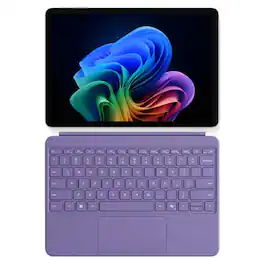
Microsoft Surface Pro Copilot+ PC + Surface Pro 12" Keyboard

Lenovo's first AI tablet empowers you to create and turn ideas into reality. Experience the freedom to explore, create, and achieve with Lenovo Yoga Tab Plus. Powered by the Snapdragon 8 Gen 3 processor, it delivers personalized AI assistance tailored to your unique needs, giving you the independence to bring your ideas to life on your terms. Whether you’re enjoying the flexibility to operate offline, choosing to connect to the cloud, or simply unwinding with immersive Harman Kardon audio, this tablet adapts effortlessly to your lifestyle. Boost your productivity and creativity with AI assistance on the 12.7" 3K anti-reflection PureSight Pro display. With the included Lenovo Tab Pen Pro and ergonomic keyboard, you’re empowered to accomplish more, manage tasks with ease, and recharge when you need it. Discover more. Delight more.
| Pros for Microsoft - Surface Pro - Copilot+ PC - 12” - Snapdragon X Plus 8 Core - 16GB RAM - 256GB UFS - Device + Keyboard Bundle - Platinum | |||
|---|---|---|---|
| Battery Life, Processor Speed, Portability, Build Quality, Weight | There were no pros for this product— | There were no pros for this product— | Battery Life, Processor Speed, Keyboard Quality, RAM, Storage |
| Cons for Microsoft - Surface Pro - Copilot+ PC - 12” - Snapdragon X Plus 8 Core - 16GB RAM - 256GB UFS - Device + Keyboard Bundle - Platinum | |||
| Port Selection, Connectivity, Screen Brightness, Storage Capacity | There were no cons for this product— | There were no cons for this product— | There were no cons for this product— |
Specs
Reviews
Customers are saying
Customers are positive about the Surface Pro's portability, battery life, and build quality. Many users find the device performs well, with a fast processor and a bright screen, while remaining lightweight and dissipating heat effectively. However, some customers are negative about the limited port selection and the storage capacity. The form factor of the 12" screen is also a point of discussion.
Customer Images
The vast majority of our reviews come from verified purchases. Reviews from customers may include My Best Buy members, employees, and Tech Insider Network members (as tagged). Select reviewers may receive discounted products, promotional considerations or entries into drawings for honest, helpful reviews.
- Rated 5 out of 5 stars
2-in-1 solution for work & personal use
Coming from a Mac user, this was a leap to get back to using Windows again. I was looking for a 2-in-1 laptop that I could use without carrying a tablet and laptop altogether. The Surface Pro 12” solved that for me. This allows me to connect with my work files so I can edit Word & Excel, and I can do coloring of my artworks without switching two devices. It’s lightweight so I can carry it in my backpack when riding my motorcycle, plus it’s fanless so it’s very quiet. The battery doesn’t last long as I expected, but that’s because it’s running on full Windows OS.
Ramon Posted
- Rated 5 out of 5 stars
Best Decision
Love this product! Was a little hesitant to make such a big investment on a computer right now, but it was hands down the best personal and business decision I could’ve possibly made going into the new year. So light and easy to transport. Copilot is actually my new best friend and has saved me SO much time while running 2 businesses, working a third job, and recently becoming a first time mama. If you’re thinking about it, just do it. You won’t regret it!
MackenzieF Posted
- Rated 5 out of 5 stars
Great for those on the go & entertainment.
This tablet/PC is great for a road warrior or anyone who has simple work and school needs with the option to use it as a tablet or full-blown PC. The upgraded form factor is much easier to hold and runs extremely quiet with great performance and battery life due to not having a fan and utilizing the Snapdragon X Plus processor. It is a portable beast! Pros: - Size - Weight - Performance - Display - Keyboard - Battery life (DAYS!) Cons: - No included AC adaptor (Microsoft recommends 27W or higher) - Non-upgradable - Only two speakers for landscape First impressions: Unboxing a surface device is always a premium experience with great packaging and attention to detail. The box comes with the laptop, a keyboard, warranty info, and a USB-C keyboard. If you want the surface pen, it is sold separately. The build quality is premium with what feels like an all-metal design, no fans for a slim form factor and weight reduction. The front has larger bezels than previous surface devices, but this is good since it makes holding it easier as a tablet. Daily use: I use my device as a tablet and a laptop. For typing, web browsing, media consumption, office or school tasks, this is the perfect device as it can handle so many things while staying cool. The Snapdragon X Plus is not Qualcomm’s fastest processor, but it still performs extremely well in everything except the toughest of tasks. Hard drive speeds and memory speeds & capacity are sufficient for most tasks. Using it as a tablet, it is perfect as it is very light and slim. The surface pen now attaches to the back which provides easy access without the keyboard. Typing with the on-screen keyboard takes some getting used to but you can keep it full screen or minimize it for one handed use. The battery will last for days with regular use. Performance takes little to no hit on battery mode. Keep in mind it only charges via USB-C (27W or higher) as there is no surface port this time around. The NPU in the Snapdragon chips allow for AI enhancements like extra camera settings and Windows Recall. If you use a lot of video calling, the AI enhancements like eye contact, automatic framing and background blur are welcome as they do not affect CPU performance or require a high end GPU. Performance: All benchmarks I utilized were taken on battery on the performance setting, the tablet never heated up in the process. - Speedometer 3.1 web benchmark: 31.8 - CrystalDiskMark: Read 3868.10 MB/s Write 672.73 MB/s - Steel Nomad Light: 1080 - Geekbench 6 CPU: Single core 2222 / Multi-core 10115 - Geekbench 6 GPU OpenCL: 9570 - Geekbench AI Onyx CPU: Single 1588 / Half 2706 / Quantized 5900 Write speeds are somewhat low but nothing to worry about as I experienced no issues in daily use. RAM is plenty speedy and 16GB is more than enough for a tablet. I would not use this for anything that needs high end graphics, video editing or heady duty programming (though I do program on it for simple Python programs with Visual Studio Code). Display: I was concerned about the use of an LCD for the screen, but it is a very good LCD which I have no complaints about. The refresh rate is great at 90hz as is the refresh time with fast moving objects like the mouse cursor with no ghosting. Colors appear to be accurate, and it is very bright. I originally saw a demo unit at Best Buy and the screen looked very bad and hazy. My concern is not applicable as my actual unit has none of that issue and I assume it was just film from what the store might have cleaned the screen with (and maybe damaged the glass). If you see this, ask to see if they have a newer demo unit to see. I am unable to see any pixels at close distance. Compatibility: A common concern with the Snapdragon X series is ARM compatibility. As the processor has been out for a while now, it is mostly a non-concern in most instances. The only issue I have personally come across is SQL databases as there are none with wide support and only lesser known or 3rd party ones that work well on ARM for Windows. Also Virtual machines are somewhat hard to use with ARM. Otherwise, all my programming tools work fine as does pretty much everything else. If you go into Task Manager and click to the “details” menu, you can sort your apps by Architecture. In my example, I only have dllhost.exe, Steam and a few minor services running on x86/x64. Everything else including 1Password, Chrome, Firefox, Office, Visual Studio Code and pretty much every other service and process is running on Arm64. Speakers: There are only two speakers, but they are very loud and clear. They are great for music and videos. They are oriented towards landscape positioning and are more than adequate, though I would like additional speakers for portrait stereo. Keyboard: The keyboard is great overall. It is backlit and precise for typing this review. The layout is not too cramped as the Surface is widescreen 3:2 allowing the keyboard to spread out sufficiently. The trackpad is diving board style, but it is precise as well. I do wish you could adjust the keyboard to make it not flat and prop it up closer to the screen like past Microsoft Surface keyboards have done. Upgradability: None. There is no ability to upgrade storage or RAM so make sure to get the capacity you need. This model I am reviewing is the 256GB model which is fine for my use as an entertainment device and light work device. I would not be running any large databases for programming on it or storing all my important documents on it though as recovery might be difficult with the non-removable SSD.
psyclopps Posted