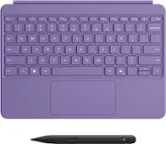
Microsoft - Surface Pro Keyboard for Pro 13" (11th Edition), Pro 9, and Pro 8 - Black - Open Box
- Works like new.
- May have larger dents or scratches.
- May be missing parts, accessories, or packaging.
More Buying Options
Related Item

About This Item
About Open Box
Reviews
Customers are saying
Customers express satisfaction with the Surface Pro Keyboard, highlighting its good quality and ease of use. Users find the keyboard very easy to begin using. However, some customers have reported issues with the keyboard's connectivity to the computer.
- Keyboard Quality (13)
- Portability (9)
- Design (3)
- Connectivity (4)
Customer Images
Compare similar products
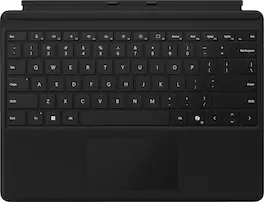
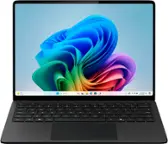
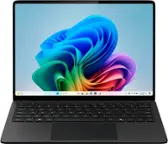
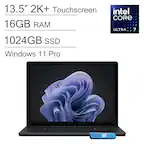
For a full keyboard and comfortable typing experience anywhere, pair this Surface Pro keyboard with Surface Pro (11th Edition), Pro 9 and Pro 8.* Sleek, compact and adjustable, it includes a complete mechanical keyset and a large trackpad for precise navigation and control.
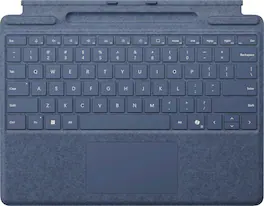
Next-level versatility comes in the perfect, premium keyboard, featuring a large glass trackpad and luxurious, Alcantara material covering. Ready to pair with Surface Pro (11th Edition), Surface Pro 9 and Surface Pro 8.*

Next-level versatility comes in the perfect, premium keyboard, featuring a large glass trackpad and luxurious, Alcantara material covering. Ready to pair with Surface Pro (11th Edition), Surface Pro 9 and Surface Pro 8.*

Next-level versatility comes in the perfect pair — Surface Slim Pen (2nd Edition) stores securely and recharges in the premium keyboard, featuring a large glass touchpad and luxurious, Alcantara material covering. Ready to pair with Surface Pro (11th Edition), Surface Pro 9 and Surface Pro 8.*
| Pros for Microsoft - Surface Pro Keyboard for Pro 13" (11th Edition), Pro 9, and Pro 8 - Black | |||
|---|---|---|---|
| Keyboard Quality, Portability, Design, Weight, Size | Keyboard Quality, Portability, Connectivity, Color, Weight | Keyboard Quality, Connectivity, Portability | Keyboard Quality, Design, Weight, Color, Ease of use |
| Cons for Microsoft - Surface Pro Keyboard for Pro 13" (11th Edition), Pro 9, and Pro 8 - Black | |||
| Connectivity | There were no cons for this product— | Battery Life | Connectivity |