Rating 4.3 out of 5 stars with 2019 reviews
4.3- Ease of use (312)
- Wi-Fi Range (283)
- Signal Strength (139)
- Speed (133)
- Performance (107)
- Price (14)
- Compatibility (11)
Customer Images
The vast majority of our reviews come from verified purchases. Reviews from customers may include My Best Buy members, employees, and Tech Insider Network members (as tagged). Select reviewers may receive discounted products, promotional considerations or entries into drawings for honest, helpful reviews.
- Rated 5 out of 5 stars
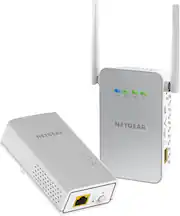
Netgear Powerline 1000
I'm very happy with the results. I had my doubts that this was going to work because I had tried other extenders that didn't work. I live in an old house that's over 100 years old, and it still has some of the old knob and tube wiring that is still active. I was also trying to get a signal from my 2nd floor, where the router was out to my detached garage and the electric car charger; it was a long shot, to say the least. The setup was straightforward and quick, and I was able to grab a strong signal in the garage. I couldn't believe it. I get 20 Mbps download on the 2.4 network in the garage, which works for me.
Posted by JohnH
- Rated 5 out of 5 stars
Gets the job done
Product was simple and easy to install. Have centurylink for home Internet (only provider that gets out in country area ) simply followed the instructions in the box and within 5-10 mins I had better coverage in my house. Definitely worth the investment. Have 2 iPads , 2 chrome books , ps4, Apple TV and 5 phones connected to it and provides strong signal throughout house.
Posted by Nate
- Rated 5 out of 5 stars
Wow !! Amazing
Wow!! I’m absolutely %100 happy and blown away with this purchase. Although it didn’t give me the 1000 mbs of my dreams, I’m beyond happy with what I got. I’ve always had WiFi troubles in my room, and given that I live in an old beach house, my options were thin, and I didn’t want to run a 150 ft Ethernet through my house. I would typically get 1-5 mbs and immediately, on the plug in, without the Ethernet, I’m getting a solid 80mbs+. It may not seem like much but it’s the best WiFi I’ve ever had. Setup took about 10 minutes, I had to move where it was plugged into a couple of times but I found the perfect outlet. Not only is the setup easy but it’s also super easy to go in and change the WiFi name / password. I would %100 recommend to anyone who has WiFi issues and cannot get wired connections. Definitely worth the $140
Posted by Gary01
- Rated 5 out of 5 stars
Netgear powerline wifi extender
I was hesitant at first, but it was an easy set up, and it honestly works great, i went from having no connection to a pretty decent connection in the upstairs room on the opposite side of the house where the routers at
Posted by Cobb
- Rated 5 out of 5 stars
Great and Easy Solution to Extending Wifi Signal
Recommended by a friend who had success with it and so far works great for us. Main WiFi router is in one corner of the house and our room over the garage on the opposite side of the house was a dead zone. Very easy setup, followed the directions, and worked within minutes of setup. Kids have been enjoying the TV up their streaming both on the TV and their devices for a few weeks now without any issues.
Posted by John