OWC - USB-C to Dual HDMI 4K Display Adapter with DisplayLink
Reviews coming soon
About this product
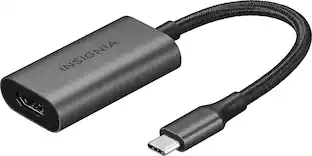
Add two HDMI displays up to 4K to your USB-C, USB4, or Thunderbolt equipped Mac, PC, or Chromebook with DisplayLink "plug and display" ease.Expand Your Visual Horizons with Dual DisplaysTrying to be productive with a single display is like swimming fully clothed. You're to going to struggle mightily no matter how hard you try to make it work. The OWC USB-C Dual HDMI 4K Display Adapter was purposefully built to solve the one display limit of base model M-series Mac notebooks as well expand the visual workspace of port limited PC notebooks and Chromebooks.Mirror your machine's built-in display for easier viewing. Run multiple apps on different displays. Showcase dynamic content at a presentation. Create eye-catching signage. Whatever your digital display desire, this bus-powered adapter brings your vision to life with impactful ease. For an even bigger digital window to the world, simply connect an additional OWC USB-C Dual HDMI Adapter to your machine to support up to four displays on a Mac or up to six displays on a Windows PC.It Just Works CompatibilityWith universal USB-C compatibility, you can connect this OWC display expansion solution to millions of Macs, PCs, and Chromebooks. Thunderbolt 3/4/5, USB4, USB-C...if your machine has that port, this pixel multiplying adapter just works and frees you from any interface, port, or cable concerns.Versatile Display SupportHDTVs, projectors, monitors... you can use a wide variety of HDMI displays with the OWC USB-C Dual HDMI 4K Display Adapter. With built-in audio out support, you'll hear every sound through connected displays whether you are out in the field presenting, hot-desking, or at home streaming movies.Go Bigger AnywherePalm-sized with an integrated connecting cable, you can place the OWC USB-C Dual HDMI 4K Display Adapter discreetly in your workspace or easily carry it in a gear bag to remote multi-display setups and BYOD (Bring Your Own Device) business or classroom presentations. Plus, this innovative adapter is backward compatible so you can use it with any HDMI display, projector, or TV at its maximum resolution.The Perfect Pixel Problem Solver for:CreatorsHaving an efficient workflow gives you a competitive edge. With a dual-display setup, tasks become faster and easier. Switch between programs like Photoshop, Final Cut, DaVinci Resolve, Logic Pro, Sketch, and Affinity Photo, or browse research while staying productive. Dual displays let you jump between projects and apps more smoothly than a single display can. When it's time to share your work, a larger digital space makes it easier to collaborate. You'll have plenty of room to explore ideas, adjust concepts, and work through different options.InfluencersExpand your reach with more screen space to manage content, comments, and interactions-whether it's followers, fans, or trolls. Keep track of social media stats and stay on top of posts, reposts, views, and likes. Extra display space gives you the room to streamline your content creation, so you can focus on producing great videos, photos, and posts. When you're building your social presence, you need the display power to match.StudentsMaximize your workspace with massively more view space. With extra digital real estate, you can dive deep into your lessons and take detailed notes that paper just can't keep up with. Get a better view of videos and images with larger displays and keep all your research organized and easily accessible.More Time. More Possibilities.With dual-display capability, you can boost productivity by up to 35%. With more time, you can dive deeper into your creative skills, speed up data crunching, or manage more security ops. You'll also have more time for what truly matters in life whether it's going to the park, walking the dog, or enjoying some well-deserved, much needed downtime.A More Satisfying LifeCreating a dual-display setup with the OWC USB-C Dual HDMI 4K Display Adapter doesn't just boost your productivity it can reduce errors by 20% and increase your work satisfaction by 91%. Fewer mistakes, less revisions, faster turnaround times, and happier clients. It all adds up to a more satisfying life for you.DisplayLink "Plug and Display"Adding dual display magnificence to your machine couldn't be simpler. Just connect the OWC USB-C Dual HDMI 4K Display Adapter to your machine and your existing HDMI displays.
DUAL 4K DISPLAY SUPPORT
Connect two 4K displays at 60Hz via HDMI 2.0 ports, enhancing productivity and visual experiences on compatible devices with USB-C or Thunderbolt (USB-C) ports.
WIDE COMPATIBILITY
Works seamlessly with macOS (10.15 and later), Windows (7 and later), Android (10.x and later), Ubuntu (20.04 or later) and Chrome OS, ensuring broad device support.
HIGH
RESOLUTION OUTPUT - Experience crystal-clear visuals with single or dual displays supporting up to 4K resolution (3840 x 2160) at a 60Hz refresh rate for detailed and smooth imagery.
PLUG
AND-PLAY SIMPLICITY - This bus-powered adapter requires no external power, offering easy setup; just download the necessary DisplayLink driver or application for your operating system.
COMPACT AND PORTABLE
With dimensions of 0.7 x 3.3 x 2.4" and weighing only 3.6 oz, this adapter is designed for portability, making it perfect for on-the-go professionals and travel.
- Connector Type (End 1)ToslinkConnector Type (End 2)Toslink
Reviews
This product doesn't have any reviews yet.
Compare similar products
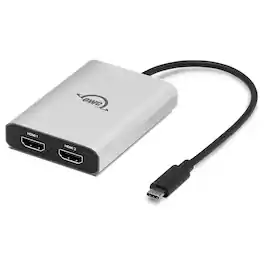
Add two HDMI displays up to 4K to your USB-C, USB4, or Thunderbolt equipped Mac, PC, or Chromebook with DisplayLink "plug and display" ease.Expand Your Visual Horizons with Dual DisplaysTrying to be productive with a single display is like swimming fully clothed. You're to going to struggle mightily no matter how hard you try to make it work. The OWC USB-C Dual HDMI 4K Display Adapter was purposefully built to solve the one display limit of base model M-series Mac notebooks as well expand the visual workspace of port limited PC notebooks and Chromebooks.Mirror your machine's built-in display for easier viewing. Run multiple apps on different displays. Showcase dynamic content at a presentation. Create eye-catching signage. Whatever your digital display desire, this bus-powered adapter brings your vision to life with impactful ease. For an even bigger digital window to the world, simply connect an additional OWC USB-C Dual HDMI Adapter to your machine to support up to four displays on a Mac or up to six displays on a Windows PC.It Just Works CompatibilityWith universal USB-C compatibility, you can connect this OWC display expansion solution to millions of Macs, PCs, and Chromebooks. Thunderbolt 3/4/5, USB4, USB-C...if your machine has that port, this pixel multiplying adapter just works and frees you from any interface, port, or cable concerns.Versatile Display SupportHDTVs, projectors, monitors... you can use a wide variety of HDMI displays with the OWC USB-C Dual HDMI 4K Display Adapter. With built-in audio out support, you'll hear every sound through connected displays whether you are out in the field presenting, hot-desking, or at home streaming movies.Go Bigger AnywherePalm-sized with an integrated connecting cable, you can place the OWC USB-C Dual HDMI 4K Display Adapter discreetly in your workspace or easily carry it in a gear bag to remote multi-display setups and BYOD (Bring Your Own Device) business or classroom presentations. Plus, this innovative adapter is backward compatible so you can use it with any HDMI display, projector, or TV at its maximum resolution.The Perfect Pixel Problem Solver for:CreatorsHaving an efficient workflow gives you a competitive edge. With a dual-display setup, tasks become faster and easier. Switch between programs like Photoshop, Final Cut, DaVinci Resolve, Logic Pro, Sketch, and Affinity Photo, or browse research while staying productive. Dual displays let you jump between projects and apps more smoothly than a single display can. When it's time to share your work, a larger digital space makes it easier to collaborate. You'll have plenty of room to explore ideas, adjust concepts, and work through different options.InfluencersExpand your reach with more screen space to manage content, comments, and interactions-whether it's followers, fans, or trolls. Keep track of social media stats and stay on top of posts, reposts, views, and likes. Extra display space gives you the room to streamline your content creation, so you can focus on producing great videos, photos, and posts. When you're building your social presence, you need the display power to match.StudentsMaximize your workspace with massively more view space. With extra digital real estate, you can dive deep into your lessons and take detailed notes that paper just can't keep up with. Get a better view of videos and images with larger displays and keep all your research organized and easily accessible.More Time. More Possibilities.With dual-display capability, you can boost productivity by up to 35%. With more time, you can dive deeper into your creative skills, speed up data crunching, or manage more security ops. You'll also have more time for what truly matters in life whether it's going to the park, walking the dog, or enjoying some well-deserved, much needed downtime.A More Satisfying LifeCreating a dual-display setup with the OWC USB-C Dual HDMI 4K Display Adapter doesn't just boost your productivity it can reduce errors by 20% and increase your work satisfaction by 91%. Fewer mistakes, less revisions, faster turnaround times, and happier clients. It all adds up to a more satisfying life for you.DisplayLink "Plug and Display"Adding dual display magnificence to your machine couldn't be simpler. Just connect the OWC USB-C Dual HDMI 4K Display Adapter to your machine and your existing HDMI displays.

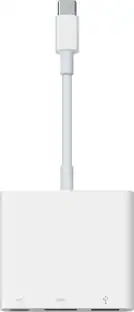
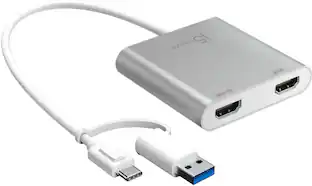
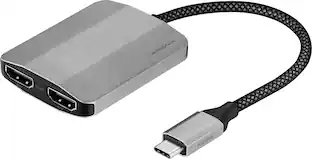
The USB-C to Dual HDMI Multi-Monitor Adapter acts as an external video card for your MacBook or Windows laptops. It allows you to add two additional displays through your USB-C port, boosting your productivity by giving you more screen space to work from. One of the HDMI ports can output resolutions up to 4K, while the other can output resolutions up to 2048 x 1152. Simply install the driver for the USB-C to Dual HDMI Multi-Monitor Adapter by plugging-in the adapter and then connect your monitors using HDMI cables for a dual-display workstation!

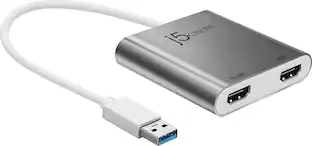
This USB 3.0 to Dual HDMI Multi-Monitor Adapter acts as an external video card for your MacBook or Windows computers. It allows you to add two additional displays through your USB 3.0 port, boosting your productivity by giving you more screen space to work from. One of the HDMI ports can output resolutions up to 4K, while the other can output resolutions up to 2048 x 1152. This is the perfect alternative to a costly video card. With this USB 3.0 Multi-Monitor Adapter, you can quickly install the driver with a simple USB plug-in. Afterwards, connect the device to your monitors using HDMI cables and then you will have a dual-display workstation!
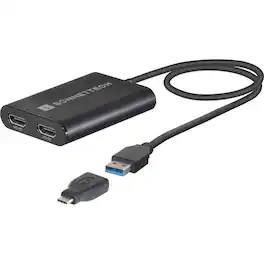
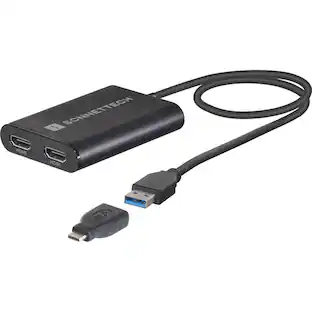
Connect Two 4K HDMI Displays Using Only One Port on Your M1 MacDisplayLink Dual HDMI Adapter for M1 Macs and Other Mac/Windows ComputersTwo HDMI Displays from a Single USB or Thunderbolt PortApple M1 Mac computers offer outstanding overall performance but have a limit to the number of external displays you can connect to them. If you're using an M1 MacBook Air or MacBook Pro, that number is one. Featuring DisplayLink technology, Sonnet's DisplayLink Dual HDMI Adapter for M1 Macs beats the limit, enabling you to connect two 4K (3840 x 2160) @ 60Hz; or two 1440p or 1080p @ 144Hz HDMI displays to a single port on your computer.Efficiency Booster. Expand Your Applications WorkspacePerfect for use with productivity software such as Microsoft Office, this Sonnet adapter enables you to work more efficiently by expanding your workspace. Whether you need to open multiple applications on their own screens, edit code or view a spreadsheet in detail on a large display, or mirror your notebook's display on a larger monitor, the Sonnet DisplayLink Dual HDMI Adapter for M1 Macs makes it possible.Go Full Screen. Browse the Web. Watch Videos.Even when you're not using productivity software, your notebook's screen can constrain your view. Go big-the Sonnet DisplayLink Dual HDMI Adapter for M1 Macs enables you to connect your computer to your large monitor or big screen TV to browse the web and watch videos on YouTube and other content at a distance.Key FeaturesConnects Two 4K Displays to Macs or PCsEnables connection of two 4K HDMI displays to a single Thunderbolt or USB port on your computer.Connect to a Thunderbolt or USB PortIncludes a USB-A female to USB-C male adapter.Expands Your Onscreen Work and Play AreaOpen multiple applications on different displays, view your work on larger screens, browse the web, and watch videos.Easy Setup. Bus Powered.Just download/install DisplayLink Manager software, connect the bus-powered adapter and displays, and then configure your desktop on the connected displays.Use with Thunderbolt HubsConnects to an open port on a Thunderbolt hub connected to your computer.Supports Higher Refresh RatesSupports 1440p and 1080p displays @ 144Hz.Supports AudioPasses audio through the cable connecting your display.Perfect for M1 Mac NotebooksBest for use with M1 MacBook Air and M1 MacBook Pro.Mac and Windows CompatibleAlso compatible with other Mac and Windows computers.Connect Four Displays to Your M1 Mac mini. Simple to Set Up and UseJust download and install the DisplayLink Manager software, connect two displays to the Sonnet adapter, and plug the adapter into your computer. Connect the third display to the Mac mini's built-in HDMI port and the fourth display to a Thunderbolt port. Finally, configure settings to extend your desktop on the connected displays. And because your computer powers the Sonnet adapter, there's no need to connect an additional power supply.Accessory for Thunderbolt Hubs. The Perfect Connection CompanionOur Thunderbolt hub includes a USB port. If your computer is short on ports, simply connect the Sonnet DisplayLink Dual HDMI Adapter for M1 Macs to the USB or Thunderbolt port on your hub and save a port on your computer.Not Just for 4K Displays. Supports Full HD (1080p) Displays and Audio OutWhile the Sonnet DisplayLink Dual HDMI Adapter for M1 Macs supports two monitors at up to 4K resolutions (3840 x 2160), you can also use it to connect monitors with lower resolutions, like full HD 1080p (1920 x1080) @ 60Hz-this makes it great for use for different home and work applications. Because audio support is built into the Sonnet adapter, you don't have to plug in a separate cable to hear sound from connected displays.Compatible with all Macs (macOS 10.15+) and Windows 11 or 10 ComputersSonnet's DisplayLink Dual HDMI Adapter is ideal for M1 Macs, and Intel-based Mac or Windows computers with USB 3 or USB-C interfaces. Although the adapter is compatible with all Macs running macOS 10.15+, and all PCs running Windows 11 or 10, we recommends Sonnet's Thunderbolt Dual HDMI Adapter for Mac or Windows computers with Thunderbolt 4 or 3 interfaces.
| Pros for OWC - USB-C to Dual HDMI 4K Display Adapter with DisplayLink | |||
|---|---|---|---|
| There were no pros for this product— | Ease of use, Overall Performance, Connectivity, HDMI, Price | Ease of use, Overall Performance, HDMI, Connectivity, Compatibility | There were no pros for this product— |
| Cons for OWC - USB-C to Dual HDMI 4K Display Adapter with DisplayLink | |||
| There were no cons for this product— | Compatibility | Price, Driver, Lag, Resolution, Heat | There were no cons for this product— |
Specs
Be the first to ask a question.
We’ll try to get your question answered within 24 hours by a Best Buy customer or brand representative.