Premium USB C to HDMI 2.0 or DisplayPort 1.4a Monitor Adapter - MST Mode - Rocstor Premium USB-C&trade - Black
Reviews coming soon
About this product
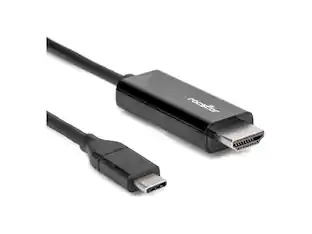
Rocstor Premium USB-C multiport video adapter provides the perfect solution for connecting a USB Type-C laptop to an HDMI or DisplayPort display or TV. This adapter supports dual-video output up to 4K/60Hz with MST mode or single-port video output up to 8K 30Hz. It also supports High Dynamic Range (HDR10+). Additionally, it supports DSC1.1/1.2a or uncompressed video, HBR3, 6/8/10/12 bit color depth, pixel format RGB/YCbCr4:4:4/YCbCr4:2:2/YCbCr4:2:0, HDCP1.4 & HDCP2.3 specifications and more. With HDR10+ support, users can enjoy crisp & sharp images with increased clarity, contrast, brightness and colors for greater luminosity than standard digital imagingThis adapter provides seamless functionality without any additional drivers required. The HDMI and DisplayPort outputs on the USB-C video adapter allows you to take advantage of the audio and video functionalities & capabilities that are built into your computer's USB-C connection. The HDMI or DisplayPort output delivers amazing & astonishing quality of UHD to your 4K 60Hz or 8K at 30Hz display. Compatible with Dell ®, HP ®, Lenovo ®, Apple ® MacBook ®, MacBook Pro ®, or Any Laptop. MST functionality only available on Windows based computers. The adapter is compatible with USB-C DP Alt Mode devices. Backed by Rocstor's 3-year warranty and free lifetime technical support.
Features
Rocstor Premium USB C to HDMI 2.0 or DisplayPort 1.4a
Rocstor Premium USB-C multiport video adapter provides the perfect solution for connecting a USB Type-C laptop to an HDMI or DisplayPort display or TV. This adapter supports dual-video output up to 4K/60Hz with MST mode or single-port video output up to 8K 30Hz. It also supports High Dynamic Range (HDR10+). Additionally, it supports DSC1.1/1.2a or uncompressed video, HBR3, 6/8/10/12 bit color depth, pixel format
Specifications
- Connector Type (End 1)USB-CConnector Type (End 2)DisplayPort, HDMI Type A
Reviews
This product doesn't have any reviews yet.
Compare similar products

Rocstor Premium USB-C multiport video adapter provides the perfect solution for connecting a USB Type-C laptop to an HDMI or DisplayPort display or TV. This adapter supports dual-video output up to 4K/60Hz with MST mode or single-port video output up to 8K 30Hz. It also supports High Dynamic Range (HDR10+). Additionally, it supports DSC1.1/1.2a or uncompressed video, HBR3, 6/8/10/12 bit color depth, pixel format RGB/YCbCr4:4:4/YCbCr4:2:2/YCbCr4:2:0, HDCP1.4 & HDCP2.3 specifications and more. With HDR10+ support, users can enjoy crisp & sharp images with increased clarity, contrast, brightness and colors for greater luminosity than standard digital imagingThis adapter provides seamless functionality without any additional drivers required. The HDMI and DisplayPort outputs on the USB-C video adapter allows you to take advantage of the audio and video functionalities & capabilities that are built into your computer's USB-C connection. The HDMI or DisplayPort output delivers amazing & astonishing quality of UHD to your 4K 60Hz or 8K at 30Hz display. Compatible with Dell ®, HP ®, Lenovo ®, Apple ® MacBook ®, MacBook Pro ®, or Any Laptop. MST functionality only available on Windows based computers. The adapter is compatible with USB-C DP Alt Mode devices. Backed by Rocstor's 3-year warranty and free lifetime technical support.

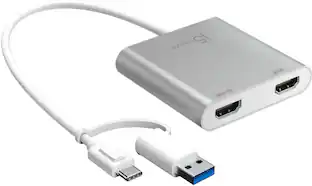
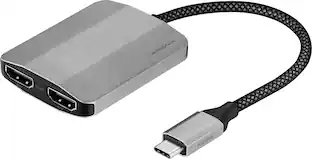
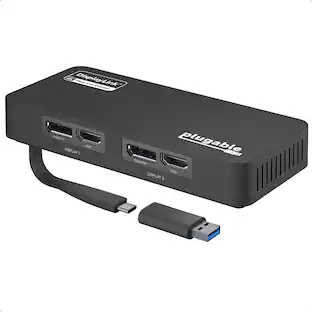
The USB-C to Dual HDMI Multi-Monitor Adapter acts as an external video card for your MacBook or Windows laptops. It allows you to add two additional displays through your USB-C port, boosting your productivity by giving you more screen space to work from. One of the HDMI ports can output resolutions up to 4K, while the other can output resolutions up to 2048 x 1152. Simply install the driver for the USB-C to Dual HDMI Multi-Monitor Adapter by plugging-in the adapter and then connect your monitors using HDMI cables for a dual-display workstation!

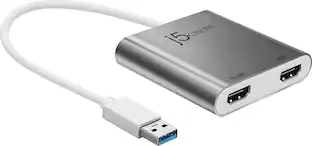
This USB 3.0 to Dual HDMI Multi-Monitor Adapter acts as an external video card for your MacBook or Windows computers. It allows you to add two additional displays through your USB 3.0 port, boosting your productivity by giving you more screen space to work from. One of the HDMI ports can output resolutions up to 4K, while the other can output resolutions up to 2048 x 1152. This is the perfect alternative to a costly video card. With this USB 3.0 Multi-Monitor Adapter, you can quickly install the driver with a simple USB plug-in. Afterwards, connect the device to your monitors using HDMI cables and then you will have a dual-display workstation!
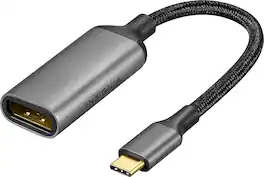
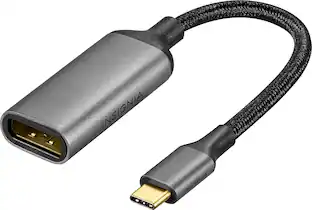
Improve your workstation by connecting your laptop to an external monitor with this Insignia 8K USB-C to DisplayPort Adapter. The adapter supports 8K Ultra HD to prevent loss in quality when transferring between screens. It features a sleek braided cable jacket that flexes and bends to easily connect, and the plug-and-play design makes setup a breeze.
| Pros for Premium USB C to HDMI 2.0 or DisplayPort 1.4a Monitor Adapter - MST Mode - Rocstor Premium USB-C&trade - Black | |||
|---|---|---|---|
| There were no pros for this product— | Ease of use, Overall Performance, Connectivity, HDMI, Price | Ease of use, Overall Performance, HDMI, Connectivity, Compatibility | Overall Performance, Connectivity |
| Cons for Premium USB C to HDMI 2.0 or DisplayPort 1.4a Monitor Adapter - MST Mode - Rocstor Premium USB-C&trade - Black | |||
| There were no cons for this product— | Compatibility | Price, Driver, Lag, Resolution, Heat | There were no cons for this product— |
Specs
Be the first to ask a question.
We’ll try to get your question answered within 24 hours by a Best Buy customer or brand representative.
Customers often buy these together
More to consider
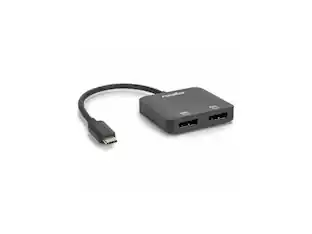
Rocstor USB-C to Dual DP Adapter - 4K/60Hz - USB-C Male, 2 DP Female - 3840x2160
$38.21The price was $42.42


Elevate your entertainment Sponsored
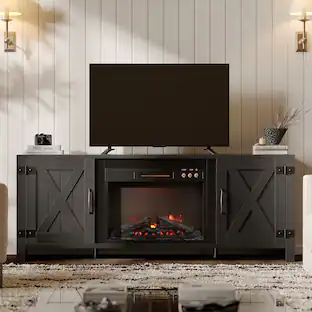
Bestier 63" Fireplace TV Stand with Vintage Mechanical Buttons, Farmhouse Entertainment Center for 70" TVs
$289.99The price was $299.99
Keep exploring
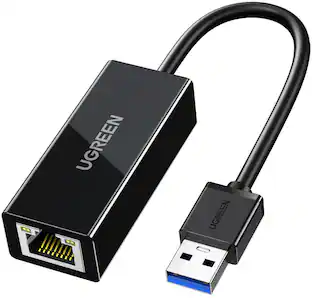
UGREEN USB to Ethernet Adapter, 1Gbps Gigabit Network Adapter for Laptop, Nintendo Switch, and More
$12.99The price was $14.99Acer USB C to HDMI Cable for Home Office 6.6FT (4K@60Hz), High-Speed Type C to HDMI 2.0 Braided Cord
$12.99The price was $13.99