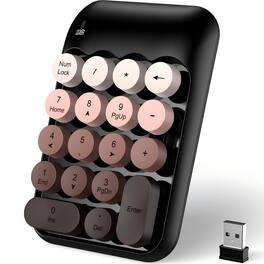
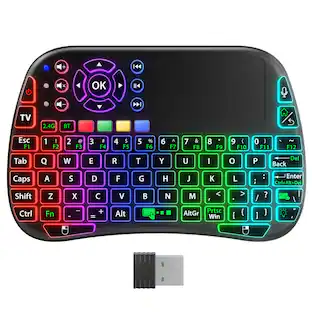
PRIMEPLUS - Cute Colorful Wireless Number Pad Keyboard - 18 Keys, Portable 2.4GHz 10-Key Financial Accounting Extension - Coffee Colorful
Reviews coming soon
About this product
Turn any laptop into a number‑crunching machine with this cute, colorful wireless number pad. It connects via stable 2.4GHz wireless – just plug the USB receiver into your computer (no drivers needed) and you’re ready to type. The 18‑key layout includes numbers and function keys, perfect for spreadsheets, accounting, or financial work. Soft keys and a gentle tilt angle reduce wrist strain during long hours. Quiet operation means you won’t disturb coworkers or family. Non‑slip rubber pads keep it firmly in place. Works with laptops, desktops, and Surface Pro – compatible with Windows, Mac, and Android. Portable and hassle‑free. A great productivity booster for accountants, data entry pros, students, or anyone who loves a pop of color on their desk.
Color
Coffee ColorfulFeatures
1. Stable 2.4GHz Wireless – Plug & Play
No drivers, no pairing. Just insert the USB receiver and start typing. Reliable connection, no messy cables. Works with Windows, Mac, and Android devices.
2. Ergonomic, Quiet & Soft Key Feel
Gentle tilt angle and soft pressing keys reduce wrist fatigue. Minimal typing noise keeps your workspace peaceful – perfect for offices, libraries, or late‑night work.
3. High Precision Keys & Non‑Slip Base
Raised, clearly labeled keys for accurate input and satisfying tactile feedback. Bottom rubber pads grip the desk firmly – no sliding during fast typing.
4. Wide Compatibility & Portable
Works with laptops, desktops, Surface Pro, and more. Supports Windows (2000/XP/7/8/10/11), Mac, and Android. Compact and lightweight – slip it into a bag for on‑the‑go number crunching.
Specifications
- Lighting TypeNoneForm FactorErgonomicConnection TypeWireless
Reviews
This product doesn't have any reviews yet.
Compare similar products
Turn any laptop into a number‑crunching machine with this cute, colorful wireless number pad. It connects via stable 2.4GHz wireless – just plug the USB receiver into your computer (no drivers needed) and you’re ready to type. The 18‑key layout includes numbers and function keys, perfect for spreadsheets, accounting, or financial work. Soft keys and a gentle tilt angle reduce wrist strain during long hours. Quiet operation means you won’t disturb coworkers or family. Non‑slip rubber pads keep it firmly in place. Works with laptops, desktops, and Surface Pro – compatible with Windows, Mac, and Android. Portable and hassle‑free. A great productivity booster for accountants, data entry pros, students, or anyone who loves a pop of color on their desk.
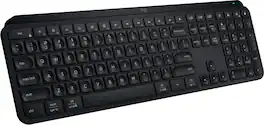
MX Keys S Logitech Wireless Keyboard — a low-profile full-size keyboard that offers a fluid, precise typing experience and customizable, time-saving Smart Actions that automate your most repetitive tasks with a single keystroke. The backlit keyboard features smart backlighting that lights up when your hands approach it and automatically adjusts to suit the time of day.
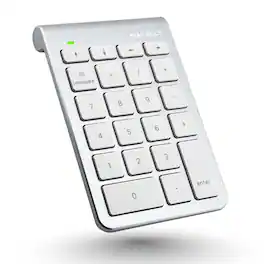
Enhance your productivity with the Macally BTNUMKEY22, a 22-key numeric keypad designed for professionals who require efficient number entry in spreadsheets, accounting software, calculators, and more. Whether you're working on a laptop, iPad, or Bluetooth notebook, this numpad keyboard offers seamless performance and compatibility. EASY TO USE: The Macally BTNUMKEY22 pairs effortlessly with your device—no software needed! Simply connect via Bluetooth, and you're ready to start entering numbers with precision and speed. ADDITIONAL KEYS FOR ENHANCED PRODUCTIVITY: Equipped with (4) Arrow Keys (up, down, left, and right) and (5) Function Keys (Add, Subtract, Multiply, Divide, Equals), along with (13) Standard Keys (Numbers 0-9, Decimal, Clear & Enter), this number keyboard is designed to meet all your number entry needs. Whether you need a 10 key USB keypad or a wireless 10 key for laptop, this device has you covered. LONG BATTERY LIFE: With a remarkable 400 hours of non-stop usage and no automatic sleep mode, you can rely on the Macally BTNUMKEY22 for long-lasting performance. UNIVERSAL COMPATIBILITY: The Macally BTNUMKEY22 is compatible with Mac OS X v10.6 or later and any Bluetooth-enabled Apple device, including iMac, Mac Pro, Mac Mini, MacBook laptops, iPad, and iPhone models. This makes it an ideal keypad for iPad and a versatile tool for all your Apple devices. COMPACT & ERGONOMIC DESIGN: Measuring just 132 (H) x 90 (W) x 17 (D) inches and weighing only 104 grams (0.2 pounds), this numpad is easy to carry and fits perfectly alongside your computer input devices. The slightly tilted and sloped design ensures a comfortable hand placement, reducing strain during long typing sessions.
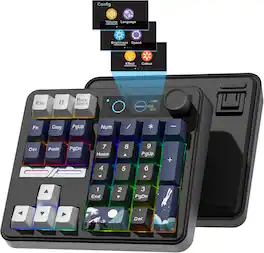
| Pros for PRIMEPLUS - Cute Colorful Wireless Number Pad Keyboard - 18 Keys, Portable 2.4GHz 10-Key Financial Accounting Extension - Coffee Colorful | |||
|---|---|---|---|
| There were no pros for this product— | Keyboard Quality, Battery Life, Key Feel, Ease of use, Connectivity | There were no pros for this product— | There were no pros for this product— |
| Cons for PRIMEPLUS - Cute Colorful Wireless Number Pad Keyboard - 18 Keys, Portable 2.4GHz 10-Key Financial Accounting Extension - Coffee Colorful | |||
| There were no cons for this product— | Price, Size | There were no cons for this product— | There were no cons for this product— |
Specs
Be the first to ask a question.
We’ll try to get your question answered within 24 hours by a Best Buy customer or brand representative.
Customers often buy these together

Logitech - MK270 Full-size Wireless Membrane Keyboard and Mouse Bundle for PC - Black
$26.99The price was $29.99
Logitech - MK540 Full-size Advanced Wireless Membrane Keyboard and Mouse Combo for PC - Black
$56.58The price was $59.99

![esc 1 ! 2 @ 3 # 4 $ 5 % 6 ^ 7 & 8 * 9 ( 0 ) - = | F1 F2 F3 F4 F5 F6 F7 F8 F9 F10 F11 F12 tab Q W E R T Y U I O P [ ] { } | caps A S D F G H J K L : : enter shift Z X C V B N M , < > ? shift ctrl alt fn ctrl](https://pisces.bbystatic.com/image2/BestBuy_US/images/products/bc5bce35-ca08-45da-bcc3-8d6fb215154b.jpg;maxHeight=232;maxWidth=233?format=webp)



![Sure, here is the corrected and grouped text from the image:
**Top Row:**
- ESC
- F1
- F2
- F3
- F4
- F5
- F6
- F7
- F8
- F9
- F10
- F11
- F12
- PRTSC
- DEL
**Number Row:**
- 1
- 2
- 3
- 4
- 5
- 6
- 7
- 8
- 9
- 0
- -
- =
- \
**Letter Row:**
- TAB
- Q
- W
- E
- R
- T
- Y
- U
- I
- O
- P
- [
- ]
- \
**Letter Row:**
- CAPS
- A
- S
- D
- F
- G
- H
- J
- K
- L
- ;
- '
**Letter Row:**
- SHIFT
- Z
- X
- C
- V
- B
- N
- M
- ,
- .
- /
**Function Row:**
-](https://pisces.bbystatic.com/image2/BestBuy_US/images/products/9be10b95-8e90-4a5d-b85f-cbc6a7d8e8df.png;maxHeight=232;maxWidth=233?format=webp)
![esc F1 F2 F3 F4 F5 F6 F7 F8 F9 F10 F11 F12 1 2 3 4 5 6 7 8 9 0 - = backspace tab Q W E R T Y U I O P [ ] \ caps lock A S D F G H J K L ; ' shift Z X C V B N M , . / shift ctrl alt logi](https://pisces.bbystatic.com/image2/BestBuy_US/images/products/6411/6411501_sd.jpg;maxHeight=232;maxWidth=233?format=webp)


![esc ~ ! 1 tab caps lock shift ctrl F2 Fl # 2 3 Q W A S Z start opt L F3 $ 4 E D X alt cmd3 ) FS F4 A % 5 6 R T F G V C logi 44 HI & F9 FID FB F7 F6 * ) - - & 0 8 9 7 O P U I Y K L H J > < N M 1 B PM + = { [ : I ; ? I alt cmd D 2 4 300 3 1 F12 . * page I insert home up clear backspace 8 9 + 7 page A pg up end down home } I delete ] / 6 4 5 4 enter 2 3 enter 1 dn Pg end shift = 0 del ins etrl fn opt](https://pisces.bbystatic.com/image2/BestBuy_US/images/products/6539/6539505_sd.jpg;maxHeight=232;maxWidth=233?format=webp)

![Esc F1 F2 F3 F4 F5 F6 F7 F8 F9 F10 F11 F12 Print Screen Scroll Lock Pause Break 1 2 3 4 5 6 7 8 9 0 - + = Backspace Insert Home H Page Up A Num Look 1 I Tab Q W E R T Y U I o P { [ } ] I I Delete End IN Page Down 7 Home 8 9 Pg Up Caps A Lock A S D F G H J K L ; : DE g Enter 4 5 6 Shift Z X C V N M < > ? I Shift 1 End 2 3 Pp Dn Enter Ctrl Alt Alt Ctrl 0 Ins Del](https://pisces.bbystatic.com/image2/BestBuy_US/images/products/a588d446-5678-40ae-86b8-1f15e0026e66.jpg;maxHeight=232;maxWidth=233?format=webp)
![Sure, here is the corrected and grouped text:
```
ESC F1 F2 F3 F4 F5 F6 F7 F8 F9 F10 F11 F12 1 2 3 logitech - - 1 2 # $ 4 % 5 6 & 7 8 9 0 - - back insert home page up num lock clear / . tab Q W E R T Y U I O P { [ } ] / delete end page down 7 home 8 A 9 P9 up + caps lock A S D F G H J K L : ; a enter 4 5 6 shift Z X C V B N M < > ? shift 1 end 2 3 pg dn enter ctrl fn start alt opt alt crnd x alt cmd x fn ctrl alt opt 0 ins del 1 logitech
```](https://pisces.bbystatic.com/image2/BestBuy_US/images/products/5761/5761911_sd.jpg;maxHeight=232;maxWidth=233?format=webp)
More to consider
Explore tech essentials Sponsored
 $179.99The price was $249.99
 Techtober Deal$129.99The price was $159.99
 Techtober Deal$119.99The price was $149.99

Keep exploring
 $37.99The price was $40.00
 $199.95The price was $209.95
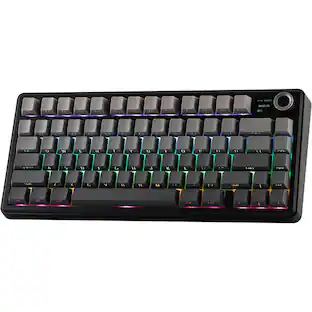 $71.99The price was $89.99
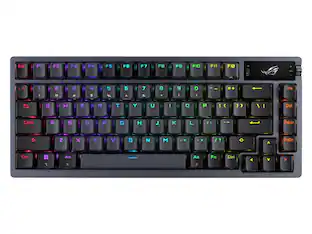 $248.02The price was $283.49