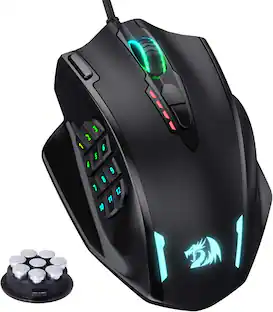
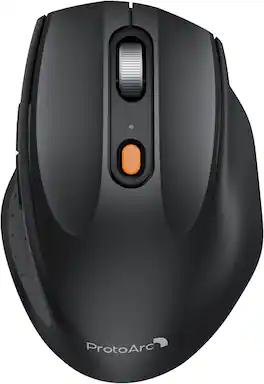
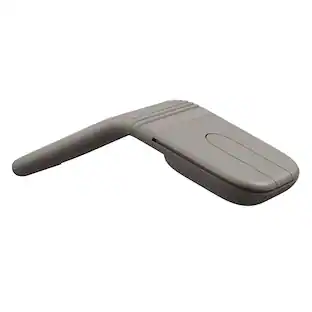
ProtoArc - EM16 Wireless Bluetooth Mouse, Smart Touch Scroll,Dual Bluetooth 2.4G, 3-Device Switching, Rechargeable mice - Wireless - Black
Reviews coming soon
About this product
The EM16 is a compact wireless Bluetooth mouse designed for small-to-medium hands, featuring switchable Smart Touch and traditional scrolling, dual Bluetooth plus 2.4G connectivity with one-click switching among three devices, browser-based button customization, three adjustable DPI levels, and USB-C rechargeability
Features
Dual Scroll Modes
Use the traditional wheel for precise scrolling, or press the button below it to switch to Smart Touch Scroll and swipe through long pages—up to 400 lines per swipe, or 1,000 lines for large content.
Browser-Based Button Customization
Remap clicks, forward/back navigation, wheel functions, and shortcuts directly in your browser—no software or downloads required.
3-Device Connectivity
Connect up to 3 devices via the included 2.4G USB-A receiver and dual Bluetooth, then switch between computer, tablet, and phone with a single click.
Comfort for Small-to-Medium Hands
Compact 4.2" × 2.95" × 1.52" body fits hands under 7.5 in.; the contoured palm-grip shape supports a relaxed hand and wrist position for home, office, or travel.
Adjustable DPI & USB-C Rechargeable
Choose 1000, 1600, or 2400 DPI with one click; a 2–3 hour USB-C charge provides up to 130 hours of working time and up to 365 days of standby.
Specifications
- Lighting TypeNoneNumber of Buttons (Total)6Connection TypeWireless
Reviews
This product doesn't have any reviews yet.

Compare similar products
The EM16 is a compact wireless Bluetooth mouse designed for small-to-medium hands, featuring switchable Smart Touch and traditional scrolling, dual Bluetooth plus 2.4G connectivity with one-click switching among three devices, browser-based button customization, three adjustable DPI levels, and USB-C rechargeability
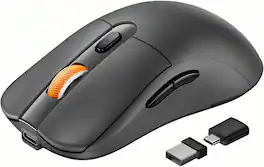
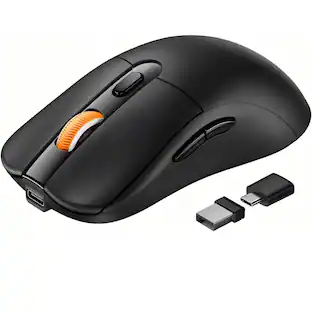
Triple Connectivity (Bluetooth, USB-A & Type-C), Rechargeable, Quiet Clicks, 3-Level DPI & Slim Portable Design
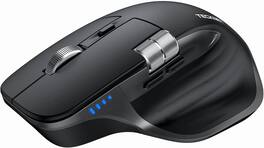
Streamline your setup with the TECKNET Wireless Mouse. Connect up to three devices at once via dual Bluetooth 5.3/5.0 and 2.4GHz USB-A, then switch between them with a single button for smooth multitasking. A precision metal scroll wheel and side scroll wheel deliver smooth vertical and horizontal navigation, while six adjustable DPI levels up to 4800 provide accurate control for detailed work or fast browsing. The rechargeable design charges in 1.5–2 hours and lasts up to 3 months, and silent clicks keep offices, libraries, and shared spaces quiet. Works with Windows, macOS, Chrome, and Linux. Backed by TECKNET’s 24-month warranty (registration required).
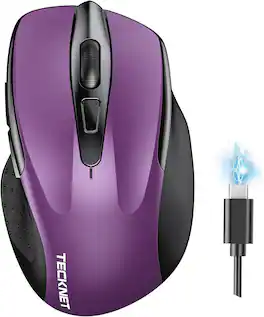
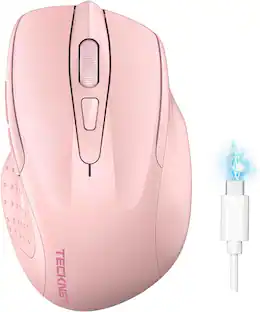
Upgrade to versatile, quiet control with the TECKNET Rechargeable Wireless Mouse. Connect two devices at once via Bluetooth 3.0/5.0 or USB-A, then switch between them with a simple slide of a button—ideal if you want both a USB mouse and a Bluetooth mouse. Six adjustable DPI levels up to 4800 let you fine-tune sensitivity for detailed work or fast browsing, while silent operation helps keep libraries, offices, and shared spaces distraction-free. The rechargeable design fully charges in 1.5–2 hours and provides up to 3 months of use, so you can skip constant battery changes. Compatible with Windows, macOS, Chrome OS, and Linux, it pairs easily with laptops and computers. Designed for small to medium hands, with a compact fit larger-hand users may also appreciate. Backed by TECKNET’s 24-month warranty (registration required). Note: A charging cable is included; side buttons are not compatible with macOS.
Specs
Be the first to ask a question.
We’ll try to get your question answered within 24 hours by a Best Buy customer or brand representative.
Customers often buy these together
Computer Keyboards

![The text on the image reads:
888 DD DI DD 4 DSC i F2 F3 4 FS T6 ET 1. 1N IN F.. 11 1.. 114 1n F1 F12 118 in9 - a ee 1 8F 2 3 $ 4 % 5 A 6 & 7 . 8 I 9 I 0 ee I + = delete fn home page up clear - / + tab Q W E R T Y U I 0 P { [ ] ] | I delete end page down 7 8 9 ee caps lock A S D F G H J K L : I - return 4 5 6 + shift Z X C V N M < F > ? / shift a 1 2 3 control option 2 command 3 command option control Y - 0 enter
After grouping and correcting the text, it reads:
888 DD DI DD 4 DSC i F2 F3 4 FS T6 ET 1. 1N IN F.. 11 1.. 114 1n F1 F12 118 in9 - a ee 1 8F 2 3 $ 4 % 5 A 6 & 7 . 8 I 9 I 0 ee I + = delete fn home page up clear - / + tab Q W E R T Y U I 0 P { [ ] ] | I delete end page down 7 8 9 ee caps lock A S D F G H J K L : I - return 4 5 6 + shift Z X C V N M < F > ? / shift a 1 2 3 control option 2 command 3 command option control Y - 0 enter](https://pisces.bbystatic.com/image2/BestBuy_US/images/products/f4059d3a-0c2a-46ef-bcfd-4e11b9b26d5d.jpg;maxHeight=232;maxWidth=233?format=webp)
Mouse Pads

Insignia™ - Mouse Pad - Black
Black Friday Deal$3.99The price was $7.99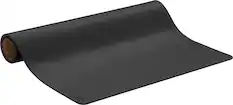
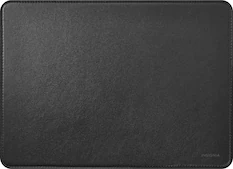
Insignia™ - Desk Mat - Black
Black Friday Deal$12.49The price was $24.99

More to consider
Explore tech essentials Sponsored
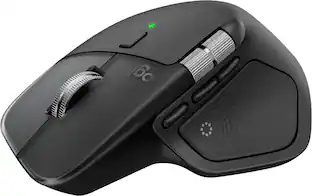
Logitech MX Master 4 - Adobe Edition - Wireless Laser Ergonomic Mouse with Advanced Performance Haptic Feedback
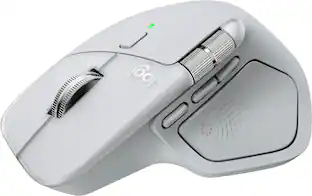
Black Friday Deal$109.99The price was $119.99Logitech MX Master 4 for Mac - Wireless Laser Ergonomic Mouse with Advanced Performance Haptic Feedback
Black Friday Deal$109.99The price was $119.99Glorious GMMK 3 PRO HE 75% Wireless Hall-Effect Linear Switch Gaming Keyboard with Rapid Trigger and Adjustable Actuation
Black Friday Deal$189.99The price was $399.99
Keep exploring
ASUS ROG Gladius III Wireless Mouse - 36000 DPI, 6 Buttons, 2.4GHz/Bluetooth/Wired
$77.49The price was $102.99ProtoArc EM11 NL Wireless Ergonomic Vertical Mouse, Rechargeable
Black Friday Deal$22.99The price was $45.99GravaStar Mercury X Pro Wireless 8K Hz Gaming Mouse with 32000 DPI and 49g Magnesium Alloy Frame
$104.95The price was $139.95