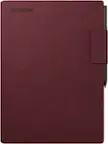
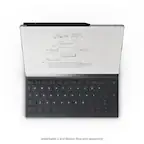
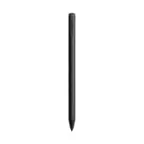
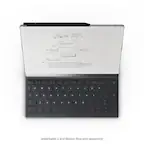
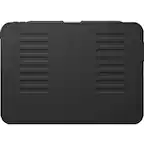
reMarkable - 2 - Marker for your Paper Tablet - Gray
Related Item

About This Item
- Key Specs
- Model Compatibility: reMarkable 2, reMarkable 1
- General
- Brand: reMarkable
- Model Number: RM210M
- Product Name: reMarkable 2 - Marker for your Paper Tablet
- Color: Gray
- Compatibility
- Brand Compatibility: reMarkable
- Model Compatibility: reMarkable 2, reMarkable 1
- Features
- Replaceable Stylus Tip: true
- Dimensions
- Product Length: 6.26 inches (The out of box length of the item. Length is measured as the longest dimension of the item.)
- Product Diameter: 0.35 inches (The out of box diameter of the item, measured as a straight line passing from side to side of the item, through its center.)
- Product Weight: 0.03 ounces (The out of box weight of the item.)
- Warranty
- Warranty - Parts: 1 year
- Warranty - Labor: 1 year
- Other
- UPC: 7090045252147
Designed to deliver just the right friction and draw digital ink on reMarkable 2 with incredibly low lag, the Marker is indispensable to the paper-like experience.
- A smarter accessory: The Marker attaches to reMarkable 2 magnetically and doesn't require charging, pairing, or any additional setup.
- Responsive and precise: As you move the Marker, 4096 levels of pressure sensitivity and 50 degrees of tilt give you precise control over your work.
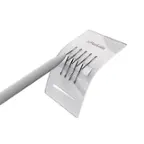
- Sharpen the paper experience: The Marker comes packaged with nine spare Marker tips stored in a convenient Marker tip card and a swapping tool. No extra tools required.
- A smarter accessory: The Marker attaches to reMarkable 2 magnetically and doesn't require charging, pairing, or any additional setup.
- Responsive and precise: As you move the Marker, 4096 levels of pressure sensitivity and 50 degrees of tilt give you precise control over your work.
- Sharpen the paper experience: The Marker comes packaged with nine spare Marker tips stored in a convenient Marker tip card and a swapping tool. No extra tools required.
- A smarter accessory: The Marker attaches to reMarkable 2 magnetically and doesn't require charging, pairing, or any additional setup.
- Responsive and precise: As you move the Marker, 4096 levels of pressure sensitivity and 50 degrees of tilt give you precise control over your work.
- Sharpen the paper experience: The Marker comes packaged with nine spare Marker tips stored in a convenient Marker tip card and a swapping tool. No extra tools required.
Q: What comes with the Marker?
A: The Marker comes with nine spare Marker tips and a swapping tool.
Q: How many levels of pressure sensitivity does the reMarkable Marker have?
A: The reMarkable Marker has 4096 levels of pressure sensitivity.
Q: Is the reMarkable Marker compatible with other brands?
A: The reMarkable Marker is designed specifically for the reMarkable 2 tablet.
Q: Does this Marker need to be charged?
A: No, the reMarkable Marker does not need to be charged.
Q: Are the tips for the Marker replaceable?
A: Yes, the Marker has a replaceable stylus tip.
Q: Is this pen compatible with window laptops?
A: Hi, Term! We’ve optimized the Marker to work specifically with the reMarkable 2. It’s a specialized tool for our paper tablet rather than standard laptop touchscreens.
Q: Does this pen work with the remarkable Paper Pro?
A: Hello there! The pen you're referring to is the reMarkable 2 Marker, and it is not compatible with the reMarkable Paper Pro. To use a pen on the Paper Pro, you’ll want the Marker designed specifically for reMarkable Paper Pro, as the technology is different.
Q: Will this pen erase on the remarkable as well?
A: Hi! The pen shown is a regular reMarkable 2 Marker, which does not have an eraser on the end. If you’re looking for a pen that erases when you flip it over, you’ll want the reMarkable 2 Marker Plus. It includes a built-in eraser and comes in black.
Reviews
Customer Images
The vast majority of our reviews come from verified purchases. Reviews from customers may include My Best Buy members, employees, and Tech Insider Network members (as tagged). Select reviewers may receive discounted products, promotional considerations or entries into drawings for honest, helpful reviews.
Compare similar products

Designed to deliver just the right friction and draw digital ink on reMarkable 2 with incredibly low lag, the Marker is indispensable to the paper-like experience.

Apple Pencil Pro adds even more magical capabilities to help bring your ideas to life. New advanced features make marking up, taking notes, and creating a masterpiece more intuitive than ever. Squeeze. Apple Pencil Pro can sense when you squeeze it and brings up a new palette so you can quickly switch tools, line weights, and colors, thanks to a new sensor. Barrel roll. A new gyroscope allows you to rotate the Apple Pencil Pro for precise control of shaped pen and brush tools. Haptic feedback. A custom haptic engine provides feedback that you can feel. When you squeeze or double-tap, a light pulse confirms the action. Apple Pencil hover. Preview exactly where your Apple Pencil will touch down on your display. So you can write, sketch, and illustrate with even greater precision. Double-tap.

The Lenovo USI Pen 2 adds more functionality to the widely popular USI range of tablet styluses. The new version brings seamless tilt functionality, superior pairing experience & latency, refined grip materials, and an innovative Finer Tip technology for USI 2.0 that supports Chrome OS.
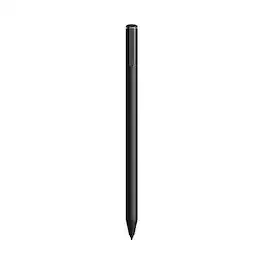
An exceptional digital writing instrument with a built-in eraser on its top end. Simply flip it upside down to erase, just like a traditional pencil. Designed to deliver just the right friction and draw digital ink on reMarkable 2 with incredibly low lag and phenomenal accuracy, Marker Plus is indispensable to the paper-like experience.
| Pros for reMarkable - 2 - Marker for your Paper Tablet - Gray | |||
|---|---|---|---|
| There were no pros for this product— | Overall Performance, Ease of use, Battery Life, Connectivity, Features | Overall Performance, Compatibility | Ease of use, Eraser, Feel, Magnetic Attachment |
| Cons for reMarkable - 2 - Marker for your Paper Tablet - Gray | |||
| There were no cons for this product— | Price, Compatibility, Weight, Grip, Lag | Stylus Tip | Price |