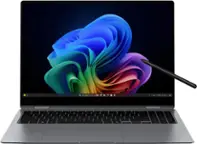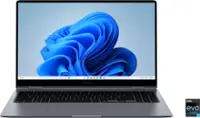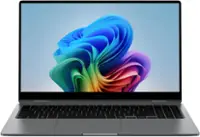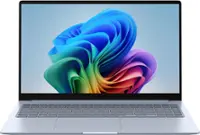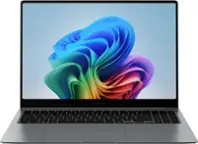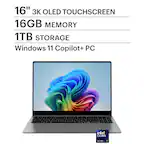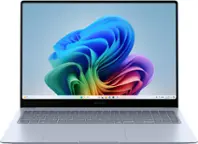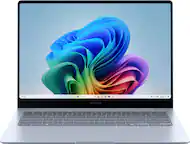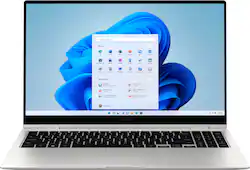
Samsung - Galaxy Book2 Pro 360 2-in-1 15.6” AMOLED Touch Screen Laptop - Intel 12th Gen Evo Core i7 - 16GB DDR5 Memory – 1TB SSD - Silver
- Key Specs
- Screen Type: AMOLED
- Screen Size: 15.6 inches (Size of the screen, measured diagonally from corner to corner.)
- Screen Resolution: 1920 x 1080 (Full HD) (Screens come in a range of resolutions (measured in pixels, horizontal x vertical). The higher the resolution, the greater the picture quality.)
- Touch Screen: true (Touch-screen devices make navigating more intuitive. Using a touch-screen display, you can do things such as tap to select, hold and drag to move items, swipe to scroll, and pinch to zoom.)
- Processor Model: Intel 12th Generation Core i7 Evo Platform (Your computer's processor is like its brain. Working in combination with system memory, the power of the processor determines the complexity of software you can run, how many programs you can have open at the same time, and how fast those programs will run. Most computers feature an AMD, Intel or Snapdragon processor.)
- CPU Base Clock Frequency: 3.4 gigahertz (Actual central processing unit (CPU) speed may vary by device configuration and design. The average rate at which the processor is able to execute tasks under normal operating conditions as asserted by the manufacturer.)
- Storage Type: SSD
- Total Storage Capacity: 1000 gigabytes
- System Memory (RAM): 16 gigabytes (Random-access memory (RAM) is a computing device's short-term data storage, which allows active information to be accessed quickly. The size and type of RAM determines how efficiently the device can handle large amounts of information at one time. For example, gaming or video editing requires more RAM for optimal performance.)
- Graphics: Intel Iris Xe Graphics (Often referred to as a "graphics processing unit" (GPU), this device is responsible for displaying image content and decoding/encoding video content in programs and games.)
- Display Connector(s): 1 x Thunderbolt 4 (The number and type of connectors used to connect to an external display.)
- Battery Life (up to): 21 hours (Battery life will vary depending on the product configuration, product model, applications loaded on the product, power management setting of the product and the product features used by the customer. As with all batteries, the maximum capacity of this battery will decrease with time and usage.)
- Battery Chemistry: Lithium-ion
- 2-in-1 Design: true (A laptop and a tablet combined in one lightweight, portable device. Sometimes referred to as "convertible" or "hybrid" laptops, these devices deliver the processing power and keyboard of a laptop. When you're ready to play, either detach the screen or fold your 2-in-1 into tablet mode to comfortably watch movies, play games, read an e-book and more.)
- Backlit Keyboard: true (Integrated lights allow for visibility of the keys in low-light conditions.)
- General
- Brand: Samsung
- Model Number: NP950QED-KB1US
- Product Name: Galaxy Book2 Pro 360 2-in-1 15.6” AMOLED Touch Screen Laptop - Intel 12th Gen Evo Core i7 - 16GB DDR5 Memory – 1TB SSD
- Color: Silver
- Year of Release: 2022
- Display
- Display Type: OLED
- Screen Type: AMOLED
- Screen Size: 15.6 inches (Size of the screen, measured diagonally from corner to corner.)
- Screen Resolution: 1920 x 1080 (Full HD) (Screens come in a range of resolutions (measured in pixels, horizontal x vertical). The higher the resolution, the greater the picture quality.)
- Touch Screen: true (Touch-screen devices make navigating more intuitive. Using a touch-screen display, you can do things such as tap to select, hold and drag to move items, swipe to scroll, and pinch to zoom.)
- Synchronization Technology: Not Applicable (Generally, these technologies allow syncing between a computer/console game's frame rate and the device's refresh rate for a smoother display without tearing.)
- Processor
- Processor Brand: Intel
- Processor Model: Intel 12th Generation Core i7 Evo Platform (Your computer's processor is like its brain. Working in combination with system memory, the power of the processor determines the complexity of software you can run, how many programs you can have open at the same time, and how fast those programs will run. Most computers feature an AMD, Intel or Snapdragon processor.)
- Processor Model Number: 1260P
- CPU Base Clock Frequency: 3.4 gigahertz (Actual central processing unit (CPU) speed may vary by device configuration and design. The average rate at which the processor is able to execute tasks under normal operating conditions as asserted by the manufacturer.)
- CPU Boost Clock Frequency: 4.7 gigahertz (Actual central processing unit (CPU) speed may vary by device configuration and design. The maximum rate at which the processor is able to execute tasks, typically only used for a short period of time as needed. This rate may temporarily boost the processor's performance, but may result in overheating, shutdown, or damage to equipment if sustained.)
- Number of CPU Cores: 12-core (A core, or "brain" of a CPU, allows it to receive and execute instructions. Each core can work independently or together to perform parallel operations.)
- Number of CPU Threads: 16 (Generally, the more threads, the faster and more responsive the operating system.)
- Unlocked Processor: false
- Neural Processing Unit (NPU): false (Whether the product comes with an integrated neural processing unit (NPU) that performs computations for AI (artificial intelligence) functions to increase proficiency of the CPU and reduce power consumption.)
- Storage
- Storage Type: SSD
- Total Storage Capacity: 1000 gigabytes
- Solid State Drive Capacity: 1000 gigabytes (The amount of data that can be stored on the device's solid state drive (SSD). SSD is a flash-based storage with faster speeds than a hard disk drive (HDD).)
- Solid State Drive Interface: NVMe (Connects the solid state drive to the host system. PCI and SATA interfaces are the most common; PCI interfaces are typically faster, but SATA interfaces are compatible with a wider range of systems.)
- Memory
- System Memory (RAM): 16 gigabytes (Random-access memory (RAM) is a computing device's short-term data storage, which allows active information to be accessed quickly. The size and type of RAM determines how efficiently the device can handle large amounts of information at one time. For example, gaming or video editing requires more RAM for optimal performance.)
- Type of Memory (RAM): LPDDR5 (Each type of RAM delivers a different level of speed, bandwidth, energy efficiency and performance.)
- Graphics
- Graphics Type: Integrated (Dedicated graphics uses a separate graphics card for processing video images. Because it does not use memory from the system's RAM, there is no extra burden on the CPU and graphics are processed more efficiently. Integrated graphics shares system RAM to process video images.)
- GPU Brand: Intel
- Graphics: Intel Iris Xe Graphics (Often referred to as a "graphics processing unit" (GPU), this device is responsible for displaying image content and decoding/encoding video content in programs and games.)
- Unlocked GPU: false
- Compatibility
- Operating System: Windows 11 Home (The operating system manages all software and hardware, including files, memory and connected devices. Most importantly, it lets you interact with your device and your programs in a visual way; otherwise, you'd be typing computer code to get anything done.)
- Voice Assistant Built-in: Bixby (A digital assistant built into the device that uses voice commands to answer questions and control smart devices.)
- Works With: SmartThings (Compatible with or able to be connected to other smart devices or applications.)
- Connectivity
- Display Connector(s): 1 x Thunderbolt 4 (The number and type of connectors used to connect to an external display.)
- Number of HDMI Outputs (Total): 0
- Number of DisplayPort Outputs (Total): 0
- Number of Thunderbolt Ports (Total): 1
- Number of VGA Ports: 0 (VGA (Video Graphics Adapter or Video Graphics Array) is a display standard that transmits via analog signals. This type of interface is typically used to connect a computer to a display device such as a monitor, projector, or TV.)
- USB Ports: 2 x USB-A (The number and type of USB ports the product has.)
- Number of USB Ports (Total): 2
- Number of USB-A Charging Ports: 0
- Number of USB-C Charging Ports: 2
- Headphone Jack: true (The device features an interface that allows for the connection of headphones.)
- Microphone Input: true (The device features an input for connecting an external microphone.)
- Wireless Connectivity: Bluetooth, Wi-Fi (The manner in which a device sends data to another device over a short distance without the use of wires or cables.)
- Number Of Ethernet Ports: 0
- Network Connectivity: None (The manner in which a device sends data to another device over a long distance using a cellular network.)
- Cooling
- CPU Cooling System: Air
- Power
- Power Supply Input: USB-C
- Battery Life (up to): 21 hours (Battery life will vary depending on the product configuration, product model, applications loaded on the product, power management setting of the product and the product features used by the customer. As with all batteries, the maximum capacity of this battery will decrease with time and usage.)
- Battery Cells: 4-cell
- Battery Capacity: 4405 milliampere hours (The amount of energy stored in the battery.)
- Battery Chemistry: Lithium-ion
- Camera
- Front-Facing Camera: true
- Front Facing Camera Video Resolution: 1080p (Refers to the number of pixels, both horizontally and vertically, used by the camera facing the user to capture video. The higher the resolution the finer the video detail that can be seen.)
- Built-In Microphone: true
- Features
- 2-in-1 Design: true (A laptop and a tablet combined in one lightweight, portable device. Sometimes referred to as "convertible" or "hybrid" laptops, these devices deliver the processing power and keyboard of a laptop. When you're ready to play, either detach the screen or fold your 2-in-1 into tablet mode to comfortably watch movies, play games, read an e-book and more.)
- Backlit Keyboard: true (Integrated lights allow for visibility of the keys in low-light conditions.)
- Customizable Keyboard Lighting: No
- Foldable Screen: false
- GPS Enabled: false
- Media Card Reader: true (A hardware device that allows for access to data on a memory card and enables the transfer of its files to a computer. These devices may have one or multiple slots for various types of memory cards, and may be integrated into the computer or available as an external device.)
- Customizable Case Lighting: false
- Audio Technology: Dolby Atmos; Smart Amp
- Speaker Type: AKG Stereo Speakers (Max 4W x 2)
- Security Features: Fingerprint reader
- Dimensions
- Product Height: 0.47 inches (The out of box height of the item. Height is measured as the vertical distance from the bottom of the item to the top as it would be primarily used or placed.)
- Product Width: 8.98 inches (The out of box width of the item. Width is measured as the horizontal distance from one side of the item to the other as it would be primarily used or placed.)
- Product Depth: 13.97 inches (The out of box depth of the item. Depth is measured as the distance from the front of the item to the back as it would be primarily used or placed.)
- Product Weight: 3.06 pounds (The out of box weight of the item.)
- Certifications Listings & Approvals
- ENERGY STAR Certified: true (Devices carrying the ENERGY STAR service mark, such as computer products and peripherals, kitchen appliances, and other products, generally use 20% to 30% less energy than required by federal standards.)
- EPEAT Qualified: false (The Electronic Product Environmental Assessment Tool (EPEAT) was designed to provide an environmental assessment tool for purchasers. In order to qualify for EPEAT, a product must meet all 23 required criteria.)
- Included
- Optical Drive Type: None (An optical disk drive (ODD) uses a laser light to read data from or write data to an optical disc. These discs include CDs, DVDs, and Blu-ray Discs. This allows you to play music or watch movies using prerecorded discs.)
- Numeric Keypad: true
- Stylus Included: true
- Warranty
- Warranty - Parts: 1 year
- Warranty - Labor: 1 year
- Other
- UPC: 887276642659
Meet Galaxy Book2 Pro 360, the new way to PC. Go ahead, let them stare. This is innovation unlike any other. The ultimate Galaxy 2-in-1 experience is both a laptop and a tablet. Powerful? You bet. We packed our mightiest processor into a showstopping design to transform the way you work and play. Use it like a laptop and blaze through your work like a boss. Flip it into tablet mode and let your creative side go wild with the included S Pen — write freehand, draw or even mark up a document. Pair Galaxy Book2 Pro 360 with the rest of your Galaxy and open up a new world of convenient possibilities — call, text and video chat right from your laptop. And that’s just the beginning. The next big thing in computing is finally here — Galaxy Book2 Pro 360, the PC that’s ready to go wherever you go.
- Premium performance: Galaxy Book2 Pro 360 is powered by our most powerful processor available.
- 2-in-1 design: Double your productivity with a striking, versatile 2-in-1 laptop that gives you the power of a laptop and the flexibility of a tablet.
- sAMOLED touchscreen: See more vibrant color and breathtaking details on a brilliant sAMOLED touchscreen. ¹
- Optimized video calls: Look and sound your best every time with an optimized video-call experience that’s all about you¹
- Long-lasting battery and Fast Charging: Keep going for hours and hours on a single charge with a long-lasting battery that charges fast.
- S Pen included: Let your creativity flow with the included S Pen that feels like a real pen both in your hands and on the screen.
- Galaxy experience: Do more of what you love from anywhere with the Galaxy experience.
- Galaxy ecosystem continuity: Do more effortlessly with Galaxy devices that work seamlessly together.
- Enhanced security: Help keep your files under your control with enhanced security features like a fingerprint scanner.²
Whats Included
- Samsung Galaxy Book2 Pro 360 2-in-1 15.6" AMOLED Touch Screen Laptop
- Power Cable
- User Manual
- S-Pen
Disclaimers
- ¹Compared to 2021 Galaxy Book Pro model
- ²Private Share features for both the sender and receiver require Galaxy devices with Windows 10, Android OS 10.0 (Q), and One UI 2.1 or above and the Quick Share app. Requires Wi-Fi and Bluetooth connection.
A: Ethernet cable is faster than wi-fi. If you have a wireless router it should be fine as long as it can broadcast N and newer protocols. A USB-C to ethernet cable is affordable and is more secure than wi-fi but mobility will be diminished.
Q: What kind of mouse can I use and dies it have to be wireless
A: Any Mouse will do! Any Bluetooth or even wired, Just remember the only Ports on the device are all usb-c NOT USB-A SO YOU WOULD NEED AN ADAPTER! LIKE THE ONE IN THE PICTURE
Q: I am wondering if this computer has a fingerprint reader? If it does where is it located?
A: Yes it does. It's located in the upper right hand corner of the keyboard. I own this model and am using it right now.
A: It still gets pretty warm. Too hot for lap
A: The only way for the S pen to be held on is the back, connects magnetically or you buy a sleeve for it.
Q: Can you close the camera when it is not in use?
A: There is not a physical slide cover. Little piece of tape should do the trick though.
Q: What are the ports with this laptop? Do any of the Samsung laptops have DVD drives?
A: These type of laptops don't have a DVD drive at all, but if needed you can use an external DVD drive with C usb cable only
Q: How do you hook up and hdmi monitor with no HDMI port?
A: Need to purchase a USB C adapter to HDMI connector.