
Samsung - Z Fold5/6 (EJ-PF946) S Pen Fold Edition - Black
About This Item
Reviews
This product doesn't have any reviews yet.
Compare similar products
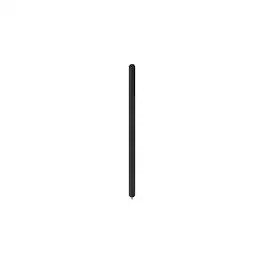
About this item Turn your scribbles into strokes of genius with an S Pen that's more compact and easy to carry. The compact size of the S Pen makes it easy to carry while you stay productive. With its pouch for safe storage, the S Pen is an ideal accessory for any busy professional or creative enthusiast. Get the most out of the expansive screen of your Galaxy Z Fold5.** The new S Pen features a slim 1.5mm pen tip with 4,096 pressure levels, letting you write and sketch with precision and control. It's built to last. Featuring water and dust resistance, the S Pen will remain fully functional, whether you're using it in the rain or on a dusty trail. With the Galaxy Z Fold5 S Pen, you can pull up Air Command at the click of a button. Simply hover the S Pen over the screen and press the button to access features such as Smart Select, Screen Write, Live Messages and more. With the S Pen, you'll be ready whenever inspiration strikes. With the Galaxy Z Fold5 S Pen, you can pull up Air Command at the click of a button. Simply hover the S Pen over the screen and press the button to access features such as Smart Select, Screen Write, Live Messages and more. With the S Pen, you'll be ready whenever inspiration strikes.

The Insignia Slim Stylus for Smartphones, Tablets and More, easily type and draw on your touch screen devices wherever you are. Compatible with your iPhone, iPad, Android smartphone, tablets and any devices equipped with capacitive touch screens, create impressive digital drawings or use it to play games. A sensitive silicone tip glides across your screen without causing any scratches and omitting fingerprint smudges. Made of aluminum, this stylus works just like a pencil, making it easy to carry and use whenever you need it.
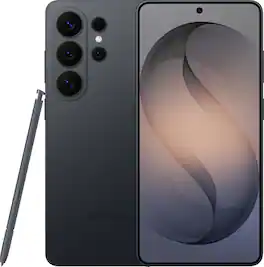
When everything just works, you stay in the moment. Samsung Galaxy S26 Ultra anticipates what you need next, empowers your creativity, delivers powerful performance with stunning, ultra-vivid viewing and even gives you the freedom to keep your screen private—whenever you choose. Out with friends and capturing the night? Nightography brings every scene to life, revealing rich detail even in low light. Snap photos or record video confidently as the night goes on, and then use Photo Assist with Galaxy AI to refine your shots in seconds —cleaning up distractions, enhancing details and helping every memory look the way it felt. No extra apps. No slowing down. Creativity doesn’t stop once the moment is captured. Creative Studio with Galaxy AI on Galaxy S26 Ultra turns inspiration into creation, just like that. Transform photos into custom stickers, design invitations or generate entirely new images using a simple prompt —all without switching apps or learning new tools. Whether you’re refining a memory or imagining something brand new, Galaxy AI helps bring ideas to life effortlessly, so creativity feels intuitive, not technical. When it’s time to turn ideas into plans, Galaxy S26 Ultra makes it simple. Now Nudge with Galaxy AI helps you stay on top of conversations by suggesting quick actions like adding an event, sharing a photo or finding a location —all without slowing things down. All of this happens with privacy in mind. With the world’s first privacy display built into a phone, you can keep personal moments for your eyes only. Whether you’re creating, checking emails or just catching up, everything feels effortless and on your terms. Samsung Galaxy S26 Ultra is more than a smartphone —it’s your companion.

Apple Pencil Pro adds even more magical capabilities to help bring your ideas to life. New advanced features make marking up, taking notes, and creating a masterpiece more intuitive than ever. Squeeze. Apple Pencil Pro can sense when you squeeze it and brings up a new palette so you can quickly switch tools, line weights, and colors, thanks to a new sensor. Barrel roll. A new gyroscope allows you to rotate the Apple Pencil Pro for precise control of shaped pen and brush tools. Haptic feedback. A custom haptic engine provides feedback that you can feel. When you squeeze or double-tap, a light pulse confirms the action. Apple Pencil hover. Preview exactly where your Apple Pencil will touch down on your display. So you can write, sketch, and illustrate with even greater precision. Double-tap.
| Pros for Samsung - Z Fold5/6 (EJ-PF946) S Pen Fold Edition - Black | |||
|---|---|---|---|
| There were no pros for this product— | Ease of use, Price, Size, Compatibility, Weight | Overall Performance, Camera Quality | Overall Performance, Ease of use, Battery Life, Connectivity, Features |
| Cons for Samsung - Z Fold5/6 (EJ-PF946) S Pen Fold Edition - Black | |||
| There were no cons for this product— | Tip | There were no cons for this product— | Compatibility, Price, Weight, Grip, Lag |