Ultimate Upgrade SaleEnds Sunday. Limited quantities. No rainchecks.Shop now

Main Content

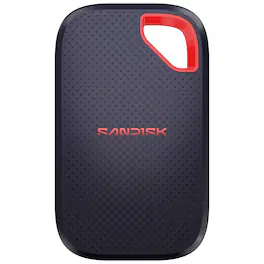
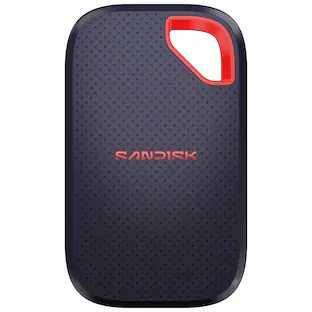
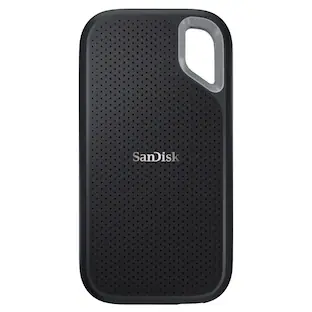
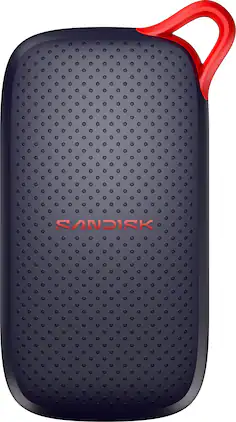
SanDisk - Extreme 1TB Portable SSD External USB Type-C SSD, up to 2000MB/s, IP65 water / dust resistance - Black

Model: SDSSDE70-1T00-G25
SKU: 6670606
$259.99
Save $40
The comparable value is $299.99
or
Availability
Available for pickup today at a nearby store
Order now for pickup on Thu, Apr 23 at
Act fast - Only 1 left at nearby store!
Sold by Best Buy
Specifications
  • Storage Capacity
    1000 gigabytes
    Storage Drive Type
    SSD
    Maximum Read Speed
    2000 megabytes per second
    Maximum Write Speed
    2000 megabytes per second
    Interface(s)
    USB-C (USB 3.2 Gen2)

      Sponsored

      Compare similar products

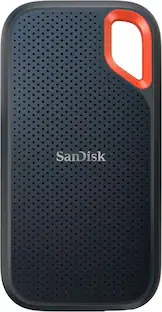
      SanDisk - Extreme 1TB Portable SSD External USB Type-C SSD, up to 2000MB/s, IP65 water / dust resistance - Black
      SanDisk - Extreme 1TB Portable SSD External USB Type-C SSD, up to 2000MB/s, IP65 water / dust resistance - Black
      4.8(18)

      Introducing the new SANDISK Extreme Portable SSD, built for anyone who needs fast, reliable storage for backing up big projects, clearing device space, or keeping content organized across devices. It’s what you need to work seamlessly, wherever you go.
      Crucial - X9 Pro 1TB External USB-C SSD - Space Gray

      Accelerate your workflow with the powerful performance of the Crucial X9 Pro Portable SSD. With read and write speeds up to 1,050MB/s and 1TB of capacity, the X9 Pro has space for thousands of photos, files, and videos along with the speed you need to organize, curate, edit and retouch your portfolio quickly, supporting whatever you do in Adobe Lightroom. The Crucial X9 Pro is plug-and-play ready with a USB-C connection, and works with Windows, Mac, Android, and more. Featuring Micron TLC NAND and water and dust resistance (IP55), the Crucial X9 Pro is designed for durability and style in the studio, in the field, or wherever you roam.

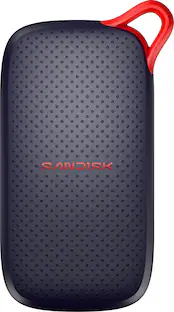
      SanDisk - Extreme Portable 1TB External USB-C NVMe SSD - Black

      Your life’s an adventure. To capture and keep its best moments, you need fast, high-capacity storage that accelerates every move. With up to 1050MB/s read and 1000MB/s write speeds, store your content and creations on a fast drive that fits seamlessly into your active lifestyle. Up to three-meter drop protection, with IP65 water and dust resistance, a carabiner loop for securing the drive, and a 5-year limited warranty give you the peace of mind to take it with you on travels near and far. From a brand trusted by professional photographers, the SanDisk Extreme Portable SSD provides fast solid state performance in a tough, reliable storage solution.

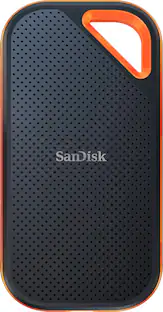
      SanDisk - Extreme Pro Portable 1TB External USB-C NVMe SSD - Black

      Back up important files with this SanDisk Extreme PRO portable SSD. The 1TB capacity provides plenty of space for large multimedia files, while speeds of up to 2000 Mbps. deliver high-performance storage. This SanDisk Extreme PRO portable SSD features a durable silicone shell that offers drop protection and water resistance.

      Pros for SanDisk - Extreme 1TB Portable SSD External USB Type-C SSD, up to 2000MB/s, IP65 water / dust resistance - Black
      There were no pros for this productSpeed, Overall Performance, Portability, Size, Storage CapacityThere were no pros for this productOverall Performance, Speed, Portability, Size, Storage Capacity
      Cons for SanDisk - Extreme 1TB Portable SSD External USB Type-C SSD, up to 2000MB/s, IP65 water / dust resistance - Black
      There were no cons for this productThere were no cons for this productThere were no cons for this productHeat Dissipation

      Specs

      Reviews

      Customer Images

      The vast majority of our reviews come from verified purchases. Reviews from customers may include My Best Buy members, employees, and Tech Insider Network members (as tagged). Select reviewers may receive discounted products, promotional considerations or entries into drawings for honest, helpful reviews.

      • Rated 5 out of 5 stars

        Extremely Great With USB 3.2 Gen 2x2 Devices

        SPEEDY FOR SOME, NOT EVERYONE The speed jump to 20 Gbps on this latest Sandisk Extreme portable SSD v3 (Extreme v3) version is a fantastic upgrade from the standard model. However, it comes with an important asterisk as this speed is only possible if your device has USB 3.2 Gen 2x2. If your computer only has USB 3.2 Gen 2, it will downshift to a max 10 Gbps. So, for example, while my Macs can read and write to the Extreme v3 just fine, those respective speeds are limited to around 880 MB/s. That’s because no Mac is equipped with USB 3.2 Gen 2x2 compatibility. USB variations are confusing, so basically, “USB 3.2 Gen 2x2,” adds an additional data lane to the “USB 3.2 Gen 2” standard. That’s why it’s called “2x2”. Double lanes, double speed. Even Windows computers are not immune since “2x2” support is optional in USB 3.2 and USB 4. So, if you don’t have a “2x2” capable computer consider Sandisk’s base USB 3.2 Gen 2 portable SSD. You’ll get the same 800-ish Gbps speed either way, but the entry model will save you a few coins. BUILD QUALITY & DESIGN If you have a USB 3.2 Gen 2x2 computer then this v3 version is a terrific a portable drive for media and other large files, being both fast and hearty. I’ve been using Sandisk portable drives for many years and I keep coming back mostly because the case travels so easy. SSD technology will improve over time, but the design and feel of Sandisk’s portable SSDs is unique and nearly perfected. Comparing my older model, the footprint of the Extreme v3 has shrunk maybe 25%, but it retains the same soft, rubbery, silicon bottom and sides and grippy texturized plastic top. It fits right in the palm of my hand and “sticks” even when damp. This reduces my stress I’ll drop it. But if I do, and I have with older models, the case can protect the contents. Based only on my clumsiness, the case’s durability is real. At only about .31 inches, and almost weightless, I can drop it into my pants’ pocket or any other small space without fear it will get crushed. I’m hesitant to call the case’s corner carabiner clip hole iconic since I think it was introduced maybe a decade ago, but it has become a Sandisk portable SSD signature. I thought it was a gimmick the first time I saw it, but I’ve found it handy on occasion when I needed quick access, and I had no viable pocket. Just clip to pants’ belt loop, sling, backpack, or whatever works. To top it off, it’s IP65 rated, meaning it’s proven to be dust proof and can take a light rain too. That said, the USB-C port is uncovered. I’m also impressed how the USB-C port locks on to the supplied USB cable. As a test, I let it dangle on the cable while connected to my laptop to see if it would disconnect. It remained connected like it was cemented. I’m embarrassed to admit I accidentally pushed a portable SSDs off the side of a desk once and it ended in tears and cursing because the report I was working on got corrupted. So, this demonstration boosts my confidence I’ll be less likely to experience a similar untimely cable disconnect catastrophe. BACKUP & ENCRYPTION APP While the sturdy case physically protects the data inside, the included (via download) software digitally secures it. It’s available for Windows, Android, Mac, and iOS. The app’s main features provide AES 128-bit encryption and automatic and manual backup. It also acts as a file manager. Installing the software isn’t required to use the Extreme v3 itself, but rather to enable these extra features. I gave the software a look, but I use other backup and encryption software and have no need for the computer versions. The iPhone can natively save files to SSDs, so I don’t need the mobile app either. Still, I tested the encryption feature out of curiosity and have a couple points to relay. First, the encryption page is hidden in plain sight. It’s found by navigating to the “…” menu icon. Then press “device settings.” Here you’ll find the options to update firmware, change the name of your Extreme v3, and to “set up lock”; i.e., encryption. When I set up encryption neither my Mac nor PC’s password manager activated as they normally do when setting a new password. It was a 100% manual affair. There is even a warning that the password isn’t recoverable if you forget it. A space to leave a hint is provided though. Certainly saving the password to your password manager or elsewhere after the fact is an option, but kind of a hassle. At the end of the process, I was asked if I wanted to use my computers fingerprint reader to unlock the Extreme V3 and I pressed “yes.” For whatever reason though it doesn’t activate, and I still must type in my password each time I insert the SSD. So, it’s possible my computers’ security settings are so high its blocking my password managers in this instance thinking the Sandisk software is a trojan, but this is my experience. Ultimately, I’m not a fan of the software but it works and the Extreme v3 doesn’t require it for basic functionality. As such, while it’s not great, it doesn’t impact my rating of the drive itself. PERFORMANCE Neither travelability nor security matter if the SSD itself isn’t robust and true to its specs. My initial impression is the Extreme v3 is excellent on both accounts. But, for transparency, I’ve only been using it for a few days. Sandisk’s portable SSDs have served me well over the years and I see nothing in this model to give me concern in this regard. Like my older models, I use the Extreme v3 to hold my 45MP RAW photos, weighing in between 30-70 MB each. I edit mostly in Lightroom and, occasionally, Photoshop on my Mac. Since Macs lack “2x2” capability I use the Extreme v3 with my Windows laptop so I can full harness the drive’s 20 Gbps speed. Usually, I drop my photos directly from camera memory card to SSD via computer, but I wanted to test the Extreme v3’s transfer time. I dumped 800 images totaling 25 GB into my computer and then to the Extreme v3. It took a few blinks of my eyes, about 16 seconds. That’s fast. Before starting my editing, I did one more test. I ran the AS SSD benchmark software to confirm I was getting expected speeds. After running it a few times, the average read and write was a bit over 1600 MB/s. For me that’s close enough to the Extreme’s advertised, and theoretical, max speed. Back to real life usage. When editing, I use the big, full resolution file, not a proxy. This taxes a drive tremendously while scrolling them and performing routine edits where it’s constantly reading and writing. Of course, there are other components involved, but in my experience the drive is always the bottleneck. Scrolling though 800-ish images in Lightroom is smooth and fast. I experience no jerkiness or hesitation. Similarly, basic color or lighting edits are instant, no lag. Of course, more complicated changes like AI object removal or noise reduction take time because of computations unrelated to the Extreme v3. My sessions can last hours as I pixel peep to identify keepers and then tweak them. The Extreme v3 is barely warm under these conditions. So, I wanted to push it a bit more to get a better idea of its true stamina. I dropped in a 2.5-hour HD movie to see how it would fare playing video for that length of time. I regularly touched the drive to check for heat as the movie played, assuming it would be an inferno toward the end of the movie. But the entire time it was a constant mild warmth, nothing that would sound the alarm at a single fire station. But also, I noticed no dropped frames or other quirkiness that a tired drive will signal. All of this leads to me to believe this drive can easily handle a full workday of almost any computer task I need to accomplish. BOTTOM LINE Suffice to say, I’ll enjoy packing this up with my laptop on trips so I can get a jumpstart on editing before getting home. It does everything I need out of a portable SSD to quickly edit photo projects. But only because I have a compatible USB 3.2 Gen 2x2 Windows laptop. That brings me to who I think the Extreme v3 is best suited for. The allure of speed is great. The reality is a race car performs best on a track, not the local streets. Same here. The speed is well used if you are working with large files in the multiple MB and GBs. But for office documents and other small files the Extreme v3 speed will go wasted. Your experience will be just as good, I think, with Sandisk’s standard model.

        TechO Posted

      • Rated 5 out of 5 stars

        Speedy Little Guy

        Historically, adding storage to a computer was limited to two options: taking the machine apart to install additional storage internally for performance at the expense of convenience, or connecting a USB storage device for convenience at the expense of performance. Fortunately, modern USB standards have become fast enough that they can communicate at speeds rivaling the latest internal storage interfaces, and external SSDs truly provide the best of both worlds. The Sandisk Extreme Portable 1TB SSD is quite literally an internal, high performance SSD in a shroud that has a USB-C port, giving the best of both worlds. - Unboxing and Setup As with any external storage, setup is as simple as it gets - simply plug it into an available USB-C port on your machine and you’re off to the races. The Extreme Portable’s small size and short (about 7 inches long) USB cable easily tucks away behind a laptop, but I would’ve liked a slightly longer cable as I also use this on a desktop machine with an elevated USB-C port, where the short cable means I can’t quite lay it flat where it’s out of the way. In any case, the disk comes pre-formatted as exFAT with a formatted storage capacity of 922 GB - indicating the advertised 1TB storage is in fact 1024GB rather than the “1TB = 1000GB” metric that some disk manufacturers use to inflate storage claims. This also indicates that there’s little in the way of over-provisioning to prevent write performance slowdowns when the drive fills up, but as this is based off a proper NVMe disk internally there should be a decent memory controller on board to handle. A preloaded PDF on the drive advertises the disk and its features. I reformatted the disk and was off and running. - Performance SanDisk advertises up to 2,000 MB/s read performance when connected to a USB-C 3.2 Gen 2x2 port capable of 20Gbps transfer speeds. Real world performance will vary greatly depending on the capabilities of your machine, disk capacity and utilization, and the types of read operations being performed. My laptop has a USB-C port capable of these high speeds but performance benchmarks capped out around 1,000 MB/s, which I don’t believe is a fault of the drive but perhaps how my system is configured. Regardless, my “limited” speeds are still nearly double that of the best SATA-based SSDs, and in using the disk I hardly noticed a difference. Batch file transfers and smaller, more rapid operations are handled just as smoothly as any internal disk, with the Extreme taking it all in stride. There were no hiccups or delays that I noticed, even when using the disk to boot an external operating system run entirely off the drive. The only issue I noticed in testing was that large file transfers to the SanDisk Extreme seem to go smoothly through the first 8GB or so, before there’s a distinct pause for about 5-10 seconds and the file transfers resume at slower speeds. This leads me to believe there’s a DRAM cache on the disk that’s buffering writes, which explains the high performance for smaller operations while large writes take longer. The system can send data to the disk faster than its memory controller can write it to the NAND, so the DRAM cache helps queue up pending writes until the memory controller is ready for further operations. Dealing with multiple large files shouldn’t be an issue either way; you will need to queue up about 10GB worth of writes before you notice performance drops. In any case it’s still massively faster than an SD card or similar flash storage. I did notice during benchmarking that the Extreme gets somewhat warm. Nothing terribly concerning but I question how much heat dissipation the device is capable of, as the rubber coating is likely trapping heat. SSDs tend to have shorter lives if they are run in hot environments for extended periods, so ensure that you’re not stuffing the disk into an enclosed space like a laptop sleeve or backpack while it’s in use. - Bottom Line There’s not much else to say about the SanDisk Extreme portable SSD - as a speedy external disk it does the job well and grants both extended storage for your machine and a highly portable way to move files between devices without the drawbacks of flash-based memory sticks and media cards. I do recommend the SanDisk Extreme 1TB with a major caveat - at the time of this review (17 April 2026), storage and memory prices are at all-time highs due to both economic demand from artificial intelligence firms and sociopolitical factors. Its current MSRP of $259.99 is more than double what a comparable 1TB external disk was selling for less than a year ago and would usually represent terrible value, but in current market conditions this is about average or only a slight premium. If you absolutely need this kind of storage solution at this time, it’s par for course. Conditionally recommended.

        Turbolence Posted

      • Rated 5 out of 5 stars

        Top Notch Portable SSD

        The SanDisk Extreme Portable SSD V3 is a well designed, rugged, portable USB SSD with up to 2 GB/s read performance. The retail box contains quick start instructions, warranty information, a 6" USB-C to USB-C cable and the SSD itself. The SSD measures 2" x 3 5/16" and is 3/8" thick. It fits very comfortably into a pocket, and has a loop so it can be attached to a lanyard or a large key fob. It feels very solid and well manufactured, offers IP65 water and dust resistance, and should withstand a drop of up to 3 meters. The drive functions essentially the same as a USB flash drive, no special drivers or other software are required. When connected to a USB-C port on a desktop or laptop, the SSD is immediately recognized and available for use. It appears as an external USB storage device named Extreme, its file system format is exFAT and the Eject function is available for the drive. The SSD comes with SanDisk Security software for Windows 10/11 and macOS 13/14/15. This software enables SSD password protection using its available 256-bit AES hardware encryption, allowing the user to create and change a password, unlock the drive, and remove the password. SanDisk states up to a 2000 MB/s sequential read speed. Write speed is described as being lower with no number provided. With the SSD connected to a Thunderbolt 4 port on an HP Ultra Flip laptop, CrystalDiskMark measures 1975 MB/s and 1246 MB/s sequential read and write speeds. When connected to a USB Type-C port with USB 3.2 Gen 2 support on a Windows 11 desktop PC, CrystalDiskMark measures 969 MB/s and 861 MB/s sequential read and write speeds. This reflects the difference in SSD performance over USB 3.2 Gen 2x2 vs. USB 3.2 Gen 2. The durability, size and performance of the SanDisk Extreme Portable SSD make it an ideal device for handling a very large collection of audio files as I work with a friend and manually transfer data to/from a remote machine. I would strongly recommend this product to anyone looking for a durable, portable, high volume and high performance external storage device.

        Loree Selmer Posted

      No content
      Sponsored

      Similar products from outside of Best Buy

      sponsored

      Finance Options

      My Best Buy® Credit Card
      Buy Now, Pay Later
      4 payments starting at $65.00
      Lease to own

      Apply today with no credit needed and enjoy flexible payment options.