Sonnet Technologies - Sonnet DisplayLink USB Type-A to Dual DisplayPort Adapter for M1 Macs
Reviews coming soon
About this product
Take your productivity and entertainment experience to new heights with the DisplayLink USB Type-A to Dual DisplayPort Adapter for M1 Macs. This high-quality, durable adapter is designed to overcome the limitations of M1 Mac computers, allowing you to connect two 4K @ 60Hz or two 1440p @ 144Hz DisplayPort displays to a single port on your computer. Leveraging DisplayLink technology, this versatile adapter is perfect for users who need to run multiple applications on separate screens, edit code, or view detailed spreadsheets on a large display. It's also ideal for mirroring your notebook's display on a larger monitor, expanding your workspace and boosting your efficiency. Beyond work, this compact and easy-to-use adapter enhances your leisure time as well. Connect your computer to a large monitor or big screen TV and enjoy browsing the web or watching videos on YouTube and other platforms from a distance. Key features of this adapter include the ability to connect two 4K displays to Macs or PCs, support for higher refresh rates, and audio pass-through capabilities. It's compatible with both Mac and Windows computers, making it a versatile choice for a wide range of users. Setting up this adapter is a breeze. Simply download and install the DisplayLink Manager software, connect the adapter and displays, and configure your desktop on the connected displays. The adapter is bus-powered, eliminating the need for an additional power supply. The DisplayLink USB Type-A to Dual DisplayPort Adapter for M1 Macs is not just for 4K displays. It also supports Full HD displays and audio out, making it a great choice for various home and work applications. Despite its compact size, this adapter packs a punch, offering you the flexibility to connect three displays to your M1 Mac mini. In conclusion, the DisplayLink USB Type-A to Dual DisplayPort Adapter for M1 Macs is a robust and reliable solution for expanding your onscreen work and play area. Whether you're a professional seeking to boost productivity or a tech enthusiast looking to enhance your entertainment experience, this adapter is a must-have accessory.
Features
DUAL DISPLAY CONNECTIVITY
Easily connect two 4K DisplayPort monitors to your M1 Mac, Windows, or Ubuntu computer via a single USB port, enhancing your productivity and multitasking capabilities.
SUPERIOR 4K RESOLUTION
Experience crystal-clear visuals with support for 4K @ 60Hz, 1440p @ 144Hz, and 1080p @ 144Hz, ensuring sharp and fluid images for all your visual needs.
WIDE COMPATIBILITY
Compatible with macOS 10.15+, Windows 10/11, and Ubuntu 20.04, this adapter supports a broad range of systems, making it a versatile addition to any setup.
SIMPLE PLUG
AND-PLAY - The included USB Type-A to Dual DisplayPort adapter and USB Type-C to Type-A adapter offer a hassle-free setup, allowing you to quickly expand your display capabilities.
ROBUST AND RELIABLE
Built with high-quality components and RoHS 3 compliance, this adapter ensures long-lasting performance and adheres to strict safety standards (IEC62368-1 & IEC62368-2).
Specifications
- Connector Type (End 1)ToslinkConnector Type (End 2)Toslink
Reviews
This product doesn't have any reviews yet.
Compare similar products
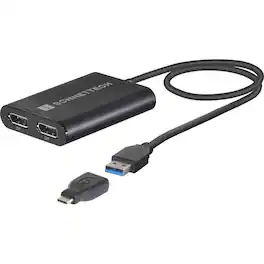
Take your productivity and entertainment experience to new heights with the DisplayLink USB Type-A to Dual DisplayPort Adapter for M1 Macs. This high-quality, durable adapter is designed to overcome the limitations of M1 Mac computers, allowing you to connect two 4K @ 60Hz or two 1440p @ 144Hz DisplayPort displays to a single port on your computer. Leveraging DisplayLink technology, this versatile adapter is perfect for users who need to run multiple applications on separate screens, edit code, or view detailed spreadsheets on a large display. It's also ideal for mirroring your notebook's display on a larger monitor, expanding your workspace and boosting your efficiency. Beyond work, this compact and easy-to-use adapter enhances your leisure time as well. Connect your computer to a large monitor or big screen TV and enjoy browsing the web or watching videos on YouTube and other platforms from a distance. Key features of this adapter include the ability to connect two 4K displays to Macs or PCs, support for higher refresh rates, and audio pass-through capabilities. It's compatible with both Mac and Windows computers, making it a versatile choice for a wide range of users. Setting up this adapter is a breeze. Simply download and install the DisplayLink Manager software, connect the adapter and displays, and configure your desktop on the connected displays. The adapter is bus-powered, eliminating the need for an additional power supply. The DisplayLink USB Type-A to Dual DisplayPort Adapter for M1 Macs is not just for 4K displays. It also supports Full HD displays and audio out, making it a great choice for various home and work applications. Despite its compact size, this adapter packs a punch, offering you the flexibility to connect three displays to your M1 Mac mini. In conclusion, the DisplayLink USB Type-A to Dual DisplayPort Adapter for M1 Macs is a robust and reliable solution for expanding your onscreen work and play area. Whether you're a professional seeking to boost productivity or a tech enthusiast looking to enhance your entertainment experience, this adapter is a must-have accessory.
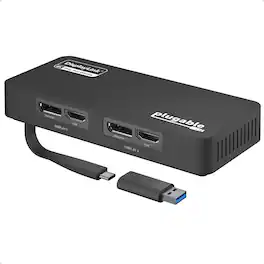
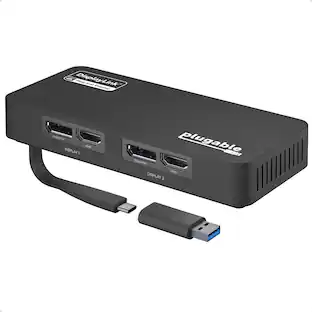
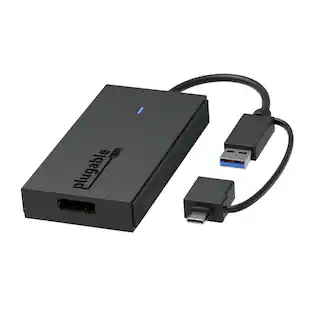
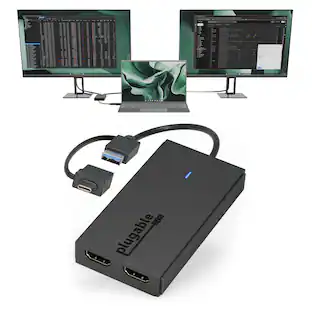
The Plugable USBC-6950U adds two external HDMI monitors, each at up to 4K 60Hz, to virtually any compatible laptop using DisplayLink technology. Connect through USB-C on newer systems or use the attached USB-A adapter for older Windows computers, or setups where USB-C ports are already occupied. For users looking for an HDMI extender for dual monitors, the USBC-6950U provides a simple way to expand your workspace with two additional displays from a single USB connection. The attached USB-A adapter stays physically connected to the device, so it is always available when needed with no separate dongle to store or lose. Compatible with Windows 10 and newer, ChromeOS 100 and newer. Windows and ChromeOS systems are plug-and-play with no manual driver installation required. macOS requires the DisplayLink Manager app and approval of Screen Recording permission in System Settings. Create an HDMI extended display setup with resolutions up to 3840x2160 at 60Hz in extended or mirrored modes. Ideal for multitasking, spreadsheets, coding, web browsing, office applications, and productivity-focused workspaces. DisplayLink adapters do not support HDCP-encrypted content. Streaming services such as Netflix, Disney+, Hulu, and Prime Video may show a black screen on connected displays. For protected streaming content or gaming, a standard HDMI display adapter is recommended. The adapter may become warm during extended use, which is normal. Backed by lifetime support from Plugable's North American team of connectivity specialists.

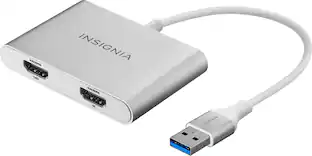
The Insignia USB-A 3.0 to Dual HDMI video adapter can mirror or extend your computer display to any HDMI-enabled monitor, TV, or projector. The HDMI-1 port can transfer up to 4K@30Hz resolution. The HDMI-2 port can transfer up to 1920x 1080P@60Hz. This adapter is compatible with Windows 10 or 11, but can’t support the Mac OS, Chrome OS, Android OS, Linux OS, Game OS. The driver can be installed automatically when computers internet connection is available, and Windows Update is enabled.
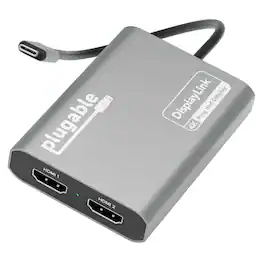
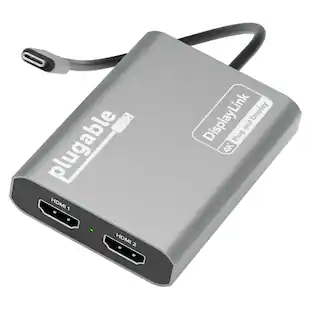
Add two 4K 60Hz HDMI displays to your MacBook M1 through M5, Windows laptop, or ChromeOS device from a single USB-C port. The Plugable USBC-6950M uses DisplayLink technology to extend your workspace beyond native display limits, making it a practical solution for multitasking, hybrid work, creative projects, and productivity-focused desk setups. Powered by the proven DL-6950 DisplayLink chip, this MacBook dual monitor adapter compresses and transmits video over USB-C to support dual external HDMI displays. On Macs, DisplayLink helps bypass Apple’s native single external display limitation on many base-model M-series systems, enabling expanded screen real estate for more flexible workflows. Setup is simple. On Mac, download DisplayLink Manager, connect the adapter, approve the required macOS display-access permission, and your displays will appear. Windows 10 and newer and ChromeOS 100+ systems are plug-and-play with no driver installation needed. The USBC-6950M is compatible with macOS 11 and newer, Windows 10 and newer, and ChromeOS 100 and newer systems with Thunderbolt, USB4, or USB-C. For best results on MacBook Air and MacBook Pro systems with M1 through M5 base chips, connect directly to the MacBook’s USB-C port rather than through a hub or dock. Please note that DisplayLink based adapters are not designed for HDCP-protected streaming apps such as Netflix, Disney+, Hulu, or Prime Video. These services may show a black screen on connected displays. For entertainment or gaming use, a standard display adapter is recommended instead. During extended use, the adapter may run warm. This is normal for DisplayLink technology. Use with clear airflow on all sides or elevate the adapter for long sessions. The aluminum body helps dissipate heat during operation. Backed by Plugable lifetime North American support and a 2-year limited warranty, the USBC-6950M is designed for dependable everyday productivity, with real help from real humans for as long as you own it
| Pros for Sonnet Technologies - Sonnet DisplayLink USB Type-A to Dual DisplayPort Adapter for M1 Macs | |||
|---|---|---|---|
| There were no pros for this product— | There were no pros for this product— | Ease of use, HDMI, Performance, Compatibility, Dual Monitors | There were no pros for this product— |
| Cons for Sonnet Technologies - Sonnet DisplayLink USB Type-A to Dual DisplayPort Adapter for M1 Macs | |||
| There were no cons for this product— | There were no cons for this product— | Driver Installation, Heat, Cord Length | There were no cons for this product— |
Specs
Be the first to ask a question.
We’ll try to get your question answered within 24 hours by a Best Buy customer or brand representative.
Customers often buy these together
Maxell 648445 CD-R 700 CD-R CD Recordable Discs 48X 700MB 80 Min Spindle 25 Pack - DIGI REC. MEDIA
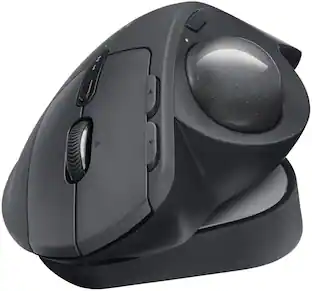
$22.82The price was $28.25Logitech MX ERGO S PLUS Wireless Ergonomic Trackball Mouse with 6 Programmable Buttons
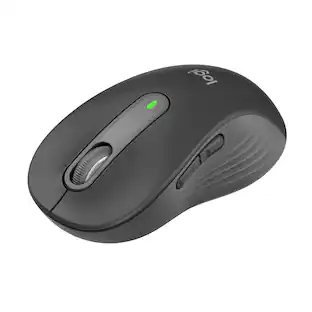
$99.99The price was $119.99Logitech Signature M650 L Full-size Wireless Optical Scroll Mouse with Silent Clicks
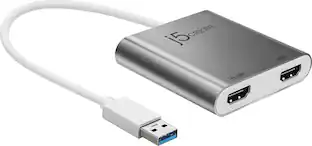
Holiday Deal$33.99The price was $39.99Belkin 8-Port Hub w/ 4K HDMI Display @ 60Hz, 100W Power Delivery, Fast Data Transfer 10Gbps, USB-C Multiport Adapter
Holiday Deal$44.99The price was $49.99






More to consider
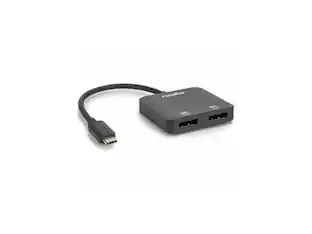
Rocstor USB-C to Dual DP Adapter - 4K/60Hz - USB-C Male, 2 DP Female - 3840x2160
$38.56The price was $42.42
Explore tech essentials Sponsored
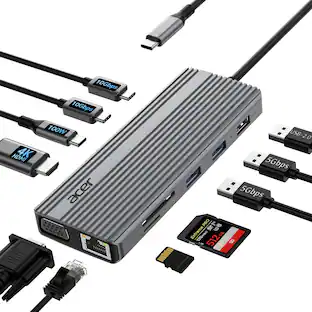
Acer 11 in 1 USB C HUB Multiport Adapter with 4K@60Hz HDMI, 1080P VGA, 2x10Gbps USB C, 2x5Gbps USB A
Holiday Deal$37.99The price was $45.99


Keep exploring
Anker USB C to USB C Cable, 2-Pack 3.3 FT (1 m) Type C 100W Fast Charging Cable
$11.99The price was $13.59Acer 8K HDMI 2.1 Cable 6.6FT, 48Gbps Ultra High-Speed Braided Cord Supports 8K@60Hz, 4K@120Hz, HDR10+/HDCP 2.2 &ARC/eARC
Holiday Deal$11.99The price was $13.99