Deals for every list.It’s officially saving season.Shop now

Skip to contentGo to Product Search
Main Content

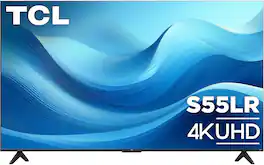
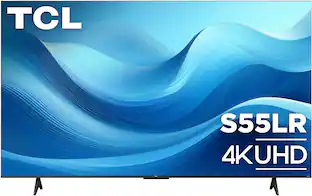
TCL - 85" Class S55LR Series 4K UHD HDR LED Smart TV with Roku TV (2026)

Model: 85S55LR
SKU: 6684131
Sold byBest Buy

About this product

The TCL S55LR Series 4K UHD Smart TV combines impressive picture quality and smart features to elevate your entertainment experience. Enjoy stunning 4K UHD resolution enhanced by a high brightness LED backlight and wide color gamut, delivering brighter images, richer colors, and greater realism in every scene. High dynamic range (HDR) enhances contrast and detail, while Motion Rate 240 with MEMC keeps fast-moving action smooth and clear for sports, movies, and gaming. Designed for gamers, Game Accelerator 120 and Auto Game Mode help provide responsive gameplay with reduced input lag. Stream live and on-demand entertainment with access to live TV and 500+ free channels, connect your favorite devices through three HDMI inputs, and enjoy private listening with Bluetooth personal audio. Finished with a sleek FullView metal bezel-less design, the S55LR Series delivers an immersive viewing experience and modern style that complements any space.

Highlights

Features

  • Stunning 4K Ultra HD

    Enjoy breathtaking 4K movies and TV shows at 4 times the resolution of Full HD. Plus, your favorite HD shows, movies, and sporting events are enhanced to near Ultra HD resolution with advanced 4K upscaling.

  • High brightness LED direct lit backlight

    High brightness ensures a vibrant picture in virtually any room.

  • Wide color gamut

    Bringing every scene to life with enhanced color.

  • Game Accelerator 120

    Win the game with up to blistering fast 120 VRR, creating lag-free gaming.

  • Motion Rate 240 with MEMC

    Improved motion clarity with movies, sports, and games.

  • HDR10+, HDR10, & HLG

    Experience enhanced contrast, accurate colors, and fine details with content in High Dynamic Range.

  • Auto Game Mode (ALLM)

    Automatically enables game mode for the lowest possible input lag and latency for an unmatched gaming performance.

  • 3 HDMI inputs (1 eARC)

    Connect all your favorite devices through the 3 HDMI inputs including 1 HDMI eARC to easily sync audio and video sources for better quality sound.

  • Dual-band WiFi & Ethernet port

    Get fast and easy access to your favorite content with the dual-band WiFi 5 connection or plug into the Ethernet port.

  • USB input

    View your photos and play back your audio or video files.

  • Bluetooth personal audio

    Pair your favorite Bluetooth headphones to the TV for a private listening experience.

  • Simple, customizable home screen

    Your favorite broadcast TV, streaming channels, gaming console and other devices are front-and-center, so you can spend your time relaxing – not scrolling.

  • Stream what you love

    Enjoy free TV, live news, sports, movies, and more.

  • Endless free entertainment

    Access the best selection of free entertainment with 500+ live TV channels, award-winning Roku® Originals, in-season shows, hit movies, kids’ TV and more.

  • Live TV channel guide with 500+ free channels

    Use the convenient live TV guide to surf broadcast TV and live streaming channels in one place.

  • Cord cutting made easy

    Cord cutters can access free, over-the-air HD content thanks to the advanced digital TV tuner with live channel guide or watch live TV from popular cable-replacement services like Sling, Hulu, fuboTV and more.

  • Quick and easy search

    Find any movie, show, song, or podcast across thousands of channels. You’ll see where it’s streaming for free or at the lowest cost.

  • Get the newest features automatically

    Your TCL Roku TV just gets better and better with automatic software updates.

  • Simple remote

    The super-simple remote—with about half the number of buttons on a traditional TV remote—has everything you need to control your TV, including one-touch access to popular streaming channels.

  • Easy voice search and control with the Roku mobile app

    Quickly find and play your favorite entertainment, control your Roku TV, and more using Roku TV on the free Roku mobile app.

  • Works with popular voice assistants

    Enjoy easy voice control with Siri and Alexa.

  • Roku mobile app

    Use the free Roku mobile app for iOS® and Android™ as a second remote. Enjoy private listening, search with your voice or keyboard, and save shows for later.

  • FullView bezel-less design

    A sleek metal finish, slim profile, and FullView edge-to-edge glass design, lend style and sophistication to your home theater.

  • Easy audio upgrade with TCL sound bars

    Easily upgrade the sound of your TV with one remote, quick settings, and a simple setup. Just look for TCL soundbars (sold separately) featuring the Roku TV ReadyTM

Specifications

  • Display Type
    LED
    Resolution
    4K (2160p)
    Screen Size Class
    85 inches
    High Dynamic Range (HDR)
    Yes
    High Dynamic Range Format
    HDR 10, HDR 10+, Hybrid Log-Gamma (HLG)
Sponsored

Reviews

Rating 4.7 out of 5 stars with 10 reviews

5 star rating. 7 reviews4 star rating. 3 reviews
90% would recommend to a friend

Top Mentions

  • Picture Quality (7)
  • Ease of Setup (4)

Customer Images

The vast majority of our reviews come from verified purchases. Reviews from customers may include My Best Buy members, employees, and Tech Insider Network members (as tagged). Select reviewers may receive discounted products, promotional considerations or entries into drawings for honest, helpful reviews.

  • Rated 5 out of 5 stars

    Massive 85 Inch screen - Great Value and Roku !

    Unpacking - Important - Grab a friend and prepare to have help when working with a TV this large ! The TV itself was packed into molded foam with an inner wrap. We carefully opened the box to determine the "screen side" to install the stand prior to completely unboxing. Overall installation only took a few minutes, the television is not that heavy less the packaging material. Roku TV: Connected to wifi, Signed in, set it up and few updates later everything was ready to use. The menus are easy to navigate and there is a ton of content. If you are using something else, it's easy to switch inputs. Picture Quality: It's excellent given the price tier of this television. This is considered a "budget" big screen but the lack of individual lighting zones make for a not so great watching experience in a pitch black room. For watching the game, or gaming with a higher level of ambient light - the pure size of the screen makes up for the lack of deep blacks. The 120hz refresh rate and gaming work quite well - motion blur is present but minimal. Sound: It has speakers in it. Yes, It does. That is a subtle hint that an ideal pairing is an inexpensive soundbar. Who it's for: Family rooms, streaming households, sports fans, casual gamers, anyone who wants the biggest screen for the least money and doesn't care about theater-grade contrast. An 85 inch already looks big at the store, if you have yet to have one in your house - IT'S HUGE ! Who should spend more: Dark-room movie watchers, HDR purists, competitive gamers who need pristine motion clarity. For those, a Mini-LED at a few hundred dollars more may be a better option. Overall - It's an excellent value for a MASSIVE screen !

    Posted by James K

  • Rated 5 out of 5 stars

    SOLID & AFFORDABLE

    I didn't know what I was missing until I upgraded to this TV. Our daughter was in need of a newer TV so we gave her our existing 65 inch and got this 85 inch for ourselves because, well, why not right. . The picture is so much more clear and bright than the old one which was also a TCL, however slightly older.The difference in picture quality from just a few years ago is truly exponential.Installation was an absolute breeze and from unboxing to the time it was hung on the wall & hooked up to my apple tv 4k was less than 30 minutes total. This is also our first Google TV (the old one was ROKU) which I guess has some perks since we use Google with our home automation but I have not looked into this quite yet. Remote worked as soon as you put batteries in and no set up issues to deal with. Sound is your typical good enough if you can not afford an audio system. I wish they would just stop including speakers in the tv's & use that money on better video components because no one uses them these days.Overall I would recommend this TV.

    Posted by IBEWSuper

  • Rated 4 out of 5 stars

    Great picture (and big), not such a great remote

    This 85" TLC is my largest flat panel TV I have. For years I've had multiple projectors in my family room (which is 32' x 16') My seating area is 16' from my drop down screen. I decided I wanted to compare this 85" TLC to my projector. My setup has always allowed two display devices so setting up the TLC with my surround sound system was pretty easy. This 85" S55LR does not have local dimming so comparing it to a projector (which cannot have local dimming) should be a fair comparison. I have Roku boxes connected to 4 of my TV's so I'm very familiar with their user interface. I did update the Roku app on my iPhone so my phone can now control all 5 devices. I went through the TLC setup and registration, installing/updating the Roku TV app on the TV.  Setting up the TV with all my streaming services and DirecTV took nearly an hour. I first started a std HD DirecTV baseball game, I attempted to get the color and brightness settings of the TV and my projector to be as similar as possible.  The TLC does not have as many advanced setting as my projector. I set the TLC to it's darkest mode which to me presented blacks and darks areas more realistically. The has four times the number of options.  It allowed me to "tune in" the two pictures to be pretty similar. No matter what I did the TLC's greens were a little brighter than the projector.  The blacks on the TLC were also a little brighter.  Looking at a pure white screen the TLC was slightly whiter but more even than the projector especially in the corners. With solid colors (test pattern) the TLC was 100% consistent.  Both of them displayed red, blue very evenly. Yellows were a different tone but both very even, the TLC was a tad brighter. The projectors blacks were a perfect inky black, the TLCs were brighter maybe offering more shades of black (just not as deep). But onto live TV. A top over bottom (see image) comparison of the two showed the TLC had some additional detail, both had some blurring with very fast motion. The TLC has what they call Motion Rate 240 with MEMC, the projector has a motion flow feature, both claimed to improve full motion clarity. Both struggled with clarity of Baseball's fast action. The resolution of the fine details, the blades of grass were clearer and the lines on the field and numbers on uniforms were sharper. The grass on the projectors image seemed a more natural color.  The more I watched for differences, the more the TLC revealed finer details. Now on to a UHD 4K movie (Blu-ray) with both devices sharing the same signal.  First up: Top Gun Maverick.  I again attempted to get the colors as close to the same, by adjusting the two devices during the Menu Loop; they were close, the TLC still had a slightly brighter overall display; blacks and bright areas were close with the projector being slightly darker.  Both were very detailed in the picture quality, a credit to what UHD 4K can deliver.  After more critical watching of a few scenes a couple of times, it became clear that the TLC struggled with the darkest areas, details were missing from within the shadows. With fast paced full motion scenes the TLC captured the edges more crisply, where the projector seemed to smoothed out some of the details, the edges were not as fine.   I did another comparison watching Dante's Peak and except for very dark scenes I overall preferred the TLC with it's slightly brighter picture (in a fairly dark room). I also compared the sound from the TLC to my home theater, which was not a fair comparison. The TLCs sound when below 15 sounds acceptable. Over 20 (21-99) it get tinny and noisy. Just watching a ball game below 20 is fine for background noise. The TLC can almost fill a big room, but not with high quality sound The down firing stereo speakers are obviously under powered and they distort as the volume level increases. In short get a sound bar or use a good quality surround sound like I do (connected using eARC). The built in Roku for streaming is excellent. But the only remote is a TLC remote that looks just like every Roku remote (minimalist) except that there is no microphone button for voice control. It's fine until you add something with lots of channels (like DirecTV) which then forces you to scroll through pages and pages of channel selections, with no means of keying in a channel number (that I could find). The TLC integrates well with Apple Home, Apple Airplay, Google Home and Alexa.  Voice commands from all worked (as did the Roku voice commands when I swapped out the provided TLC remote for a newer backlit Roku that I happened to have on hand). The installed Roku supports voice commands but the provided remote has a sleep button where the mic button should be (they maybe saved a dollar - Boo). I did run into situations where more than one service tried to respond. I ended up using only Google Home and Roku Voice. With a wide variety of streaming services Roku presents a fairly unified menu across the different services/apps. I looked at my Fandango support and all formats including UHD worked fine, I tested both with a 5G wireless connection and a Ethernet connection both streamed without any problems. So, for now, I can use either my projector or the TLC 85", the difference in screen size is barely noticeable. There are times when I prefer the screen up higher, and times where I like it low (TV sitting on the floor, me on the couch). With both sharing the home theater system it's hard to choose, I no doubt prefer the TLC when the room is very bright (which is unusual). BTW all of my TV's and projectors have their own sound bars or full blown theater systems, so thinking the TLC's sound is weak is not surprising (few flat panel TVs have good enough sound to satisfy me).

    Posted by 3Tcubed

  • Rated 5 out of 5 stars

    Great Picture and Big Screen W/out the Big Cost

    The TCL S55LR series is a wallet friendly Roku based 4K TV lineup. This is the largest in the lineup at 85”. I am a fan of the Roku based systems, and have been a Roku streaming stick/box user for quite awhile. This is our 3rd 4K TCL Roku TV, and it has been a solid ownership experience so far. The I/O panel features (3) HDMI ports, Ethernet LAN, S/PDIF port, USB 2.0, and a Coax input. 1 HDMI port supports eARC, and I believe that is the only HDMI 2.1 port available. The other 2 ports are likely HDMI 2.0. The TV comes with the option to use the 2 included stand legs or wall mount with e VESA 300x600 capable mount. The TV itself displays at a native 3840x2160@60Hz (4K60). The TV has TCL’s Game Accelerator 120 software which allows the panel to display at 120Hz. It does this by reducing the resolution – I believe it drops it to 1440p. This is a gaming specific feature. The other gaming feature is Auto Game Mode (ALLM), which reduces input lag. In practice this seems to work well. The panel also supports HDR10+, HDR10, and HLG. It does not support Dolby Vision, but HDR10+ does come close to matching it. Regardless, that is a decent level of HDR support for a budget friendly panel option. The initial unboxing was pretty smooth – I almost couldn’t get the box off because my basement ceiling is a little lower. The TV was packed in nicely. I planned to wall mount, so I left the TV in the bottom packaging while I attached the rear support mounts. The manual says you can lay the TV face down on a table or floor (with a padded blanket underneath) to do this step, but I didn’t have any issue doing it when it was upright. The VESA mounting patten is located in the bottom 1/3 of the TV, so definitely take some extra time and thought when you do your measurements to set the height of your panel. Also, since the mounting pattern is not centered the top of the TV will “lever” the wall mount. I would make sure to use a sturdily built mount even though this TV is not overly heavy for its size. Build quality of the panel is pretty good. The screen has a some reflectivity when the display is off. The connections in the back are somewhat difficult to get to because I used a low-profile mount. Overall it looks pretty good up on the wall and certainly looks large. It is replacing a 92” projector screen, so it’s a little smaller than we are used to but still plenty big enough. The backlight isn’t perfectly uniform and has some hot/bright spots. These are noticeable in very dark scenes and with a black screen being displayed. There is some backlight bleed around the edges, and some uniformity issues. With content playing it is pretty difficult to pick this out, and is only noticeable during very dark scenes where contrast is important. The TV runs Roku OS, which is my favorite smart TV platform. I have been a user for 10 years, so I tend to gravitate towards displays using their platform. I am already very familiar with their setup, and I really like how well they support the various streaming platforms. During setup of the TV I plugged in my Roku credentials and I had my streaming accounts ready to go. Its one of the fastest setups I have gone through, and it is often a selling point for me. I run my audio and any additional connections through my AV receiver. I plugged into the eARC enabled HDMI port and ran that to my AVR. My Switch and Xbox stayed attached to the AVR. I changed the audio settings to use the eARC connection instead of the onboard speakers. The onboard speakers aren’t too bad, and they are no better or worse than any flat panel speaker setup. I have an existing surround sound system, so I really never intended to use the onboard speakers. I know 3 onboard HDMI ports is limiting for some folks, and without my AVR I would have my connections maxed out. Gaming on the panel has been pretty good. Our projector had a considerable amount of input lag, which made it impossible to for the kids to play Smash Bros or other fast paced games. Switching over to this panel has definitely made the kids happier. I don’t have a gaming system that supports 120Hz output to test out the Game Accelerator 120 mode, but my Xbox One X has VRR support. I didn’t really notice a difference with that enabled – honestly I think this would benefit a PC more than console. As far as gaming performance the screen looked pretty good for the vast majority of scenes. Areas that get pretty dark and require a lot of contrast were the only weak points I came across. This was especially evident when the room was lit up. The panel gets plenty bright enough to handle a well-lit room, but those areas that need the contrast between very dark and medium dark didn’t have the definition that I would want. However, this was the only area I could nitpick. Overall, I was really happy with the screen performance. My kids were the most excited because family game night could include Smash Bros on the big screen finally. Playing content the panel looks great. I know its not a perfect panel, and I have certainly seen better out of Mini-LED and OLED panels. With that being said this is a great looking panel at a very reasonable price point. We have watched a dozen movies and TV shows across HBO, Netflix, Hulu, Youtube, and Amazon Prime. They all look great, and my family has loved it. The first watch I noticed the motion smoothing, and I jumped to turn that off. I can’t stand any motion smoothing on TV’s, but I know that’s not everyone. The motion smoothing looks decent on live sports, and is about the only area I can stand to see it. However, with movies and TV shows I don’t like it, so I disable it. To turn it off you have to start playing some content and go through the menu options by hitting the little gear button on the remote. Go to “Settings>Picture Settings>Customize Picture>Expert Settings>Action Smoothing” to set it to Off, Low, Medium, or High. The panel does a nice job with HDR content – the screen has plenty of brightness to make the image on screen really pop. I can’t say I really noticed much blooming or artifacting on the screen, and when it did show up it was during very fast motion or dark scenes with a bright object on-screen. The effect was minimal, and again to the point that it didn’t affect the watch experience. Overall, is a really solid 4K panel that absolutely gives decent bang for your buck. Its an 85” 4K panel for under $1K, and it really gives you a good amount of value. I feel confident in recommending this panel to others, and I will continue to be a fan of the Roku OS based TV’s. Honestly its worth a look, and it has a lot going for it.

    Posted by DaveW

  • Rated 5 out of 5 stars

    Need More Than One??

    Most TVs these days are made really well, and this 85‑inch monster from TCL is no different. It has all the creature comforts you’d expect: multiple HDMI ports (including one with eARC), crisp image quality with vibrant colors, good sound, built‑in streaming, and an easy‑to‑use remote. Watching anything on this screen is genuinely pleasant, and it makes me excited for movie nights. Gaming on it is also a blast. I’ll mention that Motion Rate and Game Accelerator don’t mean much to me personally, but gaming has been extremely satisfying and I haven’t noticed any significant lag. The TV is rated at 60Hz, which is more than enough for me; and honestly for most people. One thing I really love is the bezel‑less design. The top and sides have no bulky borders, so if you ever wanted a massive multi‑screen setup, you could line up four of these and make them look like one giant display. I don’t need that, but the temptation is very real (hehe). Overall, you can’t go wrong with this one, especially if you catch it on sale!

    Posted by Ricky

Compare similar products

TCL - 85" Class S55LR Series 4K UHD HDR LED Smart TV with Roku TV (2026)
4.7(10)

The TCL S55LR Series 4K UHD Smart TV combines impressive picture quality and smart features to elevate your entertainment experience. Enjoy stunning 4K UHD resolution enhanced by a high brightness LED backlight and wide color gamut, delivering brighter images, richer colors, and greater realism in every scene. High dynamic range (HDR) enhances contrast and detail, while Motion Rate 240 with MEMC keeps fast-moving action smooth and clear for sports, movies, and gaming. Designed for gamers, Game Accelerator 120 and Auto Game Mode help provide responsive gameplay with reduced input lag. Stream live and on-demand entertainment with access to live TV and 500+ free channels, connect your favorite devices through three HDMI inputs, and enjoy private listening with Bluetooth personal audio. Finished with a sleek FullView metal bezel-less design, the S55LR Series delivers an immersive viewing experience and modern style that complements any space.
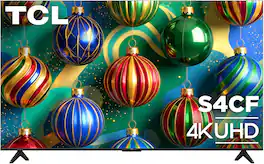
TCL - 85" S4CF Series 4K UHD HDR Smart TV with Fire TV (2026)

Take your entertainment to the next level with this feature-packed 4K Fire TV. The High Brightness+ LED Backlight delivers enhanced brightness and picture performance, helping movies, sports, and games look their best in a variety of viewing environments. Dolby Vision and HDR10 provide striking contrast and realistic color, while Motion Rate 240 keeps fast action looking smooth and clear. For gamers, Game Accelerator 120 and Auto Game Mode help deliver responsive gameplay with enhanced motion performance. Dolby Atmos audio creates immersive, room-filling sound, and four HDMI inputs provide flexible connectivity for all your favorite devices. Combined with the elegant FullView Metal Bezel-Less Design and intuitive voice remote control, this TV offers a premium entertainment experience from every angle.
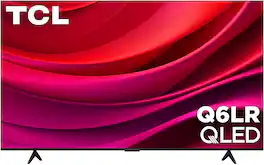
TCL - 85" Class Q6LR Series 4K UHD HDR QLED Smart TV with Roku TV (2026)
4.8(18)

The TCL Q6LR Series QLED Roku TV brings together brilliant color, enhanced brightness, and effortless entertainment. QLED technology and a high brightness+ LED backlight deliver vibrant colors, impressive contrast, and a more immersive viewing experience for everything from movies and sports to your favorite shows. Motion Rate 240 with MEMC enhances motion clarity for smooth, crisp action, while Game Accelerator 120 and Auto Game Mode help provide responsive gameplay with reduced input lag. Powered by Roku TV, the Q6LR offers easy access to thousands of streaming channels and live entertainment, all controlled with the included voice remote for convenient hands-free searching and navigation. With three HDMI inputs for connecting gaming consoles, sound bars, and other devices, plus a sleek modern design, the TCL Q6LR Series is built to elevate every moment of entertainment.
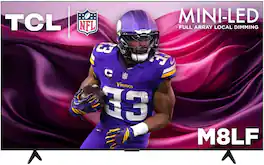
TCL - 85" Class M8LF Series 4K UHD HDR Mini LED Smart TV with Fire TV (2026)
5.0(4)

The TCL M8LF Series Fire TV combines advanced display technology and powerful gaming features to deliver an exceptional entertainment experience. Mini LED technology with local dimming and a high contrast HVA panel produce stunning picture quality with deeper blacks, brighter highlights, and enhanced detail, while 4K UHD resolution and High Brightness+ bring every scene to life with remarkable clarity and realism. A native 144Hz refresh rate and Motion Rate 480 with MEMC ensure ultra-smooth motion for sports, movies, and fast-paced gaming. Designed with gamers in mind, the M8LF features Game Accelerator, Auto Game Mode, and Game Bar for responsive gameplay and easy access to performance settings. Built-in Alexa+ and hands-free voice control make it easy to find entertainment, control compatible smart home devices, and get personalized assistance using just your voice. Dolby Atmos and DTS Virtual:X create immersive, room-filling sound, while Bluetooth personal audio enables private listening through compatible headphones. With four HDMI inputs for all your connected devices, the TCL M8LF Series delivers premium performance, seamless connectivity, and effortless control for every entertainment moment.

Pros for TCL - 85" Class S55LR Series 4K UHD HDR LED Smart TV with Roku TV (2026)
Picture Quality, Ease of SetupThere were no pros for this product—Picture Quality, Ease of SetupThere were no pros for this product—

Specs

Questions & Answers

  • Why are the screws for the stand too small. They don’t thread on.

    In order for us to better assist, please reach out to us at tclsocial@tcl.com with your contact information and a description of what you need help with. Thank you, TCL Customer Support

    Answered by TCLExpert
    TCLExpert response
  • Whats the box size?

    The dimensions of the box are as follows: (W x H x D) 80.5" x 47.2" x 7.8". Thank you, TCL Customer Support

    Answered by TCLExpert
    TCLExpert response
  • Can I add xfinity stream to the apps for streaming?

    The Xfinity Stream streaming channel is one of the thousands of streaming channels offered through the Roku Channel Store. You can also visit channelstore.roku.com/browse to see other streaming channels Roku offers. Hope this helps! Thank you, TCL Customer Support

    Answered by TCLExpert
    TCLExpert response
  • Does this have an av adapter port?

    This TCL TV features inputs such as HDMI eARC, USB input, and Optical input. Hope this helps! Thank you, TCL Customer Support

    Answered by TCLExpert
    TCLExpert response
Ask a question
No content

Customers often buy these together

Consider the latest in display technology

Red, green and blue (RGB) LEDs create vivid color directly instead of filtering white light like traditional LED TVs.

Learn more

Video Player is loading.
Current Time 0:00
Duration -:-
Loaded: 0%
Stream Type LIVE
Remaining Time 0:00
 
1x
    • descriptions off, selected
    • captions off, selected
      Sponsored