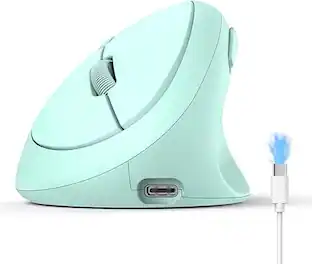
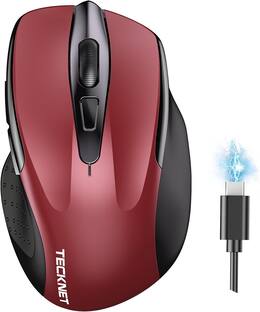
TECKNET - Ergonomic Vertical Mouse, Rechargeable, Bluetooth 5.0/3.0 & 2.4G, 4800 DPI, Silent - Wireless - Pink
Reviews coming soon
About this product
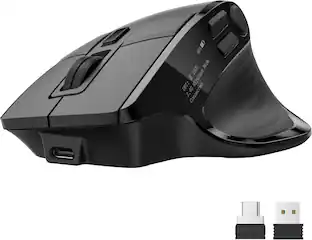
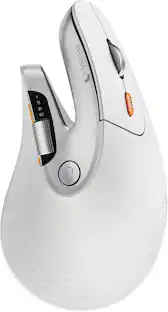
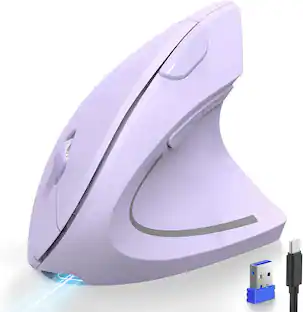
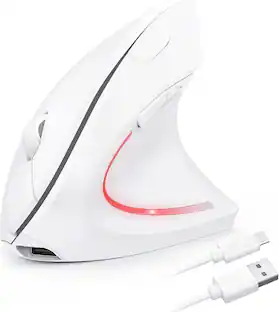
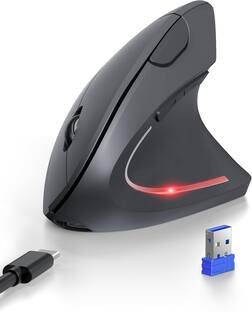
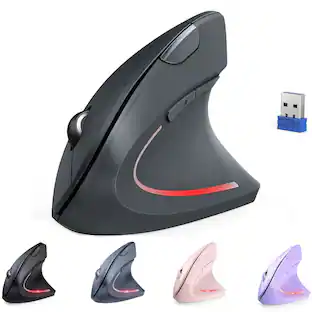
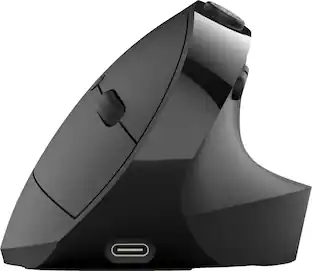
Your wrist was not built for a flat mouse. The TECKNET vertical mouse stands at a 52-degree angle that puts your hand in a natural handshake position, easing the ache that builds up over a long day at the desk. It connects three ways - Bluetooth 5.0, Bluetooth 3.0, and 2.4GHz through the USB-A nano receiver - and one button moves you between up to three devices, so one mouse drives a PC, a MacBook, and an iPad. Six DPI levels (800/1200/1600/2400/3200/4800) cover pixel-level editing through fast cursor travel, and the optical sensor tracks on desks, wood, and paper. The built-in 600mAh battery charges over USB-C in about 1.5 hours and runs up to 2 months, while quiet switches cut click noise by 99% on the left and right buttons. Six buttons include side forward and back (not supported on macOS). Works with Windows, macOS, Linux, Chrome OS, iPadOS, and Android, backed by TECKNET's warranty program.
Color
PinkFeatures
52-Degree Vertical Grip
The upright angle puts your hand in a handshake position, easing forearm and carpal tunnel strain through long sessions. Sized for small to medium hands.
Three Modes, Three Devices
Pair over Bluetooth 5.0 or 3.0, or plug in the USB-A nano receiver, then press one button to jump between a laptop, a desktop, and a tablet without re-pairing.
600mAh Battery, USB-C Charge
A built-in 600mAh cell charges in about 1.5 hours with the included USB-C cable and runs up to 2 months of regular use, so there are no AA batteries to buy.
Six DPI Levels, 800 to 4800
Step through 800, 1200, 1600, 2400, 3200, or 4800 DPI with one button; the LED blinks to show the current level. The optical sensor tracks on desks, wood, and paper.
Quiet Clicks, Six Buttons
Left and right clicks cut noise by 99% for open offices. Side forward and back buttons (not on macOS) plus a DPI switch bring the total to six, rated for 6 million clicks.
Specifications
- Lighting TypeNoneMaximum Sensitivity4800 dots per inchNumber of Buttons (Total)6Connection TypeWireless
Reviews
This product doesn't have any reviews yet.

Compare similar products
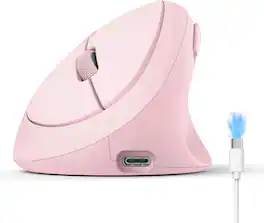
Your wrist was not built for a flat mouse. The TECKNET vertical mouse stands at a 52-degree angle that puts your hand in a natural handshake position, easing the ache that builds up over a long day at the desk. It connects three ways - Bluetooth 5.0, Bluetooth 3.0, and 2.4GHz through the USB-A nano receiver - and one button moves you between up to three devices, so one mouse drives a PC, a MacBook, and an iPad. Six DPI levels (800/1200/1600/2400/3200/4800) cover pixel-level editing through fast cursor travel, and the optical sensor tracks on desks, wood, and paper. The built-in 600mAh battery charges over USB-C in about 1.5 hours and runs up to 2 months, while quiet switches cut click noise by 99% on the left and right buttons. Six buttons include side forward and back (not supported on macOS). Works with Windows, macOS, Linux, Chrome OS, iPadOS, and Android, backed by TECKNET's warranty program.
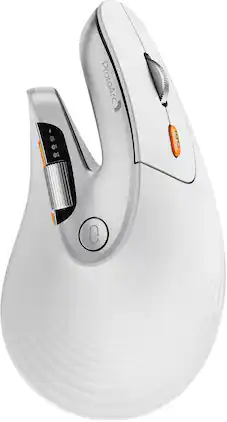
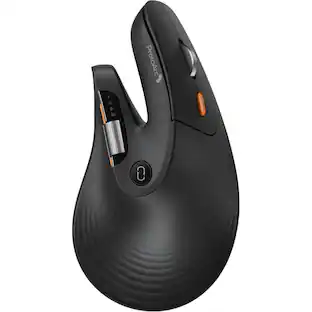
Ergonomic Vertical Mouse for Large Hands with Web-Based Button & Side Scroll Wheel Customization, Multi-Device Connectivity, Silent Clicks, Rechargeable Battery, and Up to 7200 DPI

Ergonomic Vertical Mouse, For Large Hands (7.5"-8.5"), Reduce Wrist Strain, Side Scroll Wheel, Browser-Based Customization, 6 Programmable Buttons, Adjustable 7200 DPI, 3-Device Switching, Bluetooth 5.0 & 2.4G Wireless, Rechargeable Battery, USB-C Charging, Wide Compatibility
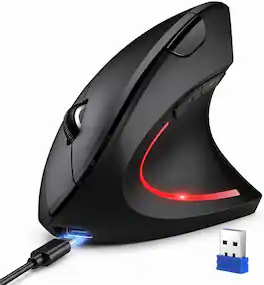
Upgrade to a more natural, strain-free way to work with this Ergonomic Vertical Mouse. Its 60° vertical grip lets you hold the mouse like a handshake, keeping your forearm straight and reducing wrist strain at the source. Six programmable buttons and five adjustable DPI levels help speed up everyday tasks—use lower sensitivity for precise spreadsheet work and higher settings for fast browsing. Reliable 2.4GHz wireless via a USB-A nano receiver provides stable connectivity up to 10 meters for desktops, laptops, and tablets. Silent left and right clicks keep your workspace quiet and focused. Give it about three days to adjust—your wrist will thank you. Backed by a 24-month warranty.
Specs
Customers often buy these together
Computer Keyboards

![The text on the image reads:
888 DD DI DD 4 DSC i F2 F3 4 FS T6 ET 1. 1N IN F.. 11 1.. 114 1n F1 F12 118 in9 - a ee 1 8F 2 3 $ 4 % 5 A 6 & 7 . 8 I 9 I 0 ee I + = delete fn home page up clear - / + tab Q W E R T Y U I 0 P { [ ] ] | I delete end page down 7 8 9 ee caps lock A S D F G H J K L : I - return 4 5 6 + shift Z X C V N M < F > ? / shift a 1 2 3 control option 2 command 3 command option control Y - 0 enter
After grouping and correcting the text, it reads:
888 DD DI DD 4 DSC i F2 F3 4 FS T6 ET 1. 1N IN F.. 11 1.. 114 1n F1 F12 118 in9 - a ee 1 8F 2 3 $ 4 % 5 A 6 & 7 . 8 I 9 I 0 ee I + = delete fn home page up clear - / + tab Q W E R T Y U I 0 P { [ ] ] | I delete end page down 7 8 9 ee caps lock A S D F G H J K L : I - return 4 5 6 + shift Z X C V N M < F > ? / shift a 1 2 3 control option 2 command 3 command option control Y - 0 enter](https://pisces.bbystatic.com/image2/BestBuy_US/images/products/f4059d3a-0c2a-46ef-bcfd-4e11b9b26d5d.jpg;maxHeight=232;maxWidth=233?format=webp)
Mouse Pads

Insignia™ - Mouse Pad - Black
Black Friday Deal$3.99The price was $7.99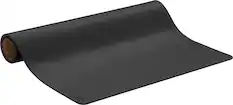
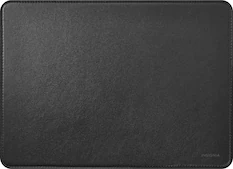
Insignia™ - Desk Mat - Black
Black Friday Deal$12.49The price was $24.99


More to consider
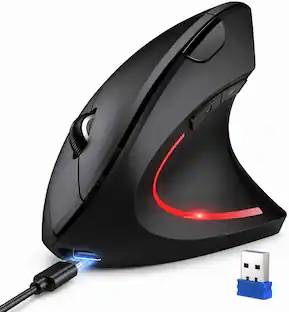
TECKNET 2.4G Wireless Ergonomic Vertical Mouse(USB Receiver, Rechargeable)
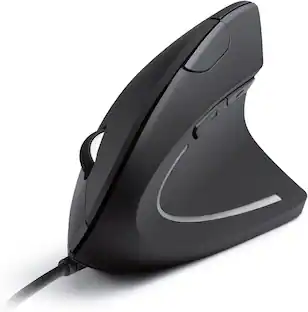
$25.99The price was $39.99Anker Ergonomic Optical USB Wired Vertical Mouse 1000/1600 DPI, 5 Buttons CE100
$16.14The price was $25.99
Explore tech essentials Sponsored
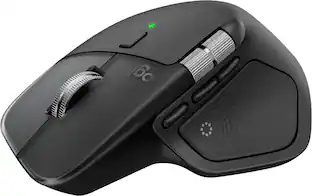
Logitech MX Master 4 - Adobe Edition - Wireless Laser Ergonomic Mouse with Advanced Performance Haptic Feedback
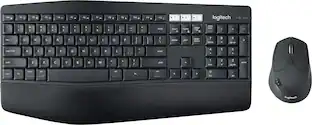
Black Friday Deal$109.99The price was $119.99Logitech MK850 Performance Full-size Wireless Membrane Keyboard and Mouse Combo for PC and Mac
Black Friday Deal$69.99The price was $99.99
Keep exploring
GravaStar Mercury M1 Pro Special Edition Wireless Gaming Mouse with 26000 DPI and Magnesium Alloy Frame
$74.95The price was $99.95REDRAGON M914P Wireless Optical 9 Programmable Button Tri-mode Gaming Mouse with 12,000 DPI HERO Sensor & RGB Lighting - Wireless
Black Friday Deal$33.99The price was $39.99Kensington SlimBlade Pro Trackball - Optical - Cable/Wireless - Bluetooth/Radio Frequency - 2.40 GHz - Rechargeable
Black Friday Deal$119.99The price was $141.93